
Key Takeaways
- Basecamp provides client service teams with a consolidated workspace uniting project tracking, team discussions, file storage, and external client communication portals.
- Basecamp charges twenty nine dollars monthly for Freelancer, or one hundred ninety nine dollars billed annually on Pro Unlimited for unlimited seats.
- Basecamp connects to modern agent workflows through a hosted MCP server, command line interface, custom agent skill, and open REST API.
- Basecamp limits free accounts to one project and restricts entry tiers, pushing growing organizations toward its flat-rate unlimited tier.
Basecamp is the best fit for a client-facing team that wants projects, conversations and files in one shared place without a per-seat bill. Skip it if your team needs a free workspace for several active projects, or needs advanced planning before it can begin organizing the work.
Agent access
- API
- Yes
- MCP server
- Official, hosted or local, OAuth 2.1 with Dynamic Client Registration and PKCE for the hosted server
- Works with
 Claude
 Cursor
- Automation
- Zapier
What are the pros and cons of Basecamp?
What works
- Flat package prices rather than a per-seat bill
- Client mode controls visibility project by project
- Hosted MCP, API, CLI and agent skill are included
What to watch
- Personal supports one project and three people
- Freelancer caps teams at five users and three projects
- Time tracking starts on Pro Plus at $99 a month
What does Basecamp do for client project teams?
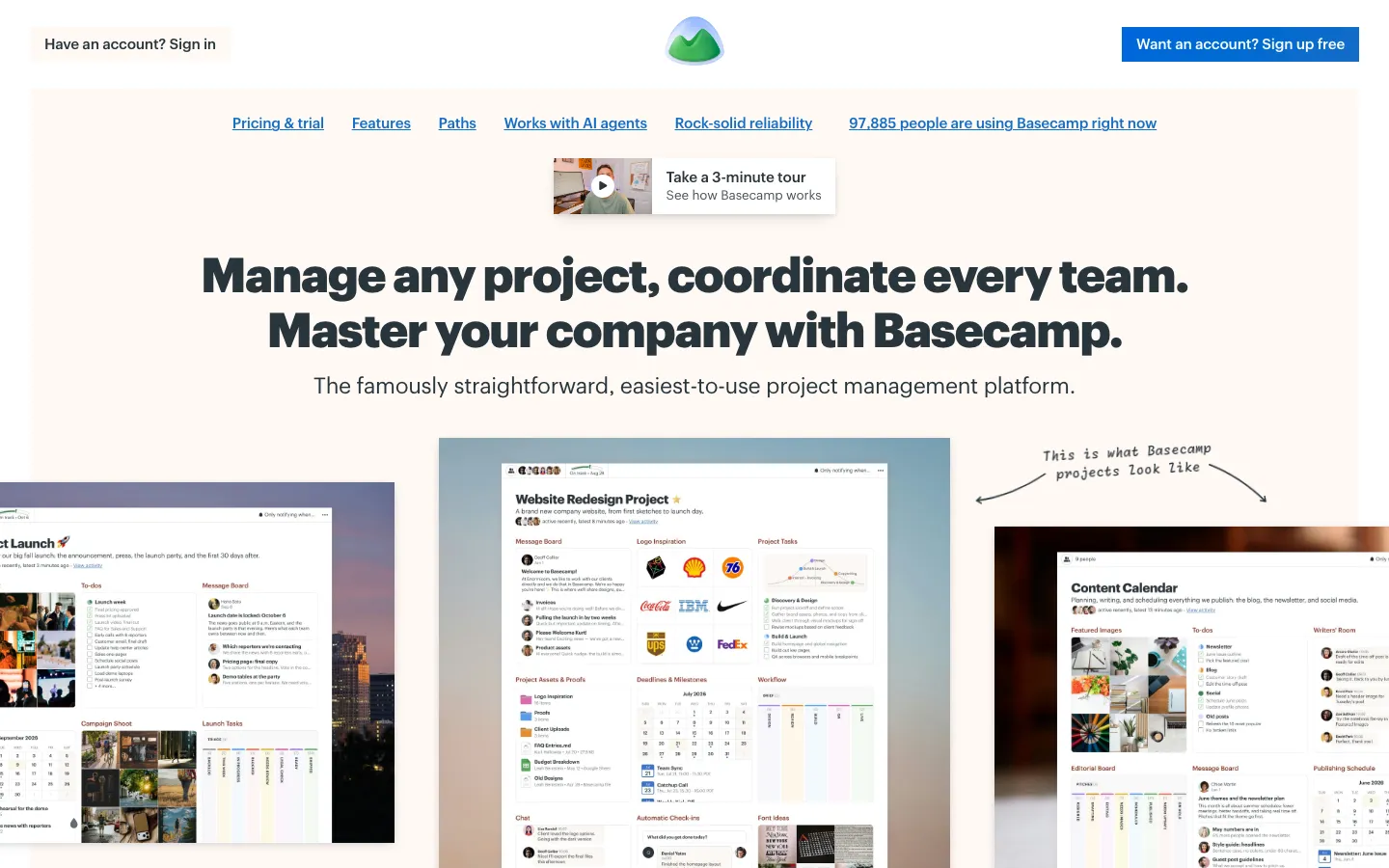
Basecamp eliminates the confusion and lost productivity that happens when client projects are scattered across email, chat, and separate lists. It is the handoff that disappears. Basecamp gives each project its own page, where you add to-dos, message boards, chat, a calendar and card tables, then invite the people who need to take part.
That is a deliberately contained model. The same core tools come with every package: announcements, task ownership, Kanban-style card tables, chat, scheduling, files, reports and automatic check-ins. For a team that wants people to know where work and decisions belong, that consistency is more useful than a long menu of optional modules. The Businessmap review is a useful contrast when portfolio visibility and configured seat pricing are more important than this shared-project model.
Basecamp is made by 37signals, which released Basecamp 5 in 2026. Its packages trade on a practical distinction: the lower tiers have fixed limits on projects and people, while Pro Unlimited removes those limits. That makes the price conversation much clearer than in a per-seat product, especially once clients and contractors need access.
Who should choose Basecamp for project management?
Client-service teams
Client mode lets you set what each client can see in a project, without separating the team’s work.
Growing agencies
Pro Unlimited includes unlimited users and projects, so clients and contractors do not add a seat charge.
Small businesses
Freelancer gives a small group three projects and five users for a known flat monthly bill.
Teams using agents
The hosted MCP server, CLI and API make Basecamp available to an approved AI assistant or workflow.
Capacity is one upgrade trigger, but it is not the only one. Pro adds multiple tools per project and reusable templates, Pro Plus adds time tracking, and Pro Unlimited adds storage, administration, support and onboarding benefits alongside unlimited people and projects.
What collaboration features does Basecamp offer?
One project page, selected tools
A project begins with a shared page rather than a pile of separate views. You can add a message board for discussions, to-dos for accountable work, chats and pings for conversation, scheduling for deadlines, docs and files for assets, and card tables for process tracking. The value is the common home for those records, not an attempt to make every kind of project work the same way.
Client mode
Client mode is Basecamp’s sharpest fit for agency work. It lets you choose what a client should and should not see, project by project. Unfinished work can stay private while conversations that belong on the record remain in the project. That is a more useful boundary than asking a client to navigate a separate copy of the work.
Automatic check-ins and reports
Automatic Check-ins ask recurring questions on a schedule and save answers together, which is useful when a weekly update would otherwise become a meeting. Reports can show overdue work, while Basecamp organizes project activity by topic with clear attribution and timestamps. This is a sensible way to preserve the routine of a project without adding another status channel.
AI agents, MCP and developer access
Basecamp connects to ChatGPT, Claude, Grok Bot and Muse. An approved assistant can add to-dos, move cards and draft updates, but it acts with the same visibility and permissions as the person who connected it. You can choose read-only or full access, then disconnect the assistant at any time.
For a technical team, Basecamp also provides a hosted MCP server, an official command-line interface, an agent skill and an API with OAuth 2.0 authentication and documented endpoints. It says those AI connection options are included with every account. That makes Basecamp unusually ready for an agent to help with project administration, provided your own access rules are already sound.
Calendar and file connections
You can subscribe to your Basecamp calendar in Outlook, Google Calendar, HEY Calendar and other calendar apps. Its integrations directory also lists ways to share Basecamp activity in Slack, alongside partner connections. Those links are useful when they carry a concrete update out to an existing team habit, but the project itself should remain the place to find the record.
How does Basecamp structure its flat pricing plans?
Price checked 27 Nov 2026
| Plan detail | PersonalFree | Freelancer$29/mo | Pro$79/mo | Pro Plus$99/mo | Pro Unlimited$199/mo, billed annually |
|---|---|---|---|---|---|
| Projects | 1 | 3 | 8 | 12 | Unlimited |
| People | Up to 3 | Up to 5 | Up to 10 | Up to 15 | Unlimited |
| Multiple tools and templates | ✕ | ✕ | ✓ | ✓ | ✓ |
| Time tracking | ✕ | ✕ | ✕ | ✓ | ✓ |
| Enhanced admin controls | ✕ | ✕ | ✕ | ✕ | ✓ |
Basecamp prices in US dollars, 27 Nov 2026.Basecamp pricing
The team bill is refreshingly simple because adding people does not create a separate charge. A team of five running three concurrent projects pays $29 a month on Freelancer. A team with more than 15 people or more than 12 projects reaches Pro Unlimited, where the bill is $199 a month on annual billing, before any extra storage.
- Personal is free forever for one project and up to three people
- Every business package starts with a 30-day trial, with no credit card required
- Pro Unlimited includes 1 TB of storage; an extra 1 TB costs $50 a month
- Registered 501(c)(3) nonprofits receive 10% off, while qualifying class work is free
What does Basecamp Pro Unlimited include?
Basecamp offers Pro Unlimited instead of a conventional enterprise tier, providing unlimited projects and users. Pro Unlimited is the highest published package, and it is where Basecamp removes the project and user limits. It also adds enhanced admin controls, priority 24/7/365 support, personal onboarding, and annual payment by check or wire as well as card.
Capacity is one reason to move up, but storage, administration, support and onboarding can also justify Pro Unlimited. The earlier packages have their own feature boundaries: Pro adds multiple tools per project and reusable templates, while Pro Plus adds time tracking. Choose the package that fits the operating need, not just the number of people or projects.
Where does Basecamp fall short for small groups?
Basecamp’s flat pricing is generous at the top and restrictive at the bottom. Personal is one project for up to three people. Freelancer is three projects for up to five people, and it excludes multiple tools per project, templates and time tracking. A team that needs several client workspaces can therefore jump tiers faster than the entry price suggests.
The $199 Pro Unlimited price also has an important condition: it is billed annually. That still may suit a team with many collaborators, but it is not the same buying decision as a month-to-month $199 plan. Keep the billing commitment visible when you compare it with a lower package.
Finally, Basecamp is strongest when its project page becomes the shared record. Teams that need a broader portfolio-management approach should compare the structure, limits and buying model carefully before committing to either a package or a billing model.
What are the top Basecamp alternatives?
Basecamp is a strong choice when client boundaries and a predictable package bill matter most. If conversation is where work begins, the  Chanty review is worth reading: Chanty lets you create a task from scratch or turn any message into one.
For a broader view of available categories and products, use the marketing tools directory to compare the published facts that matter to your own workflow. The sensible comparison is not which product has the longest list, but which one gives your team a clear home for the decisions, tasks and people it needs to coordinate.
What is the verdict on using Basecamp?
Basecamp delivers a compelling flat-rate model for client-facing organizations that need internal staff, contractors, and clients sharing one workspace. Its Client mode, core project tools and included agent access make a focused package. The limits on lower plans are the trade-off, so count projects and people before you let the $29 entry price make the decision for you.
Start the 30-day trial with a live client project. Invite the actual people who need access, decide which work clients should see, and check whether your project count fits the package you would buy.
How was Basecamp reviewed and verified?
Basecamp pricing plans, core tools, artificial intelligence features, and API integrations were verified on 27 Nov 2026. Prices are in US dollars, as Basecamp shows them, and the figures follow how we check figures.
- Basecamp pricing and plan-limit pages
- Basecamp feature pages for projects, clients and check-ins
- Basecamp AI, API and integrations documentation
Frequently asked questions about Basecamp?
Is Basecamp free?
Basecamp Personal is free forever for one project and up to three people. Basecamp Business packages have a 30-day free trial, and Basecamp does not require a credit card for the free account or trial.
How much does Basecamp cost for a team?
Freelancer costs $29 a month for up to five people and three projects. Pro is $79 a month, Pro Plus is $99 a month, and Pro Unlimited is $199 a month billed annually with unlimited people and projects.
Are clients counted as Basecamp users?
Yes. Clients, contractors and guests each count as a person on the limited packages. Pro Unlimited includes unlimited users.
Does Basecamp work with AI agents?
Yes. Basecamp offers a hosted MCP server, an API, an agent skill and a CLI. An assistant works with the connected person’s permissions and can be granted read-only or full access.
 Reviewed byDanny Kirk
Founder of ReddiReach.
 Checked byAndrés Felipe
Digital designer and marketer.
Every figure is checked against the vendor's own page. Read our editorial standards.