
Key Takeaways
- Close equips inside sales teams with an integrated customer relationship management system unifying multi-channel telephony, SMS text messaging, and automated email workflows.
- Close structures sales plans starting at nine dollars monthly for solo operators, while full-featured team plans begin at thirty-five dollars per user.
- Close reserves automated workflow sequences and Power Dialer calling capabilities for its Growth tier at ninety-nine dollars monthly per user.
- Close includes Model Context Protocol access across all customer plans while provisioning high-volume developer application programming interfaces on Essentials and above.
Close is the right CRM for your sales team when calls, email and SMS need to sit beside the pipeline instead of in separate tools. Start at $35 per user a month on annual billing for a shared team workspace, but choose another CRM if your team needs automation before the $99 Growth plan or wants its calling bill included in the seat price.
Agent access
- API
- Yes, Essentials, Growth, and Scale
- MCP server
- Official, OAuth 2.0 or API key with Close-Scope header
- Works with
 ClaudeClaude Code
 ChatGPT
 n8n
 Cursor
 VS Code
- Automation
- Zapier, n8n
What are the top benefits and drawbacks of Close?
What works
- Calling, email and SMS are built into every plan
- Solo starts at $9 a month annually for one user and 10,000 leads
- MCP is included across the range, with high-volume API access from Essentials
What to watch
- Calling and SMS use are extra, beyond the plan price
- Workflows and Power Dialer start with Growth at $99 per user
- AI credits refresh monthly and do not roll over
How does Close integrate calling, email, and pipeline management?
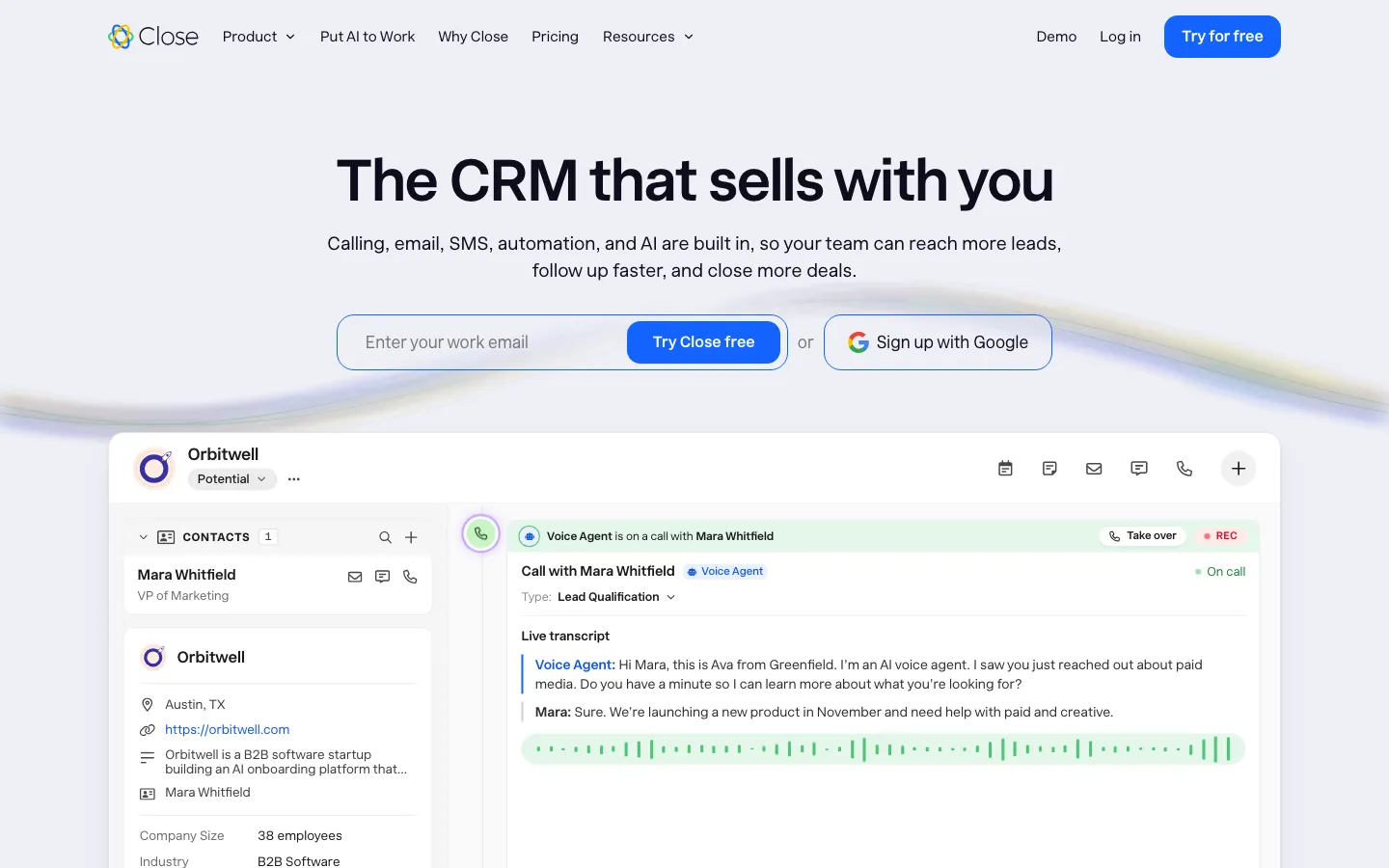
Close puts the sales conversation and the record of that conversation together. Calls, email, SMS, lead management, pipelines and reporting live in one place, which suits a team working named opportunities all day rather than sending broad marketing campaigns. If you are comparing the surrounding stack as well, the marketing tools directory separates the sales and CRM options from the rest of the catalog.
The practical choice is between a lower-cost shared CRM and a faster outreach operation. Essentials gives a team unlimited users and leads, shared conversations and tasks, reporting, Local Presence and unlimited daily standard API calls. Growth is the step that adds Workflows and the Power Dialer. Scale adds Predictive Dialer, live coaching, advanced permissions and unlimited recording retention.
The advertised seat price is only part of the cost. Calling and SMS are usage-based. Most outbound calls are around $0.02 per minute, phone numbers start at about $1 a month, and additional AI credits are available when the included allowance is not enough. That is reasonable for a team that wants usage to follow activity, but it makes a call-heavy team's bill less predictable than a bundled plan.
Which inside sales teams benefit most from Close?
Phone-first sales teams
Keep calls, texts, lead history and follow-up tasks in the same daily sales workspace.
Independent sellers
Use Solo for one user, up to 10,000 leads and built-in sales communication.
Growing outbound teams
Move to Growth when workflows, Power Dialer and AI Playbooks become regular work.
CRM automation builders
Connect compatible AI tools through MCP and use high-volume API access from Essentials upward.
Close is less compelling when you need one inexpensive automation plan for occasional campaigns. Its core value is the shared sales workspace, then the tools that help a rep keep moving through a lead list. A team that will never dial, text or use that workflow may be paying for an operating model it will not use.
What dialer, messaging, and pipeline features does Close offer?
Calling, email and SMS inside the CRM
Every plan includes built-in calling, email and SMS. Close logs each call with the conversation, while email and text activity stay with the lead record. Growth adds scheduled email and text messages, voicemail drop and bulk email. Scale adds the Predictive Dialer, which calls multiple prospects and connects a rep when someone answers. Those tools are useful when dialing is a central part of the day, but the minutes and messages still carry separate usage charges.
AI assistance and agents
Chloe can answer questions and take action across CRM data. AI Agents can call, qualify and follow up with prospects, while AI Enrichment adds contact and company details to leads. Every plan also includes an AI Notetaker for meeting notes, summaries and next steps without using AI credits. The credit distinction matters: AI actions, enrichment and workflow AI steps draw from the monthly allowance, while some summaries and notes do not.
Workflows and sales automation
Growth introduces Workflows that send emails and SMS and trigger the next step. It also adds AI Playbooks, Auto Updates, lead summaries and suggested actions, plus an AI-powered action in a workflow. For a team deciding between Essentials and Growth, this is the real dividing line: Essentials organizes shared selling work, while Growth automates parts of that work.
Team controls and reporting
Essentials and above list unlimited users and leads, a shared inbox and tasks, reporting and dashboards. Scale is the control tier, adding custom objects, advanced roles and permissions, lead visibility rules, Live Call Coaching and a customer success manager. It is a meaningful upgrade only when the team needs those controls, not simply because it has the broadest feature list.
API and MCP connections
Close documents a REST API with API keys for scripts and OAuth 2.0 for user-facing integrations. Essentials and higher plans include unlimited daily standard API calls without per-request fees. Every plan includes MCP connections for compatible AI tools, so an agent can access sales context and take supported actions. Rate limits vary by endpoint, so confirm the endpoints and volume your workflow needs before making that connection part of an operating process.
How do Close seat pricing and usage-based calling charges compare?
Price checked 27 Nov 2026
| Plan detail | Solo$9/mo | Essentials$35/user/mo | Growth$99/user/mo | Scale$139/user/mo |
|---|---|---|---|---|
| Billing shown | Annual | Annual | Annual | Annual |
| Monthly billing | $19/mo | $49/user/mo | $109/user/mo | $149/user/mo |
| Users and leads | 1 user, 10,000 leads | Unlimited | Unlimited | Unlimited |
| AI credits | 500/mo | 1,000/user/mo | 1,500/user/mo | 2,000/user/mo |
| Call recording retention | 30 days | 30 days | 90 days | Unlimited |
| Power Dialer | ✕ | ✕ | ✓ | ✓ |
| Predictive Dialer | ✕ | ✕ | ✕ | ✓ |
Close prices in US dollars, 27 Nov 2026.Close pricing
For a three-person team, Essentials works out to $105 a month on annual billing, before calling, SMS and any additional AI credits. The same team on Growth is $297 a month. That $192 monthly gap buys Workflows, Power Dialer, AI Playbooks and automation features, so price the step against the volume of follow-up work you will actually automate.
- Every plan includes monthly AI credits, but unused credits do not roll over
- Most outbound calls are around $0.02 per minute and phone numbers start at about $1 a month
- AI Call Assistant is a paid add-on at $50 per account each month, plus $0.02 per recorded minute
- Growth and Scale include one additional organization; it costs $50 a month on lower plans
What advanced calling capabilities does Close Scale provide?
Close Scale serves large-scale outbound sales teams at one hundred thirty-nine dollars per user monthly with advanced call routing and enterprise support. It is for a sales operation that needs Predictive Dialer, Live Call Coaching, advanced permissions, lead visibility rules, custom objects and unlimited recording retention. Close lists four plans, ending with Scale.
Scale also includes 2,000 AI credits per user each month, with up to 20,000 included credits pooled across the team each month; additional credits are available. If the deciding factor is permissions or a dialer, confirm the exact use case and calling rates first. The plan solves a control and high-volume-sales problem, not a generic need for more CRM features.
What are the main drawbacks and cost hurdles in Close?
Close restricts workflow automation sequences and high-velocity dialing features to higher subscription tiers costing ninety-nine dollars per user monthly. Solo and Essentials do not include Workflows, bulk email or Power Dialer. A team that needs scheduled follow-up sequences must begin on Growth at $99 per user a month annually, even if its other CRM needs are modest.
Usage charges complicate a simple seat-price comparison. Calling and SMS are separate, and AI usage beyond the included credits is also billed separately. Close provides useful reference figures, but a team with high call volumes should forecast its own minutes and messages before taking annual billing.
Some advanced controls are reserved for Scale. Custom objects, advanced permissions, lead visibility rules and a customer success manager do not arrive until the top published plan. If those are requirements from day one, compare the Scale team bill rather than treating Essentials as the likely entry point.
Which sales platforms and outbound CRMs compete with Close?
 Close alternatives like Cognism deliver contact data intelligence and outbound prospecting lists rather than native communications CRM software. Its Standard and Pro packages each include five seats and require a quote, which suits a team prioritizing contact coverage over Close's built-in calling workspace. Read the Cognism review before comparing quoted package costs.
 Copper is a more natural comparison for a team that lives in Gmail and Google Workspace. Its Basic plan is $23 per seat a month annually, while Professional is $59 per seat, and it combines Gmail sync, pipelines and project management. The Copper review covers the Google-centric option.
Is Close the best CRM for inside sales representatives?
Choose Close if your reps need to call, email and text from the same lead record, and a separate dialer would only add friction. Essentials is the sensible entry point for shared selling work, while Growth is worth the higher bill only when a Power Dialer and automated follow-up will change how your team works. Treat calling, SMS and AI overages as part of the buying decision, not a footnote after the seat price.
Begin with the 14-day trial and run a real lead-follow-up process through it. Price Essentials for shared CRM work, then move to Growth only when workflows and dialing automation save enough rep time to justify the higher per-user bill.
How were Close features, dialers, and API capabilities evaluated?
Close pricing structures, telephony integrations, developer endpoints, and MCP capabilities were evaluated on 27 Nov 2026. Prices are in US dollars as Close presents them, and every figure follows how we check figures.
- Close pricing page, including annual and monthly prices, plan features and usage costs
- Close product page for its CRM, sales communication and AI positioning
- Close Developer Platform page for REST API and OAuth details
What are the most common questions regarding Close CRM?
Is Close free?
No. Close has a 14-day free trial with no credit card required, plus a 30-day money-back guarantee on new purchases. Solo starts at $9 a month on annual billing.
What does Close cost for a sales team?
Essentials is $35 per user a month on annual billing, or $49 monthly. Three Essentials seats cost $105 a month annually before calling, SMS and any extra AI credits.
Does Close include calling costs?
No. Calling and SMS usage are billed separately. Close says most outbound calls are around $0.02 per minute, with rates varying by country.
Does Close work with AI agents?
Yes. Every Close plan includes MCP access for compatible AI tools. Essentials and higher plans also include high-volume API access, while endpoint-specific rate limits still apply.
 Reviewed byDanny Kirk
Founder of ReddiReach.
 Checked byAndrés Felipe
Digital designer and marketer.
Every figure is checked against the vendor's own page. Read our editorial standards.