
Key Takeaways
- CoSchedule provides marketing departments and agencies with a centralized editorial calendar coordinating social publishing, campaign management, team approvals, and performance reporting.
- CoSchedule pricing starts at $29 monthly for Starter on annual billing for a single user, while Professional costs $49 monthly for two included seats.
- CoSchedule integrates with ChatGPT, Claude, Zapier, and webhooks, though teams requiring custom programmatic connections must verify public API availability.
- CoSchedule is not intended for teams that need more than three users on Professional or advanced Marketing Suite features without scheduling a formal enterprise sales call.
When social posts, campaigns and approvals keep slipping between separate tools, CoSchedule gives a small team one calendar to run the work from, and Professional is the sensible paid starting point. Choose another platform if your main need is a broader content workflow or confirmed public API access for a custom process.
Agent access
- API
- Not found on official pages
- MCP server
- Official, hosted, OAuth
- Works with
 Claude
 ChatGPT
 Gemini
- Automation
- Zapier
What are the pros and cons of CoSchedule?
What works
- One calendar for social posts, campaigns and wider marketing work
- Paid plans publish to 11 social networks
- Professional adds approvals, client calendars and custom reports
What to watch
- Starter includes one seat and Professional includes two
- Suite begins with a demo and a custom plan
- Confirm public API access before building a custom workflow around it
What does CoSchedule do for your marketing team?
CoSchedule addresses the challenge where publishing schedules live in one app, briefs in another, and client approvals in email. CoSchedule earns its place in a marketing tools directory by putting social activity and marketing plans on a calendar that the whole team can share. It is strongest when the calendar, rather than a long task list, is how you decide what happens next.
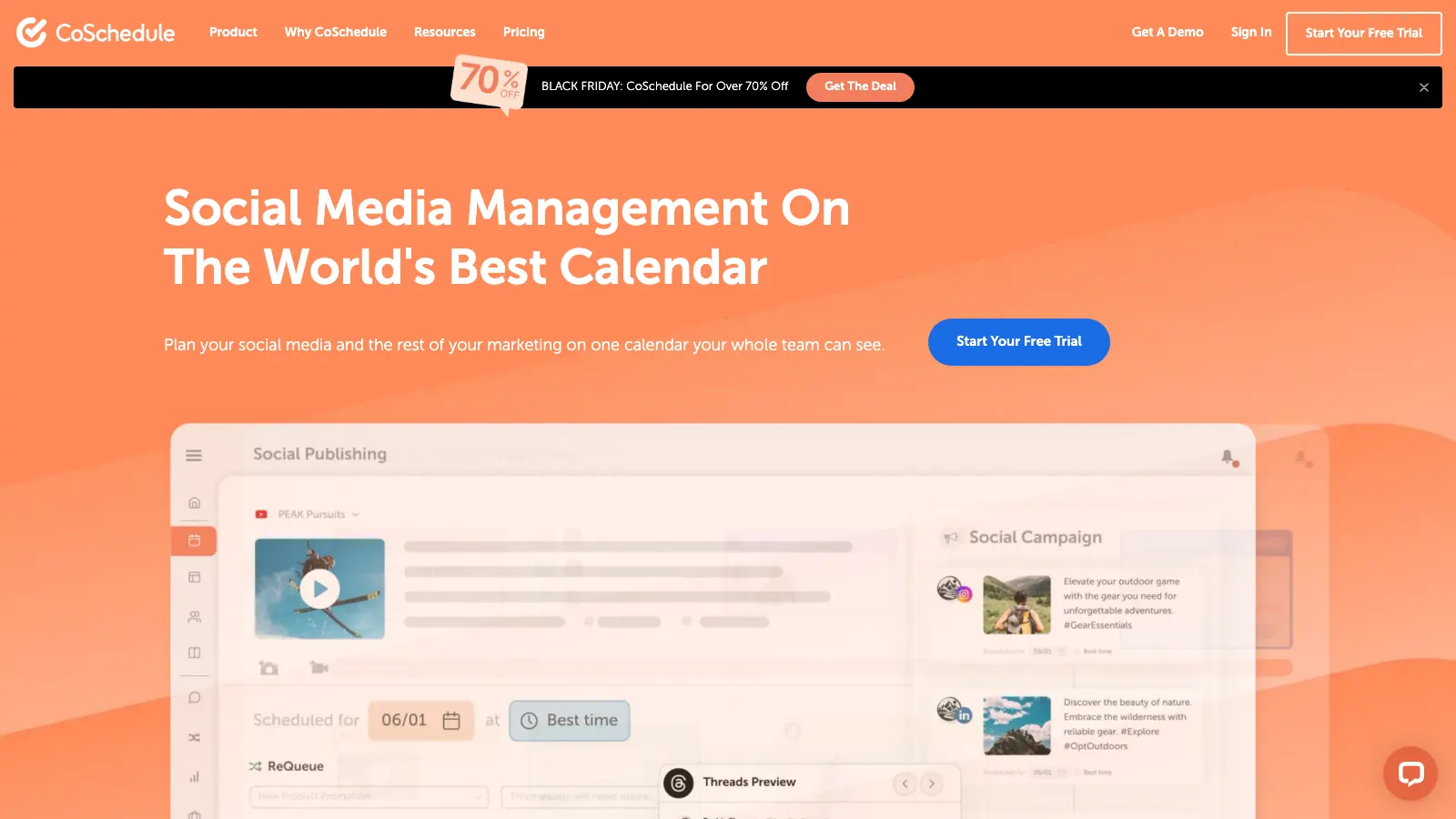
The paid product begins with social management. You can schedule, publish, engage and report from the same calendar, then use ReQueue to fill empty slots with the evergreen posts you choose. Professional adds the agency-facing controls that make the calendar useful when more than one person needs to review work: Social Approvals, read-only calendar sharing, white labeling and client calendars.
Suite changes the brief. It adds team management, permissions, content and campaign planning, custom fields, project reporting, workspaces, SSO and a dedicated account manager. That makes CoSchedule a reasonable hub for a larger marketing operation, but the published entry price stops telling you what the complete setup costs.
Who is CoSchedule designed for?
One-person social teams
Starter gives one marketer publishing, ReQueue, reports and a focused inbox.
Small marketing teams
Professional gives two colleagues approvals, AI insights and nine-network inbox coverage.
Client-service agencies
Professional includes client calendars, white labeling and tools for social approvals.
Multi-brand departments
Suite brings permissions, planning workspaces and project reporting into the calendar.
I would not choose CoSchedule simply because you need a place to keep a content backlog. Its appeal is the move from planned work to published social activity, with people able to see, approve and measure it in the same place. A team that only needs editorial planning will pay for a lot of social machinery it does not use.
Which features does CoSchedule offer?
A calendar built around publication
Every post and campaign sits on the calendar, and moving a campaign moves its schedule with it. That sounds modest, but it is the feature that gives an editor, a social manager and a client a shared view without asking them to translate between different boards. Content Calendar also describes campaign views, custom fields, statuses, labels, tags, saved calendars, Kanban and table views for teams whose work needs more structure.
Social publishing and ReQueue
All paid plans publish to 11 networks: Facebook, Instagram, LinkedIn, Pinterest, TikTok, Threads, Bluesky, Mastodon, Google Business Profile, YouTube and X. Instagram support includes posts, Reels and Stories, while YouTube includes Shorts. ReQueue puts your chosen evergreen posts into gaps in the schedule and can use placeholder groups for recurring posts. The calendar is more useful than a bare scheduler because campaigns stay visible around those repeat posts.
Inbox, approvals and client work
Social Inbox puts comments, mentions and direct messages alongside publishing. Starter covers Facebook and Instagram; Professional and Suite extend it to LinkedIn Pages, Google Business Profile, X, YouTube, Bluesky, Mastodon and Threads, with AI replies, saved replies and internal discussions. Professional also adds Social Approvals, while the Client Dashboard gives approvers a real-time list of content awaiting review, with one-click approvals and feedback notes. That distinction matters: Starter is a personal publishing station, while Professional is where review stops happening in a separate thread.
AI drafting and analysis
CoSchedule AI can create a first draft for a post or a campaign, including posts and images, and the vendor lists more than 1,600 prompts. Its headline analyzer scores headlines for engagement and SEO. Professional and Suite add AI Reply Assistant for the inbox and AI Insights Assistant for reports, while Suite adds brand voice training and profiles. Treat these as drafting and analysis aids, not a reason to remove a human from approval: the useful part is that the draft lands in the same planning system your team already uses.
Integrations and AI chat apps
CoSchedule documents connections for Dropbox, Google Drive, Docs, Sheets and Slides, OneDrive and Microsoft 365, major email services, Canva, HubSpot, Bitly, RSS, Google Calendar, WordPress, Zapier and webhooks. Its support center also lists connections for ChatGPT and Claude, including asking either assistant about the calendar. That is a practical route for teams building around existing apps. I would confirm the exact data an AI chat connection can read or change before making it part of a production process.
How is CoSchedule pricing structured?
Price checked 27 Nov 2026
| Plan detail | Free$0 | Starter$29/mo | Professional$49/mo | SuiteCustom |
|---|---|---|---|---|
| Billing shown | Free | Annual billing | Annual billing | Custom plans from $69/mo |
| Monthly billing | Not listed | $39/mo | $59/mo | Talk to sales |
| Included user seats | Not listed | 1 | 2 | Custom |
| Social profiles | 1, 15 posts at a time | 3 | 5 | Custom |
| Social Inbox | Not listed |  Facebook and Instagram | 9 networks | 9 networks |
| Custom reports and dashboards | Not listed | ✕ | ✓ | ✓ |
CoSchedule prices in US dollars, 27 Nov 2026.CoSchedule pricing
A two-person team can use Professional at $49 a month on annual billing. A three-person team needs one additional Professional seat at $29 a month, so the published recurring total is $78 a month before additional profiles, X charges or other custom arrangements. Each extra social profile costs $5 a month on Starter and Professional. X costs $16 per profile a month on Starter and Professional, as checked 27 Nov 2026. This is the point where the calendar needs to replace enough separate work to earn its keep.
- Starter and Professional each offer a 14-day free trial with a card required at signup
- The free plan permits up to 15 scheduled posts at a time on one profile
- Starter includes three profiles, while Professional includes five
- Suite starts with a demo rather than a self-serve trial
Where does CoSchedule fall short for growing teams?
CoSchedule pricing makes the initial purchase decision simple while leaving higher tier expansion costs less transparent. Starter is for one person, Professional has two seats and a maximum of three users, and Suite moves to a custom arrangement. That is not a problem for a compact social team. It is a limitation if you need to bring a full content department into the system without first agreeing scope and price with sales.
The split between Starter and Professional also matters more than the $20 headline difference suggests. Starter's inbox is limited to Facebook and Instagram. Professional is where the broader inbox, saved and AI replies, internal discussions, approvals, advanced analytics, custom dashboards and client-facing calendar tools appear. If those are core requirements, Starter is not the real comparison point.
CoSchedule connects to Zapier and supports webhooks, but it does not publish public API details. Confirm the access your automation needs before committing a custom data flow to CoSchedule.
Which CoSchedule alternatives should you evaluate?
 CoSchedule alternative AI Peekaboo starts at $30 a month with an API, MCP access and Looker Studio, fitting teams focused on brand appearances in AI answers. For a different content workflow,
 DivvyHQ review covers the product now acquired by Lytho, whose current focus includes keeping human and AI-generated content compliant; its Pro and Enterprise accounts can create custom workflows.
 HubSpot Content Hub review is the better fit if AI Blog Writer and tools to clip and optimize video across channels matter more than social publishing.
CoSchedule solves the daily publishing rhythm: posts, engagement and approvals remain tied to the same calendar. Lytho's current compliance-focused workflow and HubSpot Content Hub's AI writing and video tools answer different operational problems.
What is the final verdict on CoSchedule?
CoSchedule is a sharp choice for a social-led team that needs more order without buying an all-purpose enterprise system. Professional is the plan to judge when two or three people publish, approve and report together; it has the client and inbox features that make the calendar collaborative rather than personal.
Start the Professional trial if your weekly work involves social approval and reporting. Before choosing Suite, write down the user count, social profile count, permissions and reporting needs you want in the proposal.
How was CoSchedule evaluated for this review?
CoSchedule pricing, social management, calendar, content calendar, agency calendar and integration pages were evaluated directly on 27 Nov 2026. Prices are in US dollars as CoSchedule shows them, and the figures follow how we check figures.
- CoSchedule pricing and trial information
- Social management, Marketing Calendar and Content Calendar pages
- Agency Calendar and integration support pages
What are common questions about CoSchedule?
Does CoSchedule have a free plan?
Yes. The free plan allows up to 15 scheduled posts at a time on one social profile. It is distinct from the 14-day trials for Starter and Professional.
How much does CoSchedule cost for a small team?
Professional is $49 a month on annual billing for two seats, or $59 month to month. A third Professional seat costs $29 a month, making the published three-person total $78 a month on annual billing.
Which social networks can CoSchedule publish to?
Paid plans publish to 11 networks: Facebook, Instagram, LinkedIn, Pinterest, TikTok, Threads, Bluesky, Mastodon, Google Business Profile, YouTube and X.
Does CoSchedule work with AI agents?
CoSchedule documents connections for ChatGPT and Claude, along with Zapier and webhooks. It does not publish public API details, so confirm API access before building an agent workflow around it.
 Reviewed byDanny Kirk
Founder of ReddiReach.
 Checked byAndrés Felipe
Digital designer and marketer.
Every figure is checked against the vendor's own page. Read our editorial standards.