
Key Takeaways
- Crisp provides small and mid-sized businesses with an all-in-one customer service workspace unifying live chat, shared inboxes, knowledge base management, and customer CRM records.
- Crisp includes a two-seat Free plan, followed by workspace pricing at $45, $95 for Essentials supporting ten seats, and $295 monthly for high-volume tiers.
- Crisp supports programmatic support operations via comprehensive REST and RTM APIs, webhooks, Chatbox SDKs, and an autonomous customer service agent called Hugo.
- Crisp is not intended for teams that require extensive included artificial intelligence message credits or enterprise-level ticketing depth rather than flat-rate workspace pricing.
Crisp is the sensible choice when you need a shared support desk without watching the bill rise with every conversation. Its free plan gives a two-seat team a chat widget and inbox, while Essentials at $95 a month is the practical step up for ten seats, an omnichannel inbox, workflows and a knowledge base. Choose  Document360 review for an AI knowledge base, or
 eDesk review for an ecommerce helpdesk that centralizes messages and orders.
Agent access
- API
- Yes, every plan
- MCP server
- Official, hosted, Bearer MCP Server token
- Works with
 Claude
- Automation
- Zapier, Make, n8n
What are the pros and cons of Crisp?
What works
- Free forever plan with two seats and a website chat widget
- One workspace charge, regardless of conversation count
- Developer documentation for APIs, webhooks and SDKs
What to watch
- Free includes no AI credit
- Extra agents cost $10 a month
- Ticketing and white labelling start on Plus
What does Crisp do for your customer support team?
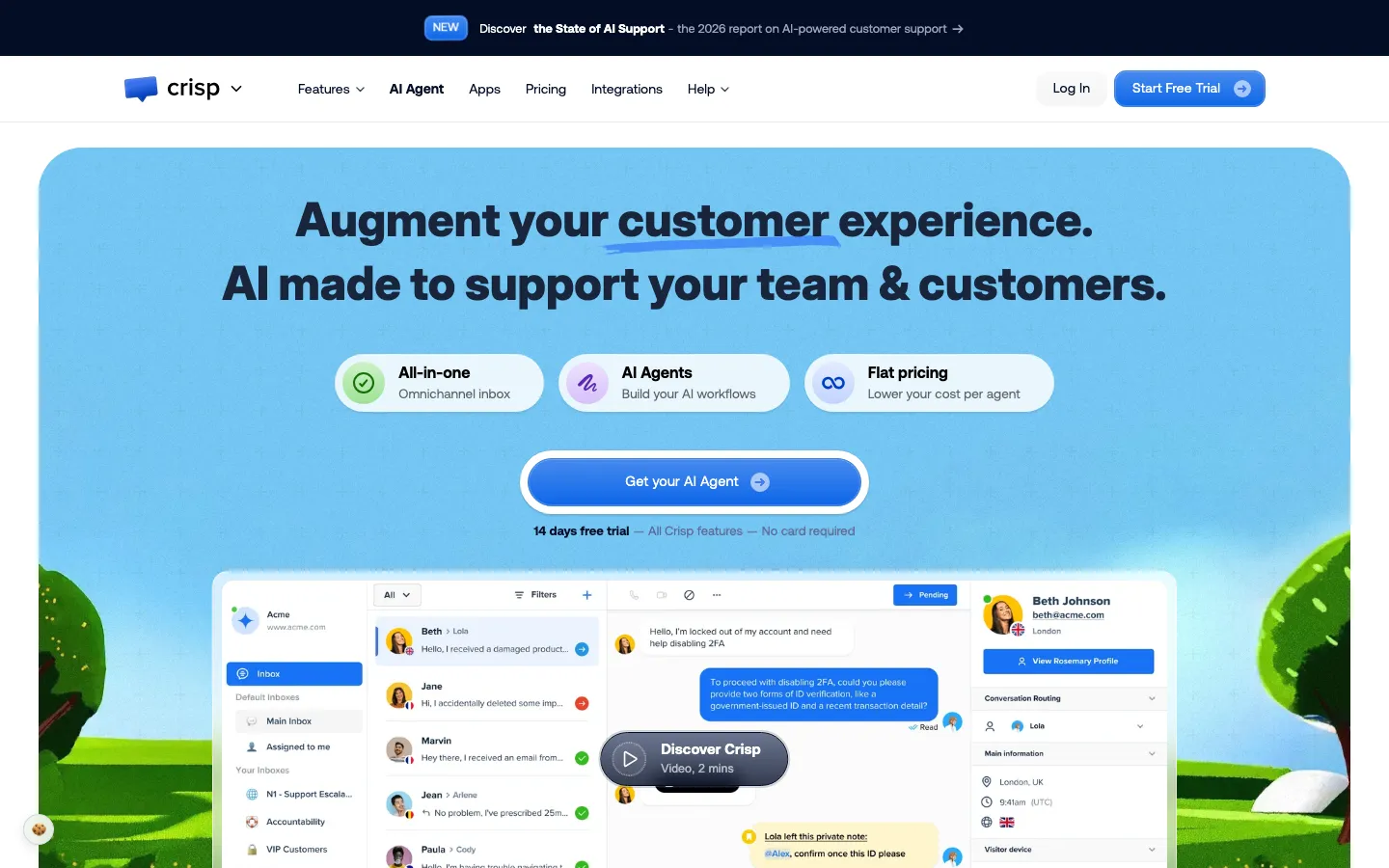
Crisp brings a website chat widget, shared inbox, knowledge base, customer records, analytics and an AI agent called Hugo into one support workspace. That is useful when you are tired of moving a customer from a chat window to an inbox, then to a separate record. The important commercial point is simpler: Crisp charges by workspace rather than by monthly conversation volume, so the core bill is easier to predict.
The free tier is a credible starting place, not merely a trial screen. It includes two seats, a shared inbox, mobile applications, chat SDKs, a contact form, e-commerce integrations and push notifications. Mini adds a shared email inbox for four seats. Essentials is where the broader support operation starts, with ten seats, customer data management, an omnichannel inbox, a workflow builder, a knowledge base, analytics and routing rules.
That leaves Crisp in a clear position in the marketing tools directory: it is built for a team that wants to consolidate support work before it becomes an enterprise procurement project. The Plus plan adds the ticketing system, white labelling, enhanced rate limits, advanced analytics and 20+ seats, but its $295 monthly price means smaller teams should first decide whether Essentials already covers their day-to-day queue.
Who is Crisp designed for?
Two-person teams
Free covers two seats, chat, inbox and mobile access without a monthly subscription.
Growing support desks
Essentials supplies ten seats, workflows, an omnichannel inbox and a knowledge base.
Teams with varied channels
The omnichannel inbox and routing rules suit support work arriving through several channels.
White-label operations
Plus includes white labelling, ticketing, enhanced rate limits and 20+ seats.
Crisp is less compelling if an AI budget is your first constraint. Its included credits are $0 on Free, $5 on Mini, $25 on Essentials and $75 on Plus. A team that expects the AI agent to handle a large share of work should establish how those credits match its expected use before treating the plan fee as the full cost.
Which features does Crisp include?
Chat and a shared inbox
The chat widget works on websites, web apps and native iOS, Android or React applications. The Free plan includes a shared inbox, while Mini adds a shared email inbox and Essentials adds an omnichannel inbox. This progression matters because a small team can begin with website conversations, then pay for email and wider channel handling only when those handoffs become a real problem.
AI agent and workflow builder
Crisp says its AI agent can be trained on a website, PDFs and knowledge articles. Essentials adds both an omnichannel AI chatbot and a workflow automation builder, letting a team build and test workflows before deployment. The product is appealing if you want automation next to the inbox, although the separate AI-credit allowance means the seat count is only one part of the buying decision.
Knowledge and customer records
Essentials includes a knowledge base and customer data management. Crisp also sets a customer-profile allowance for each tier: 100 on Free, 5,000 on Mini, 50,000 on Essentials and 200,000 on Plus. That is a meaningful limit to check when Crisp is meant to become the long-lived record of your support relationships, rather than simply a chat layer.
Integrations and developer access
Crisp groups integrations across automation, CRM, CMS, marketing and messaging, and its Plus tier lists 100+ integrations. For a team building its own connection, the Developer Hub includes guides and reference material for the REST API, RTM API and webhooks, plus API libraries and Chatbox SDKs. That makes Crisp a viable system to connect to an internal workflow, not only a place where agents reply manually.
How is Crisp pricing structured?
Price checked 27 Nov 2026
| Plan detail | Free$0 | Mini$45/mo | Essentials$95/mo | Plus$295/mo |
|---|---|---|---|---|
| Workspace price | Free forever | $45/mo | $95/mo | $295/mo |
| Seats included | 2 | 4 | 10 | 20+ |
| Customer profiles | 100 | 5,000 | 50,000 | 200,000 |
| Sub-inboxes | 0 | 0 | 2 | 5 |
| Included AI credits | $0 | $5 | $25 | $75 |
| Website chat widget | ✓ | ✓ | ✓ | ✓ |
| Shared email inbox | Not listed | ✓ | ✓ | ✓ |
| Knowledge base | Not listed | Not listed | ✓ | ✓ |
| Ticketing system | Not listed | Not listed | Not listed | ✓ |
Crisp published prices, checked 27 Nov 2026.Crisp pricing
The plan total is a workspace price, but it still needs a seat check. Every plan lists additional agents at $10 a month. A 12-person team on Essentials would pay $115 a month before VAT: the $95 workspace plan plus two extra agents. That is the comparison worth making against any product that quotes a per-agent fee from the start.
- Additional agents: $10 per month on each listed plan
- AI credits: included at the plan allowance, from $0 to $75
- VAT: not included in listed prices; valid EU business VAT numbers remove VAT
Crisp offers a 14-day free trial with full feature access and no card required. That gives a team time to compare the inbox and automation setup with its existing workflow before deciding whether the free plan, Mini or Essentials is the sensible ongoing level.
What does Crisp Enterprise provide large operations?
Crisp Enterprise is the route for a large-scale organization that needs a custom arrangement. Crisp lists dedicated onboarding, a personalized SLA, enhanced rate limits, custom features, team training and unique pricing. The vendor does not publish an Enterprise price, so it is a sales conversation rather than a tier you can budget from the public table.
Where does Crisp fall short for certain teams?
Crisp flat workspace pricing can obscure usage and feature limits that matter as support volume scales. Customer profiles rise sharply by tier, from 100 on Free to 5,000 on Mini, so a team collecting a large contact history should calculate its profile count before picking the low-priced entry plan. Likewise, Plus is the first listed plan with ticketing and white labelling, making it a substantial jump from Essentials for teams that need those specific capabilities.
AI credit is the other limit worth treating seriously. Free includes none, and the paid tiers include set dollar allowances rather than an unlimited promise. Crisp gives you the surrounding support stack at a predictable workspace price, but the vendor's public plans do not make a large AI workload look like a no-cost extension of that subscription.
Finally, published prices do not include VAT. Businesses with a valid EU VAT number can remove it, and Crisp says it does not charge VAT outside the EU, but a consumer should not assume the price shown is the final amount.
Which Crisp alternatives should you consider?
Document360 review is the better next read when your support operation begins with a knowledge base. Its review covers the different cost and feature trade-offs a team should weigh before choosing a broader inbox-led workspace.
eDesk review is worth comparing for ecommerce support. Its helpdesk centralizes messages and orders, and its unified inbox covers email, marketplaces, webstore, chat and social channels. Read both reviews alongside the Crisp plan table, then decide which tool puts the features your team needs at the lowest workable tier.
What is the final verdict on Crisp?
Crisp earns its place when your team wants to make support feel joined up without committing to an opaque contract. The free tier is useful, the jump to $95 brings the tools a ten-person support desk is likely to need, and the developer options leave room to connect the workspace to your own systems. The trade-off is that AI credits, profile limits and Plus-only features still demand careful planning.
Start with the free plan or the 14-day trial, map your seats and customer-profile count, then choose Essentials only if its omnichannel inbox, workflow builder and knowledge base solve an immediate support problem. Move to Plus when ticketing or white labelling is genuinely required.
How was Crisp evaluated for this review?
Crisp prices, limits and product details were checked against the company's own pricing, product, integrations and developer pages on 27 Nov 2026. The vendor publishes the dollar amounts quoted here. Read how we check figures for the rules behind the numbers used here.
- Crisp pricing and pricing FAQ
- Crisp product and integrations pages
- Crisp Developer Hub
What are common questions about Crisp?
Does Crisp have a free plan?
Yes. Crisp's Free plan is free forever. It includes a website chat widget, shared inbox, mobile applications, chat SDKs, a contact form and two seats. It does not include AI credits.
How does Crisp charge?
Crisp charges a flat amount per workspace, regardless of monthly conversation volume. Mini costs $45 a month, Essentials $95 and Plus $295. Additional agents cost $10 a month.
Is there a Crisp free trial?
Yes. Crisp offers a 14-day free trial with full access to its features and does not require a card.
Is VAT included in Crisp prices?
No. Crisp says VAT is not included in plan prices. A valid EU business VAT number removes VAT, while Crisp says it does not charge VAT outside the EU.
 Reviewed byDanny Kirk
Founder of ReddiReach.
 Checked byAndrés Felipe
Digital designer and marketer.
Every figure is checked against the vendor's own page. Read our editorial standards.