Key Takeaways
- Dorik combines a no-code drag-and-drop website builder with integrated content management and SEO optimization tools for growing marketing teams.
- Dorik offers monthly tiers starting at twenty-nine dollars for Personal, fifty-nine dollars for Business, and ninety-nine dollars for Agency.
- Dorik allows three custom domains and ten collaborators per site on Business, scaling to unlimited domains and collaborators on Agency.
- Dorik supports programmatic management of CMS items, collections, and SEO metadata through an API, though Model Context Protocol integration remains undocumented.
If you need to run a growing marketing site without a developer in every publishing task, Dorik is a strong fit once your team needs more than one domain and more than one editor. Business is the sensible choice for a small team at $59 a month, while Personal is too constrained for collaboration and Agency only earns its $99 monthly bill when unlimited domains, collaborators and client work are real needs.
Agent access
- API
- Yes, Business and Agency plans
- MCP server
- Not found on official pages
- Automation
- Zapier, Make
What are the primary Dorik pros and cons?
What works
- Visual editing, templates and 250+ UI blocks
- Business includes three domains and 10 collaborators per site
- Agency includes unlimited domains and collaborators per site
What to watch
- Personal has one domain, 25 pages and no collaborators
- Domains must be purchased from another provider
- API and MCP terms need clarification before automation
What does Dorik do for website building?
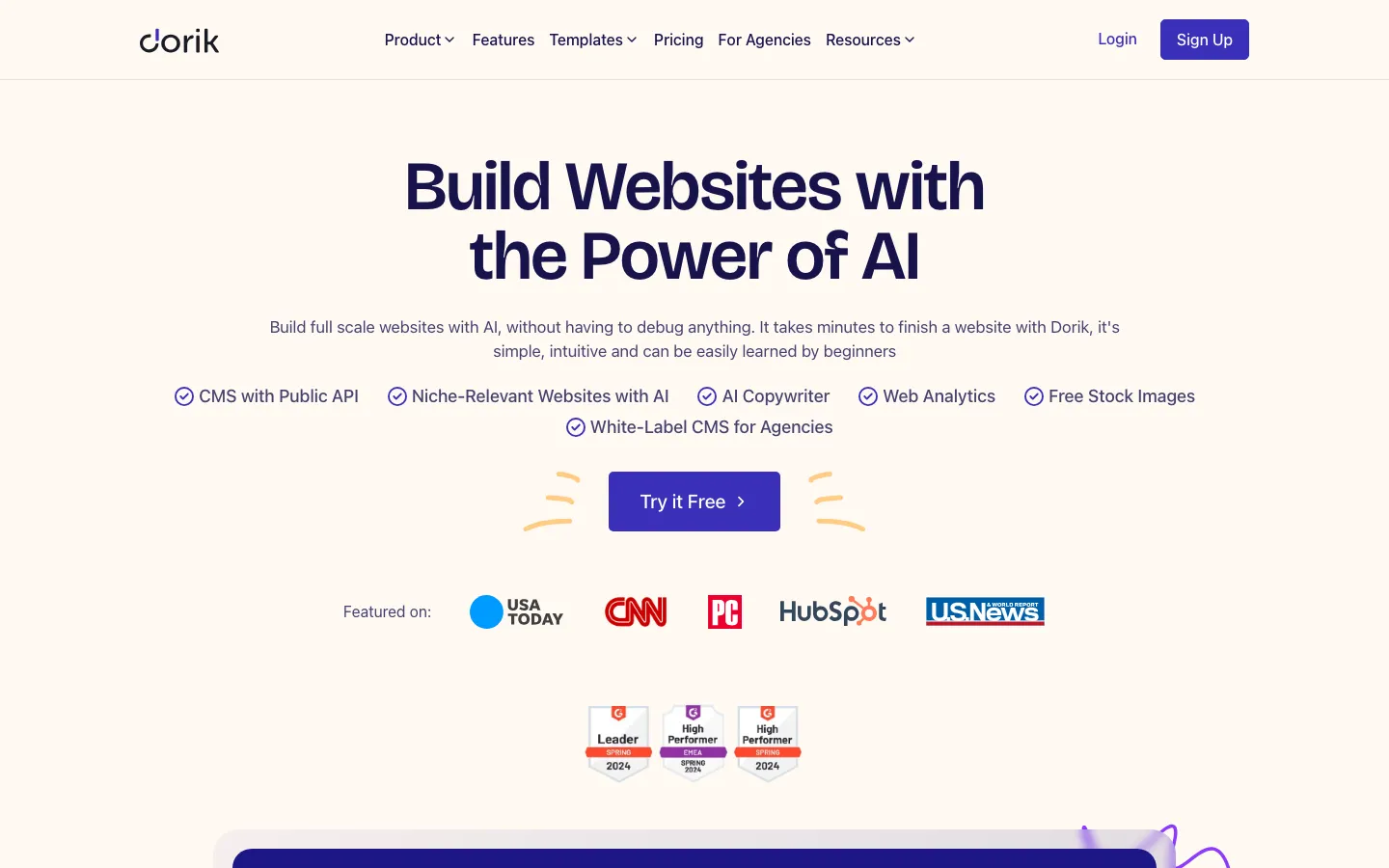
Dorik is a no-code website builder that combines a drag-and-drop editor with templates, UI blocks, forms, a CMS and SEO tools. That combination makes it more useful for an ongoing company site than for a single disposable landing page. If you are sorting the category before choosing a builder, the marketing tools directory is a useful place to keep the job clear: publishing and maintaining a site is different from simply generating a first draft.
The practical appeal is that a marketer can begin with a template, a library block or an AI-generated structure, then make changes in the same visual workspace. Dorik says AI can produce pages, copy, images and layout from one business description, while its builder also supports starting without a template. I would treat that generated starting point as a draft, not a finished site. The message, navigation, forms and publishing ownership still need deliberate decisions.
The paid tiers reveal where Dorik becomes a team product. Personal supports one custom domain, 25 pages and zero collaborators. Business moves to three custom domains, unlimited pages, 10 collaborators per site and unlimited blog posts. For one Business site with up to 10 collaborators, the monthly bill is $59. That collaborator limit applies to each site, not to the account as a whole. Agency lists unlimited domains and collaborators per site for $99 monthly.
Who is Dorik best suited for?
Small content teams
Business gives one site up to 10 collaborators and allows three custom domains.
Founders launching a site
Personal suits a first build when one domain and 25 pages genuinely cover the intended site.
Agencies with client sites
Agency fits teams that need unlimited domains, collaborators and a branded client-facing CMS workflow.
Teams with structured content
CMS collections, blog tools and an Airtable connection suit sites that need maintained, repeating content.
Dorik is not the automatic answer for every no-code project. A solo site with a small fixed page count may not need Business, and a technical team that needs dependable programmatic controls should clarify the API scope before choosing it. The right plan follows the number of domains, editors and publishing responsibilities, not the size of the first homepage.
Which site builder features does Dorik offer?
Visual builder and reusable starting points
Dorik lists drag-and-drop editing, responsive templates and more than 250 UI blocks. That gives a team several starting paths instead of forcing every site through the same generated layout. The strongest use is a repeatable page workflow: choose a sound structure, make the visual changes, and keep the content owner accountable for the copy and conversion path.
AI website generation
Dorik AI says it can build a multi-page website from a prompt, including pages, copy, images and layout. It also offers regenerated sections and layouts, AI text and image tools, quick style changes and version history. Those features can shorten the blank-page stage, particularly for a new business site. They do not remove the need to check claims, replace generic wording and make sure a live site reflects the actual business.
CMS, blogs and data-driven pages
The plan comparison includes blog posts, CMS collections and collection items. Personal allows 200 blog posts, five collections and 200 collection items per site, while Business and Agency list unlimited blog posts, collections and collection items. Dorik also says an Airtable base can supply live data for pages such as directories, product catalogs and listings. That makes the content model worth designing before launch, because migration pain usually arrives after a site has grown past its first campaign.
Client work without Dorik branding
Dorik describes its white-label CMS as a way to replace Dorik branding with an agency's own logo, colors and name. The agency material also lists branded client dashboards, client billing, custom permissions, site ownership transfer and white-label documentation. These are meaningful operational features, not just a cosmetic setting. An agency should map the client handoff, billing responsibility and editor permissions before it treats Dorik as its delivery layer.
Forms, payments and connections
The builder lists forms and payment buttons, while the integrations directory shows options for analytics, tag management, email and automation services. Dorik also lists static code export and a plan-comparison row for API access. The useful judgment is cautious: these features can cover a normal site workflow, but a team should confirm the exact integration, permissions and data flow it needs rather than treating a directory listing as a complete implementation plan.
How is Dorik pricing structured across tiers?
Price checked 27 Nov 2026
| Plan detail | Personal$29/mo | Business$59/mo | Agency$99/mo |
|---|---|---|---|
| Custom domains | 1 | 3 | Unlimited |
| Pages per site | 25 | Unlimited | Unlimited |
| Collaborators per site | 0 | 10 | Unlimited |
| Blog posts per site | 200 | Unlimited | Unlimited |
| Storage and bandwidth | Unlimited | Unlimited | Unlimited |
Dorik monthly plan comparison, 27 Nov 2026.Dorik pricing
Annual billing lowers the displayed effective monthly prices to $20.75 for Personal, $41.50 for Business and $79 for Agency, billed as $249, $498 and $948 respectively. That is a lower committed annual bill, not a reason to buy a tier with limits your team will outgrow. The seven-day trial is the useful checkpoint: build the kind of site you actually intend to maintain and invite the people who will edit it.
- Count custom domains and pages before choosing Personal or Business.
- Confirm the editors who need access, because Personal lists no collaborators.
- Buy the domain separately and plan its connection before launch.
- Confirm API, white-label and client-billing terms for the exact plan you intend to use.
How does Dorik support agency workflows?
Agency is Dorik's plan for teams operating client sites: $99 monthly or $79 a month on annual billing, with unlimited custom domains, collaborators per site, pages and blog posts. Its white-label CMS materials describe unlimited client sites, branded dashboards, custom permissions and direct client billing as part of the agency proposition.
That makes Agency easy to understand as an operational choice. If your business manages multiple client domains and needs clients to edit content in a branded space, removing the caps can be more valuable than trying to make Business fit. If you are building only a few owned sites, Business supplies enough room without paying for an agency workflow you will not use.
Where does Dorik fall short on lower plans?
Dorik limits its entry-level Personal tier by restricting multi-user collaboration and capping static page counts. One custom domain, 25 pages and zero collaborators leave little margin for a team site that gains a blog, regional pages or a second editor. The plan can work for a contained first build, but it is not a comfortable home for a shared publishing operation.
Dorik also does not sell domains itself. The custom-domain allowance is helpful only after you have bought a domain elsewhere and completed the connection. That is normal for a website builder, but it is another task to assign before a launch date.
Dorik says its API can manage CMS data, collections and SEO fields, but does not document an MCP server. Do not infer that a site-generation prompt is the same thing as a managed automation interface. Confirm endpoints, authentication and plan eligibility in writing if that workflow is important.
What are the leading Dorik alternatives?
Dorik alternative Duda provides an Agency package containing four core website projects and six dedicated team seats. The Duda review is useful beside Dorik when your agency needs to compare those allowances with Dorik's 10 collaborators per site.
Durable says it does not offer extensive options for HTML customization. Read the  Durable review if site-level HTML changes are central to your choice, because that limitation matters before you commit to a builder.
What is the final Dorik verdict?
Dorik's price ladder turns on the needs of each site, not just the number of people in an account. Personal keeps an individual build contained, Business gives one site up to 10 collaborators, and Agency is for client operations that will use its unlimited per-site allowance and white-label workflow.
Start a seven-day Business trial with one real content workflow, not a demo page. Add the people who will publish, make a representative CMS collection and connect a domain before deciding whether its $59 monthly bill is the right operating cost.
How was this Dorik review evaluated?
Dorik subscription limits, white-label features, and builder specifications were checked against official vendor pages on 27 Nov 2026. The pricing uses the vendor's US dollars and follows how we check figures.
- Dorik builder and AI pages for visual and generation features
- Dorik monthly and annual pricing pages for plans and allowances
- Dorik integrations and white-label CMS pages for connected and agency workflows
What are frequently asked questions about Dorik?
How much does Dorik cost?
Monthly prices are $29 for Personal, $59 for Business and $99 for Agency. Annual billing displays effective monthly prices of $20.75, $41.50 and $79, billed annually.
Does Dorik offer a free trial?
Yes. Dorik lists a seven-day free trial. The number of sites available during that period depends on the selected plan.
Can a team collaborate in Dorik?
Business lists 10 collaborators per site and Agency lists unlimited collaborators per site. Personal lists zero collaborators.
Does Dorik provide domain registration?
No. Dorik says it does not provide domain purchase services. You need to purchase a domain elsewhere before connecting it to the site.
 Reviewed byDanny Kirk
Founder of ReddiReach.
 Checked byAndrés Felipe
Digital designer and marketer.
Every figure is checked against the vendor's own page. Read our editorial standards.