
Key Takeaways
- EasyContent streamlines agency and editorial handoffs by providing shared calendars, structured approval stages, and unlimited guest reviewer access without extra seat licenses.
- EasyContent Starter costs $59 monthly for five team members and three active projects, supported by a 14-day credit card free trial.
- EasyContent exposes developer APIs and webhooks starting on the $129 monthly Studio plan alongside public reference documentation for programmatic workflow integrations.
- EasyContent limits growing content teams whose immediate production schedule already exceeds three active projects or requires more than five internal workspace users.
When a draft keeps circling among clients, subject-matter experts and editors, EasyContent is the pick for bringing those handoffs into a shared workflow without charging guests for access. Look elsewhere if Starter's three active projects and five internal users will constrain the work you already have.
Agent access
- API
- Yes, Studio plan and above
- MCP server
- Not found on official pages
- Automation
- Zapier
What are the main pros and cons of EasyContent?
What works
- Unlimited guest reviewers on every plan, including Starter
- Workflow stages, change tracking and the calendar are included throughout the range
- Studio adds API, webhooks and WordPress integration
What to watch
- Starter allows three active projects and five internal team members
- Starter includes 3,000 monthly AI credits
- White labeling starts with the $499-a-month Business plan
What does EasyContent do for your marketing team?
EasyContent gives a marketing team one place to plan a deliverable, draft it, collect edits and collect approval. Its central idea is straightforward: owners and reminders should keep a piece moving, while shareable review links keep client feedback out of an email thread. That makes it a useful option to weigh in the marketing tools directory when editorial coordination, rather than another blank writing surface, is the job to solve.
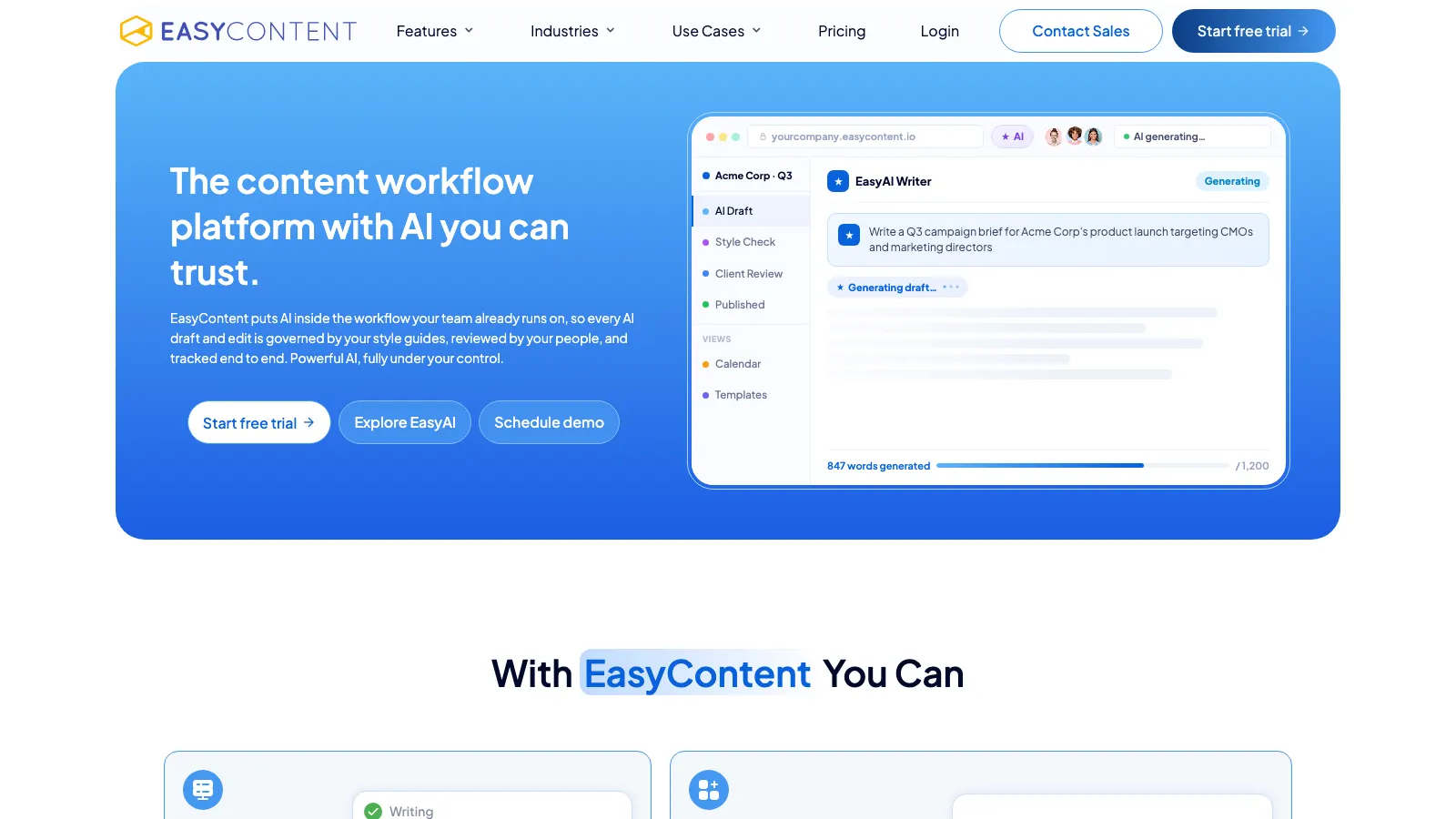
The writing layer, EasyAI, works inside templates and style guidance. Its Writer can produce a first draft from a topic and keywords, then map it into an existing template; its Editor puts proposed changes into a side-by-side review. The practical benefit is not that AI makes approval unnecessary. It is that the same people and stages still govern a draft after AI has helped create it.
The product includes real-time collaboration, change tracking, version history, comments, an editorial calendar, briefs and an asset library on every plan. Studio is the meaningful step up for a team that needs WordPress publishing or machine access, because API and webhook access begin at $129 a month.
Who should choose EasyContent for editorial workflows?
Client-service agencies
Guest reviewers can approve through shareable links without using a paid internal seat.
In-house content teams
Templates, the calendar and an asset library keep a growing production queue in one workspace.
Teams with formal sign-off
Workflow stages scale from five steps on Starter to unlimited steps on Enterprise.
WordPress publishers
Studio and above add bidirectional WordPress integration alongside API access.
I would start with EasyContent if your bottleneck is the round of review after a draft is ready, not the first sentence. It is especially sensible when outside stakeholders regularly need to see a piece. A solo writer with a small queue may find the workflow more structure than the job needs, while a busy team should make sure the Starter ceilings fit before calling $59 its real monthly bill.
Which core content collaboration features does EasyContent include?
Approval workflows with named steps
Starter supports five steps with one reviewer at each step. The plan sequence expands to eight steps and two reviewers on Studio, 12 steps and three reviewers on Team, 20 steps with unlimited reviewers on Business, and unlimited workflow steps and reviewers on Enterprise. EasyContent also describes clear owners, automatic reminders and shareable review links. That progression helps a team organize multiple sign-offs, but it does not enforce a publishing gate: WordPress content can publish at any point in the workflow, regardless of its status.
EasyAI under editorial controls
EasyAI Writer creates a complete first draft from a topic and keywords, while EasyAI Editor makes changes for review in a side-by-side diff. Style guides can govern AI drafts and edits, and account, project and team-member controls decide who can use the features. Starter includes 3,000 monthly AI credits, Studio 6,500, Team 10,500 and Business 25,000. Extra credit packs are available when the included allowance is not enough, and those packs do not expire.
Calendar, templates and collaboration
An editorial calendar is included across the plans for planning content. Templates can carry custom fields, guidelines and word limits, while the editor supports simultaneous work, comments, mentions, tracked changes and version history. The asset library keeps supporting files beside the work. Together, these features make EasyContent strongest as an operating space for a recurring content process, rather than as a one-off drafting tool.
API, webhooks and publishing
Studio and above add API and webhook access. The same level adds a bidirectional WordPress integration: content can move from EasyContent to WordPress and back, with support for the classic editor and Gutenberg. The pricing page also lists Figma and Zapier integrations. For a team building its own workflow around EasyContent, Studio is the first plan worth evaluating.
Guest review without seat math
Every plan includes unlimited guest users, and guests using a shareable link do not consume an internal user seat. That detail matters for agencies: a client, legal reviewer or subject-matter expert can participate in a sign-off without turning every occasional commenter into a recurring line item.
How much does an EasyContent subscription cost?
Price checked 27 Nov 2026
| Plan detail | Starter$59/mo | Studio$129/month | Team$209/mo | Business$499/mo | EnterpriseCustom |
|---|---|---|---|---|---|
| Annual billing | $47/mo | $103/mo | $167/mo | $399/mo | Custom pricing |
| Internal team members | 5 | 10 | Unlimited | Unlimited | Unlimited |
| Active projects | 3 | 10 | 30 | 60 | Unlimited |
| Workflow capacity | 5 steps, 1 reviewer | 8 steps, 2 reviewers | 12 steps, 3 reviewers | 20 steps, unlimited reviewers | Unlimited |
| Monthly AI credits | 3,000 | 6,500 | 10,500 | 25,000 | Custom |
| API and webhooks | ✕ | ✓ | ✓ | ✓ | ✓ |
| Guest users | Unlimited | Unlimited | Unlimited | Unlimited | Unlimited |
EasyContent prices in US dollars, 27 Nov 2026.EasyContent pricing
For a five-person writing team running no more than three active projects, the real Starter bill is $59 a month because the plan includes five internal users and unlimited guests. Annual billing makes that $564 paid annually, shown by EasyContent as $47 a month. Once the team needs API access, WordPress publishing or a fourth active project, the starting bill changes to Studio at $129 a month, or $103 a month on annual billing.
- All plans include a 14-day trial with no credit card required
- All plans include unlimited guest reviewers and shareable links
- Extra AI credit packs are available and do not expire
- White labeling is available on Business and Enterprise
What does the EasyContent Enterprise tier deliver to large teams?
EasyContent Enterprise has custom pricing, unlimited team members, projects, workflow steps, reviewers, templates and storage. EasyContent positions it for regulated teams that need procurement, security review and rollout support. That is a different purchase from Studio or Team: the value is not simply more content capacity, but a negotiated setup for a larger organization.
Where does EasyContent fall short for busy production teams?
EasyContent restricts entry-level users with narrow project and seat limits that directly affect a production team. Five people and three active projects can work for a small website copy system, but they leave little room if several client launches are live at once. The plan jump is steep enough that you should map real projects, not just headcount, before starting a trial.
AI use is also metered. Three thousand Starter credits may suit occasional drafting and editing, but a team that asks EasyAI to produce many first drafts has an included allowance to monitor. Extra credit packs can extend capacity and do not expire. Confirm the pack price before budgeting for extra usage. The decision is whether the included allowance fits your expected editorial volume.
The polished agency features do not begin at the bottom. White labeling is reserved for Business and Enterprise, starting at $499 a month. That makes EasyContent compelling for client review early on, but less compelling as a branded client portal until the budget is substantially larger.
Which platforms serve as the best EasyContent alternatives?
 AI Peekaboo review is the better fit when the immediate job is tracking where a brand appears in AI-generated answers. Plans start at $30 a month and include API and MCP access, checked 27 Nov 2026.
 Enji review is worth reading if you are a non-marketer small-business owner who needs a marketing plan, copywriting, scheduling and KPI tracking in one product. Its published plan is $29 a month, checked 27 Nov 2026, and its focus is a single business marketing process rather than a multi-reviewer content approval workflow.
 Frase review makes more sense when the team wants research, SEO and GEO optimization, publishing and ranking-decay monitoring in the same content platform. Its Starter price is $39 a month on annual billing, checked 27 Nov 2026, and it offers an MCP server for workflows in compatible AI tools.
What is the final verdict on adopting EasyContent?
EasyContent delivers a strong fit for teams whose drafts stall between clients and editors thanks to unlimited guest reviewers. The unlimited guest access is the standout: it lets an agency or an in-house team bring reviewers into a real workflow without seat-by-seat friction. Studio is the sensible starting point for anyone who needs the API or WordPress, while Starter is a focused option for a small team with a small active queue.
Run one real approval cycle during the 14-day trial, with a client or internal stakeholder using a shareable link. If the team needs more than three concurrent projects or machine access, price Studio from the outset rather than treating Starter as a long-term plan.
How was this EasyContent review verified?
EasyContent specifications and pricing details were last checked on 27 Nov 2026. Prices, plan limits and feature availability came from EasyContent's pricing, EasyAI, FAQ and API documentation pages. Read how we check figures for the rules we apply to prices and plan limits.
- EasyContent pricing and plans
- EasyAI and content-workflow pages
- EasyContent FAQ and API documentation
What are the most common questions about EasyContent?
Is there a free EasyContent plan?
No permanent free plan is listed. EasyContent offers 14 days of full access without a credit card, then Starter starts at $59 a month.
Can clients review content without a paid EasyContent seat?
Yes. Every plan includes unlimited guest users and shareable links, and a guest reviewer does not consume an internal user seat.
Does EasyContent include AI writing?
Yes. EasyAI Writer generates drafts from a topic and keywords, and EasyAI Editor proposes changes for side-by-side review. Starter includes 3,000 monthly AI credits and Business includes 25,000.
Does EasyContent integrate with WordPress?
Yes, on Studio and above. The integration is bidirectional and supports the classic editor and Gutenberg. Studio and above also include API and webhook access.
 Reviewed byDanny Kirk
Founder of ReddiReach.
 Checked byAndrés Felipe
Digital designer and marketer.
Every figure is checked against the vendor's own page. Read our editorial standards.