
Key Takeaways
- Free Google Ads Negative Keywords Generator delivers industry-specific exclusion lists to protect Google Ads budgets before campaigns go live.
- Marketers can use Free Google Ads Negative Keywords Generator without subscription fees or platform account registrations directly on the web.
- Generated negative keyword lists from Free Google Ads Negative Keywords Generator should be exported as drafts for strategic manual review.
- Advertisers needing keyword exclusions based on historical account search query reports should use native Google Ads analytics instead of Free Google Ads Negative Keywords Generator.
Free Google Ads Negative Keywords Generator is the right free first pass when you need a campaign-specific exclusion list before a Google Ads launch. You should choose it for ideas and formatting, then make the final calls in your Search Terms Report, especially when a word such as “free” or “training” could still bring the right buyer.
Agent access
- API
- Not found on official pages
- MCP server
- Not found on official pages
What are the main pros and cons of Free Google Ads Negative Keywords Generator?
What works
- Free starting list for a keyword, product or service
- Recommended terms separated from review-needed terms
- Broad, phrase and exact formats to copy or download
What to watch
- Built from predefined categories and industry rules
- Only Global and India options are shown
- Ambiguous terms still need campaign-level judgment
How does Free Google Ads Negative Keywords Generator prevent wasted ad spend?
Free Google Ads Negative Keywords Generator prevents generic exclusion mistakes by structuring relevant negative lists before launch. This tool is better used as a prompt for a conversation about intent. Enter a main keyword, product or service, choose the closest industry and pick either Global or India. It returns possible exclusions for you to examine before they reach a campaign. The marketing tools directory helps when the job calls for a broader workflow.
The distinction between its two buckets is the useful part. Employment and research-oriented signals, including jobs, salaries, internships, assignments, exams, definitions and meanings, appear as recommended exclusions. A separate review bucket keeps less certain language from being passed off as universally wrong. That is a sensible safeguard when a local-service advertiser and a course provider can interpret the same search entirely differently.
For a small team, Free Google Ads Negative Keywords Generator belongs at the planning desk rather than in the account-management workflow. It can give a marketer a quicker first list, but the account's actual search terms remain the place to decide which queries waste budget.
Who gets the most value from using Free Google Ads Negative Keywords Generator?
New Search advertisers
Build a first exclusion list, then check every term against your offer.
Local-service marketers
Separate likely DIY or employment intent before reviewing real campaign queries.
PPC specialists
Format a draft list in broad, phrase or exact match types.
Launch-focused agencies
Use documented industry examples as a pre-launch discussion, not campaign governance.
It is not a replacement for a routine search-query review. If the work is recurring, you need to inspect the terms a campaign actually attracted, account for your offer and location, and decide at the ad-group or campaign level. A generator cannot know whether “course,” “download” or “cheap” is a wasted click, a qualified buyer or both in different campaigns.
What features make Free Google Ads Negative Keywords Generator effective for search advertisers?
Keyword and industry-led suggestions
The starting input can be a main keyword, product or service, rather than only a fixed list. The page also asks for the most relevant industry. Its examples cover real estate, education, ecommerce, local services, IT, tour and travel, and marketing. That creates a more useful starting point than copying one universal list, but it still requires context from the business being advertised.
Recommended terms versus review-needed terms
The tool uses predefined negative-keyword categories and industry rules, then places suggestions into Recommended Negative Keywords or Review Before Adding. I think that second group is the page's best decision. “Free,” “cheap,” “course,” “training,” “guide,” “PDF” and “download” can point to low-value traffic for one advertiser, but they can also describe a product another advertiser sells. The tool gives the human reviewer a place to slow down.
Match-type formatting
You can choose broad, phrase or exact negative-keyword formats before copying or downloading the list. The page describes broad negatives without quotation marks or brackets, phrase negatives in quotation marks and exact negatives in square brackets. This is a small feature, but it removes a tedious transcription step and makes the review more concrete: you can look at the same candidate under the scope you are considering, rather than treating every exclusion as equally wide.
Industry examples for intent discussions
The examples make the tradeoff visible. A real-estate seller might treat rental intent as an exclusion when it only sells property. An ecommerce business may need to weigh wholesale or used queries against its catalog. A local plumbing campaign may exclude DIY or tutorial searches, while a training business may value those terms. Use the examples to ask what the campaign genuinely does not serve, not to create a blanket rule across accounts.
Copy or download after review
Once you have selected a format, the page says the output can be copied or downloaded for further review. That is enough for a lightweight handoff to the person building the campaign. The page advises reviewing actual Google Ads search terms before adding exclusions. That limitation is healthy: negative keywords can block valuable traffic when they are too broad or simply wrong for the offer.
Does Free Google Ads Negative Keywords Generator charge any usage fees?
Price checked 27 Nov 2026
| Plan detail | Free Negative Keyword GeneratorFree |
|---|---|
| Keyword-specific suggestions | ✓ |
| Industry selection | ✓ |
| Market choices shown | Global and India |
| Match formats | Broad, phrase and exact |
| Results handoff | Copy or download |
Free tool and features, 27 Nov 2026.Free Google Ads Negative Keywords Generator
There is no team bill to calculate because Free Google Ads Negative Keywords Generator page presents the generator as free. For a one-off launch, that is the appeal. For a recurring paid-search program, price is only one part of the choice: the important question is whether your regular review process can distinguish unwanted queries from terms that merely look uncommercial at first glance.
What are the limitations of using Free Google Ads Negative Keywords Generator?
Free Google Ads Negative Keywords Generator cannot replace empirical search term evidence gathered inside an active advertising account. Its suggestions rely on predefined categories and industry-specific rules, while the page itself says they are a starting point rather than a substitute for reviewing actual Google Ads search terms. That is the central limit, not a small caveat. A list can be well organized and still be wrong for the business, geography or campaign structure in front of you.
The available settings are narrow. The tool shows only Global and India as market choices. The output also needs care when broad match is selected, because broader exclusions can prevent ads from showing on searches that still matter to the business.
Finally, the page tells the reader to review suggestions before adding them. Take that literally. A service business that does not offer training may exclude “training,” but a business selling training would lose the very demand it wants. The review bucket is not a final decision, and neither is the recommended bucket.
Which paid search tools offer alternatives to Free Google Ads Negative Keywords Generator?
Free Google Ads Negative Keywords Generator alternatives focus on live account optimization rather than pre-launch seed generation. Start with  AI Peekaboo review if you need to compare the same buyer questions across ChatGPT, Gemini, Perplexity, Google AI Mode and Google AI Overviews. The
 Gauge review shows advertisers' ChatGPT ad copy and the specific prompts where those ads appeared, which is a different job from Google Ads exclusions.
The  KIME Ads review tracks sponsored ChatGPT ads only on the workspace's tracked prompts. That narrower scope makes it an ad-observation tool, not a Google Ads negative-keyword workflow.
What is our overall evaluation and verdict on Free Google Ads Negative Keywords Generator?
Free Google Ads Negative Keywords Generator delivers clear utility by encouraging deliberate, restrained exclusion practices before launch. Free Google Ads Negative Keywords Generator gives you a tailored place to begin, keeps uncertain terms visible for judgment and hands the result over in usable match formats. That is exactly enough for a new campaign's first negative-keyword discussion. It is not enough to make exclusion decisions without the account's own search terms, and the page does not pretend otherwise.
Use it before launch to draft exclusions around the product and industry. Review every candidate against the offer, then compare the survivors with the Search Terms Report before adding them to a campaign or ad group.
How was Free Google Ads Negative Keywords Generator tested and verified?
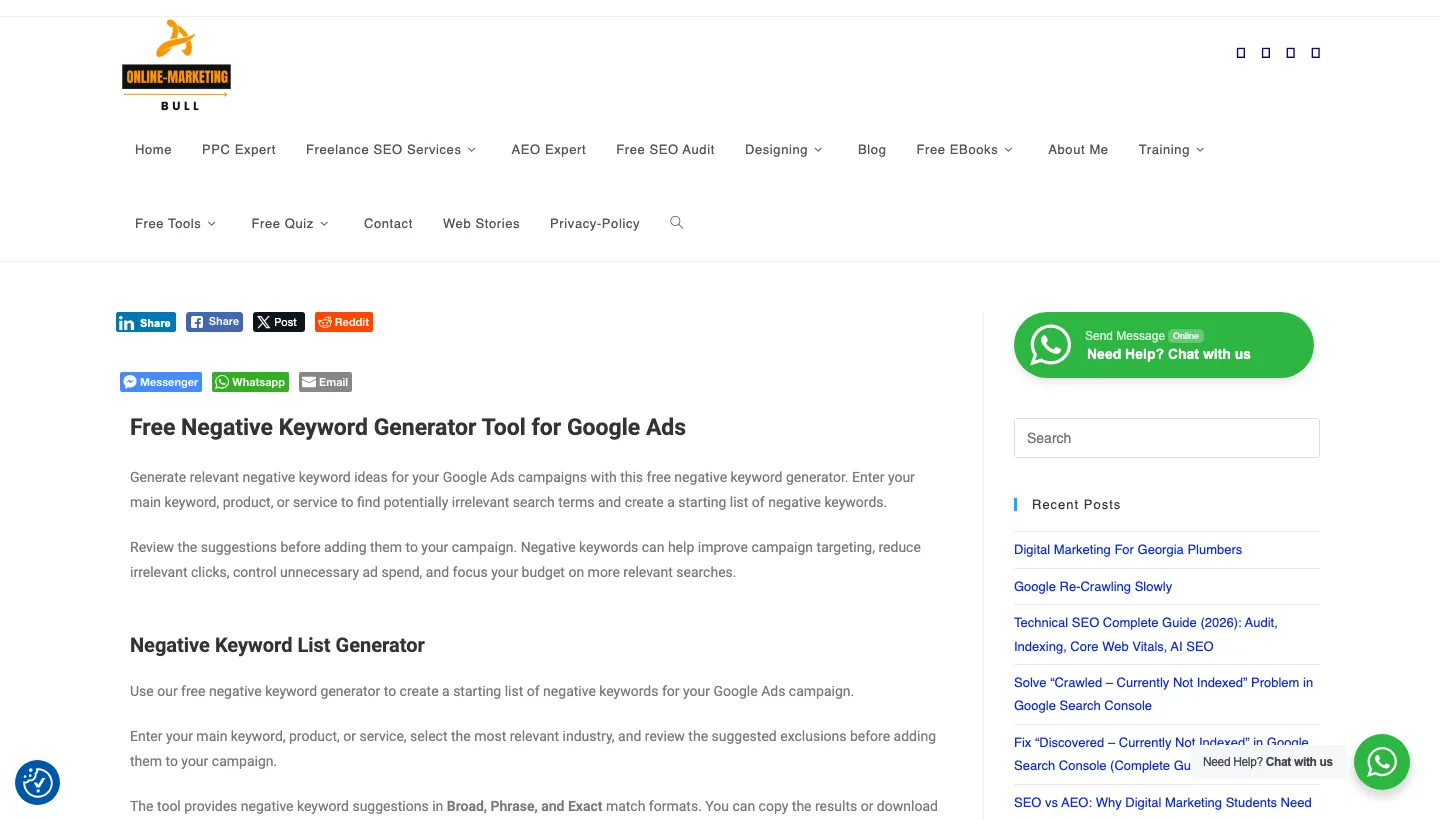
We checked Free Google Ads Negative Keywords Generator's own page on 27 Nov 2026 for its price, inputs, market choices, match formats, result groups and stated safeguards. Prices are shown as the vendor presents them, and every figure follows how we check figures.
- OnlineMarketingBull's Free Negative Keyword Generator page
- The page's match-type, industry-example and FAQ sections
What are common questions about Free Google Ads Negative Keywords Generator?
How does the generator create a negative keyword list?
Enter a main keyword, product or service, select an industry and review the resulting suggestions. The tool uses predefined categories and industry rules, then separates recommended terms from terms to review before adding.
Is the Free Google Ads Negative Keywords Generator free?
Yes. The tool page presents the generator as free, with keyword-specific suggestions, industry selection, Global or India choices, match-type formats and copy or download results.
Should a local-service business add every generated negative keyword?
No. Terms including “free,” “cheap,” “course,” “training,” “guide,” “PDF” and “download” can be irrelevant for one business and valuable for another. Review each term against the offer before adding it.
Can it format broad, phrase and exact negative keywords?
Yes. It offers broad, phrase and exact formats. Broad negatives use no quotation marks or brackets, phrase negatives use quotation marks, and exact negatives use square brackets.
 Reviewed byDanny Kirk
Founder of ReddiReach.
 Checked byAndrés Felipe
Digital designer and marketer.
Every figure is checked against the vendor's own page. Read our editorial standards.