
Key Takeaways
- Gist centralizes website live chat, shared customer support inboxes, outbound email marketing, and foundational CRM tracking within a single shared operating environment.
- Gist provides free support tooling for two user seats, scaling to twenty-nine dollars monthly for five seats or ninety-nine dollars monthly for unlimited agent access.
- Gist publishes standard developer API documentation to facilitate workspace integration, though teams must verify plan prerequisites and permissions before deploying automated workflows.
- Gist requires upgrading to its Premium tier to access automated conversational bots, integrated voice calls, video meetings, and advanced enterprise CRM synchronization.
If you want to stop support, marketing and basic CRM work from scattering across separate apps, Gist is the practical choice for your small team. Skip it if you need a specialized helpdesk or need custom bots, calls and advanced CRM integrations without paying for Premium.
Agent access
- API
- Yes, Professional and Premium
- MCP server
- Not found on official pages
- Automation
- Zapier
What are the core strengths and limitations of Gist?
What works
- Free Support covers two seats without a credit card
- One workspace joins chat, help content, marketing and a simple CRM
- $99 Support Premium includes unlimited support seats
What to watch
- Marketing pricing rises with contact count
- Custom bots and calls begin at Support Premium
- Premium pricing is marked as ending soon
How does Gist unify customer support, marketing, and CRM records?
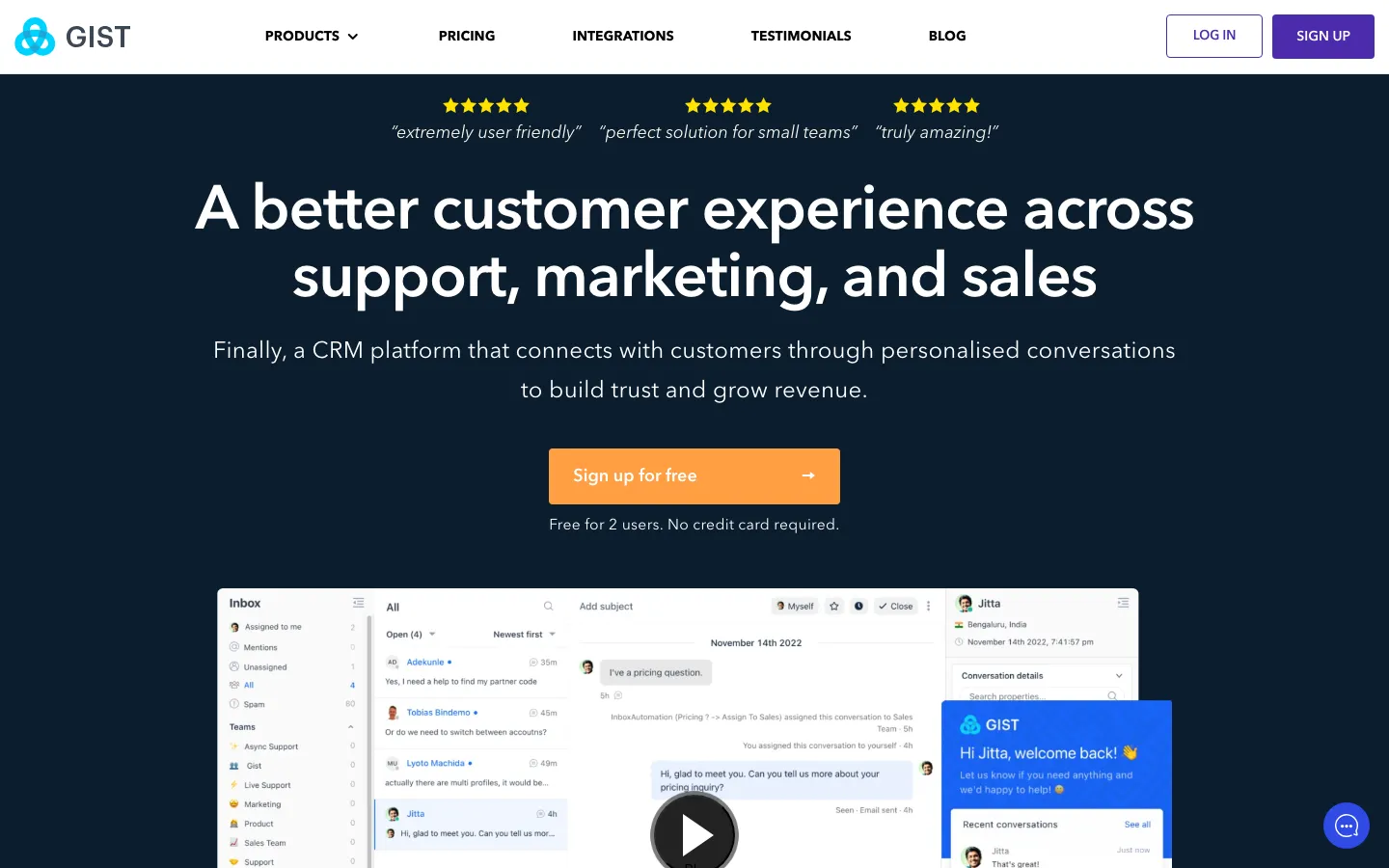
Gist eliminates disconnected support workflows by preventing chats, lead capture forms, and outbound emails from splintering into separate customer profiles. Gist brings live chat, a team inbox, knowledge-base content, chatbots, email marketing, automation, CRM and meetings into one application. If you are weighing the broader market, the marketing tools directory is a useful starting point, but Gist's appeal is narrower: fewer handoffs and fewer subscriptions for a small customer-facing team.
The product divides that work into Support, Marketing and an All-in-One Bundle. Support is charged by support seats. Marketing is charged by contact count, where a contact is one email address recorded in the account. That split is sensible because a five-person support team and a 10,000-contact marketing list create very different costs, even when they use the same customer history.
I would choose Gist when consolidation is the actual job. Its value is not that each individual feature is the deepest in its category. It is that a small team can keep conversations, simple lead follow-up and basic deal work together rather than teaching a new person several disconnected systems.
Which types of small businesses and teams benefit most from Gist?
Small support teams
Start with two free support seats when live chat and a shared inbox are the immediate need.
Early-stage companies
Companies with fewer than 10 employees can apply for Gist's startup plan discount on Premium.
Lean growth teams
Keep campaigns, forms and customer conversations together when a separate marketing platform feels excessive.
Teams consolidating tools
Use the bundle when the same small group owns support, lead follow-up and scheduled customer meetings.
The poor fit is a team buying a helpdesk for depth alone. Gist makes important capabilities, including custom chatbots, voice and video calls, surveys and product tours, part of Support Premium. An automation-led operation should confirm its required interface, permissions and plan before making Gist its system of record.
What helpdesk, chat, and email marketing features does Gist provide?
Messenger and team inbox
Gist Messenger places live chat on a website, product or app. The team inbox includes saved replies, office hours and mobile apps for iOS and Android. Conversation history remains available when a customer returns on another device, which is the basic continuity a small service team needs before it starts adding more channels or automation.
Self-service and guided conversations
The knowledge base supports help articles with images, videos and call-to-action buttons, while custom bots can qualify a lead or route a visitor into a conversation. That pairing is useful because a help article can answer the routine question and the inbox can take the exception. Custom chatbots are Premium-only, so do not assume the Professional plan covers this part of the workflow.
Email marketing and automation
Gist Marketing includes templates, drip campaigns, automated emails and a visual automation builder. Premium adds multi-step visual automation, 100+ pre-built automation templates and abandoned-cart series. Those capabilities make Gist a sensible all-in-one option for a small business that wants support and lifecycle communication to share customer context, rather than a specialist marketing platform for a large contact database.
CRM and meetings
The CRM provides a drag-and-drop deal pipeline with tasks, and the meeting scheduler syncs with Google Calendar and Office 365 Calendar. That is enough for a team following leads from a chat or form through to a meeting. It should not be mistaken for a large sales operation's full CRM requirement, but it removes another handoff for a founder or a compact revenue team.
Integrations and developer information
Gist lists integrations for website, customer-data, ecommerce, payments, calendar, video and workflow uses, and it publishes developer documentation. Its Premium plan lists advanced CRM integrations. For an AI-agent workflow, confirm the interface, permissions and plan you need before you design around Gist.
How is Gist priced across its support and marketing tiers?
Price checked 27 Nov 2026
| Plan detail | Free$0/mo | Professional$29/mo | Premium$99/mo |
|---|---|---|---|
| Gist Support seats | 2 | 5 | Unlimited |
| Gist Marketing at 1,000 contacts | 200 contacts | $19/mo | $29/mo |
| All-in-One Bundle | $0/mo, 200 contacts and 2 seats | $48/mo, 1,000 contacts and 5 seats | $128/mo, 1,000 contacts and unlimited seats |
| Live chat and team inbox | ✓ | ✓ | ✓ |
| Public knowledge base | ✕ | ✓ | ✓ |
| Custom chatbots and calls | ✕ | ✕ | ✓ |
| Advanced CRM integrations | ✕ | ✕ | ✓ |
Gist prices in US dollars, 27 Nov 2026.Gist pricing
The plan that looks cheap is not always the whole bill. For support, five people fit in Professional at $29 a month. Support Premium is the published $99 monthly option with unlimited support seats. Confirm the availability and cost of additional Professional seats before treating a six-person team as a required Premium upgrade. The published All-in-One Bundle price at 1,000 contacts is $48 a month for Professional and $128 a month for Premium.
- Support is free for two seats, Professional is $29 monthly for five seats and Premium is $99 monthly for unlimited seats
- Marketing starts free for 200 contacts, then is listed at $19 or $29 monthly for 1,000 contacts
- The bundle combines Support and Marketing, with Professional at $48 monthly and Premium at $128 monthly for 1,000 contacts
- The vendor marks Premium pricing as ending soon, so confirm the current rate before annual planning
The pricing page also offers a startup plan for companies with fewer than 10 employees, advertised as 93% off Premium. That can materially change an early-stage budget, but it is an application route rather than a published standard tier. Support Premium lists a Support bot add-on, and Marketing Premium lists a Dedicated IP add-on. Confirm each add-on's separate cost before treating the Premium price as the full monthly bill.
How does Gist scale seat limits and contact fees for larger teams?
Gist Support Premium provides unlimited agent seats, whereas marketing pricing scales dynamically based on total contact volume. A larger team should price its contact volume, bundle and needed add-ons together instead of assuming the $99 Support figure covers the wider operation.
Premium is where Gist places roles and permissions, conversation statistics and reports, automated assignment rules, surveys, product tours and advanced CRM integrations. Teams that need formal controls or a particular integration contract should confirm those requirements with Gist before buying.
What product constraints and plan trade-offs exist in Gist?
Gist asks you to choose between a focused entry plan and the features that make Gist feel complete. Professional adds a public knowledge base, but custom bots, voice and video calls, surveys and product tours are Premium features. That is a clean upgrade path, yet it means a team with advanced support requirements should start its comparison at $99, not $29.
Marketing is the second cost pressure. It is based on contacts, so the bill rises as the list grows. A contact includes an email address collected through chat, forms, chatbots or meetings, which makes the total connected to both marketing activity and everyday customer conversations.
Gist publishes developer resources. Before you put it at the center of an agent workflow, confirm the interface, permissions and plan needed for the data you expect to use.
Which customer communication platforms compete directly with Gist?
Gist is the low-friction option when one small team wants support and marketing under one login. Consider the  Gladly review when retail customer context, shopping assistance and a quote-led commerce platform are the real requirement. The
 Gorgias review is the more direct comparison for an ecommerce support team: it puts store context into the helpdesk and charges by ticket volume rather than by agent. Gist wins when the priority is consolidation, not a specialized commerce workflow.
Is Gist the right unified support and marketing tool for your company?
Gist presents its most compelling case by maintaining a native link between its support inbox, email marketing, and foundational CRM. The free entry point, five-seat Professional plan and unlimited-seat Premium option make the support side easy to understand. The tradeoff is feature depth: the more advanced support capabilities and CRM integrations wait behind Premium, and marketing cost grows with contacts.
Start with the free Support and Marketing plans if two seats and 200 contacts match your present workload. Move to Professional for a five-person support group, and price Premium only when its advanced support features or unlimited seats solve a real operating problem.
How was this Gist review researched and cross-referenced?
Gist product features, support tiers, integration directories, and pricing details were reviewed on 27 Nov 2026. Prices are shown in US dollars as Gist presents them, and the review follows how we check figures.
- Gist homepage and feature pages
- Gist Support, Marketing and All-in-One pricing
- Gist integrations and help-center pages
What are the most frequent questions asked about Gist?
Is Gist free?
Yes. Gist Support is free for two support seats, and Gist Marketing is free for 200 contacts. The homepage says the two-user plan needs no credit card.
How much does Gist Support cost?
Support is free for two seats, Professional is $29 a month for five seats and Premium is $99 a month for unlimited seats, checked 27 Nov 2026.
What does Gist include?
Gist combines live chat, a team inbox, a knowledge base, email marketing, automation, a CRM and meeting scheduling. Custom chatbots, calls, surveys and product tours are listed on Support Premium.
Does Gist offer a refund?
Gist's pricing page states a 100% satisfaction guarantee and says it will refund a purchase if a customer is not completely satisfied.
 Reviewed byDanny Kirk
Founder of ReddiReach.
 Checked byAndrés Felipe
Digital designer and marketer.
Every figure is checked against the vendor's own page. Read our editorial standards.