
Key Takeaways
- HubSpot Service Hub centralizes customer support ticketing, self-service knowledge bases, and customer success management within a single shared CRM database.
- HubSpot Service Hub provides a free starting plan, while Starter costs ten dollars per seat and Professional reaches one hundred dollars monthly.
- HubSpot Service Hub publishes dedicated application programming interface documentation and developer tools to support automated customer support workflows.
- HubSpot Service Hub remains uneconomical for organizations needing simple shared inboxes due to steep upgrades and mandatory paid onboarding on advanced plans.
If you already keep sales and marketing context in HubSpot, HubSpot Service Hub is the strongest fit for support that needs ticketing, self-service, and customer success in one customer record. Choose a lighter help desk instead if chat or a shared inbox is the immediate job: the move from Starter to Professional is steep, and Professional or Enterprise requires paid onboarding.
Agent access
- API
- Yes, any Hub, including Free
- MCP server
- Official, hosted, OAuth 2.1 with PKCE
- Works with
 Claude
 ChatGPT
- Automation
- Zapier
What are the advantages and disadvantages of HubSpot Service Hub?
What works
- Tickets can be routed with custom views in one help desk workspace
- Customer context connects support interactions, deal stages, and marketing touchpoints
- Self-service, surveys, and customer-success tools sit beside support work
What to watch
- Professional begins at $100 per seat a month, against Starter from $10
- Professional and Enterprise require a paid onboarding purchase
- Starter's advertised discount is for new customers and a limited time
What does HubSpot Service Hub do for customer service teams?
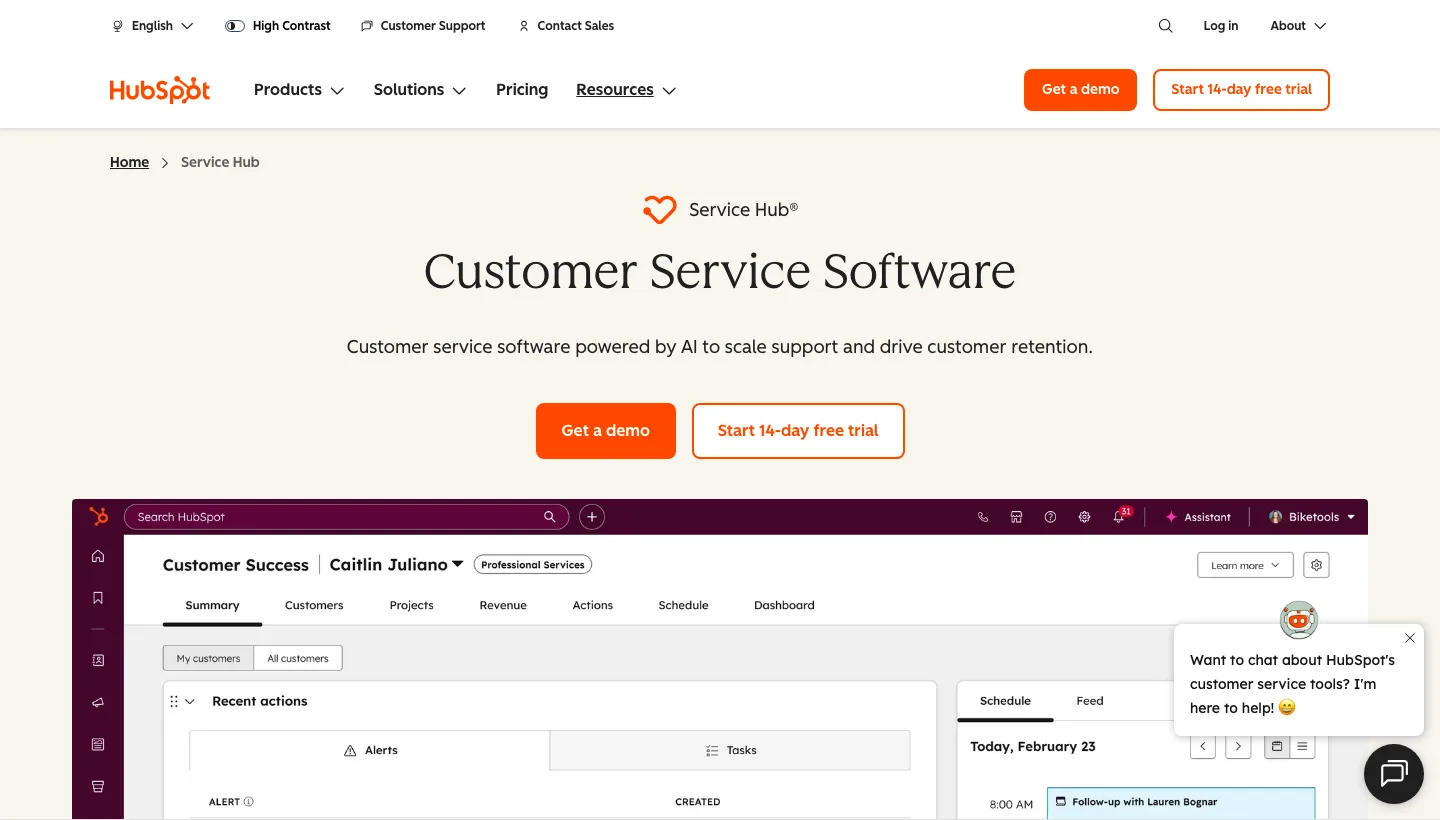
HubSpot Service Hub integrates help desk workflows directly into HubSpot's centralized customer record platform. Your agents can manage tickets through routing and custom views while seeing support interactions alongside deal stages and marketing touchpoints. That is the decision-making advantage: a request can be handled with the surrounding customer relationship in view, rather than as an isolated queue item. For the wider software landscape, the marketing tools directory can help frame where connected customer platforms fit.
It also reaches beyond ticket resolution. HubSpot pairs the help desk with a knowledge base, customer portal, customer agent, feedback surveys, and a customer success workspace. That makes it a serious option when support owns both incoming questions and part of the retention process.
The harder decision is packaging. Free covers ticketing, team email, and website chat with HubSpot branding. Starter lists simple ticket automation and multiple ticket pipelines, and paid editions remove the website-chat branding. Professional lists the help desk workspace, customer agent, and knowledge base. Enterprise adds skill-based routing and more controls. Treat the price of the edition your workflow needs as the real starting point, not the free plan or a temporary Starter offer.
Who should choose HubSpot Service Hub for customer support?
Teams already on the platform
Keep support beside sales and marketing details your team already maintains in HubSpot Service Hub.
Growing support operations
Route tickets through custom views when handoffs need a shared help desk.
Customer success teams
Connect health scores, feedback, and support history when retention needs one shared customer view.
Self-service programs
Offer a knowledge base and secure portal for questions that should skip the queue.
I would not choose Service Hub for a team that wants only chat or a simple shared inbox. Its main value comes from the connection to the wider HubSpot platform. Without that context, a smaller support product can make a cleaner, cheaper decision.
Which features in HubSpot Service Hub matter most?
Help desk, routing, and service analytics
The help desk workspace is designed for omnichannel support and ticketing. HubSpot says intelligent routing and custom views help teams manage tickets, while SLA management and service analytics track the work. That is a sensible foundation for a growing queue, but only if you first agree the ownership and escalation rules that routing should reflect.
Customer context across the company
HubSpot positions the connected CRM as the thread between service and the rest of the company: the customer-success team can see support interactions, deal stages, and marketing touchpoints in one system. For a support leader, that means less searching for background before a reply. For a business with incomplete records, it is also a reminder that a connected platform cannot fix data the team does not maintain.
Self-service and automated responses
The knowledge base is intended to reduce incoming tickets while keeping support available around the clock, and the customer portal gives customers a secure place to get help. HubSpot also describes a customer agent for inquiries over email and live chat, plus a beta knowledge base agent that can use successful support exchanges to create self-service material. Start with clear, repeatable questions and a defined escalation path before allowing automation to carry more of the conversation.
Feedback and customer success
Service Hub includes customizable NPS, CSAT, and customer-feedback surveys. Its customer-success workspace can manage a book of business, build customer health scores, and help reps prioritize activity. Those are useful signals only when somebody owns the follow-up. If your team cannot act on a score or survey response, do not buy a more elaborate measurement layer first.
Developer platform and integrations
HubSpot's developer platform publishes API, apps, developer tooling, and CMS documentation, and its support page points to API and CMS-development reference material. Those resources make a technical connection possible to investigate, but they do not establish the access, permissions, or plan scope for your particular Service Hub workflow. Get those specifics in writing before you design an agent or migration around them.
How is HubSpot Service Hub priced across plan tiers?
Price checked 27 Nov 2026
HubSpot displays these Service Hub prices in US dollars and notes that applicable tax may apply. The product page advertises Starter at $10 per seat a month beside a crossed-out $20 rate, and says the discount is for new customers for a limited time. Do not use that offer as a permanent budget assumption.
| Plan detail | Free$0/mo | StarterFrom $10/seat/mo* | ProfessionalFrom $100/seat/mo | EnterpriseFrom $175/seat/mo |
|---|---|---|---|---|
| Website chat, broader customer platform | Chat with visitors, with platform branding | Live chat without platform branding | Live chat without platform branding | Live chat without platform branding |
| Plan highlights | Ticketing and team email | Simple ticket automation and multiple ticket pipelines | Help desk workspace, customer agent, and knowledge base | Skill-based routing, multiple organizational levels, and data-access controls |
| Users | Up to 2 | Up to 10 paid users | Additional seats | Additional seats |
| Included credits | Not listed | 5,000/mo | 10,000/mo | 15,000/mo |
*Starter's $10 rate is a limited-time offer for new customers.
HubSpot prices in US dollars, 27 Nov 2026.HubSpot pricing
For a three-person team, the advertised Starter rate would be $30 a month before tax during the limited-time new-customer offer. Three Professional seats start at $300 a month before tax, and HubSpot requires purchased onboarding for that tier. The gap matters more than a tidy feature checklist: if you need the help desk workspace or knowledge base, price Professional from the outset.
- Starter can add up to 10 paid users, while Professional and Enterprise can add more than 10
- Paid plans include HubSpot Credits, and further credits are available as capacity packs or pay-as-you-go usage
- Credits reset monthly during the subscription term and unused credits do not roll over
- Starter has email and chat support; Professional and Enterprise add phone support
When does HubSpot Service Hub Enterprise justify its cost?
HubSpot Service Hub Enterprise justifies its pricing when advanced routing rules and strict administrative controls become necessary constraints. It adds skill-based routing, multiple organizational levels, and controls over the data users can access and edit. It also has 15,000 included HubSpot Credits a month, compared with 10,000 on Professional.
It fits a support organization with several levels of ownership or a genuine permission problem. Professional already names the help desk workspace, customer agent, and knowledge base. At $175 per seat a month before tax, Enterprise should solve a governance issue your team can name.
Where does HubSpot Service Hub fall short for support operations?
HubSpot Service Hub derives both its primary strengths and its platform commitments from deep operational connectedness. If sales, marketing, and support records already live in HubSpot, Service Hub can give agents useful context. If they do not, you may be paying for a broad platform when the pressing job is simply answering tickets well.
The pricing ladder is the second constraint. Starter's limited-time offer starts at $10 per seat a month, but Professional begins at $100 per seat and requires a paid onboarding purchase. A team that needs the Professional features should not let a $0 plan or temporary discount obscure the budget it will actually carry.
Finally, paid plans receive HubSpot Credits for AI agents and other actions, with additional credits available at extra cost. HubSpot does not make a generic credit allowance the same thing as your expected workflow cost. Map which actions consume credits and how often before you commit to an automated support volume.
What are the leading alternatives to HubSpot Service Hub?
Intercom review is the more relevant next read if your decision centers on a customer-support product outside the HubSpot platform. Its help desk brings every conversation, ticket, and channel into one shared Inbox, which makes it a useful comparison when a single support workspace matters more than HubSpot's connected CRM context.
 JivoChat review is worth reading when website chat and live customer conversations are the immediate concern. JivoChat is built around live chat for websites, while Service Hub has a wider service and customer-success remit for teams that need ticketing, self-service, and customer context together.
What is the overall verdict on HubSpot Service Hub?
HubSpot Service Hub is a strong platform choice for a support team already invested in HubSpot. The best reason to pay for it is not a single support feature, it is the ability to handle the request with the customer relationship already in view. That can make handoffs and retention work more coherent.
Map one real support journey first: its channels, routing rules, customer context, self-service answers, and escalation. If that journey needs the help desk workspace and knowledge base, budget for Professional, required onboarding, and any credit consumption before you sign.
How was HubSpot Service Hub evaluated for this review?
HubSpot Service Hub pricing rates, plan specifications, and developer documentation were examined directly across official vendor portals on 27 Nov 2026. Prices are in US dollars as HubSpot displays them, and the figures follow how we check figures.
- Service Hub product page
- Pricing page, including plan and credit details
- Developer platform and support documentation
What are frequently asked questions about HubSpot Service Hub?
Is HubSpot Service Hub free?
Yes. HubSpot lists a Free option at $0 a month with no credit card required. It includes ticketing and team email, and the pricing page says a free account can have up to two users.
Is there a Service Hub trial?
Yes. HubSpot offers fourteen days to explore its customer-service product range free of charge.
Does Service Hub include a knowledge base?
Yes. HubSpot describes the knowledge base as a self-service option and lists it among the Professional plan highlights.
Does Service Hub work with AI agents?
HubSpot publishes API, app, and developer-tooling documentation, and paid plans include HubSpot Credits for AI agents and other actions. Confirm the plan scope, permissions, and connection needed for your own workflow before purchase.
 Reviewed byDanny Kirk
Founder of ReddiReach.
 Checked byAndrés Felipe
Digital designer and marketer.
Every figure is checked against the vendor's own page. Read our editorial standards.