
Key Takeaways
- Keyword Tool extracts real-time autocomplete queries across 17 platforms, including Google, YouTube, Amazon, and leading social channels, from one interface.
- Keyword Tool offers basic free suggestions, with Starter plans beginning at $88 monthly or $68 on annual billing.
- Keyword Tool includes web, API, and MCP access on paid plans, sharing a unified query quota across interfaces for automated research workflows.
- Keyword Tool restricts its MCP endpoint coverage to Google, Bing, and Microsoft Copilot, making it unsuitable for teams needing multi-platform MCP queries.
Keyword Tool is the best fit when you need to turn one topic into autocomplete ideas across search engines, marketplaces, social platforms, and AI search, then pass that data to an API or agent. Choose something else if you need MCP answers across all 17 platforms, because its MCP page names only Google, Bing, and Microsoft Copilot. The first paid plan is $88 a month, or $68 a month billed annually.
Agent access
- API
- Yes, Keyword Tool Pro Starter, Growth, Scale, or Agency, or a dedicated legacy API plan
- MCP server
- Official, hosted, OAuth
- Works with
 ClaudeClaude Code
 ChatGPT
 Cursor
 VS Code
What are the primary pros and cons of using Keyword Tool?
What works
- Autocomplete research across 17 platforms in one workflow
- API and MCP access on every paid plan
- Bulk upload and CSV or Excel export for paid accounts
What to watch
- Starter begins at $88 a month on monthly billing
- Free volume and trend data are limited to five cached Guest MCP keywords
- MCP covers Google, Bing, and Microsoft Copilot, not all 17 platforms
How does Keyword Tool discover autocomplete ideas across multiple channels?
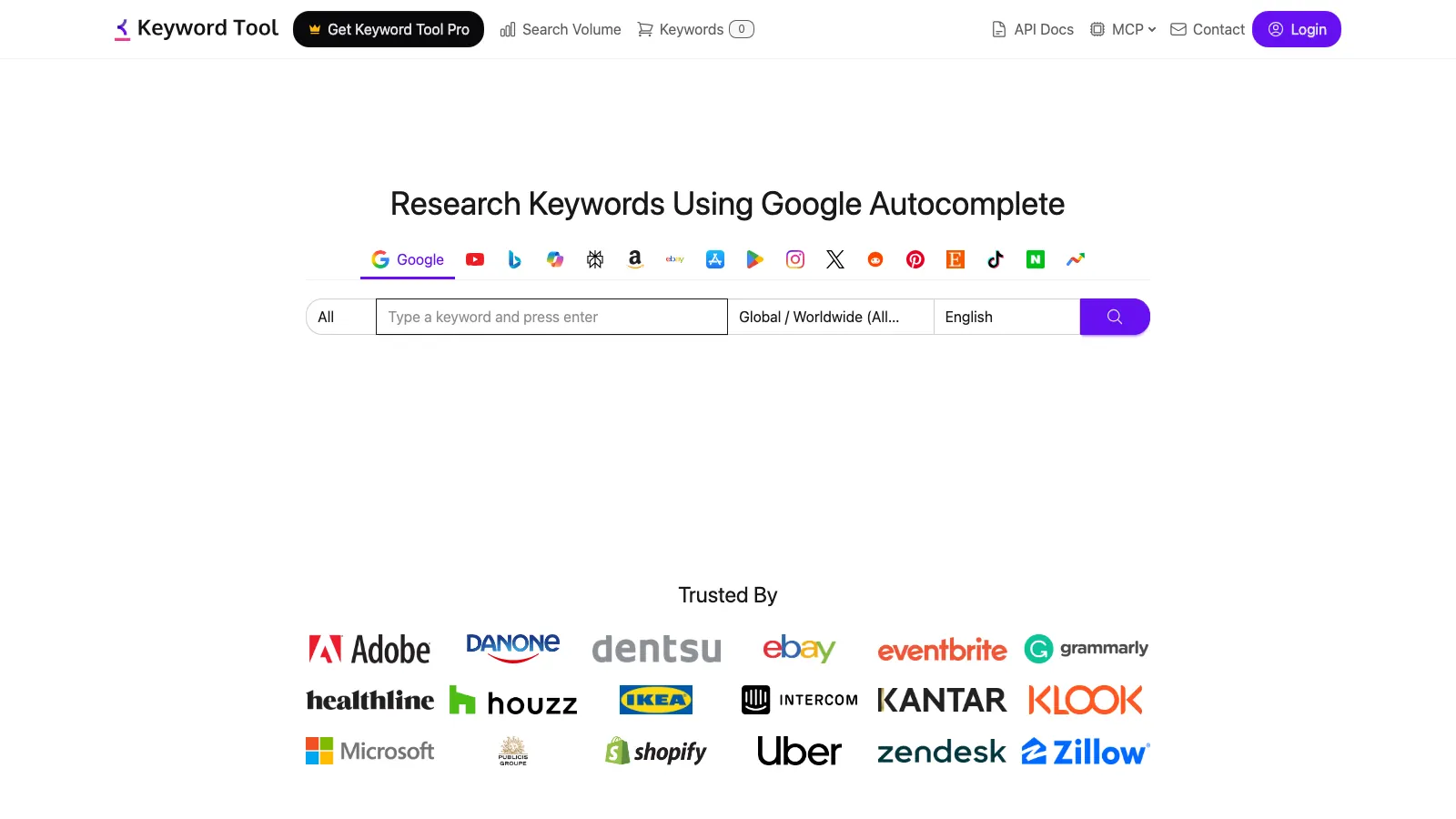
When your team knows the broad topic but not the language people use on each channel, Keyword Tool is the direct route into autocomplete suggestions. It supports 17 platforms, including Google, YouTube, Amazon, TikTok, Instagram, Perplexity, and Reddit. That makes it a specialist in the marketing tools directory, rather than a broad SEO workspace.
The useful distinction is source coverage. You can investigate the same seed term across Google and Amazon, or across YouTube and TikTok, without rebuilding the research question each time. The free tool is a credible first pass for ideas. Paid access adds regular metrics and delivery options that make the list usable in a planning meeting or a repeatable workflow.
I would choose it when breadth of autocomplete sources is the decision. The product gives you one data source through a visual interface, an API, and MCP. That is more coherent than copying suggestions from several tabs, but it is only worth the subscription once the team needs metrics or regular programmatic access.
Which marketers and software engineers benefit most from Keyword Tool?
Marketplace and search teams
Research a product topic on Google and Amazon in the same workflow, with other supported platforms available beside them.
Video and social content teams
YouTube, TikTok, Instagram, and Pinterest are among the sources, so content planning need not begin with Google alone.
Developers and AI workflows
Paid subscriptions include API and MCP access to the same underlying data source as the web interface.
Researchers with large lists
Paid accounts can upload up to 1,000 keywords in bulk and export research to CSV or Excel.
It is a weaker purchase for a casual researcher who only needs phrases to explore. The free version covers suggestions and limited Guest MCP, while the subscription unlocks regular search volume, CPC, competition, historical trends, bulk work, exports, API, and full MCP access. Put differently, pay when the research has to inform an accountable decision or travel into another system.
What cross-platform research tools and integrations does Keyword Tool provide?
Autocomplete across 17 platforms
Keyword Tool draws suggestions from autocomplete sources rather than limiting the starting point to one search engine. Google, YouTube, Amazon, TikTok, Instagram, Perplexity, and Reddit are named examples. The fuller set also includes Bing, eBay, the App Store, Play Store, X, Pinterest, Etsy, Copilot, Naver, and Google Trends. Use that range to compare the vocabulary a topic attracts in different places, not to pretend that every platform has the same kind of demand signal.
Long-tail ideas before you pay
The free version generates keyword ideas and does not require an account. Keyword Tool says it can return 750 or more long-tail suggestions for a search term. That is enough to pressure-test a content angle or discover the modifiers around a product. It is not the stage where you can sort a list by traffic or commercial value, since volume, CPC, and competition belong to the paid service.
Metrics and historical trends
Keyword Tool Pro adds search volume, CPC, competition, and trend data. Google and Bing metrics come from their planner ecosystems; volumes for other platforms are modeled estimates based on clickstream signals. Treat those as different measures when you prioritize a cross-channel list. Starter includes 12 months of historical data, Growth includes 24 months, and Scale and Agency extend to 48 months.
API and MCP access
Every paid plan includes the web interface, API, and MCP. The API returns JSON or XML, while the MCP service can connect an MCP-capable assistant to supported keyword data. The vendor says all three access methods share a request pool with visible daily quotas. Guest MCP is free without an API key or signup, but it is limited to Google and Bing suggestions with volume and trend on the first five keywords when cached. The MCP page limits its stated coverage to Google, Bing, and Microsoft Copilot, so confirm the endpoint you need before designing an agent workflow around all 17 platforms.
Bulk research and export
Upload up to 1,000 keywords, request volume data in bulk, then export the result to CSV or Excel. Starter advertises volume data for 50,000 keywords a day, and Agency reaches 400,000 a day. That is the point where Keyword Tool becomes a data-enrichment service as well as an idea generator.
What are the monthly and annual plan costs for Keyword Tool?
Price checked 27 Nov 2026
| Plan detail | Free$0 | Starter$88/mo | Growth$188/mo | Scale$388/mo | Agency$788/mo |
|---|---|---|---|---|---|
| Keyword suggestions | ✓ | ✓ | ✓ | ✓ | ✓ |
| Volume, CPC, competition | ✕ | ✓ | ✓ | ✓ | ✓ |
| Bulk upload and export | ✕ | ✓ | ✓ | ✓ | ✓ |
| API | ✕ | ✓ | ✓ | ✓ | ✓ |
| MCP | Guest, limited | ✓ | ✓ | ✓ | ✓ |
| History | Not listed | 12 months | 24 months | Up to 48 months | Up to 48 months |
Keyword Tool prices in US dollars, 27 Nov 2026.Keyword Tool pricing
Annual billing lowers the visible monthly rate to $68 for Starter, $148 for Growth, $308 for Scale, and $628 for Agency. A team’s bill cannot be calculated responsibly from the published cards because they do not state included seats or add-on seat prices. The clear monthly cost to budget is therefore the plan price: $88 for one Starter subscription, before any unpublished team terms or tax.
- Starter lists 50 requests a day and volume data for 50,000 keywords a day
- Agency lists up to 400 requests a day and volume data for 400,000 keywords a day
- Web, API, and MCP use one shared request pool
- The vendor advertises a 30-day money-back guarantee
What terms and support levels apply to Keyword Tool Enterprise?
Keyword Tool’s public Pro material refers to Enterprise users and high-scale API use, but it does not publish an Enterprise price or a public plan card with terms to compare. If your volume will outgrow Agency, ask for the request allowance, platform access, team terms, and the exact MCP tools in writing before you treat Enterprise as a like-for-like upgrade.
Where does Keyword Tool fall short in its free and paid tiers?
Keyword Tool provides a free tier intended almost exclusively for surface-level query discovery. Guest MCP provides volume and trend only for the first five cached keywords, so a list cannot be compared systematically for volume, CPC, competition, or history until you subscribe. At $88 a month on monthly billing, that step needs a recurring use case, not just one brainstorm.
The agent story is also narrower than the headline. Every paid plan lists MCP, yet the MCP page says its coverage is Google, Bing, and Microsoft Copilot, while the web interface and REST API cover all 17 platforms. That is not a reason to reject the product, but it is a reason to check the exact workflow before promising a team one connector for everything.
Finally, the public price cards omit team-seat terms. A shared research process may still work well, but the page does not give enough to forecast a multi-user bill. Keep the decision focused on platform coverage and data access, then get the collaboration details from the vendor.
What are the top software alternatives to Keyword Tool?
 AI Peekaboo review comes first when your question is how a brand appears in AI answers, rather than which phrases autocomplete suggests. It is a different job from collecting keyword ideas, so choose based on the report your team needs next.
 Use the Keyworddit review to extract keywords from a subreddit you choose, with monthly search volume from Grepwords. A subreddit missing from its suggestion list is too small, with fewer than 10,000 subscribers.
 The Keywords Everywhere review is the next read if you want a credit-based plan at $84 a year, about $7 a month. Its REST API and MCP server are available on every plan and use the same credit pool.
What is our comprehensive verdict on Keyword Tool?
Keyword Tool earns its price when one research question must move across several autocomplete sources and then into a spreadsheet, application, or AI-assisted workflow. The combination of 17 platforms and paid API with full MCP access is its real advantage. Stay with the free version when the job is simply finding ideas, and do not assume an agent sees every platform until you have checked its endpoint coverage.
Start with the free tool on a live topic. Move to Starter only when volume metrics, exports, or full machine access will be used often enough to justify $88 a month, then verify the team and MCP terms that matter to your workflow.
How were Keyword Tool API limits, MCP support, and pricing checked?
Keyword Tool pricing tables, API documentation, and MCP terms were reviewed directly on 27 Nov 2026. Prices are shown in US dollars as the vendor presented them, and every figure follows how we check figures.
- Keyword Tool homepage and Pro pricing pages
- Keyword Tool API and MCP pages
- Keyword Tool search-volume methodology and terms
What are the most common questions asked about Keyword Tool?
Is Keyword Tool free?
Yes. The free tool provides keyword ideas without an account and includes Guest MCP, limited to Google and Bing suggestions with volume and trend on the first five keywords when cached. CPC, competition, bulk upload, exports, and API access are paid features.
Which platforms does Keyword Tool support?
It supports 17 platforms. Named examples include Google, YouTube, Amazon, TikTok, Instagram, Perplexity, Reddit, Bing, eBay, the App Store, Play Store, X, Pinterest, Etsy, Copilot, Naver, and Google Trends.
Does Keyword Tool have an API and MCP server?
Yes. The web interface, API, and MCP are included on every paid plan. The vendor says the web interface and REST API cover all 17 platforms, while its MCP page names Google, Bing, and Microsoft Copilot.
Where does Keyword Tool’s volume data come from?
Google and Bing metrics come from their planner ecosystems. The vendor describes other-platform volumes as modeled estimates based on clickstream signals.
 Reviewed byDanny Kirk
Founder of ReddiReach.
 Checked byAndrés Felipe
Digital designer and marketer.
Every figure is checked against the vendor's own page. Read our editorial standards.