
Key Takeaways
- Lark consolidates team chat, shared documents, calendars, video meetings, and operational workflows into a unified collaboration workspace.
- Lark offers a free Starter tier for up to 20 users, with Basic at $6 and Pro at $12 monthly per user annually.
- Lark Developer documentation provides over 2,500 APIs alongside a dedicated command-line interface designed to deploy AI agents directly into workspaces.
- Lark requires organization-wide operational buy-in, making dedicated standalone project management platforms a better fit for teams seeking single-purpose tracking boards.
Lark is the better pick when your team needs to bring chat, documents, meetings and operational workflows into one workspace, rather than buy another task board. Skip it if a dedicated project tool is the only missing piece: Lark's breadth is the point, and that breadth asks more of everyone who adopts it.
Agent access
- API
- Yes
- MCP server
- Official, local, App ID and App Secret; optional OAuth 2.0 user access token
- Works with
 Claude
 Cursor
What are the core pros and cons of using Lark?
What works
- Free Starter plan, with no credit card required
- Core collaboration tools included on every plan
- Base supports workflows and dashboards without code
What to watch
- Starter stops at 20 users and 18 months of history
- Large video meetings start on Pro
- SSO is listed under Enterprise, with no public price
What operational problems does Lark solve for collaborative teams?
Lark makes most sense when the friction is between tools, not inside a single project. Its workspace puts Messenger, Email, Calendar, Approval, Base, Docs, Wiki, Meetings and OKR in every plan. That gives a team one place for the request, the conversation, the working document and the decision, rather than a chain of handoffs between subscriptions.
The tradeoff is focus. A team looking only for issue tracking or a simple editorial calendar can end up administering a much wider suite than it needs. For that situation, the Linear review is the useful next read. Lark is better judged as workplace consolidation, with project management as one of several jobs it can cover.
Base is the center of that argument. It builds workflows and dashboards without code, while Approval automates and tracks decisions. Docs and Wiki carry the knowledge around them. When those parts belong together, Lark can remove more switching than a specialist project product. If they do not, the low entry price can still buy a lot of unused surface area.
Which organizations and operational teams is Lark best suited for?
Teams consolidating tools
Bring conversations, documents, meetings and operational workflows under one subscription instead of coordinating separate accounts.
International teams
Use unlimited real-time translation across plans, then move to Pro for meetings with up to 500 participants.
No-code operations teams
Build trackers, approvals and dashboards in Base, starting with 1,000 automations each month on Starter.
Developers extending work
Use Lark Developer's APIs, app types and developer tools to connect custom workplace workflows.
It is a poor fit when one team wants a narrow tool without changing how the wider company communicates. The best Lark rollout starts where documents, discussions and recurring processes already overlap. A department that needs only video recording and sharing should read the Loom review instead of forcing that need into a full workspace.
Which collaboration and workflow features are included in Lark?
A connected collaboration layer
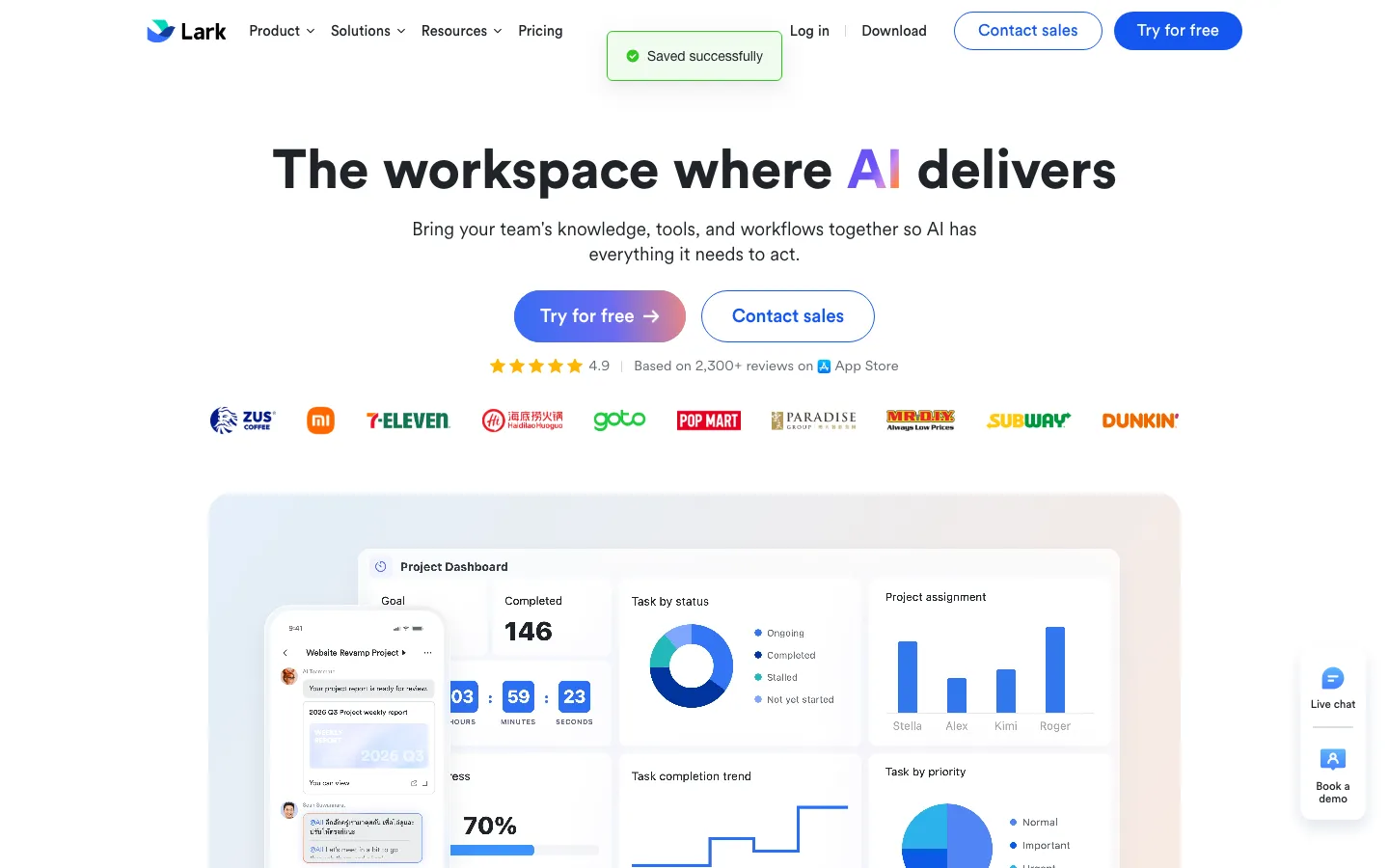
Messenger brings teams, tasks and tools into one chat. Docs handles creating, editing and sharing documents, and Wiki centralizes team knowledge. Lark also includes Email, Calendar and Meetings across its plans. The practical benefit is continuity: a team can keep the working context near the meeting and the document instead of reconstructing it in a separate project tool.
Base for operational work
Base is Lark's no-code workspace for workflows and dashboards. Starter and Basic include 1,000 automations a month and 2,000 rows per table. Pro moves to 50,000 automations and 20,000 rows, while Enterprise lists 500,000 automations and 50,000 rows. That makes the plan decision more about the scale of your internal processes than the number of task lists you maintain.
Approvals and OKR
Approval is included across the plans to automate and track decisions, and OKR is included too. Put alongside Base, those tools suit a team that wants a repeatable request flow, an owner and a record of the decision without moving the work to another service. It is a coherent setup for operations, but only if someone owns the design of those workflows.
Meetings, notes and language support
Meetings can run for up to 24 hours on every plan. Starter and Basic list one-to-one video meetings, while Pro and Enterprise list meetings for 500 participants. Minutes turns meetings into searchable transcripts, and AI Meeting Notes is a paid add-on. Unlimited real-time translation is included on every plan, which is unusually useful when the same project crosses languages.
Developer platform and agent access
Lark Developer lists more than 2,500 APIs across Contacts, Messenger, Docs, Base, Sheets, Wiki, Approval, Calendar and video conferencing. It supports custom bots, web apps and blocks, while AnyCross provides standardized integration flows with drag-and-drop workflows. The developer site also says its open-source CLI can bring an AI agent into Lark in one command. That is meaningful access for a team building its own internal connection, not a reason to assume every agent workflow is already packaged for you.
How much do Lark subscription plans cost per user?
Price checked 27 Nov 2026
| Plan detail | StarterFree | Basic$6/user/mo | Pro$12/user/mo | EnterpriseCustom |
|---|---|---|---|---|
| Billing | No credit card | Annual billing | Annual billing | Contact sales |
| Maximum users | 20 | 500 | 500 | Unlimited |
| Storage | 100 GB | 5 TB | 15 TB | 15 TB + 30 GB/user |
| Meeting size | 1-on-1 | 1-on-1 | 500 participants | 500 participants |
| Base automations/month | 1,000 | 1,000 | 50,000 | 500,000 |
| Base rows/table | 2,000 | 2,000 | 20,000 | 50,000 |
Lark prices in US dollars, excluding tax, 27 Nov 2026.Lark pricing
For a real team bill, five people on Basic cost $30 a month on annual billing. The same five people on Pro cost $60 a month. Monthly billing raises Basic to $7.20 per person and Pro to $14.40, so those team bills become $36 and $72 a month. Prices are in US dollars and exclude tax.
The plan fee does not cover every advanced use case. Budget separately for these published add-ons when they matter:
- AI Meeting Notes
- Meegle Premium for complex-project management
- Extra Base automation runs
Starter is a legitimate place to begin, not merely a trial, but its 20-user limit, 100 GB storage and 18 months of message history define the boundary. Basic mainly buys greater scale and unlimited message history. Pro is the step for larger meetings and materially higher Base limits.
What additional security controls are provided by Lark Enterprise?
Lark Enterprise is built for companies requiring organizational security and management controls beyond the public Basic and Pro tiers. It has unlimited users, 15 TB of storage plus 30 GB per user, 500-participant meetings, 500,000 Base automations a month and 50,000 rows per table. It also lists single sign-on and advanced security and compliance controls.
Lark does not publish an Enterprise price. SSO is listed under Enterprise, so confirm its availability and pricing with sales. Ask for the total annual bill, implementation scope and any add-on allowances before treating the $12 Pro figure as comparable.
Where does Lark fall short for focused project teams?
Lark's strongest feature can also make the choice harder. It offers many ways to run work, but a team has to settle on how it will use Messenger, Base, Docs, Wiki and Approval together. A dedicated project manager arrives with a narrower mental model. Lark gives you more room to build, and more room to create an inconsistent process.
The free tier has clear operational limits: 20 users, 100 GB of storage, 18 months of message history, one-to-one video meetings, 1,000 automations a month and 2,000 rows per Base table. Those may be enough for a small group, but they are not a substitute for a Pro evaluation if your work depends on larger meetings or a busy operational database.
There are regional limits too. Lark says Basic is not supported in the Chinese Mainland, Hong Kong SAR, Macao SAR, Japan or South Korea. An organization spanning those locations should resolve availability before it designs a shared operating model around Lark.
Which collaboration and project tools serve as Lark alternatives?
 Lark compares directly with Linear when product or engineering teams prioritize a dedicated issue tracking system over an all-in-one suite. Its free plan allows unlimited members, and it describes itself as a product development system for teams and agents. The Linear review helps separate a focused workflow choice from Lark's all-in-one workspace approach.
 Loom belongs in the comparison when recorded communication is the need. Its Starter plan allows 25 videos with five-minute screen recordings, so it can suit a narrower communication need without replacing a whole workspace.
What is the final verdict on adopting Lark?
Lark delivers its strongest value when replacing fragmented third-party chat, document, and operational subscriptions across an entire organization. Starter makes that proposition easy to test with a small group, and Pro is the sensible move when the group needs large meetings or serious Base capacity. A team shopping for one disciplined project system should resist the bundle and choose a focused product instead.
Start one cross-functional team on Starter, map one real request-to-decision workflow in Base and Approval, then price Pro for the people who need larger meetings or higher automation limits. Ask sales about Enterprise if you need more than 500 users, higher Base limits, or advanced controls; confirm SSO availability and pricing separately.
How were the specifications and pricing for Lark verified?
Lark specifications, pricing details, and platform limits were gathered directly from official product documentation, pricing tables, and developer resources on 27 Nov 2026. Prices are in US dollars, excluding tax, as Lark shows them, and every figure follows the rules in how we check figures.
- Lark plans and price comparison
- Lark homepage and product catalogue
- Lark Developer platform
Browse the wider marketing tools directory when you are comparing the job to be done before choosing a category.
What are the most common questions about Lark?
Is there a free Lark plan?
Yes. Starter costs $0 per user a month, needs no credit card and supports up to 20 users, 100 GB of storage, one-to-one video meetings and 18 months of message history.
How much does Lark cost for a team?
Basic is $6 per user a month and Pro is $12 per user a month on annual billing, in US dollars before tax. Five Basic users cost $30 a month, while five Pro users cost $60. Enterprise pricing is not public.
What does every Lark plan include?
Every plan includes Messenger, Email, Calendar, Approval, Base, Docs, Wiki, Meetings, OKR, AnyCross and Lark Developer. Plan limits differ for users, storage, meetings and Base capacity.
Can developers and AI agents work with Lark?
Lark Developer lists more than 2,500 APIs plus custom bots, web apps and blocks. Its developer site also says its CLI can bring an AI agent into Lark in one command.
 Reviewed byDanny Kirk
Founder of ReddiReach.
 Checked byAndrés Felipe
Digital designer and marketer.
Every figure is checked against the vendor's own page. Read our editorial standards.