
Key Takeaways
- LiveChat provides website visitor messaging, intelligent chat routing, and integrated ticketing with AI agent capabilities through the modernized Text ecosystem.
- LiveChat access via Text begins at $19 per user monthly for Essential, while Growth costs $79 per user monthly billed annually.
- LiveChat supports automated operations through Text AI Agents, documented Model Context Protocol connectivity, and extensive developer messaging APIs.
- LiveChat presents migration hurdles for legacy account holders who must review distinct entitlement terms and price structures before upgrading.
If website chat is where your sales or support conversation should begin, LiveChat is a strong fit, particularly for an existing customer moving to Text for tickets and an AI Agent. If you are comparing the wider stack, the marketing tools directory puts website chat beside other support products. Do not choose from a price alone: Text has its own plans and limits, while a legacy LiveChat subscription has separate entitlements until you upgrade.
Agent access
- API
- Yes, For new LiveChat trials or customers who move to Text: Essential, Growth, and Enterprise Text plans. Existing LiveChat plans have separate features, pricing, and access.
- MCP server
- Official, hosted, OAuth with the user's Text account
- Works with
 Claude
 ChatGPT
What are the essential pros and cons of using LiveChat?
What works
- Website chat, routing and saved replies keep a live conversation close to the visitor
- Text combines chats, tickets and customer details in a redesigned inbox
- Current plans publish API-call allowances and AI-Agent resolution allowances
What to watch
- Text features are not included in legacy LiveChat subscriptions before an upgrade
- Essential has one AI Agent, 10 AI resolutions and 50 tracked live visitors
- Enterprise pricing and its usage limits require a conversation with the vendor
How does LiveChat turn website visitors into qualified leads and support tickets?
LiveChat puts a conversation on the page where a visitor is deciding whether to buy, ask for help or leave. A team can see visitor activity, route or transfer an incoming chat, and use saved replies for recurring questions. That suits a business where an unanswered pre-sale or support question has a real cost.
The current product story is Text by LiveChat. It adds tickets beside chats, customer details, an AI Agent and an omnichannel inbox. For an existing LiveChat customer, the upgrade page says the current subscription price stays the same and that canned responses, routing rules and widget settings move across. It also says the chat remains online while the move happens.
The caveat deserves equal weight. The vendor says the Text features and prices are not included in LiveChat plans, including legacy subscriptions. Treat LiveChat and Text as a transition decision, not as two labels for automatically identical products.
Who gets the best return on investment from LiveChat?
Website sales teams
See visitor activity, qualify interest and start a useful conversation while shoppers are still on the site.
Support teams with repeat questions
Use routing, canned replies and human handoff to keep familiar customer questions moving without losing context.
Existing LiveChat customers
Move core setup to Text when tickets, customer details and AI-assisted handling solve a current operational gap.
Technical support operations
Use documented APIs and MCP where chat, reporting or inbox data must connect with an internal workflow.
LiveChat is less attractive when your first requirement is a broad, established ticketing process with published enterprise terms. Text has tickets, but the right fit depends on the account's upgrade path and the specific routing, integrations and licenses already in use. That is an account-level question worth resolving before you plan a rollout.
What visitor routing, ticketing, and AI features are included in LiveChat?
Website chat and visitor context
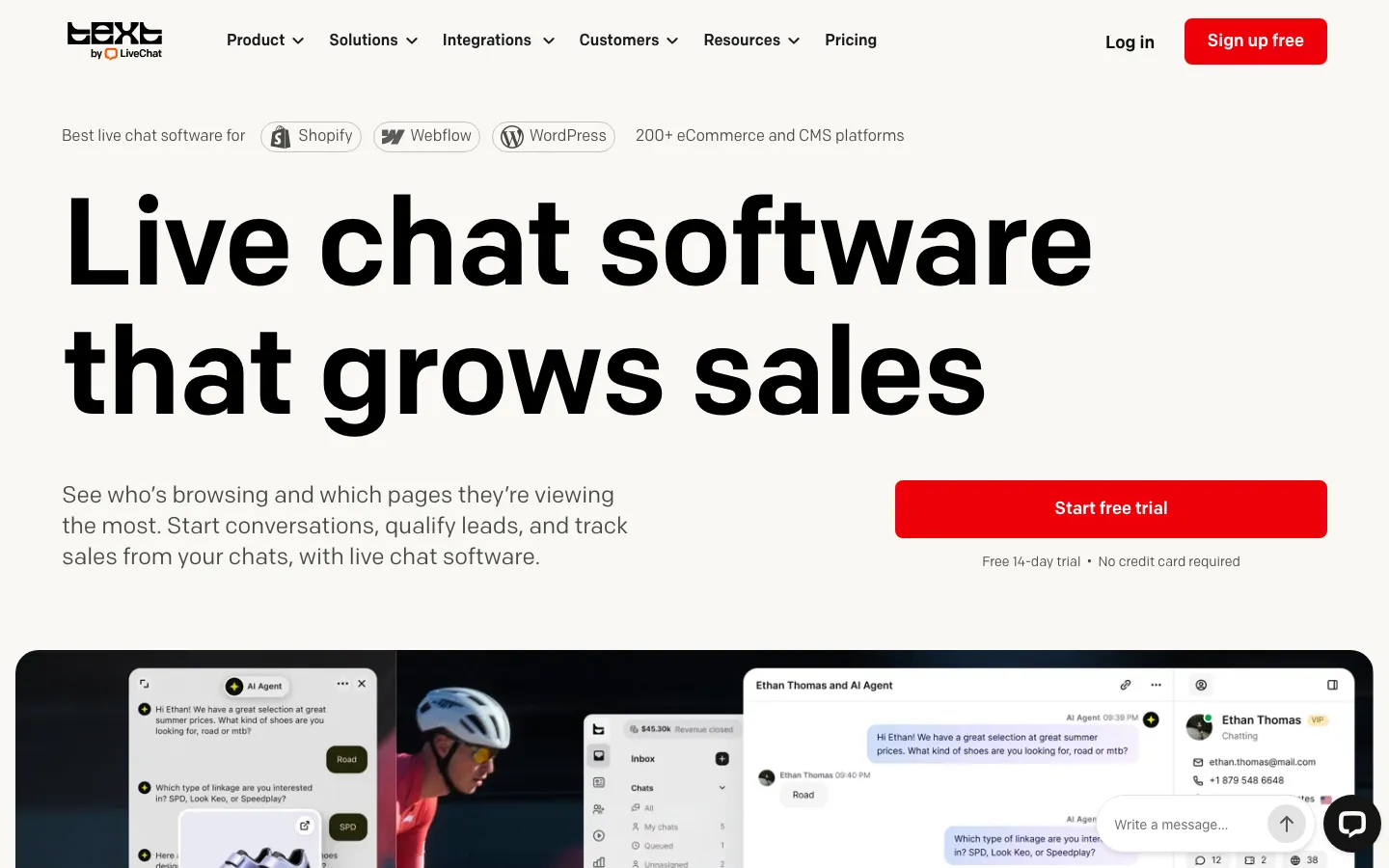
Text shows who is browsing, which pages they view and, where connected, cart contents and recent orders. Customer profiles can hold contact details and custom fields. Start with clear conversation rules instead of treating every visit as an invitation to interrupt.
Routing, transfer and canned responses
The existing LiveChat setup includes chat lists, replies, transfers and canned responses. Text says routing can use the page, domain, country or channel from which a chat arrives. It also retains shared and private saved replies, which an agent can insert with a shortcut. That makes the system easier to operate across a team, provided ownership is explicit when a message does not match any route.
Tickets and AI Agent
Text places tickets next to chats, carrying the transcript into a follow-up ticket. Its AI Agent can answer from a website, files and PDFs, run enabled skills, then transfer the conversation with its history when a person should decide. Essential includes one AI Agent and 10 AI resolutions a month. Growth includes 10 AI Agents and 200 resolutions a month. Those are plan allowances, not a promise that an existing LiveChat subscription already includes them.
Campaigns, Shopify and reporting
Current plans include proactive campaigns, workflow automation and selling through Shopify. Growth adds supervision, takeover, team-performance reports, chat-topic insights, chat and ticket summaries, and 30 proactive campaigns. The vendor also lists a live Shopify catalog, cart recovery and sales reports tied to chats.
API and MCP access
Text lists MCP among its integrations, and the developer platform provides API guides and documentation for authorization, messaging, Agent App, Chat Widget, management, data and reporting. Essential includes 10,000 API calls and Growth includes 20,000. The public material does not establish which specific API capability or MCP workflow belongs to every plan, so confirm that detail before making agent access a buying requirement.
How much does a per-seat subscription to LiveChat cost via Text?
Price checked 27 Nov 2026
The current pricing page presents Text by LiveChat. It shows yearly and monthly billing, with yearly billing described as saving up to 24%.
| Plan detail | Essential$19/user/mo | Growth$79/user/mo | EnterpriseCustom |
|---|---|---|---|
| Billing shown | Annual billing | Annual billing | By arrangement |
| AI Agents | 1 | 10 | Custom |
| Included AI resolutions | 10/month | 200/month | Custom |
| API calls | 10,000 | 20,000 | Custom |
| Live visitors tracked | 50 | 400 | Custom |
| Shared canned responses | Not listed | ✓ | ✓ |
| Unlimited chat history | Not listed | ✓ | ✓ |
Text by LiveChat published prices in US dollars, checked 27 Nov 2026.LiveChat pricing
The price is per user, so team size changes the decision immediately. Three people on Essential cost $57 a month on annual billing. Three people on Growth cost $237 a month on annual billing. The first total gives a small team a chat-and-ticketing starting point; the second buys the higher AI allowance, shared canned responses, unlimited chat history, supervision and team reporting. Neither total includes an estimate for extra AI resolutions, which the pricing page sells as a separate package.
Monthly billing is shown at $25 per user for Essential and $99 per user for Growth. Enterprise is custom, with custom AI Agents, workflow automation and usage limits, plus onboarding, training, direct engineering support, SSO, audit logs and legal or compliance review. Ask for the usage model in writing if Enterprise is in scope, because a public team total cannot be calculated from the page.
What features and support are included in LiveChat Enterprise?
LiveChat Enterprise delivers customized AI configurations, elastic usage limits, and dedicated deployment support for large corporate operations. The public plan lists custom AI Agents, workflow automation, onboarding, SOC 2 Type 2, SLAs, a white-label widget, SSO and audit logs.
The vendor does not publish a starting Enterprise price, so clarify LiveChat cost and account limits.
Where does LiveChat fall short during product migrations?
LiveChat introduces operational friction through its platform transition to Text, creating complexity for existing accounts. A legacy LiveChat account can move its core setup to Text and retain its current subscription price, but Text's tickets, AI Agent and other new features are not included before that move. Some LiveChat integrations and license setups need a review during migration. A buyer who assumes every old setup works unchanged may plan the wrong implementation.
The entry price also needs context. Essential is $19 per user per month when billed annually, but it has one AI Agent, 10 AI resolutions, five reply suggestions per user each month, three proactive campaigns and 50 tracked live visitors. That may be enough for a small, defined workflow. It is not the same as buying an unlimited AI or monitoring layer.
Finally, the current public material names MCP and several API areas but does not publish a plan-by-plan entitlement for every agent workflow. Teams that need a particular data connection should ask before architecture depends on it. A social-conversation workflow and a shared inbox centered on email are different jobs, so compare the starting channel before you choose.
Which messaging and conversational platforms are alternatives to LiveChat?
 ManyChat review is the more relevant comparison when social comments and messages should begin the automation. LiveChat is built around the website conversation, whereas ManyChat's documented channel mix starts with social messaging and follow-up.
 Missive review is the better next read when shared email, internal discussion and assignment are the working center. Choose between them based on where customers actually arrive, rather than forcing a website-chat workflow onto an inbox-led team.
What is the overall evaluation and buying verdict on LiveChat?
LiveChat is a good choice when a website conversation needs to become a managed support or sales process, and Text makes that proposition more complete with tickets, customer context and an AI Agent. The pricing is straightforward enough to model per person, but the right comparison is not Essential versus Growth alone. It is whether your account is on the product and plan that actually includes the capabilities your team expects.
Choose Text Essential for a small team with a contained website-chat job and modest AI volume. Move to Growth when supervision, shared canned replies, reporting and a larger AI allowance are operational requirements. Existing LiveChat customers should take the migration call before making a commitment based on Text features.
How were the features and migration options in this LiveChat review evaluated?
LiveChat product specifications, developer API documentation, and Text migration policies were verified on 27 Nov 2026. The prices quoted here are in US dollars. Read how we check figures for the rules behind the numbers used here.
- LiveChat and Text pricing pages
- LiveChat to Text upgrade information
- LiveChat feature and help pages
- Text developer platform documentation
What are frequently asked questions about deploying LiveChat?
Is LiveChat the same as Text?
No. Text is the newer offering from the team behind LiveChat. It adds a redesigned inbox with chats, tickets and customer details, plus an AI Agent. The vendor says those Text features and prices are not included in legacy LiveChat subscriptions.
How much does LiveChat cost?
Text Essential is $19 per user a month and Growth is $79 per user a month when billed annually. The page shows $25 and $99 per user respectively for monthly billing. Enterprise pricing is custom.
What moves from LiveChat to Text?
The vendor says canned responses, routing rules, widget settings, pre-chat and offline forms, and widget languages come with the move. It also says the current subscription price stays the same, subject to reviewing the account setup.
Does LiveChat offer API or MCP access?
Text lists MCP among its integrations. Its developer platform documents authorization, messaging, Agent App, Chat Widget, management, data and reporting APIs. Confirm the access needed for your own workflow and plan before building around it.
 Reviewed byDanny Kirk
Founder of ReddiReach.
 Checked byAndrés Felipe
Digital designer and marketer.
Every figure is checked against the vendor's own page. Read our editorial standards.