
Key Takeaways
- Maeve Social combines visual grid planning, scheduling calendars, social inbox management, analytics, and internal client approval pipelines in one workspace.
- Maeve Social prices its single-user Basic plan at $25 monthly and its five-seat agency Standard plan at $99 monthly or $950 annually.
- Maeve Social includes a Model Context Protocol server with four stable tools alongside REST API and command-line interfaces across all paid tiers.
- Maeve Social omits collaborative review links and internal approval workflows from its entry-level Basic plan, requiring teams to buy Standard.
Maeve Social is the best fit for an agency whose work stalls at client sign-off, and Standard at $99 a month is the plan to buy when people besides the scheduler need to approve posts. Pass if you only need a simple publishing queue, because Basic is built for one user and has no internal approvals or client review links.
Agent access
- API
- Yes, Basic and above
- MCP server
- Official, hosted, Browser authentication or workspace-scoped API key
- Works with
 ClaudeClaude Code
 ChatGPT
 Gemini
 Cursor
- Automation
- n8n
What are the primary pros and cons of using Maeve Social?
What works
- One calendar can publish to nine platforms
- Clients approve or request changes without an account
- Rules route reviews by post and campaign details
What to watch
- Approvals and client links start on Standard
- The free trial lasts seven days
- Basic includes one user and two workspaces
How does Maeve Social manage multi-client content approvals and scheduling?
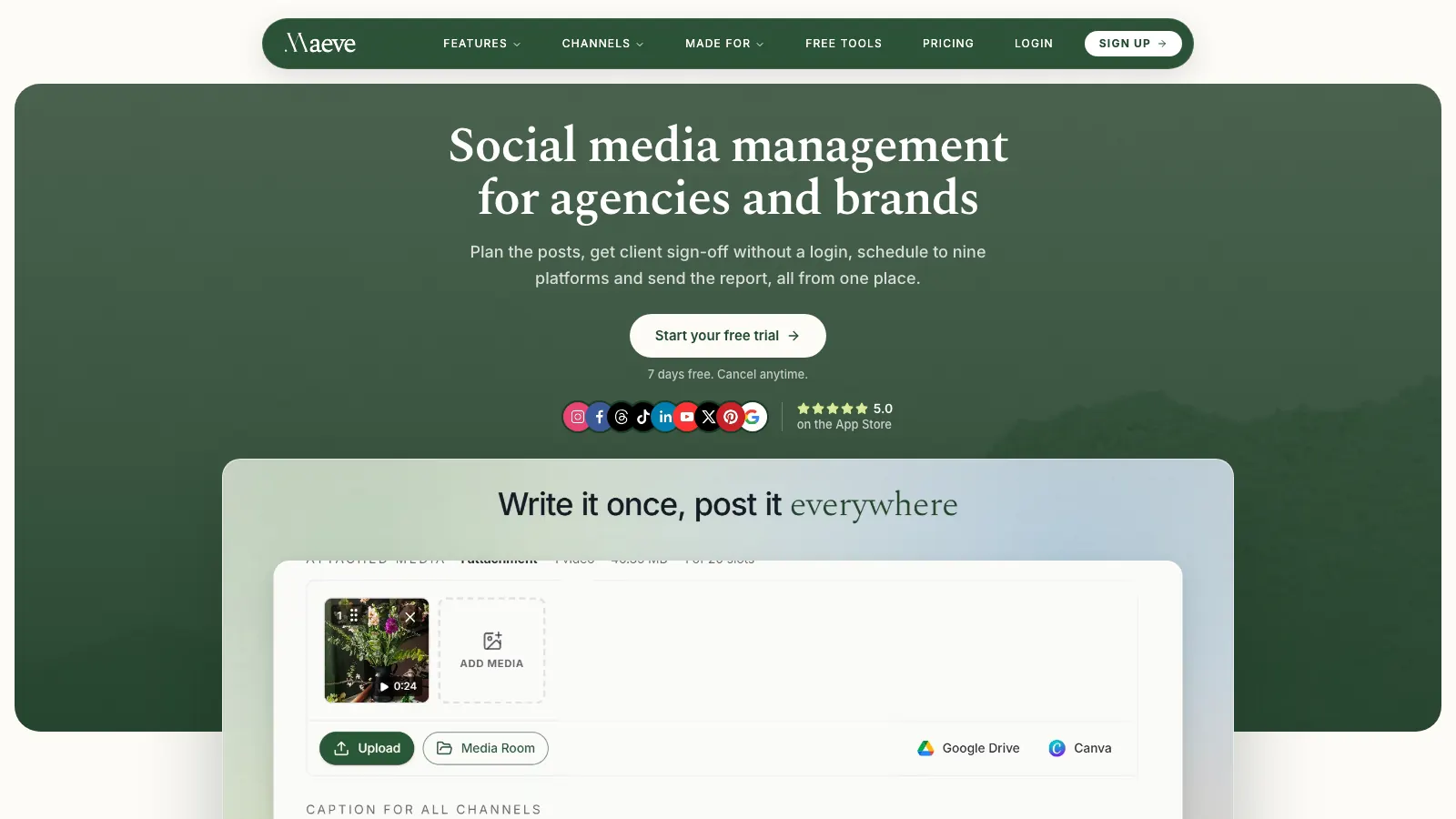
Maeve Social combines a calendar, grid planner, social inbox, analytics and publishing in one workspace. You can schedule across nine platforms, but the product is most persuasive when a post has to travel through people before it can go out. That makes it a sensible entry in a marketing tools directory for agencies buying back time from approval threads, rather than another tool for finding caption ideas.
The approval workflow is the difference. A rule can match channel, platform, post type, author, label, pillar, format or campaign, then send the post to the appropriate review. A client receives a link by email, with no account or password to create, and can approve or ask for a change beside the actual post. Maeve also shows changes word by word when a new version returns.
That is a more deliberate purchase than a low-cost scheduler. Standard adds roles, internal approvals, client review links, shareable calendars, aggregate analytics and five workspaces. If your agency repeatedly chases a client through email or rebuilds a post in a separate approval tool, the extra $74 a month over Basic has a clear purpose.
Which marketing agencies benefit most from deploying Maeve Social?
Social agencies
Route client work through approvals without buying client reviewers their own seats.
In-house marketing teams
Keep stakeholder decisions, revisions and publishing schedules together in one workspace.
Multi-brand operators
Run separate calendars for a main business, side brand or locations.
Automation-minded teams
Use the listed API, CLI and MCP alongside the publishing workflow.
I would choose Basic only when the calendar is the whole requirement. It gives one user two workspaces, nine-platform publishing, a grid planner, inbox, analytics and 800 monthly AI credits. The moment a client or colleague needs a formal sign-off step, Standard is the honest starting point, not an optional upgrade to defer.
What social inbox and grid planning capabilities are built into Maeve Social?
Calendar and platform-specific posts
The calendar holds Instagram, Facebook, Threads, LinkedIn, X, TikTok, YouTube, Pinterest and Google Business Profile in one grid. You can move a scheduled post to another day, filter the view by status, channel, label or assignee, and use per-platform overrides in the composer. For an agency, seeing the whole month is useful only if it also shows what is stuck, and Maeve marks draft, approval, scheduled, posted and failed work differently.
Client reviews that stay attached to the post
Maeve's client review links are its strongest feature. Feedback sits on the relevant post rather than in a separate email chain, and a requested change returns the revised version for another look. The review can show each post as it will publish, and the client can open the link on a phone. Those small details make the system more valuable than a generic approval button when several pieces of content are moving at once.
Approval rules and revision control
Teams can make reusable rules from the attributes that actually separate client work: channel, platform, post type, author, author role, label, pillar, format or campaign. Maeve also records version differences, lets a manager override a stuck review with a visible reason, and supports reminders. Moving only the publish time keeps existing approvals, while an edited post starts a new version. That is the guardrail a busy account manager needs, not just an audit detail.
Inbox, reporting and discovery
Every plan includes a social inbox for comments, DMs and reviews, plus advanced analytics and best-time-to-post insights. Standard adds all-channel aggregate analytics, PDF reports and scheduled report sends. Maeve also offers Instagram competitor tracking and TikTok trends, but I would treat those as supporting planning features. The purchase case remains the handoff from planned post to approved post to report.
API, CLI and MCP for AI agents
Maeve documents workspace-scoped REST routes for scheduling content, reading analytics and replying in the inbox. Its CLI has commands for terminal and CI workflows. The MCP server exposes four stable tools, named maeve_search, maeve_details, maeve_read and maeve_write, with access governed by workspace permissions and grants. That is unusually practical machine access for a social publishing product, though your team still needs approval rules that match who may publish.
How do Maeve Social Basic and Standard tiers compare in monthly cost?
Price checked 27 Nov 2026
| Plan detail | Basic$25/mo | Standard$99/mo | Premium$199/mo |
|---|---|---|---|
| Billed yearly | $240/year | $950/year | $1,900/year |
| Internal team members | 1 user | 5 | Unlimited |
| Workspaces | 2 | 5 | Unlimited |
| Publishing and calendar | ✓ | ✓ | ✓ |
| Internal and client approvals | ✕ | ✓ | ✓ |
| Shareable calendar links | ✕ | ✓ | ✓ |
| AI credits each month | 800 | 1,500 | 3,000 |
| API, CLI and MCP | ✓ | ✓ | ✓ |
| Free trial | 7 days | 7 days | 7 days |
Maeve Social prices in US dollars, 27 Nov 2026.Maeve Social pricing
For a five-person internal team that needs approvals, Standard is a $99 monthly bill. Its five internal team-member seats are separate from client reviewers, who can use review links without a client seat. Annual billing lowers Standard's annual total to $950, a $238 saving against 12 monthly payments. Premium costs $199 monthly or $1,900 yearly and removes the team-member and workspace caps while raising the monthly AI credit allowance to 3,000.
Where does Maeve Social show feature constraints for solo creators?
Maeve Social requires growing agencies to commit to higher subscription tiers early to access core approval features. Seven days is enough to assemble a representative campaign, but not much time when account connections, a new client workspace and stakeholder availability all arrive at once. Build one real approval route during the trial, rather than spending the week only arranging a calendar.
The plan boundary is also sharp. Basic covers a capable one-person publishing setup, but internal collaboration, client review links, roles and shareable calendar links all begin on Standard. That makes Maeve less attractive if your process is deliberately light and no one needs to sign off before publication.
Finally, its most distinctive value is operational, not analytical. The inbox, reporting, discovery and trends features support the workflow, but Maeve Social earns its place when approval delays are the expensive problem. A team looking mainly for another dashboard should judge those reporting needs carefully during the trial.
Which social media scheduling platforms are top Maeve Social alternatives?
 AI Peekaboo review is useful for teams that need AI visibility monitoring beside their social workflow. Its plans start at $30 a month, checked 27 Nov 2026, and include API and MCP access.
 MCNOS review covers a product in private beta with one approval gate after creative direction and another before publishing. That makes it relevant when those two governed campaign handoffs are the comparison point.
 Metricool review is relevant when your decision starts with planning and reporting. Its Advanced plan adds post approvals, team and client management, and role management.
What is the final verdict on adopting Maeve Social for agency operations?
Maeve Social makes sense when publishing is held up by decisions, not by the lack of a schedule. Its client links, routed reviews and version-aware approvals give an agency a concrete way to keep sign-off with the work. Buy Standard when that friction is real. Choose a simpler tool if one operator owns every post and no client needs to approve it.
Send one campaign through internal and client sign-off during the seven-day trial, then publish it to your team's channels. That will show whether Standard's workflow earns its $99 monthly price.
How was this Maeve Social platform assessment evaluated and checked?
Maeve Social features, developer documentation, and pricing terms were reviewed against official source materials on 27 Nov 2026. Prices are shown in US dollars as Maeve presents them, and every figure follows how we check figures.
- Maeve Social pricing pages for monthly and yearly billing
- Maeve Social pages for approvals, client reviews, calendar and failed-post recovery
- Maeve Social developer documentation for its REST API, CLI and MCP server
What are the common questions about Maeve Social workspaces and approvals?
Can clients approve posts without a Maeve Social account?
Yes. Standard and Premium include client review links, and Maeve says the client does not need an account, password or paid seat to use them.
How much does Maeve Social cost for an agency?
Standard costs $99 monthly or $950 yearly. It includes five workspaces, roles and permissions, internal approvals, client review links, shareable calendars and 1,500 monthly AI credits.
Does Maeve Social work with AI agents?
Yes. Every paid plan lists API, CLI and MCP access. Maeve documents four MCP tools and workspace permissions for approved operations.
Which social platforms can Maeve Social publish to?
Maeve lists nine platforms: Instagram, Facebook, Threads, LinkedIn, X, TikTok, YouTube, Pinterest and Google Business Profile.
 Reviewed byDanny Kirk
Founder of ReddiReach.
 Checked byAndrés Felipe
Digital designer and marketer.
Every figure is checked against the vendor's own page. Read our editorial standards.