
Key Takeaways
- MeisterTask enables agile project management through visual Kanban boards, offering unlimited tasks and no-cost Viewer seats for organizational stakeholders.
- MeisterTask provides a three-project free plan and charges twelve euros and fifty cents monthly per user on annual Pro billing.
- MeisterTask includes beta Model Context Protocol access on all tiers while restricting programmatic API functionality to paid Pro plans.
- MeisterTask reserves timeline Gantt charts, structured subtasks, custom field attributes, and reporting dashboards for its Business tier.
MeisterTask is the right pick for a small team that wants to see work move across shared boards without paying for every stakeholder, because its free plan has unlimited tasks and every plan includes unlimited Viewer seats. Skip it if your delivery work depends on timelines, subtasks or custom fields from the outset: those sit on Business at €24 per user a month on annual billing.
Agent access
- API
- Yes, all users
- MCP server
- Official, hosted, OAuth
- Works with
 ClaudeClaude Code
 ChatGPT
- Automation
- Zapier
What are the key pros and cons of MeisterTask?
What works
- Unlimited tasks on the €0 Free plan
- Unlimited Viewer seats across every plan
- Full API use starts at Pro
What to watch
- Free is capped at three projects and five notes
- Timeline, subtasks and custom fields need Business
- Prices vary by region and exclude VAT
How does MeisterTask streamline team project tracking?
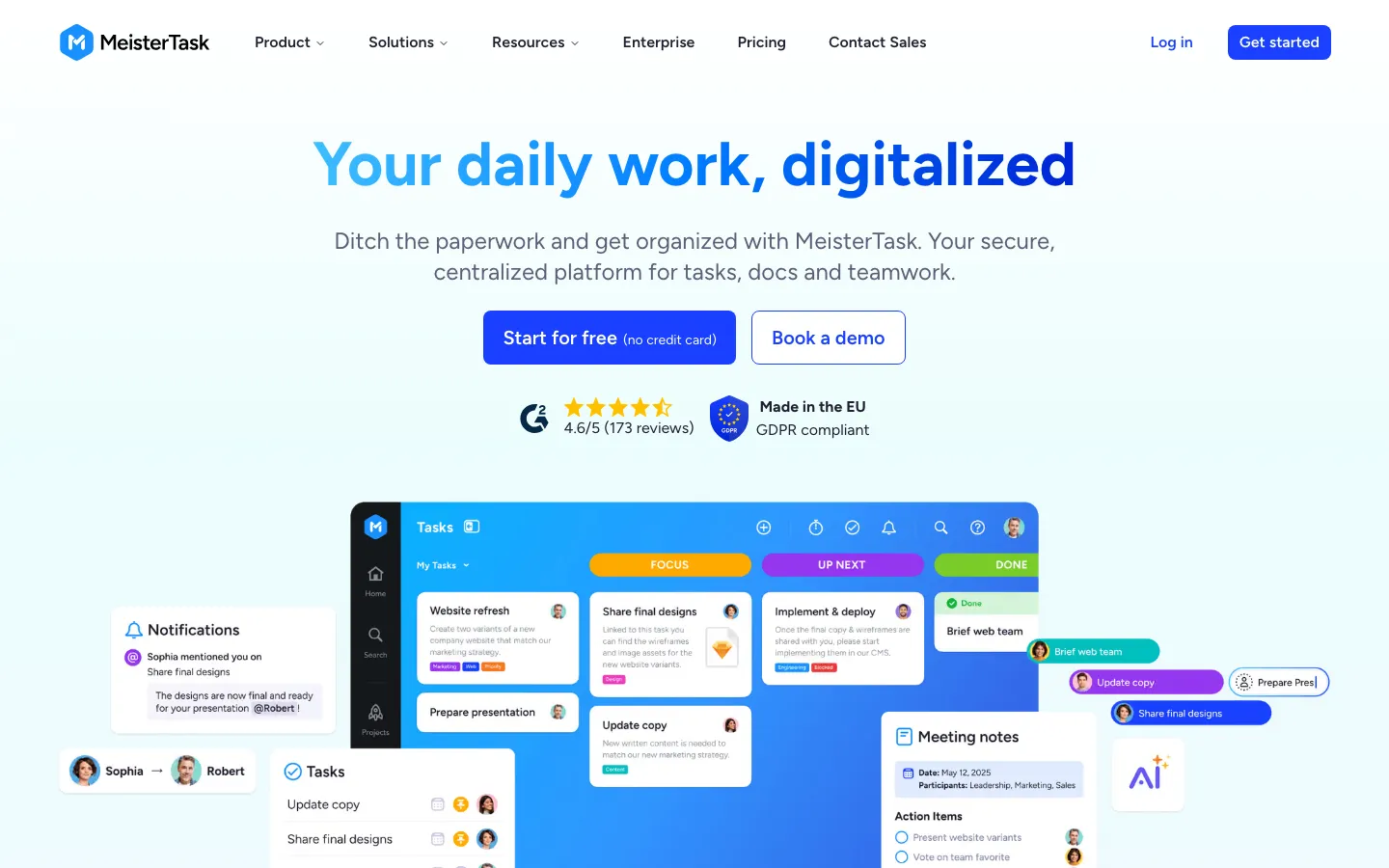
MeisterTask gives a team shared Kanban-style project boards, where each task moves from one stage of work to the next. It fits when the immediate problem is making ownership and progress visible without turning every update into a meeting. The marketing tools directory helps compare it with other software your team buys.
Free has unlimited tasks, unlimited team members, three projects, five notes and 20 Meister AI credits each month. A client, executive or occasional collaborator who only needs to see progress can use an unlimited free Viewer seat instead of a paid seat. That makes the board a shared record, rather than a tool reserved for the people entering tasks.
I would treat Pro as the real starting point for a team that has settled on the workflow. It removes the project and note caps, adds private projects, recurring tasks, automations, integrations and full API use. Business is a separate decision: it adds the planning and governance tools that matter once work needs a timeline, structured fields, permissions and custom reporting.
Who benefits most from using MeisterTask boards?
Small delivery teams
Use Free when three projects and unlimited tasks are enough to organize daily work visibly.
Teams with stakeholders
Unlimited Viewer seats let clients and leaders follow progress without increasing the paid-seat count.
API-minded operations teams
Pro adds full API use, recurring tasks, automations and integrations for a more connected workflow.
Teams needing governance
Business adds roles, permissions, custom reports and custom fields for controlled, structured delivery.
MeisterTask is not the best fit for a team that knows it needs a timeline, subtasks and custom fields before it creates its first board. The free plan is generous for task volume, but those planning tools only arrive on Business. In that situation, price the needed plan first, rather than letting the free entry point make the decision for you.
Which collaboration and board features does MeisterTask include?
Boards that show ownership
Each project uses a customizable board that shows task status, with comments, reports and time tracking. Teams see the work queue and move tasks as progress changes, which suits ongoing work with clear stages.
Notes beside the work
MeisterTask also includes notes for shared information. Free allows up to five notes, while Pro and above make notes unlimited. Notes and pages can also be shown in presentation mode. Keeping a brief, checklist or process note alongside a board reduces the chance that a task loses its context, though the five-note ceiling makes Free a poor home for a large internal knowledge base.
Planning and controls
Business adds timeline views, team overview, subtasks, custom fields, custom reports, roles and permissions, group sharing, multiple admins and unlimited version history. Enterprise adds a workload planner and portfolios. Pro organizes work, while Business is for teams that need to shape it consistently across people and projects.
AI, MCP and API access
Every plan lists Meister AI credits: 20 a month on Free, 75 on Pro and 350 on Business and Enterprise. AI project statuses and MeisterTask MCP are marked beta on the pricing grid. Full API use is a Pro feature. The integrations page also says its apps for ChatGPT and Claude can find tasks, set up projects and update notes inside a conversation, with access limited to what the person using the assistant can see. That gives an agent-aware team a credible entry point, but beta MCP should not carry a critical workflow until its exact scope is confirmed.
Connections and migration
Pro and above include integrations with other apps, and the product documents calendar syncing, task activity updates and automation through a connector platform. It also supports importing projects, tasks and assignees from existing work-management tools. That matters when the board needs to become part of an established operating rhythm.
Hosting and security claims
MeisterTask says it is GDPR compliant, ISO 27001 certified and hosted in Germany in a BSI C5 and SOC 2 certified data center. That matters for a team with data-location requirements. It is not a substitute for your own security review, especially if Enterprise controls or a compliance export are buying requirements.
How much does MeisterTask cost across subscription tiers?
Price checked 27 Nov 2026
| Plan detail | Free€0 | Pro€12.50/user/mo | Business€24/user/mo | EnterpriseCustom |
|---|---|---|---|---|
| Billing basis | Forever | Annual billing | Annual billing | Talk to sales |
| Projects | Up to 3 | Unlimited | Unlimited | Unlimited |
| Notes | Up to 5 | Unlimited | Unlimited | Unlimited |
| Meister AI credits monthly | 20 | 75 | 350 | 350 |
| Full API use | ✕ | ✓ | ✓ | ✓ |
| Timeline, subtasks and custom fields | ✕ | ✕ | ✓ | ✓ |
MeisterTask prices in euros, 27 Nov 2026.MeisterTask pricing
The headline price is per paid user and excludes VAT. Monthly billing moves Pro to €15.50 per user and Business to €31 per user. For a five-person working team on Pro, the annual-billing price is €62.50 a month before VAT. If three more people only need visibility, they can use Viewer seats without changing that bill. That is the number I would compare, not the €12.50 headline.
- Free starts at €0 forever, with three projects and five notes
- Pro costs €12.50 per paid user monthly on annual billing, or €15.50 on monthly billing
- Business costs €24 per paid user monthly on annual billing, or €31 on monthly billing
- Enterprise is custom priced, with flexible payment options and custom terms
New accounts receive a 14-day Business-tier reverse trial before moving to Free unless they upgrade. There is also a 50% discount for students, educators, educational institutions and non-profits, available through support. Regional pricing can change at checkout if the billing address differs, so use the displayed plan price as a decision point, not a universal quote.
What capabilities does MeisterTask Enterprise provide for large teams?
MeisterTask Enterprise serves organizations requiring advanced capacity planning, custom onboarding, and commercial support beyond standard Business capabilities. It adds workload planning, portfolios, SSO, compliance exports, a dedicated Customer Success Manager, personalized onboarding and custom payment terms. There is no published Enterprise price, so it is sensible only after the workload planner, portfolio view, SSO or compliance exports are genuine requirements.
Where does MeisterTask fall short on lower-tier plans?
MeisterTask imposes a rigid three-project boundary on its free plan that forces growing teams to upgrade quickly. Unlimited tasks sound generous, but a team with four active client workstreams already needs Pro for unlimited projects. Free is best treated as a small-team starting point rather than a permanent multi-project system.
The next step is steeper if your workflow needs structure. Timeline views, subtasks, custom fields and custom reports all begin on Business, which nearly doubles the annual Pro price per paid user. For a five-person working team, that is €120 a month before VAT on annual billing, rather than €62.50. Make that comparison before choosing a board tool on visual appeal alone.
MCP and AI project statuses are marked beta, while full API use begins at Pro. The documented AI apps can work with tasks and notes inside a conversation, but beta MCP should not be treated as a guaranteed replacement for a standard integration. Confirm the permissions and supported actions for the workflow you plan to automate.
What are the best alternatives to MeisterTask?
If your team starts with workshops, diagrams or a broad visual canvas before it turns decisions into tasks, read the  Miro review. Miro can create and share unlimited boards, but its Free plan leaves only the three most recent editable, so it suits an earlier visual-planning stage rather than a growing board archive.
For a board tool with planning views on its middle tier, read the  monday work management review. Its Standard plan adds Timeline and Gantt views plus Calendar view, making it the more relevant comparison if those views matter before MeisterTask Business.
What is the final verdict on MeisterTask?
MeisterTask delivers exceptional value for lean teams by including unlimited free Viewer seats for stakeholders without driving up software expenses. Pro is the sensible purchase when unlimited projects, API use and automations make the board part of your operating system. Business is worth the extra cost only when your work genuinely needs timelines, subtasks, custom fields and controls.
Start with the 14-day Business trial, build one real workflow with the people who will update it, then drop to Free or choose Pro unless the team can name a Business-only feature it will use every week.
How was this MeisterTask review fact-checked and verified?
MeisterTask feature allocations, plan limits, and pricing tiers were verified against vendor documentation on 27 Nov 2026. Prices and plan limits came from MeisterTask's public pricing pages; features came from its product, integration and security pages. Every figure follows how we check figures.
- MeisterTask pricing and machine-readable pricing pages
- MeisterTask product tour and integrations pages
- MeisterTask home page security information
What are frequently asked questions about MeisterTask?
Is MeisterTask free?
Yes. The Free plan is €0 forever and includes unlimited tasks, up to three projects, up to five notes, unlimited team members and 20 Meister AI credits each month. It also lists AI project statuses and MeisterTask MCP as beta.
How much does MeisterTask cost for a team?
Pro costs €12.50 per paid user a month on annual billing, or €15.50 billed monthly. Business is €24 per paid user a month annually, or €31 billed monthly. Prices exclude VAT and may vary by billing region.
Do MeisterTask viewers need a paid seat?
No. MeisterTask includes unlimited Viewer seats on every plan. Someone who only needs to view tasks, check status or follow progress does not need a paid seat, which can reduce the cost of sharing a project with stakeholders.
Does MeisterTask work with AI agents?
It can. MeisterTask MCP is listed as beta on every plan, while full API use begins on Pro. Its integrations page also documents apps for ChatGPT and Claude that can find tasks, create projects and update notes within the permissions of the person using them.
 Reviewed byDanny Kirk
Founder of ReddiReach.
 Checked byAndrés Felipe
Digital designer and marketer.
Every figure is checked against the vendor's own page. Read our editorial standards.