
Key Takeaways
- MxToolbox provides critical email diagnostic utilities that inspect MX records, DNS configurations, SPF records, DMARC alignment, and blacklist status to protect inbox delivery.
- MxToolbox offers essential DNS lookups for free, with continuous Delivery Center monitoring starting at one hundred twenty-nine dollars monthly.
- MxToolbox provides programmatic REST API endpoints with twenty-two lookup commands, including a developer allowance of sixty-four daily DNS queries on free accounts.
- MxToolbox concentrates strictly on technical mail server diagnostics and infrastructure monitoring rather than marketing automation, newsletter campaign building, or content design.
MxToolbox is the practical pick when you need to find an email delivery fault before it becomes a campaign problem: its free lookups cover MX, DNS, DMARC and blacklist checks, while Delivery Center adds monitoring and inbox placement from $129 a month. It suits teams whose work centers on inspecting and monitoring email infrastructure, rather than every email-related job.
Agent access
- API
- Yes, free, Basic ($129/month), Pro ($399/month), or Enterprise (custom pricing)
- MCP server
- Not found on official pages
What are the core MxToolbox pros and cons for email admins?
What works
- Free SuperTool covers MX, DNS, DMARC, blacklists and header analysis
- One free monitor checks a single domain weekly against the top 30 blacklists
- 22-command JSON API, with a free daily DNS allowance
What to watch
- Paid delivery monitoring begins at $129/month
- Inbox placement has 30 or 100 analyses per month, depending on plan
- The free API does not include network lookups or Monitor API queries
What deliverability diagnostics and DNS checks does MxToolbox perform?
MxToolbox provides immediate answers when outgoing messages land in spam folders, identifying deliverability faults before the next broadcast. MxToolbox gives the technical person a fast starting point: its SuperTool groups MX Lookup, Blacklists, DMARC, Diagnostics, Email Health, DNS Lookup and header analysis in one place. It belongs in a marketing tools directory because email performance has a technical side.
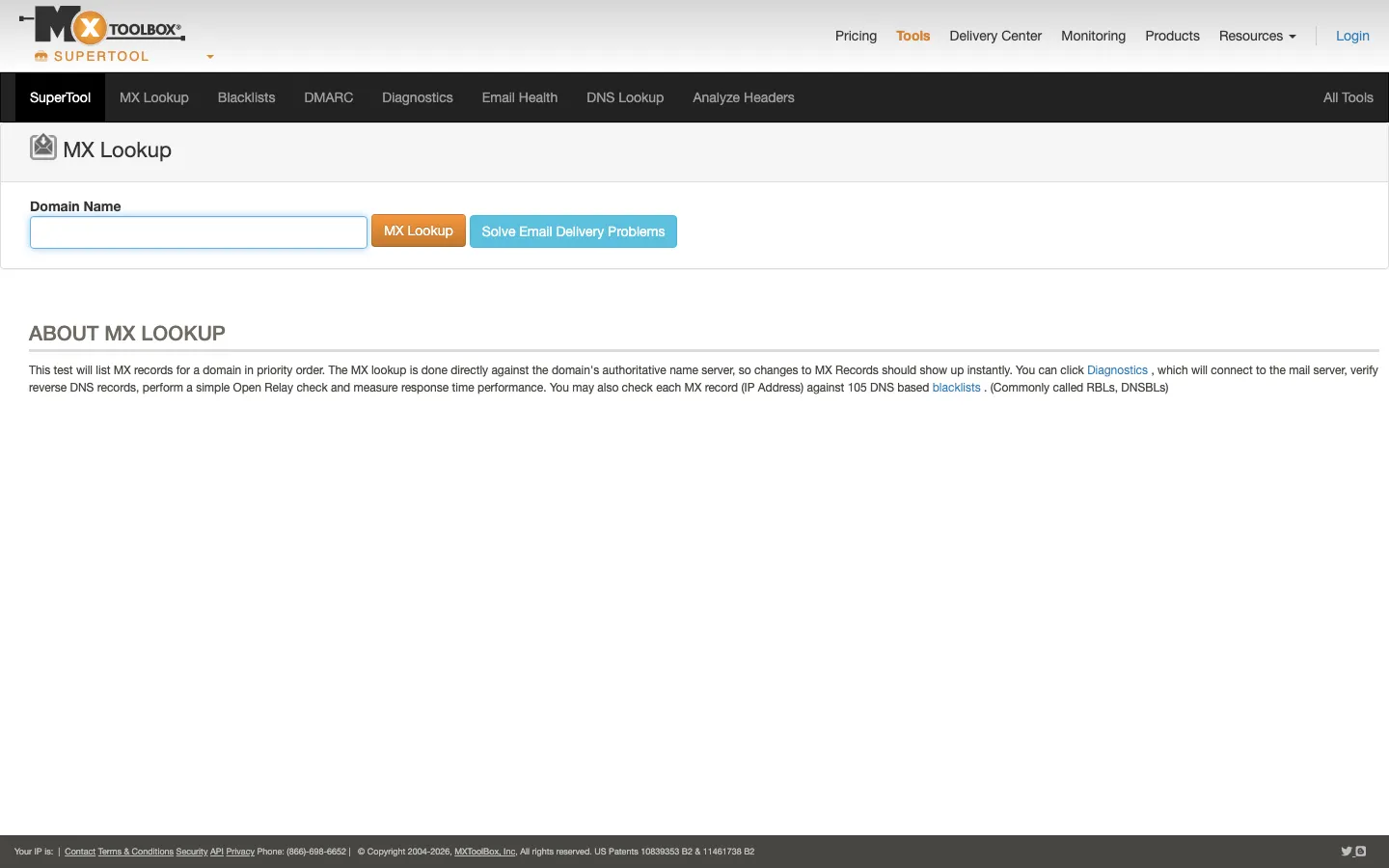
MX Lookup lists MX records in priority order, queries the authoritative name server, and can check each MX record against 105 DNS-based blacklists. Diagnostics check reverse DNS, try a simple open-relay check and measure response time. The free offer helps identify a concrete fault, rather than asking you to interpret a generic deliverability score.
Paid Delivery Center takes that diagnostic posture into ongoing oversight. It combines inbox placement analysis, recipient complaint reporting, DMARC delivery performance reporting, configuration analysis, blacklist monitoring and inbound plus outbound mailflow monitoring. I would treat it as an operations purchase for a team that owns its sending reputation, not a default subscription for every marketer with an email list.
Who benefits most from utilizing MxToolbox diagnostic tools?
Email and IT teams
Use free MX, DNS and blacklist checks to isolate a delivery problem before escalating it.
Deliverability owners
Monitor blacklist exposure, DMARC performance and mailflow when email is business-critical infrastructure.
Developers and operations teams
Bring DNS and email-authentication lookups into an internal workflow through the documented JSON API.
DMARC adoption teams
Use reporting and configuration analysis when moving toward stronger domain authentication policies.
It is a weaker fit when your team's work does not center on DNS, MX, blacklist or DMARC lookups, monitoring, inbox placement or API access. Match the product to the specific email operation your team needs to manage.
Which blacklist, DNS, and DMARC lookup tools does MxToolbox offer?
SuperTool for first-pass diagnosis
The SuperTool is the reason to start here. You can move between MX records, DNS, DMARC, blacklists, email health and header analysis without buying a plan. A domain's MX records are especially useful when messages fail before delivery, while the DNS and authentication checks give the team somewhere specific to investigate instead of changing several records at once.
Blacklist and mailflow monitoring
A free account includes one monitor for one domain, with weekly blacklist monitoring across the top 30 blacklists. Delivery Center and Delivery Center Plus list adaptive sender blacklist monitoring, including sending IPs from third parties. They also list round-trip inbound and outbound mailflow monitoring, with hop and delay detail and alerts set to your thresholds. That makes the paid product more defensible when email failures cost a support team time, not merely when a report would be nice to have.
Inbox placement and complaint reporting
Delivery Center includes 30 inbox placement analyses each month; Delivery Center Plus lists 100. MxToolbox says the analysis checks placement at inbox providers such as Google and Outlook.com and provides more than a dozen possible explanations when a campaign misses the inbox. The plans also list recipient complaint reporting and analysis of bulk-sender requirements. Price the number of campaigns you genuinely need to examine, rather than assuming every send needs a test.
DMARC, authentication and brand indicators
Both paid Delivery Center plans list DMARC email delivery performance reporting, configuration analysis for DMARC, SPF and DKIM, BIMI management, and domain impersonation protection. Delivery Center Plus also lists SPF flattening. If the work is moving a domain toward a stronger DMARC policy, those pieces belong together. If the work is only fixing one malformed record, the free lookup tools may be enough to identify the next technical task.
API for repeatable checks
The API exposes 22 lookup commands and returns JSON over HTTPS. It covers DNS and email-authentication checks such as MX, SPF, DKIM, DMARC and BIMI, plus blacklist, SMTP and other network lookups. An API key goes in the Authorization header, and the documentation supplies cURL, JavaScript and Python examples, with no SDK required. The free tier includes 64 simple DNS lookups a day and one monitor. It has no network lookup allowance or Monitor API queries.
How are monthly monitoring plans priced on MxToolbox?
Price checked 27 Nov 2026
| Plan detail | Free$0/month | Delivery Center$129/month | Delivery Center Plus$399/month |
|---|---|---|---|
| Domains listed | 1 | 5 | 5 |
| Blacklist monitoring | Weekly | Adaptive sender monitoring | Adaptive sender monitoring |
| Inbox placement analyses | Not listed | 30/month | 100/month |
| Email message volume | Not listed | 500,000 | 5,000,000 |
| DMARC reporting and BIMI | Not listed | ✓ | ✓ |
| SPF flattening | Not listed | Not listed | ✓ |
Prices in US dollars, 27 Nov 2026.MxToolbox pricing
MxToolbox's pricing page does not list a per-seat price; ask how users affect your quote. The clearest real team bill is therefore the product bill itself: a five-domain Delivery Center setup is $129/month, and Delivery Center Plus is $399/month for the same listed domain count with 100 placement analyses and 5,000,000 in listed email message volume. Confirm any extra monitoring capacity before treating either plan as a team price.
The published API tiers are Free with 64 simple DNS lookups a day and one monitor, Basic at $129/month with 128 monitors, Pro at $399/month with 256 monitors, and Enterprise with custom pricing. Daily API limits reset at 12:00 AM UTC. Ask MxToolbox which API allowances come with a Delivery Center subscription before budgeting for both.
What services does MxToolbox provide for fully managed deliverability?
MxToolbox offers Fully Managed Delivery Center for organizations that want help with email delivery setup, online reputation and DMARC compliance. It includes an assessment of outbound sending systems, DMARC onboarding, SPF and DKIM implementation help, data analysis, policy optimization, proactive monitoring and training. It is a different purchase from the self-serve plans: you are paying for specialists to work through a continuing delivery program.
For developers, Enterprise API pricing is custom and lists unlimited lookups and monitors. Ask MxToolbox for a Managed Services quote.
Where does MxToolbox fall short for broad email marketing workflows?
MxToolbox exhibits a sharp pricing jump when transitioning from free ad-hoc lookups to continuous paid infrastructure monitoring. A free account gives you one weekly monitor, while the paid starting plan is $129/month. That can be sensible for a business with recurring reputation risk, but it is a large move for someone who only needs to inspect a domain occasionally.
The paid plans also have a visible ceiling on inbox placement analysis: 30 a month on Delivery Center and 100 on Delivery Center Plus. A high-volume team should compare that allowance with its actual campaign calendar before assuming the larger plan solves every pre-send check.
Finally, the free API is a sampler, not a full automation plan. It allows simple DNS lookups, but no network lookup allowance and no Monitor API. If blacklist or SMTP checks must run from your own workflow, budget for a paid API plan rather than discovering the boundary after you have built the integration.
Which deliverability testing tools represent the top MxToolbox alternatives?
MxToolbox alternatives should be selected based on the specific deliverability inspection or inbox monitoring job required. MxToolbox is strongest when DNS, authentication, blacklists, reputation monitoring and DMARC reporting belong in the same operational conversation. If your immediate task is verifying contacts before a send, read the NeverBounce review. If you need transactional email sending through REST API or SMTP, read the  Postmark review.
What is the final verdict on using MxToolbox for delivery checks?
MxToolbox earns its place as the first technical check when mail delivery goes wrong. The free SuperTool and weekly monitor give an email team useful facts without a subscription, and the API makes the same checks available to an internal workflow. Delivery Center becomes the right purchase only when your team repeatedly needs monitoring, placement analysis and DMARC reporting in one place.
Start with the free lookups and one monitor. Move to Delivery Center when recurring delivery work needs inbox placement, complaint reporting, adaptive monitoring and DMARC performance reporting together. Keep the $399 plan for teams that can use its 100 monthly placement analyses, 5,000,000 listed message volume and SPF flattening.
How were MxToolbox API limits and diagnostic tools tested?
MxToolbox diagnostic features, pricing tiers, API capabilities, and managed service offerings were audited on 27 Nov 2026. Prices remain in US dollars as published. The approach for handling figures is set out in how we check figures.
- MxToolbox product and pricing pages
- MxToolbox API product page and API reference
- MxToolbox managed-services page
What are frequently asked questions regarding MxToolbox blacklist checks?
Is MxToolbox free?
Its free tools cover MX, DNS, DMARC, blacklist and related lookups. A free account includes one monitor for one domain, with weekly blacklist monitoring across the top 30 blacklists.
How much does MxToolbox cost?
Delivery Center is $129/month and Delivery Center Plus is $399/month. Ask MxToolbox for a Managed Services quote.
Does MxToolbox have an API?
Yes. The API has 22 lookup commands and returns JSON over HTTPS. Its free tier includes 64 simple DNS lookups a day and one monitor, while paid plans add higher allowances, network lookups and Monitor API access.
How many blacklists can MxToolbox check?
MX Lookup says each MX record can be checked against 105 DNS-based blacklists. Free monitoring covers the top 30 blacklists.
 Reviewed byDanny Kirk
Founder of ReddiReach.
 Checked byAndrés Felipe
Digital designer and marketer.
Every figure is checked against the vendor's own page. Read our editorial standards.