
Key Takeaways
- Re:amaze centralizes email, live chat, social messaging, knowledge base FAQs, and automated workflows into one shared workspace for customer service teams.
- Re:amaze pricing begins at $26.10 per team member monthly on annual billing for Basic, with Pro at $44.10 and Plus at $62.10.
- Re:amaze provides REST API access across all tiers through individual user tokens to manage conversations, contacts, articles, and reporting data programmatically.
- Re:amaze requires multi-brand teams to upgrade to Pro and reporting-focused organizations to select Plus, while AI resolution overages may increase total costs.
If you need to handle email, chat and social messages alongside FAQs and repeatable replies, Re:amaze Basic brings that support work into one system from $26.10 per team member a month on annual billing. Choose Pro for multiple brands or Plus for staff-performance reporting, and choose another tool only when those plan costs do not fit your team.
Agent access
- API
- Yes, every Re:amaze account
- MCP server
- Not found on official pages
- Automation
- Zapier
What are the main pros and cons of Re:amaze?
What works
- Basic combines email, live chat, social channels and public or internal FAQs
- Assignments, notes and shared views keep a team on the same conversation
- API access is available with every Re:amaze account
What to watch
- Basic supports one brand, while multiple brands begin on Pro
- Staff-performance reporting belongs to the Plus plan
- Extra AI resolutions cost $0.85 each after the included allowance
What core customer support capabilities does Re:amaze provide for teams?
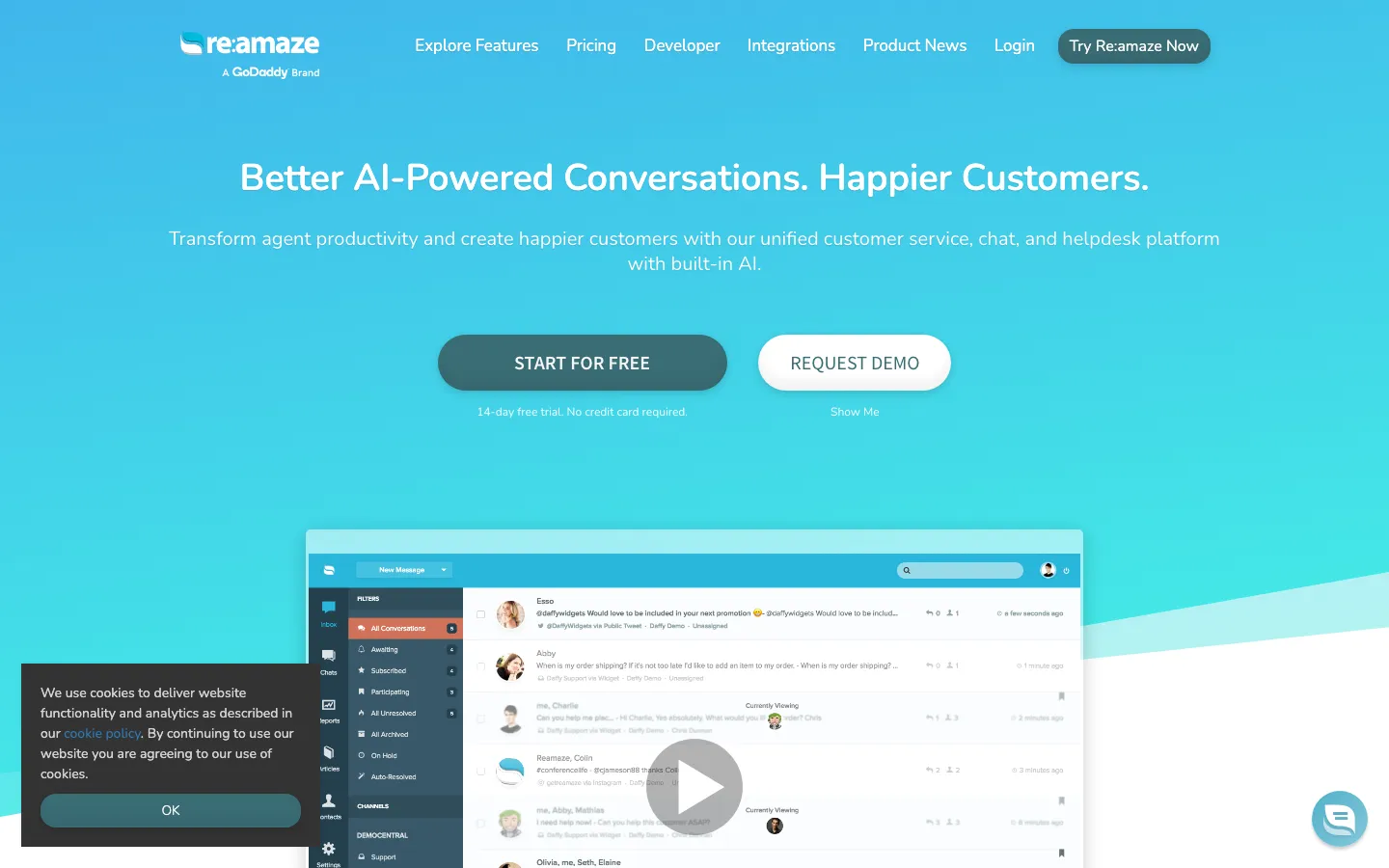
Re:amaze resolves fragmented customer support across chat, email, and social channels so colleagues maintain shared visibility into past customer interactions. Re:amaze puts email, AI-powered live chat, social media, mobile SMS, VoIP, video calls and push-notification conversations in one help desk, with assignments, notes and shared views to make handoffs less fragile. If WhatsApp and voice are the main channels, the respond.io review covers a more messaging-led option.
For a smaller team, the important choice is that the entry plan is not merely an inbox. Basic includes unlimited email inboxes, live chat, social media channels, a public or internal FAQ, workflow automation, response templates, website integration, chatbots, proactive messages and basic reporting. That is enough to give one brand a coherent support system rather than a collection of disconnected widgets.
The upgrade path is clear, too. Pro adds multiple brands in one account, advanced reporting, visitor view, SMS and voice channels. Plus adds departments, staff roles, performance reporting, shifts and vacation days. Teams that need those management controls immediately should budget for Plus from the start; staged support operations can begin on Basic or Pro and move up as those needs appear. Teams comparing it with other tools can also browse the marketing tools directory for the wider category.
Who is the ideal user for Re:amaze?
Small support teams
Basic brings inboxes, chat, FAQs and repeatable replies into one shared daily workflow.
Ecommerce operators
Order questions can sit beside chat, customer messages and ecommerce integrations in one desk.
Multi-brand teams
Pro supports unlimited brands when separate customer conversations need one account and advanced reporting.
Support leaders
Plus adds departments, roles and staff performance reporting for a larger managed support function.
I would not choose Basic for a company already serving several brands, since the plan grid sets that limit at one. Nor is it the right budget fit if a large team needs staff-performance reporting, because every seat has to move to Plus. The per-member pricing is easy to understand, but it scales directly with headcount.
Which key features are included in Re:amaze?
Shared conversations and team context
The help desk is built for shared ownership. Conversations can carry assignments, internal notes and shared views, while the supported channels include email, chat, social media, SMS, voice, video and push notifications. That breadth matters when customers switch channels mid-problem. It is less useful if your team only needs a basic email inbox.
Live chat, chatbots and Cues
Every paid plan includes Re:amaze Chat, Cues and chatbots. Cues are automated messages triggered for visitors on your site, while the chat product supports pre-built and custom bots, in-chat video calls, FAQ mode and order-status checks. Use that combination where chat needs to do both support and sales work, rather than adding a separate pop-up tool.
FAQ and knowledge content
Basic includes public and internal FAQs. The knowledge base can be hosted on a domain, embedded in a site or shown within chat, and articles can use Markdown or HTML. Re:amaze says those articles train its AI Agent and chatbots, so the help center is not a side project. It becomes the material that shapes automated answers.
Automation and the AI Agent
Response templates and workflows are included in Basic, alongside the beta Re:amaze AI Agent. The product also offers AI suggestions, article drafting and conversation analysis. The practical cost limit is important: Basic includes five AI resolutions per user each month, Pro includes 10 and Plus includes 20. Each further resolution is listed at $0.85, so teams with high automated volume should budget for usage rather than relying on the headline seat rate.
API and integrations
Re:amaze provides a REST-like JSON API with access through every account. Individual users generate their own tokens, and the documentation covers articles, channels, contacts, conversations, messages, reports, templates and staff. Requests are scoped by brand and rate-limited per token. Its integrations also cover ecommerce operations: the list includes customer order data, refunds and cancellations, subscriptions, shipping, returns, loyalty details and major marketplace messages. That is the strongest reason to consider it for a store rather than a general-purpose inbox.
How much does Re:amaze cost across its plans?
Price checked 27 Nov 2026
| Plan detail | Basic$26.10/member/mo | Pro$44.10/member/mo | Plus$62.10/member/mo |
|---|---|---|---|
| Monthly price | $29/member/mo | $49/member/mo | $69/member/mo |
| Annual billing | $26.10/member/mo | $44.10/member/mo | $62.10/member/mo |
| Brands | 1 | Unlimited | Unlimited |
| AI resolutions, per user monthly | 5 | 10 | 20 |
| Reporting | Basic | Advanced | Staff performance |
| Staff management | ✕ | ✕ | ✓ |
Re:amaze prices in US dollars, 27 Nov 2026.Re:amaze pricing
The honest bill is the plan price multiplied by the people who need access. A three-person Basic team on annual billing is $78.30 a month. The same three people on Pro cost $132.30 a month, and Plus costs $186.30 a month. That makes the plan boundary more important than a small monthly discount: moving the whole team to gain multi-brand support or staff reporting changes the total quickly.
- Annual billing saves 10% against the listed monthly rate
- AI resolution allowances rise from 5 to 10 to 20 per user, by plan
- Additional AI resolutions cost $0.85 each
- The 14-day trial includes Plus features and does not require a credit card
Where does Re:amaze fall short for growing businesses?
Re:amaze separates plan tiers with sharp functional boundaries that force upgrades for multi-brand management and advanced staff reporting. Basic delivers a lot of frontline support capability, but it only supports one brand and basic reporting. A multi-brand team has to jump to Pro, while a manager who needs departments, roles, shifts or staff-performance reporting has to choose Plus. The low starting price is therefore meaningful only if Basic truly matches the operating model.
AI usage is another variable. The included resolution allowance is attached to each user and plan, then every additional resolution carries a $0.85 charge. Re:amaze does not publish a flat unlimited-AI option in its plan grid, so a team expecting the AI Agent to close a large share of conversations should model its expected volume before treating automation as a cost saver.
Finally, the API documentation describes REST-style access and user-specific tokens, but it does not mention MCP. If your workflow depends on an agent connecting through that protocol, do not assume the JSON API is a substitute. Confirm the integration approach before you make it part of a support workflow.
What are the top alternatives to Re:amaze?
 Re:amaze alternatives like respond.io are worth weighing when WhatsApp, voice, and social messaging form the core of high-volume B2C operations. Its plans start at $79 a month on yearly billing, checked 27 Nov 2026, and its API and MCP server are documented, though WhatsApp fees sit outside the subscription.
Richpanel is the alternative for ecommerce teams that want managed implementation alongside human support and AI agents. Its annual Pro plan is listed at $69 per agent a month, checked 27 Nov 2026, with a separate $0.20 charge per AI-handled conversation. The Richpanel review explains what that implementation-led approach means for a team planning a migration.
What is the final verdict on Re:amaze?
Re:amaze gives small ecommerce and support teams a unified home for essential email, chat, social channels, FAQs, automated workflows, and an API. I would pick Basic when one brand and basic reporting are enough, then budget for Pro if multiple brands matter or Plus if staff-performance reporting matters. MCP availability is unconfirmed, so confirm it before making it part of an agent workflow.
Start with the 14-day trial, map the channels and knowledge articles your team actually needs, then compare the full team bill for Basic, Pro and Plus before putting workflows or the beta AI Agent into daily use.
How was this Re:amaze review researched and verified?
Re:amaze pricing, plan limits, and product capabilities cited in this review were gathered directly from official vendor documentation on 27 Nov 2026. Prices are in US dollars, as Re:amaze shows them, and every figure follows how we check figures.
- Re:amaze pricing page and plan comparison
- Re:amaze customer support, chat and FAQ product pages
- Re:amaze integrations page and API reference
What are the most frequently asked questions about Re:amaze?
Is there a free trial for Re:amaze?
Yes. Re:amaze offers a 14-day free trial without a credit card, and says the trial includes Plus features.
What does Re:amaze Basic include?
Basic includes unlimited email inboxes, live chat, social channels, a public or internal FAQ, workflows, response templates, website integration, chatbots, Cues, basic reporting and the AI Agent.
How much does Re:amaze cost for a team?
On annual billing, Basic is $26.10, Pro is $44.10 and Plus is $62.10 per team member monthly. A three-person Basic team costs $78.30 a month before any additional AI resolutions.
Does Re:amaze have an API?
Yes. API access comes with every account through individual user tokens. The REST-like JSON API covers resources including contacts, conversations, messages, articles and reports.
 Reviewed byDanny Kirk
Founder of ReddiReach.
 Checked byAndrés Felipe
Digital designer and marketer.
Every figure is checked against the vendor's own page. Read our editorial standards.