
Key Takeaways
- SalesBlink unifies generative cold email sequence creation, automated mailbox warmup, multi-account delivery, and unified reply management under a single outbound sales subscription.
- Starter subscriptions for SalesBlink begin at $25 monthly on annual plans or $29 month-to-month, while team collaboration and REST APIs unlock on Growth at $99.
- Outbound engineers can leverage an included MCP connection starting on SalesBlink Starter, while REST API access, CLI tooling, and AI Skills require the Growth tier.
- Sales teams should skip SalesBlink Starter if they need native calendar scheduling, multiple user seats, or CRM integrations without upgrading to Growth.
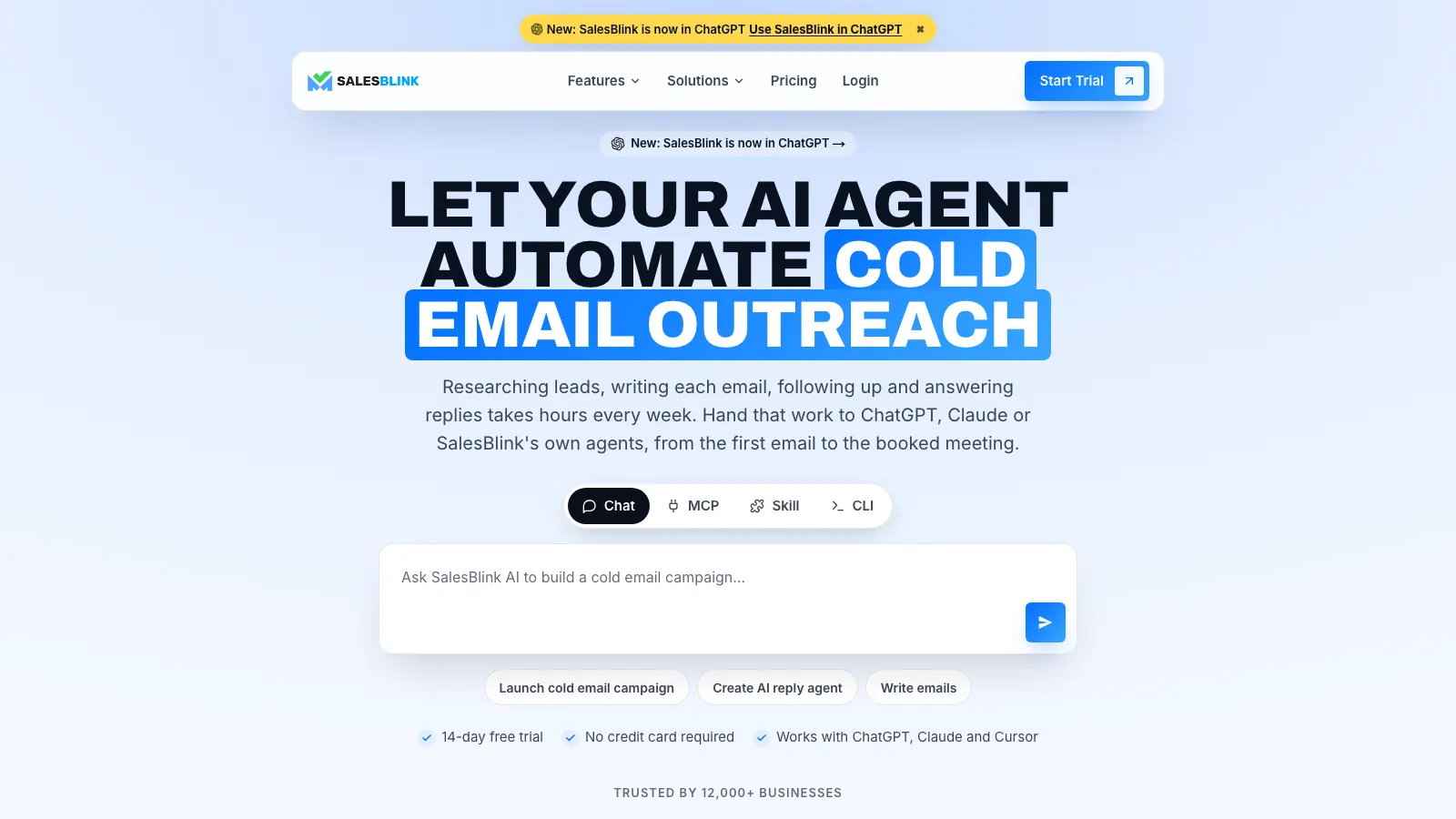
If you run outbound alone, SalesBlink puts AI sequences, unlimited email accounts, warmup and MCP in one subscription. When you need a second person in the account, calendar booking, integrations or the REST API, judge it at Growth's $99 monthly price.
Agent access
- API
- Yes, Growth and above
- MCP server
- Official, hosted, OAuth 2.1
- Works with
 ClaudeClaude Code
 ChatGPT
 Cursor
 VS Code
 n8n
- Automation
- Zapier, Make, n8n
What are the key pros and cons of SalesBlink?
What works
- AI sequences, unlimited accounts and warmup from Starter
- MCP access on every paid plan
- Growth includes three teammates, calendar booking and integrations
What to watch
- Starter has no calendar booking, API, Skill or CLI
- AI output is editable, so a person still owns the final message
- Business is the first plan with unlimited team members
What cold outreach and mailbox warmup features does SalesBlink offer?
SalesBlink gives an outbound team one place to generate a sequence, connect sending accounts, warm them up and work the replies. That is its best argument in a crowded marketing tools directory: the entry plan bundles work that is often bought as separate products, while still leaving a human able to edit the email before it goes out.
The dividing line is not AI writing. Every plan has AI sequences, credits, unlimited email accounts and unlimited Email WarmUp. It is the operating layer around the campaign that changes: Growth adds unlimited sending, up to three team members, a meeting scheduler, integrations, the AI Agent Skill, CLI and REST API. Business adds unlimited teammates, outreach tasks and team reports.
That makes the choice clearer than the feature list first suggests. Starter is a low-cost launch point for one person who needs email outreach and MCP. Growth is the practical plan for a small team that needs prospects to book calls or needs its campaign data to connect to another system.
Which outbound sales teams and solo operators benefit most from SalesBlink?
Solo outbound operators
Starter suits one person who needs AI sequences, warmup, follow-ups and a unified inbox.
Small sales teams
Growth gives up to three teammates a scheduler, integrations and shared outreach operations.
Lead generation agencies
Agency plans use client workspaces, whitelabel branding, workspace teams and separate client reports.
Agent-led workflows
MCP starts on Starter, while Growth adds the REST API, Skill and CLI.
SalesBlink is less compelling when a team needs its integrations and automation before it can start. The product can draft and warm from Starter, but a team with calendars, CRM handoffs or scripted workflows should price Growth first rather than treating $25 as its full operating cost.
What automated email sequencing and reply tools are built into SalesBlink?
AI sequences with human approval
SalesBlink AI can create a first email and follow-ups from an offer, a business profile and lead details. The Outreach Agent can read a lead's company website, write a different first email plus three follow-ups, and use the tone, length and fields you allow. You can turn on Outbox review, which holds each AI-written email for reading, editing and approval before it sends. That control matters more than a promise of fully automatic copy.
Warmup for every connected sender
Email WarmUp is included on every plan and every connected account. It exchanges business-style email with inboxes in its pool, ramps sending gradually and gives each sender a Health score and Ready for Outreach status. The practical benefit is simple: you do not have to budget another monthly tool merely to prepare new senders. Keep the volume and provider limits in view, because your email provider still counts every message it sends.
One inbox for campaign replies
Replies from Google Workspace, Gmail, Outlook, Zoho and SMTP senders arrive in the Unified Inbox. Automatic responses can be tagged, while the reply agent works from outcomes you select, including Interested, Not Interested and Meeting Request. Each outcome has an editable prompt. This is a useful guardrail for a small team, since reply automation stays tied to rules your team can inspect.
Meeting Scheduler on Growth
Growth and Business include the Meeting Scheduler. It connects to Google or Outlook calendars, lets a prospect view slots in their time zone and can add a Google Meet, Microsoft Teams or your own meeting link. The AI Reply Agent can send the booking link when a lead asks to meet. A team booking calls from cold outreach should see this as a Growth feature, not assume it arrives with the cheaper plan.
MCP first, full developer access later
SalesBlink's MCP Server is included on Starter and supports OAuth sign-in for clients such as Claude, ChatGPT and Gemini. Its product pages say an agent can use MCP to check sender health, alter warmup settings and run outreach requests in plain language. The REST API covers lists, sequences, templates, senders and inboxes, but the REST API, AI Agent Skill and CLI are Growth-and-above features. For agent builders, that split is the page's most important technical limitation.
Campaign reporting and testing
The product lists reports and dashboards, sequence reports and A/B or A/Z testing. Business adds team reports. Per-step sequence reports show where prospects drop off, while Email & Task Log Reports keep a record of every send and task. For a team that manages calls or LinkedIn touches alongside email, outreach tasks can bring those manual steps into the sequence.
How is SalesBlink priced across Starter and Growth plans?
Price checked 27 Nov 2026
| Plan detail | Starter$29/mo | Growth$99/mo | Business$199/mo |
|---|---|---|---|
| Annual starting price | $25/mo | $79/mo | $179/mo |
| Email sends | Up to 10,000/mo | Unlimited | Unlimited |
| Team members | 1 | Up to 3 | Unlimited |
| AI credits | 1,000 | 5,000 | 20,000 |
| Unlimited accounts and warmup | ✓ | ✓ | ✓ |
| MCP server | ✓ | ✓ | ✓ |
| REST API, Skill and CLI | ✕ | ✓ | ✓ |
| Meeting Scheduler | ✕ | ✓ | ✓ |
SalesBlink prices in US dollars, 27 Nov 2026.SalesBlink pricing
SalesBlink displays two useful price views. The monthly cards show $29, $99 and $199, while the plan breakdown says each plan starts at $25, $79 and $179 a month on annual billing. The vendor says yearly billing saves 15% and the features remain the same.
- A team of three on Growth pays the displayed $99 monthly plan price, with all three team places included.
- Starter includes 1,000 AI credits, while Growth raises that to 5,000 and Business to 20,000.
- Every plan has a 14-day free trial with no credit card required.
The $99 three-person subscription bill comes before optional extras. Growth includes up to three people rather than quoting a separate seat price, and it is where scheduling, integrations and full developer access appear.
SalesBlink also offers optional add-ons to active subscribers. Extra email-verification credits are a one-time purchase that never expires, with 10,000 credits listed at $29, while done-for-you mailboxes are billed separately from the plan. The subscription works without either add-on. Add-ons checked 27 Nov 2026
What extra capacity and limits does SalesBlink Business provide for teams?
Within the displayed For Own Business plans, Business is the tier above Growth for an in-house team that needs unlimited team members, unlimited sending, outreach tasks, team reports and 20,000 AI credits. Lead generation agencies have a separate set of plans priced around client workspaces rather than seats, with whitelabel branding, per-workspace team members and separate reporting for each client.
- Unlimited team members instead of Growth's three-person limit
- Team reports alongside the campaign reports and dashboards
- 20,000 AI credits for sequences, templates, personalization and replies
Where does SalesBlink fall short when adding teammates and integrations?
SalesBlink offers a low entry price that can obscure the actual investment required once a team needs multiple seats. Starter has the core writing, warmup and MCP features, but it stops at one team member and does not include the meeting scheduler, integrations, REST API, Skill or CLI. If any one of those matters, Growth is the honest price comparison.
AI drafting is deliberately editable, which is a strength for control but means it is not a reason to remove human review from your process. Outbox review exists for exactly that reason. Treat the agent as a way to prepare and personalize work, then put the final message through the standards your brand already uses.
SalesBlink supports reports, dashboards, testing and per-step sequence reporting, and its outreach tasks can include calls and LinkedIn touches. Confirm that those reports and tasks match the handoff your team needs before committing to Business.
What are the best platform alternatives to SalesBlink?
 SalesBlink alternatives include AI Peekaboo, which is relevant when measuring brand visibility across AI answer engines rather than conducting outbound email sequences. Its plans start at $30 a month with API and MCP access on every plan, as the AI Peekaboo review explains.
 Read the Smartlead review when unlimited email accounts and unlimited warmup on every plan are the deliverability baseline you need. SalesBlink also includes both from Starter, but its one-person Starter and three-person Growth boundary is the more important comparison for a growing team.
 Read the Unify review if you want to find a buyer and sequence them without leaving the chat. That chat-based prospecting path differs from SalesBlink's email-led workflow, where MCP begins on Starter and the REST API, Skill and CLI begin on Growth.
What is the final verdict on using SalesBlink for outbound campaigns?
SalesBlink is strongest when you are the only person sending outreach and want AI writing, sender warmup and reply handling in one place. I would keep Starter for that one-person setup, then move straight to Growth for shared access, meeting booking, integrations or the REST API.
Treat the 14-day trial as a choice between one-person Starter and three-person Growth. Run the sender and approval process you expect to keep, then choose Growth immediately if booking, integrations or REST API access belong in it.
How were SalesBlink features, limits, and plans verified?
SalesBlink features, sending limits, and plan costs were verified directly against vendor pricing and feature pages on 27 Nov 2026. Prices are in US dollars as SalesBlink shows them, and every figure follows how we check figures.
- SalesBlink pricing pages for monthly and yearly billing
- SalesBlink pages for sequences, Email WarmUp, Unified Inbox and Meeting Scheduler
- SalesBlink pages for product features, integrations and AI agent access
What are the most common questions asked about SalesBlink?
Is there a free version of SalesBlink?
No free plan is listed. SalesBlink offers a 14-day free trial with no credit card required.
How much does SalesBlink cost for a small team?
The monthly plan cards show Starter at $29, Growth at $99 and Business at $199. Growth includes up to three team members, so $99 is the displayed monthly bill for a three-person team.
Does SalesBlink include email warmup?
Yes. Unlimited Email WarmUp and unlimited email accounts are included on Starter, Growth and Business.
Does SalesBlink work with AI agents?
Yes. Its MCP Server is included from Starter. The REST API, AI Agent Skill and CLI are available on Growth and Business.
 Reviewed byDanny Kirk
Founder of ReddiReach.
 Checked byAndrés Felipe
Digital designer and marketer.
Every figure is checked against the vendor's own page. Read our editorial standards.