
Key Takeaways
- Shortcut provides an agile project management platform designed specifically for software engineering teams using stories, epics, sprint backlogs, and product roadmaps.
- Shortcut offers a generous permanent free tier supporting up to 10 users, with Team pricing set at $8.50 per user monthly on annual plans.
- Shortcut supports modern engineering agent workflows through REST API v3, an evolving v4 beta, automated webhooks, and an official Model Context Protocol server.
- Shortcut introduces friction for non-technical departments or general business teams that require generic task lists rather than software-centric development workflows.
Shortcut is the best fit for a software team that wants stories, iterations and roadmaps without putting a price barrier in front of its first 10 people. Choose something else if your work is not organized around product delivery, because Shortcut's language and workflow are deliberately built for software teams and their agents.
Agent access
- API
- Yes
- MCP server
- Official, hosted, OAuth
- Works with
 ClaudeClaude Code
 Cursor
 VS Code
- Automation
- Zapier
What are the main development strengths and weaknesses of Shortcut?
What works
- Free plan for up to 10 users, with boards, roadmaps, reports, iterations and Docs
- Published Team and Business seat prices, plus a 14-day full-access period without a card
- REST APIs, webhooks, MCP access and AI agent collaboration are all listed
What to watch
- Free is limited to one team, one workspace and one workflow
- Strategic objectives and key results, advanced custom fields and multiple workspaces start on Business
- SAML SSO and SCIM are an add-on on Business, while Enterprise includes them
How does Shortcut structure product planning from backlogs to release?
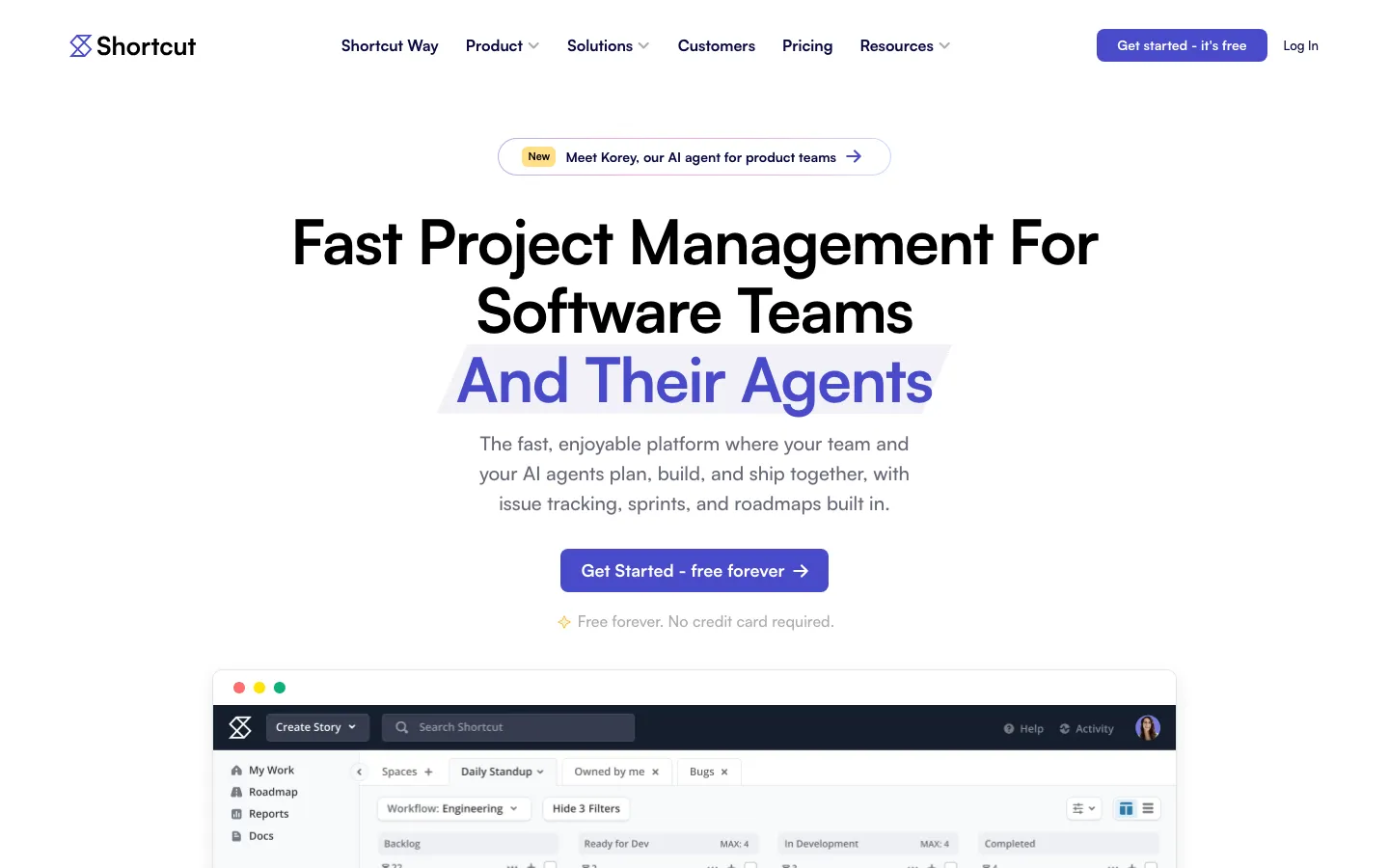
Shortcut gives a software team a shared route from a loose product idea to work ready for release. Stories sit inside epics, the backlog holds the next decisions, iterations set a development window and roadmaps show the larger shape of the work. That is a focused promise in a broad marketing tools directory: it is not trying to make every kind of team work the same way.
The payoff is clarity when product and engineering need to talk about the same piece of work. A product manager can order the backlog and connect epics to a roadmap. An engineering lead can decide what enters an iteration.
I think the free plan is the strongest reason to begin here. It lets a small group use the core planning model with up to 10 users before seat pricing starts. Once the team needs more people, more workflows or more control, the choice becomes less about getting started and more about how much structure the organization actually needs.
Which product managers and engineering squads get the most from Shortcut?
Engineering teams
Track development work through stories, iterations and connected GitHub, GitLab or Bitbucket activity.
Product managers
Prioritize a backlog, group stories into epics and present planned work through a roadmap.
Early-stage software teams
Use the Free plan for up to 10 people before a growing team needs paid seats.
Product leaders
Move to Business when strategic objectives, key results and advanced reporting become operational needs.
The wrong fit is just as clear. A team whose work is mostly campaigns, client requests or unstructured collaboration may spend more energy translating its work into stories and epics than it saves. Shortcut's model is useful precisely because it makes a software delivery process visible, not because it is neutral.
What roadmapping, story mapping, and sprint tracking tools exist in Shortcut?
Stories, boards and backlogs
Stories are the unit of work. Shortcut lets teams view them on Kanban boards with saved filters, then sort and prioritize unfinished work in the backlog before it moves into a workflow. Team and Business add work-in-progress limits, and Business removes the workflow limit. That is a sensible progression: use the free structure to establish a rhythm, then pay when several teams need different rules.
Iterations and roadmaps
Iterations define a time-boxed period for a collection of stories, which gives sprint planning a home without making it the only way to work. Roadmaps visualize epics, while tactical objectives group related epics around releases and work. Business adds strategic objectives and key results connected to business outcomes. The separation matters: a roadmap helps the team see direction, but Business is where leadership-level goal tracking begins.
Docs, reports and automations
The Free plan includes Docs for product requirements and technical documentation, plus reports that provide quick insights. Team adds a suite of reports; Business adds advanced reports and additional charts. Automations can start or complete an epic, create future iterations and move unfinished stories forward. Those are worthwhile safeguards once a release cycle repeats, although a small team should first make sure its workflow is stable enough to automate.
Development connections
Shortcut lists integrations with GitHub, GitLab and Bitbucket, so a team can connect its planning work to development activity. It also lists Slack and Figma integrations. That collection suits a product delivery team because planning, code activity, conversation and design can stay closer together. It does not remove the need to agree on who updates a story, but it makes the handoff easier to see.
APIs and AI teammates
Shortcut documents REST API v3, a REST API v4 beta and Webhook API v1. Its developer documentation says the REST API gives greater control over workspace data than the web app and can be used to build custom integrations. Shortcut also lists an MCP server and AI agent collaboration. Korey, a separate AI agent for product development, writes user stories and breaks work into tasks. Treat those tools as an extension of an established workflow, not a substitute for deciding what the team should build.
How does Shortcut price its free tier and paid team subscriptions?
Price checked 27 Nov 2026
| Plan detail | Free$0 | Team$8.50/user/mo | Business$12/user/mo | EnterpriseCustom |
|---|---|---|---|---|
| Billing shown | Free | Annual billing | Annual billing | Ask Shortcut |
| Users | Up to 10 | Unlimited | Unlimited | Unlimited |
| Teams | 1 | Up to 5 | Unlimited | Unlimited |
| Workspaces | 1 | 1 | Unlimited | Unlimited |
| Custom workflows | 1 | Up to 5 | Unlimited | Unlimited |
| SAML SSO | ✕ | ✕ | Add-on | Included |
Shortcut prices in US dollars, 27 Nov 2026.Shortcut pricing
Google Workspace SSO is listed separately on every plan. The table's SAML SSO row and the SCIM row are different controls: both start as add-ons on Business and are included on Enterprise.
Team is $8.50 per person each month on annual billing, while Business is $12 per person. The monthly prices rise to $10 and $16 respectively. For a five-person team, that puts the annual-billing bill at $42.50 a month on Team or $60 a month on Business. The $17.50 difference is worth paying only when unlimited teams and workspaces, strategic objectives, advanced custom fields or advanced reports solve a real coordination problem.
- The Free plan holds 10 users, one team, one workspace and one customizable workflow
- Team opens unlimited users, up to five teams, five workflows and 250G of storage, while retaining one workspace
- Business adds unlimited teams, workspaces and workflows, advanced reports, strategic objectives and key results
- Google Workspace SSO is listed on every plan; SAML SSO and SCIM are add-ons on Business and included on Enterprise
Shortcut also offers a 14-day full-access period with no credit card required. Qualifying nonprofits can use Shortcut for free, and startups with fewer than 50 employees can receive 12 months free. If a trial ends with 10 or fewer users, Shortcut says the team can use the Free plan or choose a paid plan. It does not offer pro-rated refunds for canceled subscriptions.
What advanced governance and security controls define Shortcut Enterprise?
Shortcut Enterprise supplies governance controls, enterprise security protocols, and advanced workspace permissions for large engineering organizations. Shortcut lists unlimited users, teams, workspaces and customizable workflows on that tier, with SAML SSO and SCIM included. Google Workspace SSO is separately listed on every plan. The price is custom, so the right question is not whether Enterprise sounds more complete. It is whether identity management and organization-wide structure are already requirements.
Business has a SAML SSO and SCIM add-on, while Enterprise includes both. Get the scope and price of that add-on in writing before treating Enterprise as the only option. The decision should rest on governance and scale, not a vague preference for the top plan.
Where does Shortcut feel restrictive outside software delivery?
Shortcut can feel overly rigid when adopted by non-technical teams that operate outside sprint cycles and software development processes. Stories, epics, workflows and iterations give software work a reliable vocabulary, but not every collaborative task deserves that vocabulary. If your work has no release cycle or engineering handoff, a system designed around them may become another translation layer.
The feature steps are also consequential. Free handles one workspace and one workflow. Team raises the workflow allowance to up to five but retains one workspace; Business adds unlimited workspaces and workflows, strategic objectives, advanced custom fields and advanced reports. A growing company should map its actual teams and workspaces before assuming Team is enough.
Finally, the security path deserves an early conversation. Google Workspace SSO is listed separately on every plan, while SAML SSO and SCIM are unavailable on Free and Team and become add-ons on Business. That does not make the product unsuitable, but it means an organization with required identity controls should settle the commercial terms before migrating active work.
Which project tracking platforms serve as alternatives to Shortcut?
Shortcut serves engineering-first organizations best, while general-purpose project tools offer greater flexibility for cross-functional business workflows. For conversations organized around teams and projects, read the  Slack review, which lets teams create channels around teams, projects or anything else. For project work shown in Grid, Gantt, table, board and calendar views, read the
 Smartsheet review. The decision comes down to whether a software-delivery model is the structure your team needs.
What is the final verdict on adopting Shortcut?
Shortcut is a sound choice when one software team can start inside a single workspace, then move to paid plans as workflow and workspace allowances become the real constraint. Boards, backlogs, iterations, roadmaps and Docs form a practical chain from deciding what matters to seeing what ships. The paid tiers remain reasonably legible as the organization gains people and complexity.
I would avoid forcing it on a team whose work is not product delivery. The same opinionated structure that helps engineering and product stay aligned can be unnecessary overhead elsewhere.
Start with the Free plan for one software team, agree on the story and iteration workflow first, then move to Team when more than 10 people need access. Choose Business only when the added workspaces, strategic objectives or reporting have a named owner.
How were the features and developer documentation of Shortcut checked?
Shortcut documentation, MCP capabilities, API specifications, and pricing tiers were reviewed directly from official pages on 27 Nov 2026. Prices are in US dollars as Shortcut shows them, and the figures follow how we check figures.
- Shortcut pricing page, annual and monthly views
- Shortcut product, integrations and Korey pages
- Shortcut REST and webhook API documentation
What are common technical questions about implementing Shortcut?
Is Shortcut free?
Yes. Shortcut's Free plan supports up to 10 users, one team, one workspace and one customizable workflow. It includes Kanban views, a roadmap, reports, iterations, Docs and selected integrations.
How much does Shortcut cost for a team?
Team costs $8.50 per user a month on annual billing, or $10 per user a month on monthly billing. Business costs $12 per user a month annually, or $16 monthly. Enterprise has custom pricing.
Does Shortcut have an API?
Yes. Shortcut documents REST API v3, a REST API v4 beta and Webhook API v1. It says the REST API can build custom integrations and gives more control over workspace data than the web app.
Does Shortcut work with AI agents?
Shortcut lists an MCP server and AI agent collaboration. Korey is its separate AI agent for product development, designed to write user stories and break work into tasks.
 Reviewed byDanny Kirk
Founder of ReddiReach.
 Checked byAndrés Felipe
Digital designer and marketer.
Every figure is checked against the vendor's own page. Read our editorial standards.