
Key Takeaways
- Sprout Social provides an integrated workspace consolidating multi-profile publishing, incoming message management, and automated performance reporting for collaborative marketing teams.
- Sprout Social charges $79 per seat monthly for Essentials, while Standard, Professional, and Advanced plans cost $199, $299, and $399 monthly.
- Sprout Social bundles its Trellis AI assistant across all plans, though its programmatic API is restricted to high-tier Advanced subscriptions.
- Sprout Social becomes expensive for teams seeking budget-friendly brand listening or public developer APIs, as social listening requires paid premium add-ons.
If you manage an in-house social team, Sprout Social is the right pick when publishing, customer engagement and reporting need one workspace, and Standard starts at $199 per seat a month on annual billing. Skip it if your main need is low-cost brand monitoring, because Listening is an add-on from Standard upward and every teammate increases the bill.
Agent access
- API
- Yes, Advanced plan
- MCP server
- Official, hosted, OAuth
- Works with
 ChatGPT
What are the pros and cons of using Sprout Social?
What works
- One inbox for social messages and internal collaboration
- Publishing, engagement and reporting in the same workspace
- Trellis AI features included across every plan
What to watch
- Essentials, Standard, Professional and Advanced are priced per seat
- Listening is an add-on from Standard upward
- API access starts at Advanced and is not public
What does Sprout Social do for social operations teams?
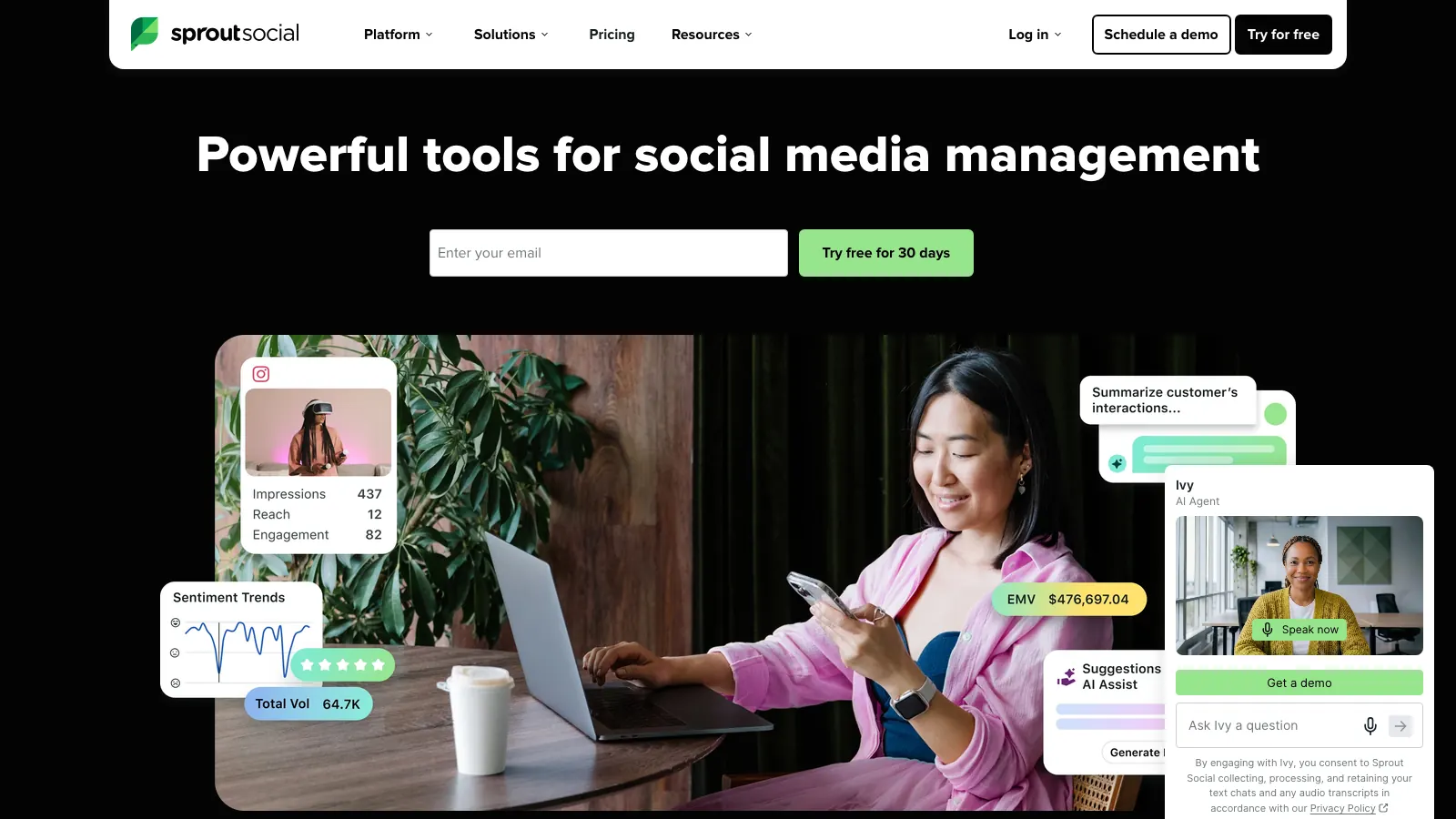
Sprout Social solves the operational handoffs that emerge when your social work has split between a calendar, native inboxes, and a reporting spreadsheet. Sprout Social gathers publishing, engagement, analytics and monitoring into a single social media platform, so an in-house team can plan a post, handle the replies and report the result without moving the work between separate tools. If your goal is visibility in AI answers instead, the AI Peekaboo review covers that different job.
The core value is operational rather than exotic. Standard gives a small team five social profiles, a consolidated inbox, collaboration tools, keyword and location monitoring, and 100 monthly Trellis AI agent credits per seat. Professional removes the profile limit and adds message tagging, competitor, tag and paid insights, plus Enhance Post by AI Assist. That is a clear upgrade path when the team moves from scheduling content to managing a busier social operation.
Who is Sprout Social best suited for?
In-house social teams
Manage publishing, replies and reporting across several social profiles from one workspace.
Customer care teams
Route social conversations through a consolidated inbox with collaboration and case assignment.
Growing brand teams
Move beyond five profiles when Professional's unlimited profile allowance becomes necessary.
Enterprise operations teams
Need SSO setup, priority support and a plan tailored to large operations.
I would not make Sprout the default for a founder or a small agency buying monitoring alone. The platform earns its price when several people need a shared operating system for owned social channels. When the requirement is simply to receive keyword mentions, paying $199 per person before Listening is added asks too much of the budget.
What features are included in Sprout Social?
Consolidated engagement
Sprout's consolidated inbox gives a team a shared place to work through social messages. On higher plans, message tagging organizes the queue, while Advanced adds sentiment in the Smart Inbox and Reviews, response-focused reports and Message Spike Alerts. The result is a customer-care workflow rather than a collection of personal logins.
Publishing and planning
Essentials is the narrower publishing option. It connects up to five social profiles and includes optimal send times, profile and post-level reporting, and Trellis. Standard carries the same five-profile limit. Professional, Advanced and Enterprise have unlimited social profiles. Use that division to price the actual number of brand accounts before assuming a lower tier will hold the whole program.
Trellis and AI assistance
Every plan includes Trellis with 100 credits per seat each month. It provides inbox briefings, report summaries with takeaways and competitor comparisons, drafted replies and post variations. Trellis Plus raises the allowance to 1,000 credits per seat monthly for $28 per seat a month annually, or $35 when billed monthly. Professional adds Enhance Post by AI Assist, and Advanced adds Enhance Reply by AI Assist.
Listening and analytics
Listening is not a checkbox on the base plan. It is an individual add-on available from Standard upward, alongside Premium Analytics. It surfaces topic, sentiment and volume changes with Smart Categories, sentiment tracking, Spike Alerts and external share links. Professional also lists extensive competitor, tag and paid insights. Sprout is strongest when monitoring feeds the publishing and engagement work already happening inside the account.
Integrations and machine access
Sprout lists integrations with Salesforce and HubSpot, and its pricing page puts the Sprout API and Helpdesk integrations on Advanced. Its FAQ says it does not have a public API, but API access can be discussed as an add-on to a subscription. For an AI agent workflow, that means treating API availability as a sales conversation, not a self-serve technical promise.
Influencer Marketing
Influencer Marketing is a separate Sprout platform for creator discovery, campaign activation and performance tracking. It does not require a Sprout Social plan. Keep that cost decision separate from the social-management subscription, rather than assuming Professional or Enterprise turns it on.
How much does Sprout Social cost per user seat?
Price checked 27 Nov 2026
| Plan detail | Essentials$79/seat/mo | Standard$199/seat/mo | Professional$299/seat/mo | Advanced$399/seat/mo |
|---|---|---|---|---|
| Billing shown | Annual, or $99 monthly | Annual | Annual | Annual |
| Social profiles | 5 | 5 | Unlimited | Unlimited |
| Trellis credits | 100/seat monthly | 100/seat monthly | 100/seat monthly | 100/seat monthly |
| Listening | ✕ | Add-on | Add-on | Add-on |
| Sprout API | ✕ | ✕ | ✕ | ✓ |
Sprout Social prices in US dollars, 27 Nov 2026.Sprout Social pricing
The team bill is where Sprout needs a sober comparison. Four Standard seats cost $796 a month on annual billing. Four Professional seats cost $1,196 a month. Neither number includes Listening, because that add-on is separately priced through Sprout. A team that needs unlimited profiles, tagging and the fuller insights package should start its budget from Professional, then ask for the Listening quote before treating $299 as the full cost.
- Essentials costs $79 per seat a month annually, or $99 per seat monthly
- Trellis Plus costs $28 per seat a month annually, or $35 per seat monthly
- Listening and Premium Analytics are separate add-ons from Standard upward
- Enterprise is a custom plan with onboarding, SSO setup and priority support
What is included in Sprout Social Enterprise?
Sprout Social Enterprise serves as the custom option for large-scale social media operations. It includes everything in Advanced, then adds white-glove onboarding and implementation, a plan tailored to the business, dedicated SSO setup and priority support. It is the route for an organization whose team structure, account volume or security requirements have outgrown the published per-seat tiers.
Ask the sales team to put the seat model, Listening scope and API access in the quote. Those variables are most likely to change the decision for a larger team.
Where does Sprout Social fall short on listening and cost?
Sprout Social introduces its first limitation through unquoted pricing for social listening. Standard may look like the monitoring entry point at $199 per seat a month, but Listening is an add-on from Standard upward. Sprout does not list a Listening price on its pricing page, so ask for a quote before treating Standard as the all-in listening cost.
The second is the seat model. Four people on Professional cost $1,196 each month before any add-ons. That may be sensible if those four people work from the inbox and calendar every day. It is much harder to defend when only one person needs to monitor the brand while the rest only want a monthly report.
Finally, Trellis does not make Sprout an open developer platform. It is useful for briefings, summaries, drafted replies and post variations, but the public FAQ says the Sprout API is not public. Advanced lists the API, yet teams building automated workflows still need to discuss access with Sprout before committing.
What are the best alternatives to Sprout Social?
Sprout Social operates as a social operations platform first, which changes the comparative landscape.  AI Peekaboo includes its REST API on every paid plan with an active subscription, bringing prompts, scores, sources and snapshots into reports and workflows. Choose it when AI-answer data needs to move into your own reporting workflow.
For keyword monitoring rather than a shared social workspace,  Syften review covers an AI-filtered public-web monitor that includes Hacker News, forums, blogs, GitHub, Slack communities, Bluesky and Mastodon. For PR and broader media coverage,
 Truescope review covers broadcast, print, digital and social coverage with real-time and spike alerts.
For a broad starting point, use the marketing tools directory to separate social operations, brand monitoring and AI visibility before you request demos. A narrower tool can be the better purchase when the people who publish social posts are not the people who need the monitoring data.
What is the overall verdict on Sprout Social?
Sprout Social makes sense when social is an active team function, not a dashboard someone opens once a month. Its advantage is the shared workflow around publishing, engagement and reporting. Standard is the sensible starting tier for a small team, while Professional is the real option when the profile limit and richer insights matter.
I would pass if social listening is the only buying trigger. The undisclosed Listening add-on and per-seat pricing make Sprout difficult to justify for that single job. Buy it when the inbox, calendar and reporting will be used by the same team often enough to make the operational consolidation worth paying for.
Price four seats on the tier your profile count requires, then ask Sprout for the Listening and API terms in writing. If the resulting monthly bill still replaces several tools your team uses every day, Sprout is a strong fit.
How was Sprout Social evaluated for this review?
Sprout Social pricing, product, integration, FAQ, and support pages were checked on 27 Nov 2026. Prices are in US dollars as Sprout shows them. Read how we check figures for the rules behind the numbers on this site.
- Sprout Social pricing and plan overview
- Sprout Social pages for engagement, publishing, listening and analytics
- Sprout Social FAQ, integrations and Help Center
What are frequently asked questions about Sprout Social?
How much does Sprout Social cost for four people?
Four Standard seats cost $796 a month on annual billing. Four Professional seats cost $1,196 a month. Those totals do not include Listening, which is a separate add-on from Standard upward.
Is Social Listening included with Sprout Social?
No. Listening is not included with Essentials, and it is a separate add-on to Standard, Professional, Advanced and Enterprise.
Does Sprout Social have an API?
Advanced lists the Sprout API, while Sprout's FAQ says there is no public API and API access can be discussed as an add-on to a subscription.
Does Sprout Social include AI features?
Yes. Every plan includes Trellis with 100 monthly credits per seat for inbox briefings, report summaries, drafted replies and post variations. Professional and Advanced add separate AI Assist features.
Does Sprout Social include influencer marketing?
Influencer Marketing is a separate Sprout platform for creator discovery, campaign activation and performance tracking. Sprout says it does not require a Sprout Social plan.
 Reviewed byDanny Kirk
Founder of ReddiReach.
 Checked byAndrés Felipe
Digital designer and marketer.
Every figure is checked against the vendor's own page. Read our editorial standards.