
Key Takeaways
- Taskade integrates project management, real-time documents, custom AI agents, and workflow automations into a unified collaborative workspace for modern teams.
- Taskade offers a free tier for two users, with yearly paid tiers spanning from $6 monthly for Starter up to $100 for Max.
- Taskade provides comprehensive developer integration options including REST endpoints, Action APIs, webhooks, native MCP connectors, and a TypeScript SDK.
- Taskade meters usage through generative AI credit pools, meaning heavy automated workflows and custom app builds can quickly exhaust initial monthly allowances.
If you need to turn a prompt into an internal app while keeping its projects, documents, agents and automations together, Taskade gives you a low-cost place to do it. It suits small teams that will build around AI credits, rather than teams that only need a tightly focused task system.
Agent access
- API
- Yes, every plan
- MCP server
- Official, hosted, OAuth 2.0 with PKCE or personal access token
- Works with
 ClaudeClaude Code
 ChatGPT
 Cursor
 VS Code
- Automation
- Zapier, Make, n8n
What are the core advantages and drawbacks of Taskade?
What works
- Free entry point and paid plans from $6 a month on yearly billing
- Projects switch among seven views, including Gantt and Mind Map
- Apps, agents and automations share the same workspace
What to watch
- AI work consumes credits, with monthly allowances on paid plans
- Free allows three apps, one agent and 10 automation runs
- Bring-your-own-key starts on Pro, while SAML starts on Business
What workspace and AI agent capabilities does Taskade provide?
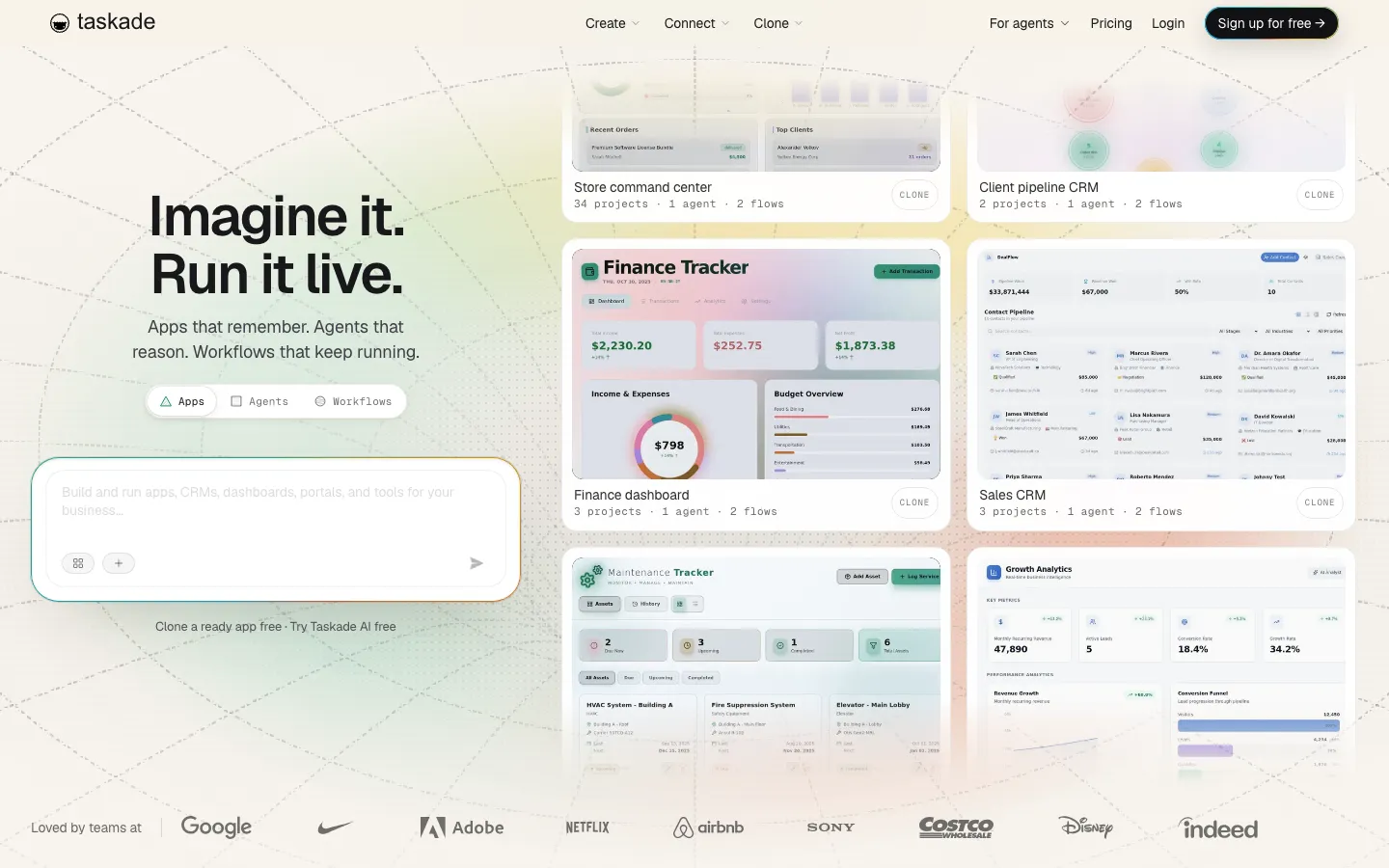
Taskade transforms basic project workspaces into centralized team operating systems powered by automated workflows and AI agents. Its Genesis builder can turn a plain-language brief into a live app, while projects supply the tasks, documents and structured information that agents and automations work with. That makes it a broader proposition than a task list, and a useful stop in a marketing tools directory when your team needs work coordination plus lightweight internal tools.
The product has three connected layers: projects hold the shared context, AI agents work with it, and automations carry work between systems. A project can move among List, Board, Calendar, Table, Mind Map, Gantt and Org Chart views. The Table view can act as a database for a Genesis app, so an internal tracker does not have to be detached from the tasks around it.
That is Taskade's real advantage. Instead of assembling a project tool, a no-code builder and an automation service, a small team can keep the source material and the workflow in one place. I would treat its app builder as the reason to choose it, rather than expecting a narrow replacement for a dedicated task manager.
Who gets the most value from using Taskade?
Small operating teams
Keep projects, documents, agents and automations together without paying a large starting subscription.
Agency delivery teams
Business adds branded apps, unlimited custom domains, analytics, priority support and unlimited people.
No-code builders
Describe a CRM, dashboard or client portal in plain language instead of building it by hand.
Technical workflow teams
Use REST and Action APIs, webhooks and MCP connectors to connect Taskade to existing systems.
It is less compelling for a team that wants a rigid task-management system with no interest in agents or generated apps. The free plan is enough to explore the shape of the product, but its two-person limit, three live apps, one agent and 10 monthly automation runs make it an evaluation space rather than a lasting team setup.
Which project tracking and generative agent features are included in Taskade?
Genesis app builder
Genesis starts from a natural-language description and can create a live app without code. Taskade names dashboards, client portals, CRM systems, forms and landing pages among the things teams can build. Each app is connected to the workspace, so it can draw on existing projects, agents and automations instead of starting with an isolated database.
AI agents and shared knowledge
Agents can have their own role, tools and knowledge, and Taskade positions projects as their persistent memory. Starter includes three AI agents; Pro and higher plans list unlimited agents. Pro also adds training agents with your data, while Business adds multi-agent workflows. That progression makes Pro the practical floor when agents are central to the job.
Automations and integrations
Taskade lists 168 integrations across six categories and says its automations support triggers, branching, looping and scheduling. The headline is breadth, but the decision point is capacity: Free allows 10 automation runs a month, Starter 350, Pro 1,000 and Business 10,000. One workflow that runs often can therefore determine the plan more quickly than the number of people on it.
Project views and data
Every project can switch among List, Board, Calendar, Table, Mind Map, Gantt and Org Chart views without losing its data. That gives planners and operators different ways to look at the same work, rather than forcing a separate planning tool for a timeline or a visual board.
API, webhooks and MCP
Taskade's developer documentation covers REST API v1, Action API v2, webhooks, MCP connectors and a preview TypeScript SDK. Its hosted MCP server is designed to connect external AI clients to a workspace. For a team already building its own agent workflows, those interfaces make Taskade more than a closed collaboration app.
How is Taskade priced across individual and team tiers?
Price checked 27 Nov 2026
| Plan detail | Free$0/mo | Starter$6/mo | Pro$10/mo | Business$25/mo |
|---|---|---|---|---|
| Billing shown | Monthly | Yearly | Yearly | Yearly |
| People | 2 | 3 | 10 | Unlimited |
| Live apps | 3 | Unlimited | Unlimited | Unlimited |
| AI agents | 1 | 3 | Unlimited | Unlimited |
| AI credits each month | Earn credits | 10,000 | 50,000 | 150,000 |
| Automation runs each month | 10 | 350 | 1,000 | 10,000 |
Taskade prices in US dollars, 27 Nov 2026.Taskade pricing
The annual bill is $72 for Starter, $120 for Pro and $300 for Business. That makes a concrete three-person team bill straightforward: Starter is $72 paid for one year and includes three people. A team of 10 can use Pro for $120 yearly. Business is the meaningful agency step, at $300 yearly with unlimited people, branded apps and agents, advanced analytics, priority support, unlimited custom domains and 10,000 automation runs a month.
Credits are the variable that deserves attention. They power app generation, agent runs and AI steps in automations. Paid-plan allowances renew monthly, while Free users earn credits. Taskade also says paid plans can buy pay-as-you-go credit packs, so the listed subscription is not necessarily the full cost of a heavy AI-building month.
What additional governance does Taskade Enterprise offer to large organizations?
Taskade Enterprise delivers custom pricing plans for scaling businesses requiring unlimited seats and dedicated enterprise service level agreements. It adds premium support with SLAs, onboarding and training, SSO, SCIM and API access, volume credit pricing and custom AI deployment. Consider it when identity provisioning and contracted support matter more than the self-serve plan limits.
Where does Taskade fall short regarding AI consumption limits?
Taskade pricing appears straightforward initially, but heavy usage of generative automations can rapidly deplete standard monthly credit pools. AI credits are shared capacity for creating apps, running agents and executing AI automation steps, and a complex build can consume more than a quick edit. Taskade shows the remaining balance and stops generation at the credit ceiling, which prevents an accidental overrun, but it does not make the capacity unlimited.
Access controls are another dividing line. Pro and above support bring-your-own-key, and Claude in custom agents requires your own API key. Business adds SAML single sign-on, while SCIM is listed on Enterprise. A company that needs its identity provider to create and remove user accounts should budget for the custom tier rather than assume a lower plan covers it.
Finally, the price cards should be read as a commitment to yearly billing. Starter, Pro, Business and Max show annual charges upfront. That works well for a settled team, but it is a reason to begin with Free if you have not yet established how many apps, agents and automation runs the work will actually need.
What are the top alternatives to Taskade for team productivity?
 Teamwork.com review is the relevant next read for client teams that need to track and report billable time alongside projects, people and budgets. Compare that delivery focus with Taskade's prompt-built apps, agents and automations before choosing the workspace around your work.
 Todoist review is worth reading if Smart Quick Add and the choice of list, calendar or board views covers the way your team plans work. Taskade adds apps, agents and automations to projects, which only pays off when your team will use that broader setup.
What is the final assessment on adopting Taskade?
Taskade delivers exceptional value when an organization seeks to run custom internal apps, automated agents, and project tracking under one roof. Its low entry price, seven project views and technical interfaces give a small operation room to combine those jobs. The trade-off is equally clear: AI use is a metered resource, so a plan decision has to account for creation volume as well as seats.
Begin on Free with one small internal workflow. Move to Pro when unlimited agents, agent training and your own AI key are requirements. Choose Business for client-facing work that needs branded apps, unlimited people and SAML single sign-on.
How was this Taskade software review researched and audited?
Taskade feature tiers, credit ceilings, API terms, and integration specs were verified against official portals on 27 Nov 2026. Prices are in US dollars, as Taskade shows them, and every figure follows the rules in how we check figures.
- Taskade pricing pages for individual and team plans
- Taskade features and integrations pages
- Taskade developer documentation for APIs, webhooks and MCP
What are the most frequent questions regarding Taskade?
Does Taskade have a free plan?
Yes. Free is $0 a month and includes three AI apps, one AI agent, two people and 10 automation runs a month. AI credits are earned on the Free plan rather than included as a monthly allowance.
How much does Taskade cost for a team?
Starter is $6 a month on yearly billing for three people, Pro is $10 a month for 10 people and Business is $25 a month for unlimited people. Taskade shows annual charges of $72, $120 and $300 respectively.
Do you need to code to use Taskade Genesis?
No. Taskade says Genesis is for operators, who can describe a CRM, client portal or dashboard in plain language and create a live app without writing code.
Does Taskade work with AI agents?
Yes. Taskade supports AI agents inside its workspaces and documents REST API v1, Action API v2, webhooks, MCP connectors and a preview TypeScript SDK for connecting external systems and agents.
 Reviewed byDanny Kirk
Founder of ReddiReach.
 Checked byAndrés Felipe
Digital designer and marketer.
Every figure is checked against the vendor's own page. Read our editorial standards.