
Key Takeaways
- UpLead supplies verified B2B prospect intelligence, corporate firmographics, and direct contact details backed by real-time verification at the moment of credit unlock.
- UpLead prices self-serve tiers between ninety-nine and one hundred ninety-nine dollars monthly, while offering discounted annual plans starting at seventy-four dollars monthly.
- UpLead provides developer API access and Prospector enrichment endpoints exclusively on custom annual Professional contracts rather than on entry-level single-seat plans.
- Multi-user sales teams and enterprises seeking advanced intent signals should evaluate alternative platforms due to UpLead restricting advanced features to annual contracts.
Start with UpLead when clean B2B contact data is the missing input to a sales process you already have. It gives a founder or salesperson published monthly plans and real-time verification at unlock; the lower tiers list one user, while Professional lists custom seats, custom credits, and annual billing only. If you are still deciding which kind of sales stack you need, the marketing tools directory can narrow the field.
Agent access
- API
- Yes, Professional, annual billing only
- MCP server
- Not found on official pages
- Automation
- Zapier
What are the advantages and limitations of UpLead?
What works
- Real-time email verification when a lead is unlocked or exported
- Monthly Essentials and Plus plans have no long-term contract
- CRM integration begins on Essentials, with enrichment on Plus
What to watch
- Free, Essentials, and Plus each list one user seat
- Monthly plans supply 170 or 400 credits, not an open-ended database
- Buyer intent and full API access sit behind Professional
What does UpLead do for sales prospecting teams?
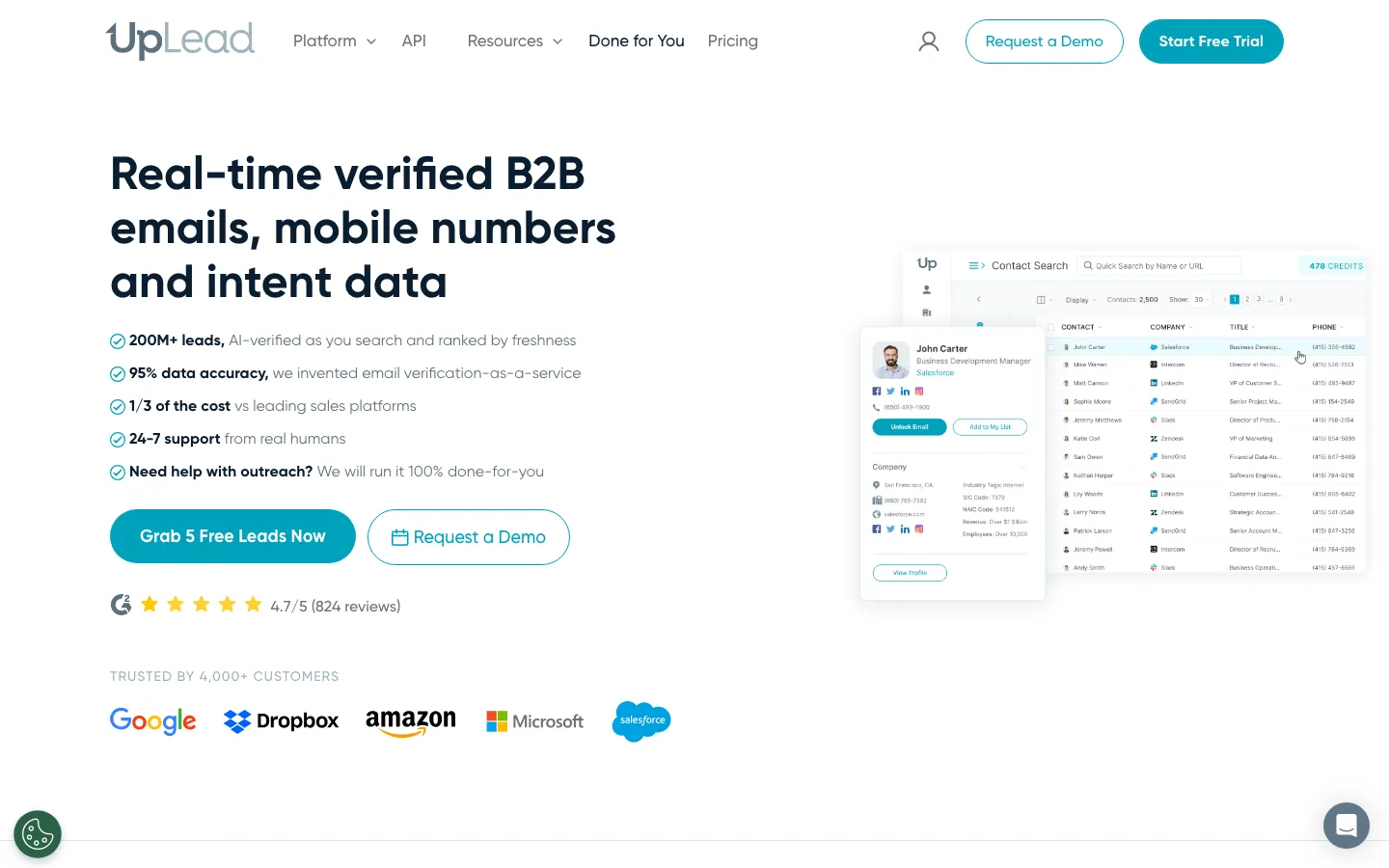
UpLead is a B2B contact and company database. Its Prospector identifies contacts and companies that fit your buyer profile, then lets you unlock data and send it to a CRM or CSV file. The pricing page also advertises a done-for-you cold-email service that builds lead lists and writes and sends campaigns, including follow-ups, separately from the database plans.
The useful distinction is verification at the point you unlock a lead. UpLead says it verifies emails in real time during an unlock or bulk export, and backs its data with a 95% accuracy guarantee. Its own data page says a Valid status means an address was verified at the moment of download or export. If avoiding bounced emails is your immediate problem, that is a more meaningful promise than a very large contact count.
You can choose a monthly plan and change it later, which makes Essentials a sensible way to judge whether the available contacts match your market. The catch is team scale. Essentials and Plus both list one user, so the low published price describes an individual workspace, not a ready-made cost for a growing sales department.
Who gets the best results using UpLead?
Founders building lists
Essentials suits a founder who needs verified contacts and CRM export without a long-term monthly commitment.
One-person sales teams
One listed user seat and published credit bundles fit a salesperson managing their own prospecting queue.
Teams with a CRM
Essentials adds CRM integration, so an existing sales process can receive newly unlocked contact data.
Data product teams
Professional fits teams that need full API access and custom credit volume for enrichment workflows.
It is a weaker choice when collaboration is the first requirement. UpLead does not publish an extra-seat price for Essentials or Plus, and Professional is the only tier with custom seats. A manager buying for several representatives should get the seat and credit terms in writing before treating the entry plans as a team budget.
Which data enrichment tools are included in UpLead?
Prospecting filters and contact data
Prospector has more than 50 search filters for finding contacts and companies that match a buyer profile. UpLead says the database includes more than 200 million B2B contacts with email addresses, more than 19 million global company profiles, and more than 27,000 tracked technologies. Plus and Professional add advanced or full search filters. The practical benefit is relevance: a focused list is easier for a sales team to work than a broad export that still needs sorting.
Verification before export
Every plan includes verified emails, mobile phones, and the Chrome extension. When you unlock a contact or export a bulk list, UpLead applies real-time email verification and AI risk scoring. The company also offers Friendly Credits for bounces and poor data. That makes UpLead strongest for teams whose real cost is the time spent chasing unusable addresses, rather than simply the number of contacts they can access.
CRM connection and enrichment
Essentials includes CRM integration. Plus adds data enrichment, email pattern intelligence, technographics, advanced filters, and suppression-list uploads. That is the natural dividing line in the plans: Essentials supplies the verified list, while Plus is for someone who needs the list to fit into cleaner data operations. Bi-directional CRM sync is not a Plus feature. UpLead lists it on Professional.
Intent signals
Buyer Intent Data is a Professional feature. UpLead describes it as a way to find and prioritize prospects who are actively looking for a solution, which can help a team decide which accounts deserve attention first. It is not an entry-plan bonus, so avoid budgeting on the assumption that $99 a month includes intent data.
API access for automated workflows
UpLead documents company enrichment, person enrichment, combined enrichment, company-name-to-domain, and Prospector API endpoints. A returned company, person, combined, or Prospector result uses one credit, while calls that do not return verified data are not charged. The free company-logo API requires attribution. The pricing page lists Full API Access on Professional; confirm the endpoint access, limits, and credit terms with sales before planning an automated workflow.
How are UpLead subscriptions and credits priced?
Price checked 27 Nov 2026
| Plan detail | Free trial$0 | Essentials$99/mo | Plus$199/mo | ProfessionalCustom |
|---|---|---|---|---|
| Billing | 7 days | $99 monthly or $74/mo billed annually | $199 monthly or $149/mo billed annually | Annual only |
| Credits | 5 | 170/month on monthly billing; 2,040 billed annually | 400/month on monthly billing; 4,800 billed annually | Custom |
| User seats | 1 | 1 | 1 | Custom |
| CRM integration | ✕ | ✓ | ✓ | ✓ |
| Data enrichment | ✕ | ✕ | ✓ | ✓ |
| Buyer intent data | ✕ | ✕ | ✕ | ✓ |
| Full API access | ✕ | ✕ | ✕ | ✓ |
UpLead prices in US dollars, 27 Nov 2026.UpLead pricing
Annual billing changes the monthly rate to $74 for Essentials and $149 for Plus. The annual bundles list 2,040 and 4,800 credits respectively. Additional credits cost $0.60 per credit on Essentials and $0.50 per credit on Plus. Those numbers make the billing decision simple: keep monthly billing while you are still learning whether 170 or 400 contacts serves your target market, then compare annual volume only after that pattern is clear.
There is no trustworthy public three-person bill to calculate from the published plans. Each lower tier lists one user, while Professional lists custom seats and custom credits. Ask UpLead for team terms before treating either the entry plans or Professional as a team budget.
What does UpLead Professional provide to enterprise teams?
UpLead Professional serves organization-level accounts through custom pricing tailored to team seat counts and credit volume. It is annual billing only, with custom seats and custom credits. It adds buyer intent data, all search filters, full API access, bi-directional CRM sync, competitor intelligence, team management, a dedicated success manager, an onboarding specialist, and priority phone support.
That package makes sense when your sales operation needs shared ownership of the database and data flowing both directions with the CRM. It is a poor upgrade merely to get more contacts. If one person simply needs a bigger monthly list, compare the $0.60 and $0.50 extra-credit prices with the next plan before moving into a custom annual agreement.
Where does UpLead fall short for growing sales teams?
UpLead enforces a single-seat constraint across its standard tiers that limits immediate collaboration for multi-rep teams. A small team can share a process, but the vendor's lower-tier table does not promise each person a separate user. If managers, representatives, and operations staff all need access, ask UpLead how its custom seat terms apply before selecting a plan.
The other limit is feature gating. Plus gives you enrichment and suppression lists, but buyer intent, full API access, and bi-directional CRM sync remain on Professional. That is reasonable if you see UpLead as a straightforward list-building tool. It is less attractive if you expect the database to become the shared data layer for an automated sales operation.
The free trial is deliberately narrow: five credits over seven days. Use those credits on the kinds of contacts that determine whether the database is useful to you, rather than spending them on easy-to-find names. The trial can show whether data coverage fits your market, but it cannot represent a month of list-building volume.
What are the primary alternatives to UpLead?
If prospecting happens alongside LinkedIn outreach, read the  Waalaxy review. Waalaxy documents 99+ ready-to-use LinkedIn outreach sequences, while UpLead documents B2B contact and company data for CRM or CSV export.
If the missing part of your process is the CRM itself, the  Zoho CRM review is the better next read. Zoho CRM's free plan lists contact management, follow-up reminders, and tasks, meetings, and calls, and is free for three users.
What is the overall verdict on UpLead?
UpLead is a strong option when verified prospect data is the missing input to your sales process. The published Essentials and Plus plans, verification on unlock, and credit-based model make the decision clear for an individual contributor. When several people need access, ask for the team terms; when buyer intent or Full API Access matters, evaluate the Professional plan's custom annual terms.
Use the five-credit trial on the contacts that matter most to your market. Start monthly on Essentials for verified data and CRM integration, move to Plus only when enrichment and suppression lists change your workflow, and request team or Professional terms when those published limits no longer fit.
How was UpLead data accuracy and pricing verified?
UpLead product data, API parameters, and credit limits were evaluated using official published pages on 27 Nov 2026. Prices are in US dollars, as UpLead shows them, and every figure follows the rules in how we check figures.
- UpLead pricing page
- UpLead product and data-quality pages
- UpLead API and buyer-intent pages
What are the frequent questions regarding UpLead?
Does UpLead have a free trial?
Yes. The free trial runs for seven days and includes five credits, verified emails, mobile phones, and the Chrome extension.
How much does UpLead cost?
Essentials costs $99 a month or $74 a month billed annually. Plus costs $199 a month or $149 a month billed annually. Professional is a custom annual quote.
How many people can use UpLead?
The free trial, Essentials, and Plus list one user seat. Professional lists custom seats, so get the exact team terms before buying for several users.
Does UpLead offer an API?
Yes. It documents company, person, combined, company-name-to-domain, and Prospector endpoints. The pricing page lists full API access on Professional.
 Reviewed byDanny Kirk
Founder of ReddiReach.
 Checked byAndrés Felipe
Digital designer and marketer.
Every figure is checked against the vendor's own page. Read our editorial standards.