
Key Takeaways
- Use Poach allows marketing researchers to archive creative assets, copy, and contextual metadata directly from the public Facebook Ad Library to local storage.
- Use Poach offers a free tier for local file downloads alongside a one-time sixty-seven dollar lifetime license for its Pro Notion synchronization.
- Use Poach formats saved advertising creatives into searchable, structured database rows within Notion workspaces to support downstream AI agent analysis workflows.
- Teams that do not utilize Notion for creative research should avoid upgrading Use Poach, since the free version handles local asset storage completely.
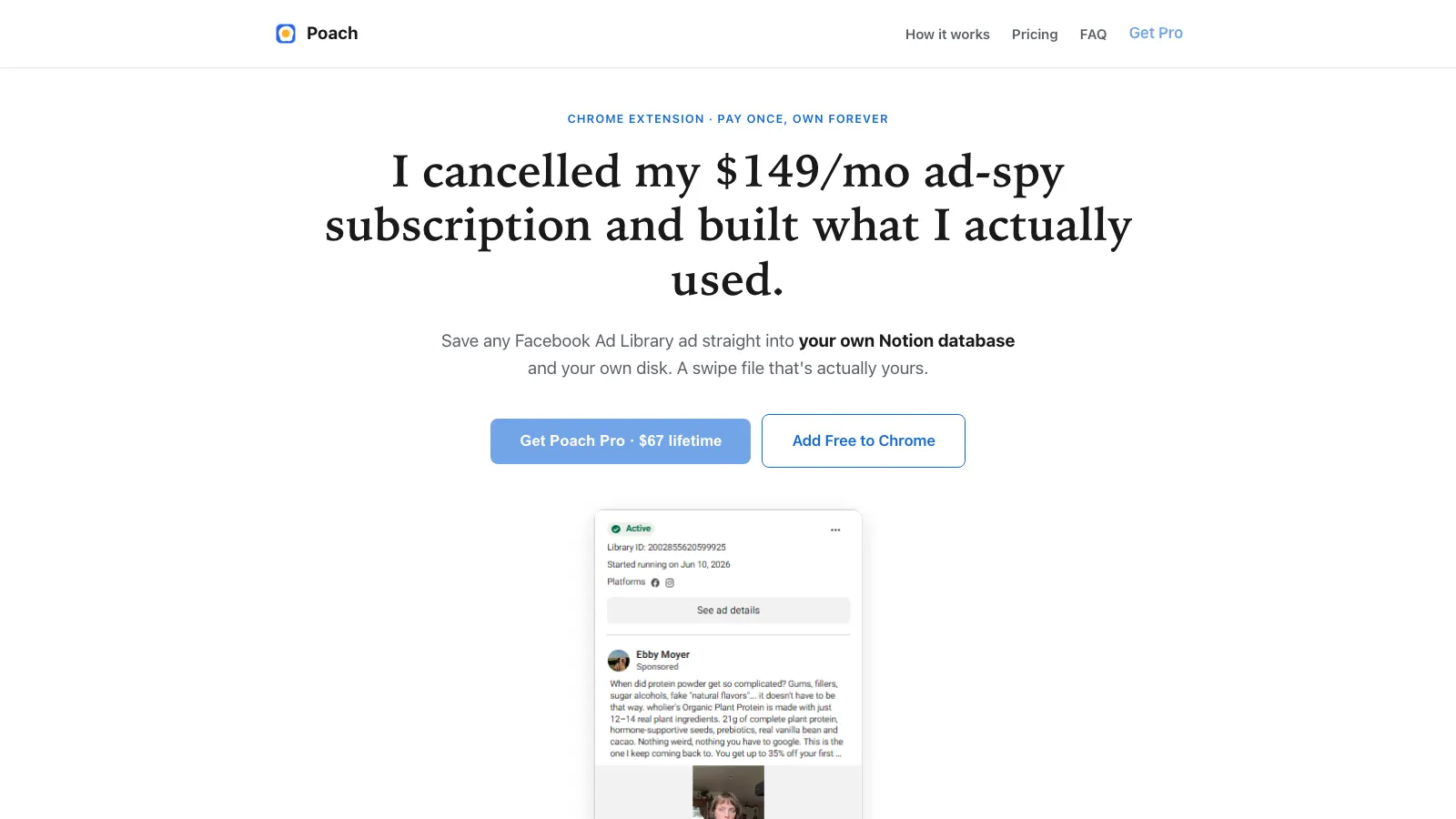
When you want to turn a public Facebook Ad Library find into a record you own, Use Poach is a strong fit: Free saves media and context locally, while Pro adds Notion sync. Skip Pro when local captures are enough, because its paid value is the $67 lifetime sync into your own Notion workspace.
Agent access
- API
- Not found on official pages
- MCP server
- Not found on official pages
What are the primary pros and cons of Use Poach?
What works
- Free saves the selected ad's image or video and a metadata-embedded screenshot card.
- Pro sets up a 13-field database in a
 Notion workspace you manage for captured ads.
- Pro is a one-time $67 lifetime license, with no renewal to remember.
What to watch
- A capture starts after you find an ad in the public
 Facebook Ad Library.
- Notion sync requires a token you create in your own Notion account.
- Pro has little value if your working system is files rather than a Notion database.
What does Use Poach do for paid social research?
Use Poach makes one part of paid-social research less fragile: keeping a creative reference after you find it. If you are still choosing the systems around your marketing work, the marketing tools directory helps you compare the broader categories first. It is a Chrome extension for the public Facebook Ad Library. With Free, the selected ad's media and a self-describing screenshot card go to your disk. With Pro, that same capture can also become a real row in a Notion database you own.
That makes it a companion to a research habit, not a new research system. If your team already keeps a small, handpicked swipe file, the extension creates a durable record with its context intact.
The useful distinction is ownership. A capture includes the ad image or video and a PNG card that stores the headline, copy, call to action, advertiser, landing URL, dates, and your tags as embedded metadata. That is enough context to make an old creative reference intelligible later, without relying on a vague filename.
Who gets the most utility from Use Poach?
Solo researchers
Keep handpicked Ad Library creative locally without taking on another recurring software cost.
Workspace strategists
Move selected creative into searchable, tagged records inside the workspace your team uses.
Creative leads
Build a compact reference collection from chosen examples for briefs and creative reviews.
Careful collectors
Retain a focused creative library with original ad context and metadata attached.
I would treat the Free tier as the decision point. It already saves the ad media and its metadata card to disk. Pro earns its fee only when the ability to filter, tag, and search those captures as normal Notion records changes how you prepare briefs or revisit creative work.
Which ad capture features are included in Use Poach?
Local captures with the ad context intact
Free captures an ad's image or video plus a screenshot card. According to Use Poach, the card records the headline, primary copy, call to action, advertiser, landing URL, dates, and user-applied tags. Those details are embedded in the PNG metadata and can be read with ExifTool. The result is more useful than a cropped image because the creative stays attached to the information that explains it.
Tags for a working swipe file
Before saving, you can apply niche, awareness-stage, and lead-type tags. The same tags travel with the capture metadata. This is a modest feature, but it is the right one for a reference library: tags give a strategist a way to find examples by the job they are meant to do rather than by when they were collected.
Notion rows, not a separate collection
Pro connects to your own Notion workspace, makes a database with 13 fields, and adds each captured ad as a row alongside its screenshot. Use Poach describes those records as searchable, taggable, and deduplicated. For a team already planning in Notion, that is the strongest reason to upgrade: captured examples can sit beside the briefs and research where people already work.
Data stays in the destinations you control
The privacy policy says captured ads, screenshots, Notion content, and Notion tokens do not go to the licensing service. The Notion token is kept in Chrome extension storage and is sent to Notion's API only for actions you trigger, such as creating the database, saving a capture, or uploading a screenshot. That is a sensible boundary for research material a team may want to retain.
A fixed price for the connected workflow
Free is listed at $0. Pro is listed at $67 for lifetime access, including everything in Free and one-click Notion sync. The price is unusually simple: you are not buying an escalating plan, but a specific filing workflow. That is good value when Notion is central to the work, and unnecessary when a well-named local folder already does the job.
How much does Use Poach Pro cost?
Price checked 27 Nov 2026
| Plan detail | Free$0 | Pro$67 lifetime |
|---|---|---|
| Capture Facebook Ad Library ads to disk | ✓ | ✓ |
| Save ad image or video | ✓ | ✓ |
| Metadata-embedded screenshot card | ✓ | ✓ |
| Niche, awareness-stage, and lead-type tags | ✓ | ✓ |
| Notion database sync | ✕ | ✓ |
| 13-column Notion database creation | ✕ | ✓ |
| Recurring subscription | ✕ | ✕ |
Use Poach pricing, 27 Nov 2026.Use Poach website
The published $67 lifetime price does not establish how many people or installations one license covers. Confirm your team's license requirements before calculating a team bill.
Where does Use Poach fall short for ad discovery?
Use Poach begins with a creative example you have already found in the public Facebook Ad Library. That is not a flaw when collection is the bottleneck. It does mean the extension is best judged on whether it preserves and organizes the examples your team selects, rather than as a general answer to every paid-ad research need.
The upgrade also adds one concrete dependency: you create a Notion token in your own account and paste it into the extension settings. The policy says the token is stored in Chrome extension storage and sent only to Notion for the actions you initiate. Still, a team that has no reason to organize reference creative in Notion should keep the workflow free and local.
Most importantly, do not turn a focused capture tool into a bigger promise than it makes. Its strength is a clear handoff from a selected ad to files you own, with an optional Notion record. That narrowness is exactly why the Free tier is useful, but it also tells you when a different paid-ads tool deserves the budget.
What alternatives exist for Use Poach?
 Use Poach alternatives such as AI Peekaboo address brand positioning across AI responses rather than ad creative archival. See the AI Peekaboo review when that visibility, rather than a saved paid-social creative reference, is the decision you need to make.
 AdProtektor is for a different paid-media problem: its Standard plan starts at $84 a month for Google Ads and Meta fraud protection on one domain with 5,000 monthly ad clicks. Price checked 27 Nov 2026 Read the AdProtektor review if invalid traffic and exclusion evidence, rather than creative collection, are what brought you here.
 Ads Lighthouse tracks Google and Bing brand-search queries selected for monitoring. Its $49-a-month Starter plan covers one project, while its MCP server is available on every plan. Price checked 27 Nov 2026 The Ads Lighthouse review is the better next read when you need recurring observations of paid search results.
Neither paid-ads tool replaces the small job Poach performs. Poach is the low-cost choice for retaining the individual creative examples you decide are worth keeping, especially when Notion is where you already shape and retrieve research.
What is the overall verdict on Use Poach?
Use Poach is easy to recommend when your process starts with manually chosen Facebook Ad Library examples and ends with a reference collection you control. The Free tier has enough substance to stand on its own, and the lifetime Pro fee is fair when native Notion rows will make that collection easier to reuse.
Its limitation is also its appeal: this is a focused capture workflow, not a platform trying to become your entire paid-media operation. Keep it free if files meet your needs. Pay once for Pro only when a searchable, taggable Notion database becomes part of your team's everyday creative work.
Install Free first and save a handful of references. Move to Pro when those captures genuinely belong in a shared Notion research workflow, not simply because the upgrade is inexpensive.
How was Use Poach functionality and pricing verified?
Use Poach feature specifications, privacy disclosures, and licensing details were checked against official pages on 27 Nov 2026. Prices retain the vendor's $ notation, and the figures follow how we check figures.
- Use Poach home page for the capture workflow, plans, prices, and Notion features
- Use Poach privacy policy for Notion-token storage and data destinations
What are common questions about Use Poach?
Is Use Poach Free enough for a creative swipe file?
It can be. Free saves the selected Facebook Ad Library ad's image or video plus a screenshot card to your disk. The card can include the headline, copy, call to action, advertiser, landing URL, dates, and your tags in its PNG metadata.
What does Use Poach Pro add?
Pro adds one-click sync into your own Notion workspace. It creates a 13-column database and sends each captured ad to it as a real row with its screenshot, where the vendor says records are searchable, taggable, and deduplicated.
How much does Use Poach cost?
Free is $0. Pro is a one-time $67 payment for lifetime access, with no renewal or recurring subscription listed by the vendor.
Where does Use Poach store captured ad data?
Captured ads can be downloaded to your local disk and, if you configure Pro, saved to your own Notion workspace. The privacy policy says captured ads, screenshots, Notion content, and Notion tokens are not sent to the licensing service.
 Reviewed byDanny Kirk
Founder of ReddiReach.
 Checked byAndrés Felipe
Digital designer and marketer.
Every figure is checked against the vendor's own page. Read our editorial standards.