
Key Takeaways
- Vista Social centralizes social media publishing, community inbox management, client review approvals, and analytics reporting across multiple brand profiles into a unified team workspace.
- Vista Social prices its base Professional tier at ninety-nine dollars monthly for fifteen profiles, scaling to one hundred ninety-nine and four hundred forty-nine dollars.
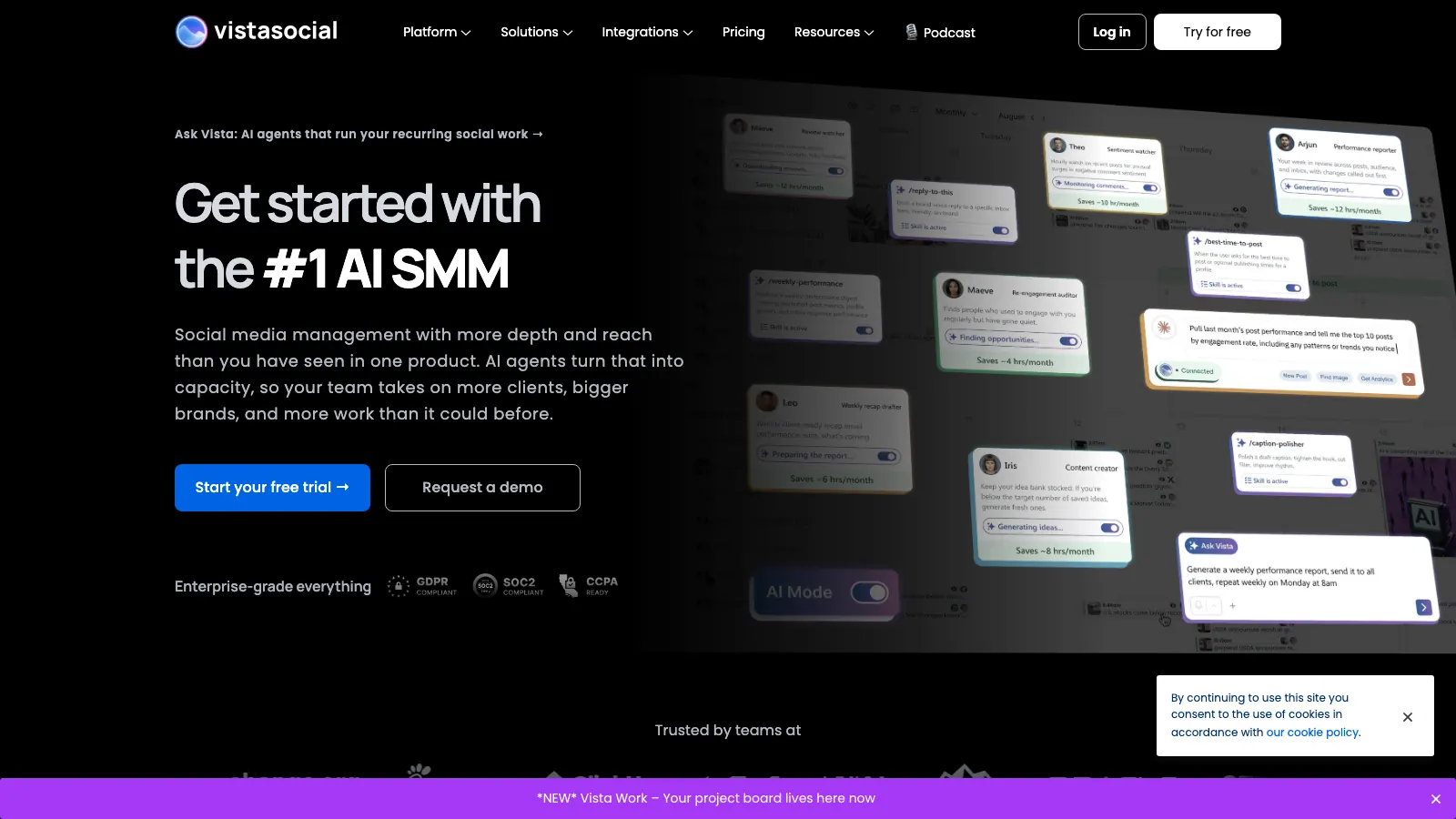
- Vista Social provides AI agent capabilities through Ask Vista and MCP connectivity, though programmatic REST API availability requires verification against plan terms.
- Solopreneurs and small brands needing a lightweight post scheduler should look elsewhere, as Vista Social requires a ninety-nine dollar minimum monthly software commitment.
When you coordinate posts, replies and client reports across several accounts, Vista Social is the best fit for keeping that work in one workspace. Pick a simpler scheduler if posts are your only job, because the monthly plan begins at $99 and Scale lists advanced white label at $449.
Agent access
- API
- Yes, Enterprise plans or the API add-on
- MCP server
- Official, hosted, OAuth with the universal link; API-key link alternative
- Works with
 ClaudeClaude Code
 ChatGPT
 Cursor
 n8n
- Automation
- Zapier, Make, n8n
What are the pros and cons of using Vista Social?
What works
- Professional includes publishing, inbox, reports, listening and reviews
- Advanced adds multi-stage approvals, deeper reporting and workflow integrations
- Scale lists advanced white label and client profile connection for agencies
What to watch
- The published monthly entry price is $99, not a solo-tool price
- X profiles cost $29 each per month as an optional add-on
- Scale begins at $449 monthly before optional add-ons increase the team bill
What does Vista Social do for multi-client social teams?
Vista Social resolves operational friction that occurs when publishing calendars, direct messages, and reporting dashboards are managed in fragmented tools. Vista Social brings publishing, a shared inbox, analytics, review monitoring, listening and automations together, so it is a stronger choice for operating a social service than for simply filling a queue. If you are still weighing the category, the marketing tools directory is a useful place to compare the jobs each platform actually covers.
Professional covers unlimited scheduling, two users and 15 social profiles, alongside the inbox, reports, listening, reviews, DM automations and a link-in-bio page. It is a broad base, but Advanced is where multi-stage approvals, advanced reporting, integrations and connectors appear.
I would buy Vista Social when one team needs to coordinate publishing and response work across several brands. I would not pay for it merely to schedule posts, because its value arrives when people use the shared record, approval stages and reporting together.
Who benefits most from adopting Vista Social?
Client-service agencies
Run approvals, reports, inbox assignments and many client profiles from one shared workspace.
Social care teams
Route messages, comments and reviews to teammates instead of switching between network inboxes.
Multi-brand marketers
Coordinate content calendars, permissions and performance reporting across several active social profiles.
Employee advocacy leads
Give approved content to employees for sharing, engagement and measurement across supported social channels.
The better question is not whether your team has social accounts. It is whether scheduling, responses, approvals and reports need to be accountable to the same people. Agencies are the clearest match: Advanced adds the approval and report depth, while Scale is the relevant level when clients need a connected, branded delivery experience. A lone publisher will likely pay for capacity that goes unused.
Which collaboration and scheduling features does Vista Social offer?
Publishing built around a working calendar
Vista Social lets teams plan, publish and boost social content from one dashboard. Its toolkit includes a visual calendar, profile-level schedules, bulk scheduling, post labels, extra comments, a media library and optimal-time recommendations. Colleagues can make drafts, leave feedback, control publishing permissions and move work through approval workflows. That turns a calendar into a governed content process.
An inbox for conversations and reviews
The Smart Inbox combines connected profiles into one stream for replies and monitoring. Conversation history, assignments, tags, internal notes, engagement actions, contact records and DM automations give a community or support team a place to hand work over without losing the context. Vista Social also lists review monitoring and replies, plus  Zendesk ticket creation. If social is a customer-care channel, that consolidation is more valuable than another content template.
Reporting that can leave the platform
Profile, post, review, competitor, scheduled and custom reports cover the reporting side. The analytics tools export PDF, CSV and Excel files, and scheduled delivery makes reporting less dependent on someone rebuilding the same presentation each month. The integrations directory lists business-intelligence and analytics connections, including  Looker Studio,
 Tableau and
 Google Analytics. Scale lists advanced white label, which is the meaningful threshold for an agency that needs the finished reporting surface to carry its own identity.
AI, MCP and connected workflows
Each paid tier includes AI credits: 1,000 per month on Professional, 2,000 on Advanced, 3,500 on Scale and unlimited credits on Enterprise. Professional lists Ask Vista + MCP, and the plan comparison describes MCP for Claude, ChatGPT and other AI tools. It also lists connectors for  Notion,
 HubSpot,
 ClickUp and an organization's own MCP server, as well as the Vista Social API. Confirm API eligibility, permissions and actions before making it part of a client workflow.
Listening and advocacy are separate budget lines
Listening is included, while more keywords and mentions begin at $75 monthly. Employee Advocacy is free to try, then $199 monthly for 25 employees. Employees can receive shareable or advocacy-only content and then repost, share, like or comment from desktop or mobile. These can be useful extensions for a distributed brand, but they make the real bill larger than the plan card alone suggests.
How does Vista Social structure profile and seat pricing?
Price checked 27 Nov 2026
| Plan detail | Professional$99/mo | Advanced$199/mo | Scale$449/mo | EnterpriseCustom |
|---|---|---|---|---|
| Annual price shown | $950/yr | $1,910/yr | $4,310/yr | Flexible terms |
| Social profiles | 15 | 30 | 70 | Unlimited |
| Included users | 2 | 3 | 4 | 8+ |
| AI credits each month | 1,000 | 2,000 | 3,500 | Unlimited |
| Trial | 14 days, no card | 14 days, no card | 14 days, no card | Request a demo |
Vista Social prices in US dollars, 27 Nov 2026.Vista Social pricing
Vista Social offers single-stage and multi-stage approval workflows. Confirm the plan eligibility for the workflow you need before buying. Scale lists Advanced white label and client profile connection, while Enterprise inherits Scale features.
For a three-person team, Advanced is $199 a month because the plan already includes three users. Professional is $99 a month but includes only two users, so it is not the comparable option for that team. Scale is $449 a month for four users and 70 profiles. That jump only makes financial sense when advanced white label and client profile connection replace work your agency would otherwise do outside Vista Social.
- Additional listening capacity begins at $75 a month
- An X profile costs $29 a month as an optional add-on
- Employee Advocacy costs $199 a month for 25 employees after its free trial
- Extra AI credits cost $10 a month per 1,000 credits
What does Vista Social Enterprise offer to large agencies?
Vista Social Enterprise provides dedicated account management, custom integrations, and unlimited profiles for large social agencies. Single sign-on, audit logs and data migration are Enterprise add-ons, with charges to confirm. The plan is not simply a higher profile allowance. It is the route for security, support and integration requirements that should be written into a procurement conversation.
Where does Vista Social fall short for small businesses?
Vista Social has no cheap published plan for someone who wants a basic scheduler. Professional is generous for a working team, but $99 a month sets the floor. That makes the product easier to justify when the inbox, reports and reviews displace other subscriptions, and harder to justify when you only schedule a few posts.
The add-ons also require a real budget. X costs $29 per profile monthly, further listening capacity starts at $75, and advocacy starts at $199 for 25 employees. Those charges are reasonable only when the associated workflow is active. Treating every listed capability as included would give a misleading total.
Finally, its agency features are split deliberately. Advanced has the stronger approvals and reporting, but Scale holds advanced white label and client profile connection. An agency should decide whether clients need those experiences before choosing a plan, rather than discovering that the practical workflow lives two tiers above the entry level.
What are the top software alternatives to Vista Social?
 AI Peekaboo review is relevant when the immediate task is measuring brand visibility in AI answers rather than running social operations. Plans start at $30 a month and include API and MCP access, price checked 27 Nov 2026. It does not replace Vista Social's publishing calendar, shared inbox or review workflow.
 Zoho Social review is the better next read for teams considering a lower-cost social platform. Zoho Social publishes a Free plan and annual-billing plans from €10 a month, price checked 27 Nov 2026, while its Premium plan adds the inbox, content approvals, custom reports and collaboration.
 Agorapulse review suits a team that wants social inbox workflows and outcome reporting tied to Google Analytics. Its Advanced plan is €149 per user monthly on annual billing, price checked 27 Nov 2026, so compare the people who need access as well as the feature list.
What is the final verdict on Vista Social?
Vista Social earns its place when an agency needs publishing, reply handling and client reports to share one operating record. Advanced is the practical tier for multi-stage approvals, deeper reporting and integrations; Scale is worth its $449 monthly price only when advanced white label and client profile connection are part of the service. The practical value is coordination, not a longer checklist of posting features.
Start a 14-day trial on Advanced if your team needs multi-stage approvals, advanced reporting and integrations. Move to Scale only when client profile connection and advanced white label are part of the service you actually deliver, then price the X, listening and advocacy add-ons before committing.
How was this Vista Social review verified?
Vista Social product limits, channel integrations, and subscription rates were evaluated directly from official website pages on 27 Nov 2026. Prices are in US dollars as Vista Social displays them, and every figure follows how we check figures.
- Vista Social pricing and plan comparison
- Vista Social publishing, engagement and analytics pages
- Vista Social listening, advocacy and integrations pages
What are common questions regarding Vista Social?
How much does Vista Social cost?
Monthly billing is $99 for Professional, $199 for Advanced and $449 for Scale. Annual billing is $950, $1,910 and $4,310 respectively. Enterprise has custom pricing.
Which Vista Social plan is useful for an agency?
Advanced adds multi-stage approvals, advanced reporting and integrations. Scale adds advanced white label and client profile connection, with 70 profiles and four users.
Does Vista Social have a shared social inbox?
Yes. Smart Inbox combines connected profiles for monitoring and replies, with conversation history, assignments, tags, notes, engagement actions, contact records and DM automations.
Does Vista Social work with AI agents?
Professional lists Ask Vista + MCP. The comparison describes MCP for Claude, ChatGPT and other AI tools, and also lists the Vista Social API. Confirm API plan eligibility and the actions your workflow needs before automating client work.
Is listening included with Vista Social?
Listening is included. Additional keywords and mentions begin at $75 a month, while X profiles cost $29 each per month as an optional add-on.
 Reviewed byDanny Kirk
Founder of ReddiReach.
 Checked byAndrés Felipe
Digital designer and marketer.
Every figure is checked against the vendor's own page. Read our editorial standards.