Key Takeaways
- Warmy consolidates mailbox warm-up, inbox placement verification, and authentication health monitoring into a single deliverability management platform.
- Warmy starts pricing at $49 monthly, calculating subscription costs primarily according to required warm-up email message volume.
- Warmy enables programmatic email management through a dedicated REST API designed to connect, configure, pause, and monitor mailboxes.
- Warmy sets baseline pricing by email volume rather than publishing fixed mailbox limits or transparent placement-test allowances up front.
If you run outbound or campaign email across several mailboxes, Warmy is a good fit when you want warm-up, placement checks, authentication monitoring and API controls under one subscription. Skip it if you need a named self-serve plan with published quotas before talking to a vendor, because Warmy shows a $49 monthly starting price but sets the bill by warm-up volume.
Agent access
- API
- Yes, every plan
- MCP server
- Official
- Works with
 Claude
 ChatGPT
 Gemini
 Cursor
- Automation
- Zapier, Make, n8n
What are the core pros and cons of using Warmy?
What works
- Warm-up, placement testing and monitoring under one subscription
- Full API access and documented REST endpoints
- Unlimited team invitations share one mailbox allowance
What to watch
- Only a $49 monthly starting price is published
- Placement-test credits need confirmation with Warmy
- SendNova campaign insights are still in beta
What does Warmy do to improve cold email delivery rates?
Warmy centers its product on deliverability rather than sending campaigns. Its warm-up exchanges emails with real mailboxes in its network, where messages are opened and some receive replies. The vendor says messages that land in spam are moved back to the inbox. That makes it most relevant before an outreach launch, a domain move or a rise in sending volume, when you need a sending history before the campaign carries the full load. The marketing tools directory is a practical starting point when you need to compare the rest of the stack around it.
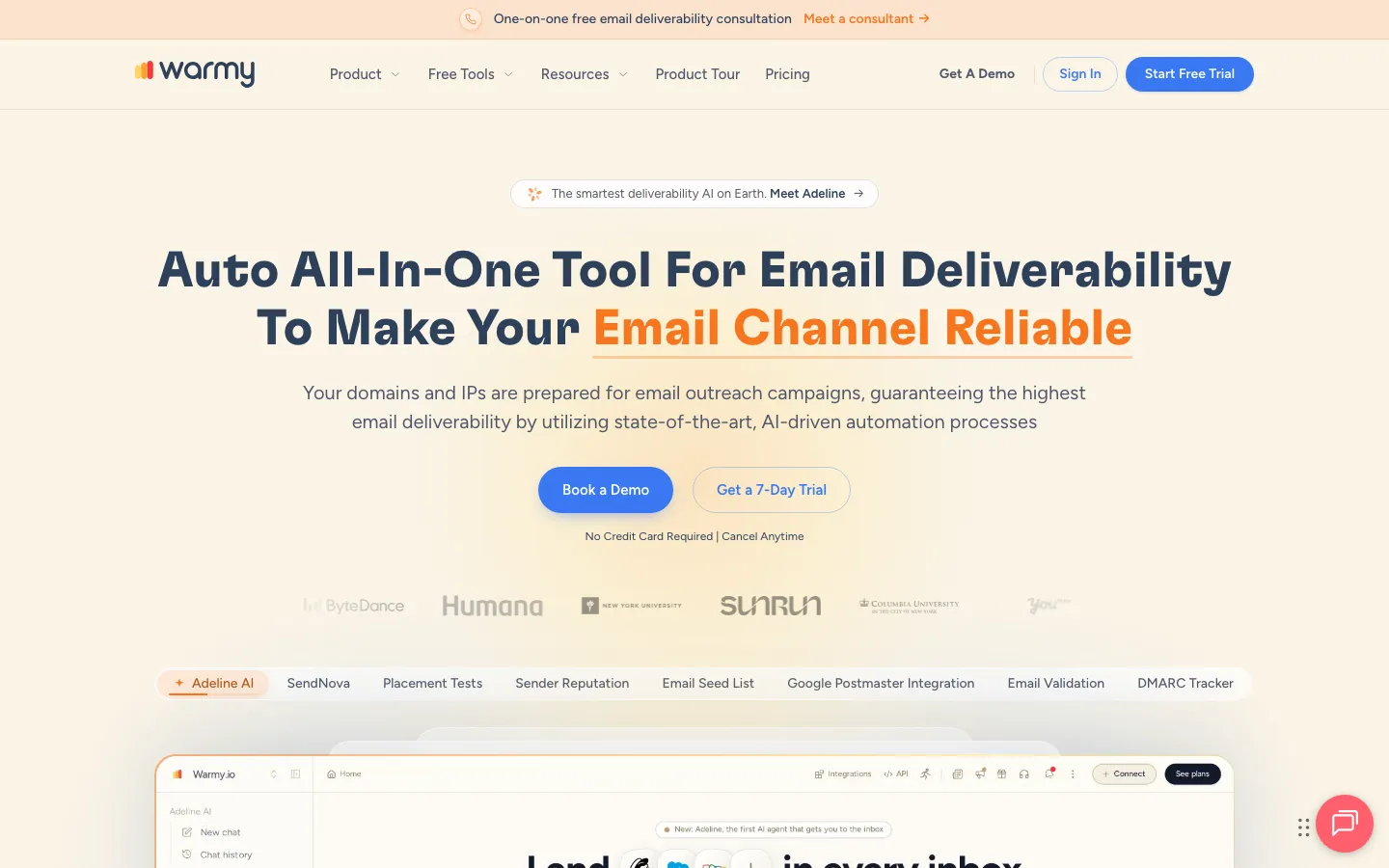
The value is the surrounding workflow. Alongside warm-up, Warmy includes placement testing, a seed list, domain and IP reputation tracking, Google Postmaster data, email verification, DMARC monitoring and template analysis. You can keep the checks that affect inbox placement in one workspace instead of treating warm-up as the only deliverability task.
That scope is useful when several people own email performance. Team members can share the mailbox total in a subscription, so a single allowance can cover the people operating the same sending program. If the main requirement is a small, known warm-up allowance, the missing published quota is the decision-stopper, not a feature gap.
Who should consider using Warmy for email outreach?
Outbound teams
Prepare new or dormant mailboxes for outreach while watching placement, reputation and authentication signals in one workspace.
Campaign senders
Use the B2C network for campaigns aimed at Gmail, Yahoo and Outlook, alongside list and DMARC checks.
Email agencies
Manage client, employee, mailbox and subscription information together, then share results with each customer.
Platform teams
Build warm-up controls into an existing product through REST endpoints instead of operating mailboxes only through a dashboard.
I would put Warmy in front of a team that treats deliverability as an ongoing operating concern. Its combination of mailbox controls, authentication monitoring and an API is much more compelling for that team than for someone looking for a one-off sender check.
What deliverability and warm-up features does Warmy include?
Warm-up built around each mailbox
Warmy supports Gmail, Google Workspace, Outlook, Microsoft 365 and providers that offer SMTP access. You select topics and languages, while the product sets a schedule using mailbox age, sending history and reputation. It also supports your own templates, which can be included in warm-up messages before a campaign launches.
Placement tests and seed data
The product lists a seed network of more than 500,000 American addresses that opens, replies to and moves messages out of spam. The seed list rotates monthly. Placement-test credits are shared across connected mailboxes, which makes a coordinated team workflow possible, but the exact monthly allowance is a question to settle before you buy.
Authentication, list and reputation checks
Every plan includes a reputation tracker for domains and IPs, blacklist alerts, Google Postmaster data, email verification and DMARC monitoring for SPF, DKIM and DMARC signals. These are the checks that make Warmy more useful than a warm-up-only service: a clean sending schedule cannot compensate for bad addresses or broken authentication.
Adeline and the API
Adeline gives guidance based on deliverability reports, tests, DNS and warm-up data. The REST API can create, configure, start, pause and monitor warm-up, plus expose delivery and reputation data. The documentation lists an OpenAPI 3.0 specification, webhooks, a standard 60-request-per-minute rate limit, and a 30-request-per-minute limit for domain-provider endpoints. API access still starts with a short call, so confirm the endpoint and access scope that your automation needs.
Agency controls
Warmy's agency area groups employee and client information, mailbox functions and subscriptions in one place. That is a sensible fit for an email agency that needs to see several client setups without moving among separate accounts. It also explains why volume, rather than a simple per-seat price, is central to the commercial discussion.
How does Warmy calculate pricing across warm-up volumes?
Price checked 27 Nov 2026
| Plan detail | Published starting price$49/mo | Custom SolutionCustom |
|---|---|---|
| Trial | 7 days, no card required | 7 days, no card required |
| Pricing basis | Warm-up email volume | Volume, providers and goals |
| API access | ✓ | ✓ |
| Verification and DMARC monitoring | ✓ | ✓ |
| Deliverability expert and 24/7 support | ✓ | ✓ |
| Dedicated success manager | Ask Warmy | ✓ |
Warmy prices in US dollars, 27 Nov 2026.Warmy pricing
Warmy's $49 starting figure does not disclose the mailbox or warm-up allowance it covers. Warmy says you pay for the volume of warm-up email it needs to generate and interact with, while the Custom Solution can be shaped around volume, providers and goals. Ask for the mailbox total, the monthly warm-up volume and placement-test credit allowance in writing before you compare a quote with another vendor.
- Any number of users can be invited, with members sharing the subscription's total mailbox allowance
- Email verification, DMARC monitoring, reputation tracking and the API are presented as included in every plan
- SendNova campaign insights are beta, so confirm whether they are available to your account
What does the Warmy Custom Solution provide large-scale senders?
Warmy calls its tailored offer the Custom Solution. It is built around your volume, providers and goals, and includes a dedicated success manager. The distinction matters because the vendor does not publish a named enterprise tier or a threshold at which you must move to it. Treat the call as an opportunity to define the operational limits, not merely to negotiate a price.
Where does Warmy fall short regarding pricing transparency?
Warmy leaves its commercial terms incomplete by requiring sales discussions to clarify precise mailbox quotas. A published starting price is helpful, but it does not tell you how many mailboxes or warm-up messages $49 covers, how much a larger workload costs, or how many placement tests you receive. Those are not minor details for an agency or high-volume sender, because they shape the recurring bill.
Some of the newer functionality needs extra care. SendNova is marked beta, and the pricing page asks you to confirm AI and LLM connections with the Warmy team. The platform may be a capable central system, but a feature listed on a page is not the same as a confirmed entitlement for your account.
What are the leading alternatives to Warmy for inbox warming?
 Zapmail review is useful when you need Google Workspace mailboxes provisioned with automated DNS setup and outreach-tool connection. It solves infrastructure provisioning, rather than replacing Warmy's warm-up and testing bundle.
 ZeroBounce review is useful for list verification: it supports validation in bulk or in real time through its API. That is a distinct job from preparing mailboxes and monitoring deliverability.
What is the final verdict on choosing Warmy?
Warmy is a sensible choice when your team needs to prepare mailboxes, check where campaigns land and monitor the supporting deliverability signals without stitching together several vendors. The API makes the case stronger for agencies and platforms managing many mailboxes. Its weakness is commercial clarity: you can see the floor price, but not the workload it buys.
Take the 7-day trial, then request a written quote that names your mailbox count, warm-up volume, placement-test credits, API access and beta-feature availability. That turns a promising feature set into a comparable buying decision.
How was this Warmy review researched and fact-checked?
Warmy features, pricing models, and API specifications were verified against vendor sources on 27 Nov 2026. Prices and plan limits came from Warmy's public pricing page. Features came from Warmy's warm-up, seed list, agency and API pages, and follow how we check figures.
- Warmy pricing, including the starting price, trial and included features
- Warmy email warm-up and seed list product pages
- Warmy agency and developer API pages
What are the most common questions regarding Warmy?
How much does Warmy cost?
Warmy shows plans starting at $49 a month. It prices by the warm-up email volume it needs to generate and interact with, while a Custom Solution can be shaped around volume, providers and goals. The public page does not show a named entry plan or its mailbox quota.
Is there a free Warmy trial?
Yes. Warmy offers a 7-day trial with no credit card required. It says you can test any package during the trial without a commitment, which makes it the right time to confirm the features and allowances that are not quantified on the pricing page.
Can a team share a Warmy subscription?
Yes. Warmy says you can invite as many users as needed. Team members share the total number of mailboxes in the plan, so the important limit to ask about is the shared mailbox allowance, not the number of logins.
Does Warmy have an API?
Yes. The API documentation covers mailbox connections, warm-up configuration, start and pause controls, reporting and webhooks. Warmy says access begins with a short call, so confirm the endpoints, rate limits and plan access your workflow requires.
 Reviewed byDanny Kirk
Founder of ReddiReach.
 Checked byAndrés Felipe
Digital designer and marketer.
Every figure is checked against the vendor's own page. Read our editorial standards.