
Key Takeaways
- Divi delivers a visual WordPress page builder backed by unlimited multi-site licensing, eliminating per-site subscription costs for agencies and web creators.
- Divi costs eighty-nine dollars billed annually, providing unrestricted site deployments, visual theme components, and ongoing software updates.
- Divi offers a permanent Lifetime license for a single payment of two hundred forty-nine dollars, supporting unlimited commercial and client projects.
- Divi includes an automated AI Agent within its two hundred seventy-seven dollar Pro subscription to generate page layouts, imagery, and code.
Divi is the sensible WordPress builder when you are responsible for several sites and want one license to cover them, rather than another per-site bill. Its $89 yearly plan and $249 lifetime option make the core builder unusually easy to budget for, while Divi Pro is for teams that will genuinely use its cloud storage, generation tools and faster support.
Agent access
- API
- Yes
- MCP server
- Community
- Works with
 ClaudeClaude Code
 ChatGPT
 Cursor
What are the standout Divi pros and cons?
What works
- One membership can cover unlimited client websites
- $89 yearly or $249 once for the core builder
- Divi 5 adds Flexbox, Grid and global design controls
What to watch
- It is a visual layer for WordPress, not a separate hosted builder
- Cloud, AI and VIP support sit in the higher-priced Pro offers
- Divi Pro includes four team members, not an unlimited team roster
What does Divi do for WordPress site creators?
Divi eliminates recurring per-site licensing fees that frequently constrain web agencies managing extensive client portfolios. Divi takes that pressure off the license: its membership covers unlimited website usage, whether you are building one site or a larger client roster. That makes it a credible option in the marketing tools directory for WordPress work where repeatable design matters more than buying a separate builder slot each time.
The product sits on top of WordPress and gives the team a visual layer for the full site, from headers and footers to individual pages. You work on the page with drag and drop rather than starting in code, while the underlying WordPress setup remains part of the job. That division is the point: Divi is for teams that want the flexibility of WordPress but do not want every layout change to be a developer task.
Divi 5 is the current generation. Elegant Themes says it rebuilt the product around performance and advanced design systems, then added a visual interface with on-canvas editing, responsive controls, global styles, class-based presets and global variables. My read is that the best reason to choose it is not the sheer volume of controls. It is the ability to establish a design once and reuse it across a portfolio of WordPress sites.
Who should choose Divi for web design?
WordPress agencies
Use one license across unlimited client sites, then add Pro when cloud assets and VIP support earn their place.
Independent site builders
Pay $89 yearly or $249 once for a builder that can cover personal and client WordPress projects.
Design-system teams
Manage global variables, class-based presets and templates while keeping responsive layouts under visual control.
Owners building long term
Choose the lifetime license when you expect to keep building WordPress sites without renewing the core tool yearly.
It is not the obvious fit when WordPress is already a compromise for your team. Divi makes the WordPress side easier to design, but it does not remove the need to work within that platform. Nor would I pay for Pro just because it exists. The base license already includes unlimited website usage, Divi Dash and round-the-clock customer support.
Which design tools does Divi provide?
Visual building and responsive control
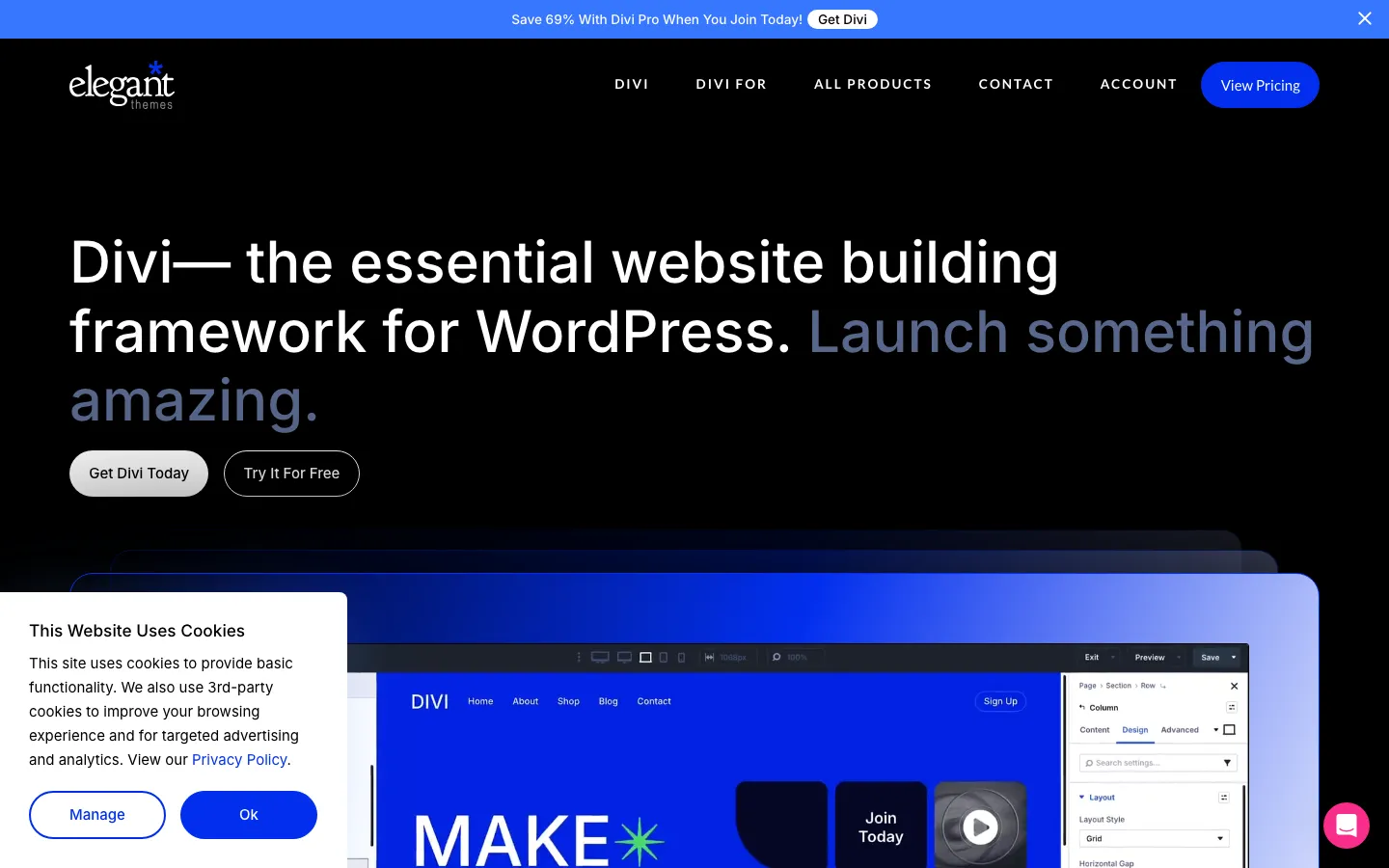
Divi lets you design directly on the web with real-time, on-canvas drag-and-drop editing. Its builder includes controls for each screen size, premade website templates and a large set of modules, with further modules, extensions and layouts in the Divi Marketplace. That gives a small team a practical way to start from a usable structure before refining the page for a specific client.
Design systems instead of repeated fixes
The more interesting features appear when a site has to stay coherent after launch. Divi supports class-based presets, global variables and customizable theme templates. Its layout controls use CSS Flexbox and CSS Grid, with control at every breakpoint. Global headers, footers and page templates make the setup useful for a team that has to update common elements across a site without revisiting every page.
Quick starts and Divi AI
Divi Quick Sites can generate complete websites with content, while the product’s premade Quick Sites bring predesigned pages, templates and global styles into a new project. Divi AI can write and improve content, generate code and create images. Divi AI Agent goes further inside the Visual Builder: the vendor says a prompt can design layouts, generate images, write custom code and update design settings, as well as work across pages, menus and templates.
Commerce and team services
For a store, Divi provides dozens of ecommerce modules for building and customizing the storefront. The surrounding Pro services address the agency workflow: Divi Cloud stores reusable design assets, Divi Teams provides access for colleagues and clients, and Divi Dash manages themes, plugins, updates and clients across sites. Divi Pro lists unlimited cloud storage and four team members, so it is a bundle for a working team rather than a feature you need to buy for a single basic site.
Support and faster response
Both the annual and lifetime Divi offers list 24/7 customer support. Pro adds VIP support, with a stated response time of 30 minutes or less, together with a $50 Divi Marketplace credit, 10% off Marketplace purchases and the Don Divi Collection. Those extras have a clear audience: people who build frequently enough for saved production time to matter more than the gap between the core and Pro prices.
How much do Divi annual and lifetime licenses cost?
Price checked 27 Nov 2026
| Plan detail | Divi$89/yr | Divi Pro$277/yr | Divi Lifetime$249 once | Lifetime + Pro$297 today |
|---|---|---|---|---|
| Billing | Billed yearly | Billed yearly | One-time payment | $212/yr for Pro Services after purchase |
| Unlimited website usage | ✓ | ✓ | ✓ | ✓ |
| Divi Dash | ✓ | ✓ | ✓ | ✓ |
| Customer support | 24/7 | 24/7 VIP | 24/7 | 24/7 VIP |
| AI generation | Not listed | Unlimited layout, text, image and code generation | Not listed | Unlimited layout, text, image and code generation |
| Cloud storage | Not listed | Unlimited | Not listed | Unlimited |
| Team members | Not listed | 4 | Not listed | 4 |
Divi prices in US dollars, 27 Nov 2026.Divi pricing
There are two clean ways to buy the builder. Divi costs $89 billed yearly, while Divi Lifetime costs $249 once for Divi and Divi Dash. The lifetime price is more than two years of the annual core plan, so it is a worthwhile calculation only when you expect to keep using Divi beyond that point. Both plans include unlimited website usage and customer support.
- Divi Pro costs $277 billed yearly and adds the Pro Services bundle
- Divi Lifetime + Pro costs $297 today for Divi and Divi Dash, then $212 yearly for Pro Services
- Divi Pro includes unlimited cloud storage, four team members and $60 of complimentary agent spend per year
- The vendor describes a 30-day risk-free period and says you can switch plans at any time
A four-person team does not create an extra seat calculation on Pro because four team members are included. The more useful team bill is therefore the plan price itself: $277 for one year of Divi Pro, before any Marketplace purchases. If the team only needs the builder on many sites, $89 yearly or $249 once is the more disciplined choice.
Where does Divi fall short compared to modern site builders?
Divi remains strictly bound to the WordPress ecosystem, which limits users seeking independent cloud-hosted alternatives. The product adds a visual design layer to WordPress, so it makes most sense when WordPress is already the system your team wants to use. A team seeking a separate hosted website platform should not mistake a better visual editor for a change in that operating model.
The Pro bundle deserves a second look before you pay for it. The annual core product is $89, whereas Divi Pro is $277 billed yearly. Pro has a substantial list of benefits, including unlimited generation, cloud storage, VIP support and four team members, but those benefits only pay back when your team uses them in the work. A solo builder producing straightforward sites may get the central benefit of Divi without them.
Finally, four team members is a useful included allowance, not a statement that every organization will fit. The pricing page names four members for Pro, so a larger working group should confirm its options before treating the plan as the final team setup.
What are the most notable Divi alternatives?
 Dorik review is worth reading when you want a visual builder with its own agency features. Dorik’s Business plan lists three custom domains plus unlimited pages and blog posts, while its product range also includes AI generation, content management and white-label capabilities. That is a different route for a team deciding whether WordPress should remain central.
Duda review is the more relevant comparison for a client-work workflow that needs collaboration accounted for in the plan. Duda’s Agency tier lists four core projects and six team seats, and its higher plans include client workspaces. Compare that project-and-seat model with Divi’s unlimited website usage and four included Pro team members before you decide which restriction is easier for your agency to live with.
What is the final Divi verdict?
Divi changes financial planning for WordPress creators by offering unlimited-site usage for eighty-nine dollars yearly or two hundred forty-nine dollars lifetime. Pro is compelling for an agency that will use the cloud workspace, generation tools and 30-minute VIP support, but unnecessary when the task is simply putting the visual builder on several sites.
Start with annual Divi when you are still establishing the workflow. Move to Lifetime after you know the builder will remain part of your WordPress work, and add Pro only when the included services remove a regular production bottleneck.
How was this Divi review researched?
Divi architectural features, core builder capabilities, and pricing terms were cross-referenced with vendor publications on 27 Nov 2026. Alternative-tool facts were checked against each vendor’s own pages. Divi prices are in US dollars, as Divi shows them, and every figure follows how we check figures.
- Divi gallery and Divi 5 pages for the builder, layout controls, Divi AI Agent and design-system features
- Divi home page for Quick Sites and collaboration features
- Divi annual and lifetime pricing pages for prices, plan benefits and support
What are frequently asked questions about Divi?
Can I use Divi on unlimited websites?
Yes. Divi states that one membership can cover one site or unlimited client sites, and its annual and lifetime offers list unlimited website usage.
Is there a Divi lifetime license?
Yes. Divi Lifetime costs $249 today as a one-time payment for Divi and Divi Dash. Lifetime + Pro costs $297 today, then $212 a year for Pro Services.
What does Divi Pro add?
Divi Pro lists unlimited layout, text, image and code generation, unlimited cloud storage, four team members and VIP support with a 30-minute response time or less.
Is there a Divi trial or guarantee?
Divi says you can try it risk-free for 30 days and switch plans at any time.
 Reviewed byDanny Kirk
Founder of ReddiReach.
 Checked byAndrés Felipe
Digital designer and marketer.
Every figure is checked against the vendor's own page. Read our editorial standards.