
Key Takeaways
- Framer combines a responsive visual design canvas with built-in content management to allow marketing teams to design, iterate, and publish websites.
- Organizations can build sites on Framer using a free tier or upgrade to Basic at ten euros or Pro at thirty euros.
- Framer facilitates modern web engineering by offering preview Model Context Protocol integration alongside official Server APIs, custom plugins, and agent automation.
- Digital teams requiring complex relational databases or multi-tier enterprise content workflows should consider dedicated headless content management systems instead of Framer.
Framer is the website builder to choose when your marketing team needs to shape a site on an editable canvas and keep publishing from the same place. Start elsewhere if a publishing-first CMS fits the job better, because Framer’s meaningful choice begins with collection limits, editor charges and the workflow it lists on Pro.
Agent access
- API
- Yes
- MCP server
- Official, hosted, OAuth
- Works with
 ChatGPT
 ClaudeClaude Code
 Cursor
- Automation
- Zapier
What are the primary pros and cons of building with Framer?
What works
- Editable canvas with agent-assisted creation
- Free plan includes a Framer domain and 1 GB bandwidth
- Pro lists staging and branching with previews
What to watch
- Basic includes only two CMS collections
- Localization and A/B testing are separate add-ons
- Extra editors add €20 a month each on yearly billing
How does Framer assist designers and marketing teams with publishing?
Framer makes the strongest case when you are responsible for both the site’s appearance and its next revision. Its canvas stays editable while its agent can create layouts, sections and components, and the product combines hosting, CMS, analytics, SEO and AEO in the publishing flow. If you are comparing the broader field, the marketing tools directory is a useful place to set Framer beside the other website-building options.
The decision is not really Free versus paid. It is whether the Basic allowance fits the way you publish. Basic has 30 site pages, two CMS collections, 1,000 CMS items and 50 GB of bandwidth. Pro raises those included limits to 150 pages, 10 collections, 2,500 items and 100 GB, then allows paid expansion within the listed caps.
That puts Framer in a sensible middle ground for a team with a design-led marketing site. It offers more room to shape the work than a fixed template, but it asks you to decide early how many content types, editors and release controls the site actually needs.
Who gets the most value from choosing Framer as a website builder?
Design-led marketing teams
They can refine layouts, type, breakpoints and effects directly on an editable canvas.
Teams with a small content model
Basic fits a site that can be organized within its two included CMS collections.
Campaign teams with approvals
Pro lists staging and preview branches for teams reviewing changes before publication.
Developers extending a site
Developer tools cover plugins, components, overrides, a Server API and external agents.
I would not put Framer first for a content operation before mapping the content model. Two collections can be enough for a focused site, but the jump to Pro becomes practical once articles, authors, locations or other repeatable formats need separate structures.
Which design, animation, and CMS features does Framer offer?
An editable canvas with agents
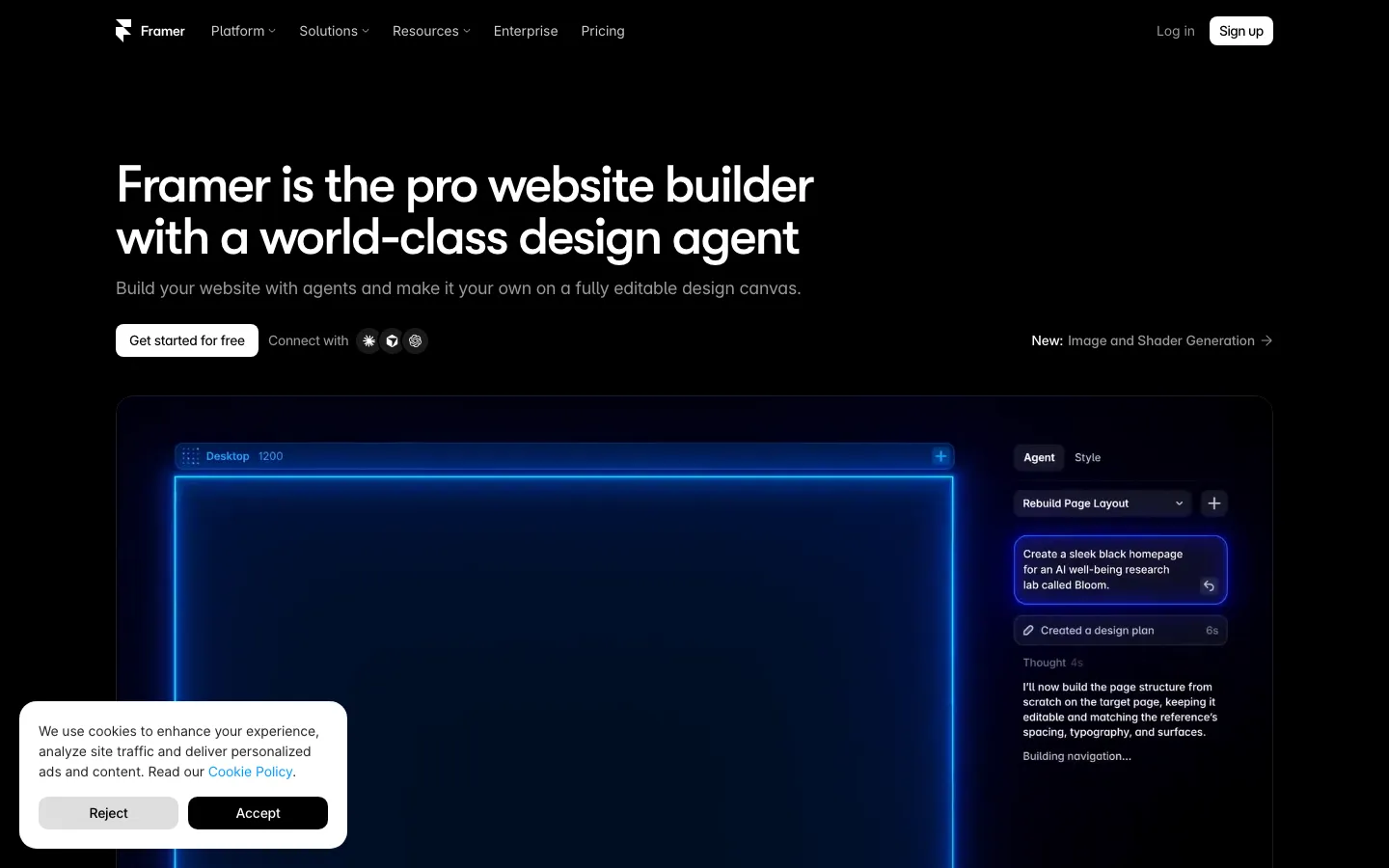
Framer’s design agent works in the canvas, where the resulting type, components, breakpoints and effects remain editable. That is the point of choosing it: an agent can accelerate the starting work without making the site a black box. It is a better fit when someone on your team will still make the final design decisions.
CMS for structured content
The CMS creates, manages and publishes dynamic sites, with collections and fields for repeated content. Basic includes two collections and 1,000 CMS items; Pro includes 10 collections and 2,500 items. Pro can add collections in blocks of 10, up to 40, and CMS items in blocks of 10,000, up to 40,000. Plan the content types, not just the first batch of posts, before you price the site.
Publishing and collaboration
Pro is where Framer becomes more useful for a team that reviews work before release. It lists site redirects, a staging environment and branching with previews. Basic has a 30-day analytics history, while Pro has 90 days. Those are concrete reasons to consider Pro when campaign changes need a review path, rather than choosing it simply because the site has grown.
SEO, localization and testing
Basic lists built-in SEO. Localization is an add-on on that plan, while Pro lists advanced hosting and A/B testing as add-ons. Treat those as separate budget lines: the headline plan price alone does not tell you the final bill for a multilingual site or a testing program.
Developer and agent access
Framer’s developer pages document plugins, code components, code overrides, Fetch endpoints and a Server API for automating publishing. They also describe external agents that can work on a Framer project from other tools. Framer lists the MCP server as free during preview without a post-preview price, so it is not a permanent price promise to build a budget around.
How much do Framer subscription tiers and editor add-ons cost?
Price checked 27 Nov 2026
| Plan detail | Free€0 | Basic€10/mo | Pro€30/mo | EnterpriseCustom |
|---|---|---|---|---|
| Billing basis | Free | Yearly billing | Yearly billing | Quote |
| Site pages | 1,000 for exploration | 30 | 150 | Custom limits |
| CMS collections | 10 for exploration | 2 | 10 | Custom limits |
| CMS items | Not listed | 1,000 | 2,500 | Custom limits |
| Bandwidth | 1 GB | 50 GB | 100 GB | Custom limits |
| Staging and previews | Not specified | Not specified | Lists staging and branching | Not specified |
Framer prices in euros on yearly billing, 27 Nov 2026.Framer pricing
On the Free plan, the 10 CMS collections and 1,000 pages are for exploring Framer, using it as a design tool or creating templates. A three-editor Basic site is €50 a month on yearly billing: €10 for Basic and €20 for each of two additional editors. Viewers are free. That is a more realistic starting bill for a small team than the €10 headline, and it still excludes localization or any usage expansion.
- Pro adds 100 site pages for €20 more a month, then charges €20 per additional 100 pages, up to 700
- Pro can add 10 CMS collections for €40 a month, up to 40 collections
- Pro can add 100 GB bandwidth for €40 a month, up to 2 TB
- Both Basic and Pro include AI credits, with credits available to add at any time
What capabilities are included in Framer Enterprise for high-traffic sites?
Framer Enterprise provides dedicated infrastructure and custom controls for mission-critical web properties exceeding standard limits. Framer lists custom limits, unlimited editors, enterprise-grade security, an uptime guarantee, SCIM and SSO, but no public price. It is a sensible conversation only after your team knows which requirement exceeds Pro, because the commercial terms are not visible for comparison.
What are the main drawbacks and CMS limitations of Framer?
Framer restricts CMS collections on its entry plans, creating an immediate limitation for content-heavy web projects. Basic gives you two CMS collections, 1,000 CMS items and 30 pages. A small brochure site may never touch those limits. A marketing operation with several content types can outgrow them before it runs out of design ideas.
Release control is another dividing line. Framer lists site redirects, staging and branching with previews on Pro, so a team that needs that review workflow should price Pro first. It is better to identify that need upfront than to choose Basic because it looks inexpensive and rebuild the budget around approvals later.
Finally, the agent connection has a qualifier. Framer lists the MCP server as free during preview without a post-preview price. Keep that uncertainty out of a long-term automation budget until Framer makes the terms clear.
Which visual website builders offer viable alternatives to Framer?
Framer alternatives represent different tradeoffs between visual canvas freedom and traditional structured database management. Read the Ghost review if built-in newsletters matter to your publishing operation. The Hostinger Website Builder review is worth weighing if 450+ designer-made templates and an AI-generated starting design suit the job better.
What is our overall evaluation and final verdict on Framer?
Framer earns its place when the site must stay editable long after launch, rather than becoming a finished artifact handed off to another system. Basic is a fair entry point for a compact site. Pro is the practical choice for a larger content model or the staging and preview workflow it lists, and the price difference is easier to justify once you count the collections, bandwidth and editors you actually need.
For a small, design-led site with two content types, start with Framer Basic. Price Pro from the start when you want its listed staging environment, branching with previews or more than two CMS collections, then add editor and usage costs before approving the budget.
How were Framer website features and pricing tiers verified?
Framer subscription costs, feature limits, and CMS capabilities were verified from official documentation on 27 Nov 2026. Prices are in euros, as Framer shows them, and every figure follows how we check figures.
- Framer pricing page, including yearly and monthly billing
- Framer product and CMS pages
- Framer developer documentation and plugin marketplace
Where can teams find practical how-to guides for Framer?
What are the most frequent questions asked about Framer?
Can I use Framer for free?
Yes. The €0 Free plan includes a Framer domain, 1 GB bandwidth, design pages and an MCP server during preview. A workspace with no active subscriptions receives 500 credits to try Agents.
How much does Framer cost for a small team?
On yearly billing, Basic is €10 a month and each additional editor is €20 a month. Three editors on Basic cost €50 a month before add-ons or usage expansion; viewers are free.
How many CMS collections does Framer include?
Basic includes two CMS collections and Pro includes 10. Pro can add 10 more collections for €40 a month, up to 40 collections.
Does Framer work with AI agents?
Yes. Framer lists its MCP server as free during preview, and its developer documentation covers external agents, a Server API, plugins, components and overrides.
 Reviewed byDanny Kirk
Founder of ReddiReach.
 Checked byAndrés Felipe
Digital designer and marketer.
Every figure is checked against the vendor's own page. Read our editorial standards.