
Key Takeaways
- Freedcamp provides collaborative project, task, and document management for budget-conscious organizations without imposing restrictive user limits.
- Small businesses can adopt Freedcamp on a free plan supporting unlimited users or choose Pro at one dollar and forty-nine cents monthly.
- Freedcamp supports automated developer integration by providing native Zapier connectivity, standard APIs, and a hosted Model Context Protocol server.
- Growing teams requiring native Gantt charts, customized statuses, or billing tools must upgrade beyond Freedcamp's entry-level tiers.
When you need to organize client work, deadlines and files without turning every new teammate into a budget decision, Freedcamp is the best pick for a cost-conscious small team or agency. Its free plan includes unlimited users, projects, tasks and storage under a fair usage policy, while Business adds Gantt and client-facing apps when your work needs them.
Agent access
- API
- Yes, every plan, including Free
- MCP server
- Official, hosted, OAuth, authorized with a Freedcamp API key and secret
- Works with
 ClaudeClaude Code
 Cursor
 VS Code
- Automation
- Zapier
What are the primary pros and cons of using Freedcamp?
What works
- Unlimited users, projects, tasks and storage on Free
- API and
 Zapier integration on every plan
- Guest and read-only collaborators are free on paid plans
What to watch
- Free uploads stop at 10 MB per file
- Gantt, CRM and Invoices+ begin on Business
- White label and SAML SSO require Enterprise
How does Freedcamp help agencies organize projects and team collaboration?
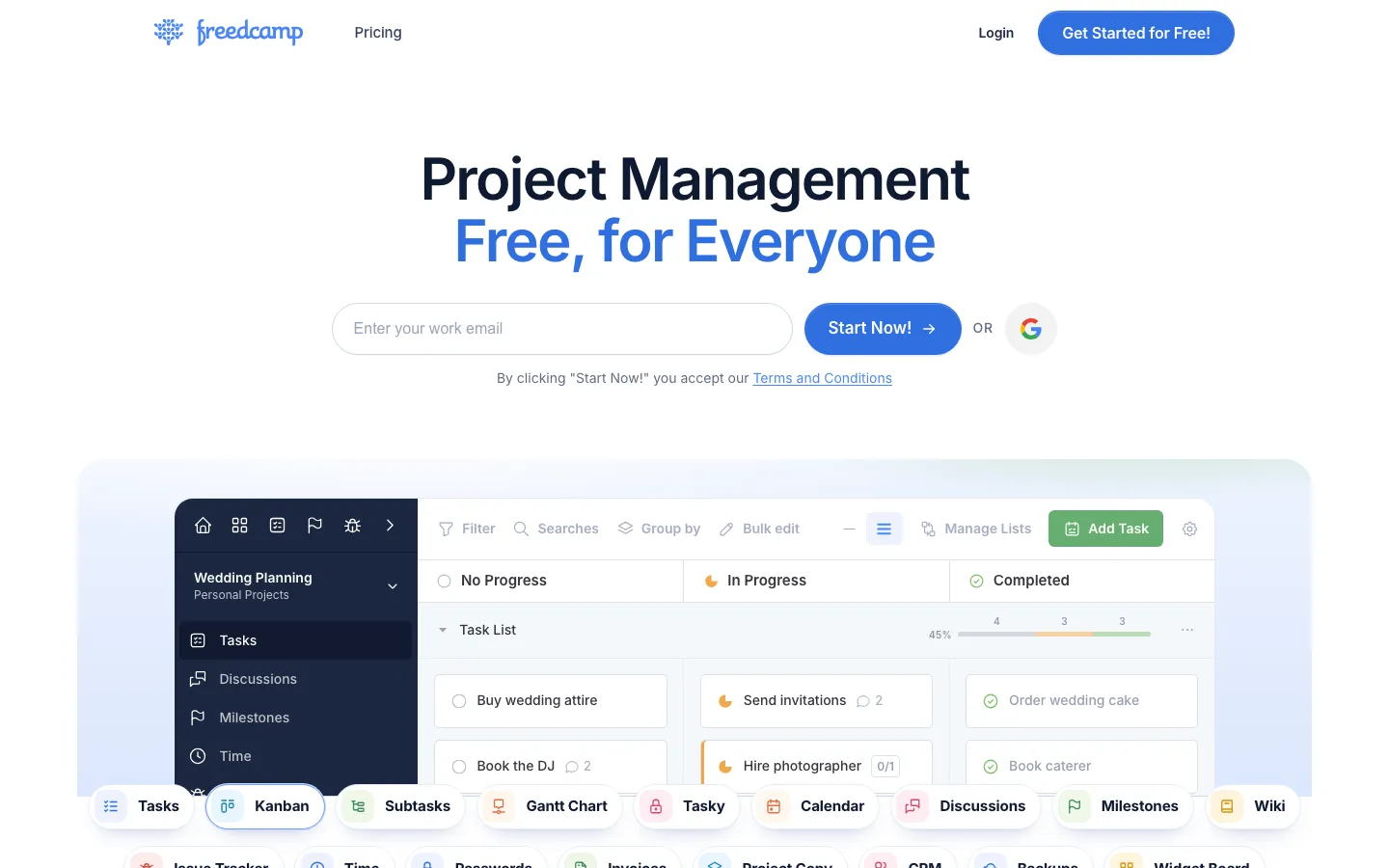
Freedcamp gives you a shared place for tasks, files, discussions, deadlines and time, then expands into client and operational work as your needs grow. The seven core apps are Tasks, Calendar, Time, Milestones, Discussions, Files and Passwords, and you can enable them per project. That makes it a useful option in the marketing tools directory for a team that needs more than a free board.
The real appeal is the price structure. A team can put its work into one workspace on Free without calculating a seat bill first. If that team later needs recurring tasks, table view, cloud-file links or email-in, Pro is a small step up. If it needs planning, client records, estimates and reports in the same place, Business is the meaningful upgrade.
It is not a minimalist task list, and that is both its advantage and its trade-off: you get more room to run work without buying separate apps, but you need to decide which apps belong in each project.
Which teams benefit most from adopting Freedcamp for project tracking?
Small delivery teams
Start free with unlimited people, tasks, projects and storage, while keeping individual files under 10 MB.
Client-service agencies
Business combines Gantt, CRM, Invoices+ and reports, while paid plans keep client collaborators free.
Teams with AI workflows
Use the API, Zapier or hosted MCP server to read and manage permitted workspace work.
Regulated organizations
Enterprise adds daily snapshots, SAML SSO and white label; private cloud carries an extra yearly cost.
The best fit is a team that wants one flexible workspace and is willing to configure it around its work. A team that only wants a narrow Kanban board may find the extra applications unnecessary. A product organization centered on issue work should compare the specific issue workflow it needs before making Freedcamp the system of record.
Which project planning, milestone, and task features does Freedcamp include?
Tasks that grow into structured work
Tasks are available from Free. Pro adds Subtasks Pro, recurring tasks, table view and bulk edit. Business adds Gantt chart view, custom fields and custom statuses. That split is important: Pro is enough when your team needs stronger task handling, but Business is the first plan built for a team that needs a planned timeline and its own workflow stages.
Business apps in one workspace
Business and above include Wiki, Issue Tracker, CRM, Invoices+, Planner and Reports. The reports include burn-up and pie charts at project and user level. For an agency, the combination is compelling because it puts delivery, client contacts and estimates in the same platform. Do not treat that as a reason to buy Business automatically, though: it is the right plan when your team will actually run those functions there, not merely because they are available.
File links, email-in and integrations
Pro includes Google Drive, Dropbox, OneDrive and Google Calendar sync, plus email-in for creating tasks, discussions, issues or file uploads from email. Every plan includes the API and Zapier integration. That gives a lean team a route to connect existing tools before it has a large software budget, while the paid tiers lift the individual upload limit from 10 MB on Free to 25 MB, 100 MB and 250 MB.
API and MCP server for agents
Freedcamp's hosted MCP endpoint works through OAuth and exposes 102 tools across 17 Freedcamp apps. Those tools cover tasks, lists, milestones, time tracking, the Issue Tracker, discussions, wikis, files, calendar and CRM. The server marks fetch tools as read-only and delete tools as destructive, but an agent still acts with the permissions of the person who authorizes it. Use it when an agent needs to work inside a real project workspace, and keep destructive confirmations on.
Security and administration
Pro includes two-factor authentication. Business adds weekly backups, while Enterprise adds daily data snapshots, SAML SSO and white label. A private cloud is available at a fixed extra yearly cost. Trash retention rises from 30 days on Free and Pro to 60 days on Business and 90 days on Enterprise. These are practical reasons to pay for a higher plan, not decorative enterprise labels.
How much do Freedcamp subscription tiers and user seats cost?
Price checked 27 Nov 2026
| Plan detail | Free$0 | Pro$1.49/user/mo | Business$7.49/user/mo | Enterprise$16.99/user/mo |
|---|---|---|---|---|
| Billing basis | Free forever | Annual billing | Annual billing | Annual billing |
| Monthly billing | Not applicable | $2.49/user/mo | $8.99/user/mo | $19.99/user/mo |
| File limit | 10 MB | 25 MB | 100 MB | 250 MB |
| Backup frequency | Not listed | Not listed | Weekly | Daily |
| Gantt and premium apps | ✕ | ✕ | ✓ | ✓ |
| White label and SAML SSO | ✕ | ✕ | ✕ | ✓ |
Freedcamp prices shown with $, 27 Nov 2026.Freedcamp pricing
For a five-person delivery team, the advertised annual rates put Pro at $7.45 per month and Business at $37.45 per month. The calculation is simple, but it changes the decision: Pro is a low-cost task upgrade, while Business is the plan to justify with Gantt, premium apps or weekly backups. Monthly billing raises those five-person figures to $12.45 and $44.95.
- Paid plans include a 14-day free trial
- Read-only and guest collaborators are free on every paid plan
- Freedcamp says annual billing can save up to 40%
- Enterprise volume discounts require a sales conversation
When should growing companies upgrade to Freedcamp Enterprise?
Freedcamp Enterprise serves teams that require enterprise security controls, data recovery guarantees, and centralized administrative management. It includes everything in Business, then adds daily data snapshots, white label, SAML SSO, an individual file limit of 250 MB and lightning-fast support. A private cloud is an extra option with a fixed yearly cost, so it is not covered by the displayed Enterprise rate. That is a clear boundary: if your team only needs Gantt or invoicing, Business is the more honest choice.
Enterprise also has almost unlimited AI usage with the top model, where Free has minimal usage, Pro limited and Business high. Since the API and MCP are already available without that plan, the Enterprise decision should rest on identity, backup and brand-control requirements rather than agent access alone.
What are the main drawbacks and plan limitations of Freedcamp?
Freedcamp's Free plan has real limits even though it has no user or project cap. Individual file uploads stop at 10 MB, permissions are groups-only, and Gantt, custom fields, custom statuses and reports sit behind Business. Those limits are reasonable for a free workspace, but they mean a growing agency can move from $0 to Business faster than the headline price suggests.
The product also makes you choose how much workspace you want. Tasks, discussions, time, files, passwords and several premium apps can all live in the same account. That is useful for a team that wants one operating space; it can be unnecessary overhead for a team that only needs a board. The right question is not whether Freedcamp has more features, but whether you will use enough of them to keep the workspace coherent.
Finally, annual pricing is materially lower. Pro rises from $1.49 to $2.49 per user monthly, Business from $7.49 to $8.99 and Enterprise from $16.99 to $19.99. Start with the billing cadence that leaves you room to change direction, then take the annual rate only after your team has settled on the plan.
Which project management platforms serve as alternatives to Freedcamp?
 Freedcamp alternatives like Hive impose strict member limits on free plans, whereas Freedcamp provides uncapped team access. Read the Hive review if that cap still fits your team and you want to compare its project-management approach.
 Jira includes backlog, list, board, timeline, calendar and summary views on every plan, and its board follows your custom workflow. Read the Jira review if those views are central to how you run delivery.
What is our overall evaluation and final verdict on Freedcamp?
Freedcamp is unusually generous where many project tools become expensive: people, projects, tasks and storage can all grow on the free plan. That makes it a strong choice for a small team that needs to put real work in one place before deciding which advanced controls are worth paying for. The Business plan is the practical sweet spot when Gantt, CRM, invoicing, reports and backups are part of your operating model.
Run a live project on Free first. Move to Pro when task mechanics become the bottleneck, or to Business when your team needs Gantt and the premium business apps together. Keep Enterprise for SAML SSO, white label or daily snapshots; price private cloud separately because it carries a fixed extra yearly cost.
How were the features and pricing specifications of Freedcamp validated?
Freedcamp plan pricing, feature tiers, and Model Context Protocol documentation were confirmed on 27 Nov 2026. Prices retain Freedcamp's $ notation, and every figure follows how we check figures.
- Freedcamp pricing and plan comparison
- Freedcamp product and free-plan pages
- Freedcamp support and hosted MCP documentation
What are the most frequent questions asked about Freedcamp?
Is Freedcamp's free plan really unlimited?
Freedcamp says Free includes unlimited users, projects, tasks and storage, subject to a fair usage policy. Individual uploads are limited to 10 MB.
How much does Freedcamp cost for a team?
On annual billing, Pro is $1.49, Business $7.49 and Enterprise $16.99 per user each month. Paid plans have a 14-day free trial.
Do clients cost extra in Freedcamp?
No. Freedcamp says read-only and guest collaborators are free on every paid plan and do not count toward the bill.
Does Freedcamp work with AI agents?
Yes. Every plan includes the API and Zapier, and its hosted MCP server exposes 102 tools through OAuth for supported MCP clients.
 Reviewed byDanny Kirk
Founder of ReddiReach.
 Checked byAndrés Felipe
Digital designer and marketer.
Every figure is checked against the vendor's own page. Read our editorial standards.