
Key Takeaways
- Hive equips marketing and creative teams with customizable project views, collaborative task management, proofing tools, and time tracking to coordinate complex multi-stakeholder campaigns efficiently.
- Hive provides a free tier for ten members, alongside Starter at three dollars and Teams at six dollars per user monthly on annual billing schedules.
- Hive publishes public REST API documentation for custom software integrations, while offering dedicated enterprise-grade API endpoints for organizations with custom governance requirements.
- Hive sells essential collaboration features like asset proofing, timesheets, and advanced analytics dashboards as separate add-on subscriptions, complicating total monthly software budgeting.
Hive is the right pick when your marketing or creative team needs flexible project views, proofing and time management in one workspace without paying an enterprise price first. Skip it if you want one predictable flat bill, because proofing, timesheets and several other practical features are separate Teams add-ons.
Agent access
- API
- Yes, Enterprise
- MCP server
- Official, hosted, OAuth 2.0 with Dynamic Client Registration, or API key request header
- Works with
 Claude
 ChatGPT
 Cursor
 VS Code
- Automation
- Zapier
What are the main Hive pros and cons?
What works
- Free plan includes tasks, notes, chat and 1,000 AI credits a month
- Kanban, Gantt, Timeline, Table, Calendar, Portfolio and List views
- Proofing and approvals can be added for $1 per user per month
What to watch
- Free has 200MB storage and a 10-member ceiling
- Starter allows 10 projects and 10 workspace members
- Useful Teams capabilities become separate add-ons
What does Hive do for project management teams?
Hive coordinates incoming client requests, draft reviews, feedback cycles, and project deadlines beyond the capabilities of basic task lists. It is keeping the decisions beside the work. Hive brings projects, tasks, approvals, billing and reporting into one workspace, with views for people who plan work differently.
That makes Hive a more natural fit for a marketing team than a bare-bones task manager. A campaign lead can work from a timeline, a designer can move work through a board, and an account lead can look across the portfolio. If you are comparing the broader marketing tools directory, Hive is the one to consider when the project system has to carry both planning and review.
The important caveat is the billing model. Hive's $6 Teams entry price looks unusually accessible, but proofing, timesheets and resourcing can each change the bill. That is flexibility for a team with one specific gap, not simplicity for a team that wants every operational feature included.
Who is Hive best suited for?
Creative teams
Keep work, feedback and approvals together, then add proofing when documents need a formal review path.
Small project teams
Up to 10 members can use Free, with unlimited tasks, notes, native chat and 1,000 AI credits.
Service businesses
Combine time tracking, optional timesheets, resourcing and QuickBooks invoicing when client work needs clearer control.
Operations teams
Use workflows, custom fields and several project views to match how requests move between people and teams.
Hive is less persuasive for a team that only needs a focused issue tracker or wants to avoid configuring its workflow. Its strength is breadth. That breadth rewards a team prepared to decide which views and add-ons matter, while a simpler tool can be a better answer when the job is only to assign and close work.
Which project tracking features does Hive provide?
Views that meet people where they work
Hive lists Calendar, My Actions, Portfolio, Summary, Kanban, Gantt, Timeline, Table and List views. Work can be grouped by label, team or project. Gantt view begins on Starter, while Portfolios first appear on Teams, so the lowest paid tier is for a small group planning one defined set of work, not an organization scanning several streams at once.
Collaboration and proofing
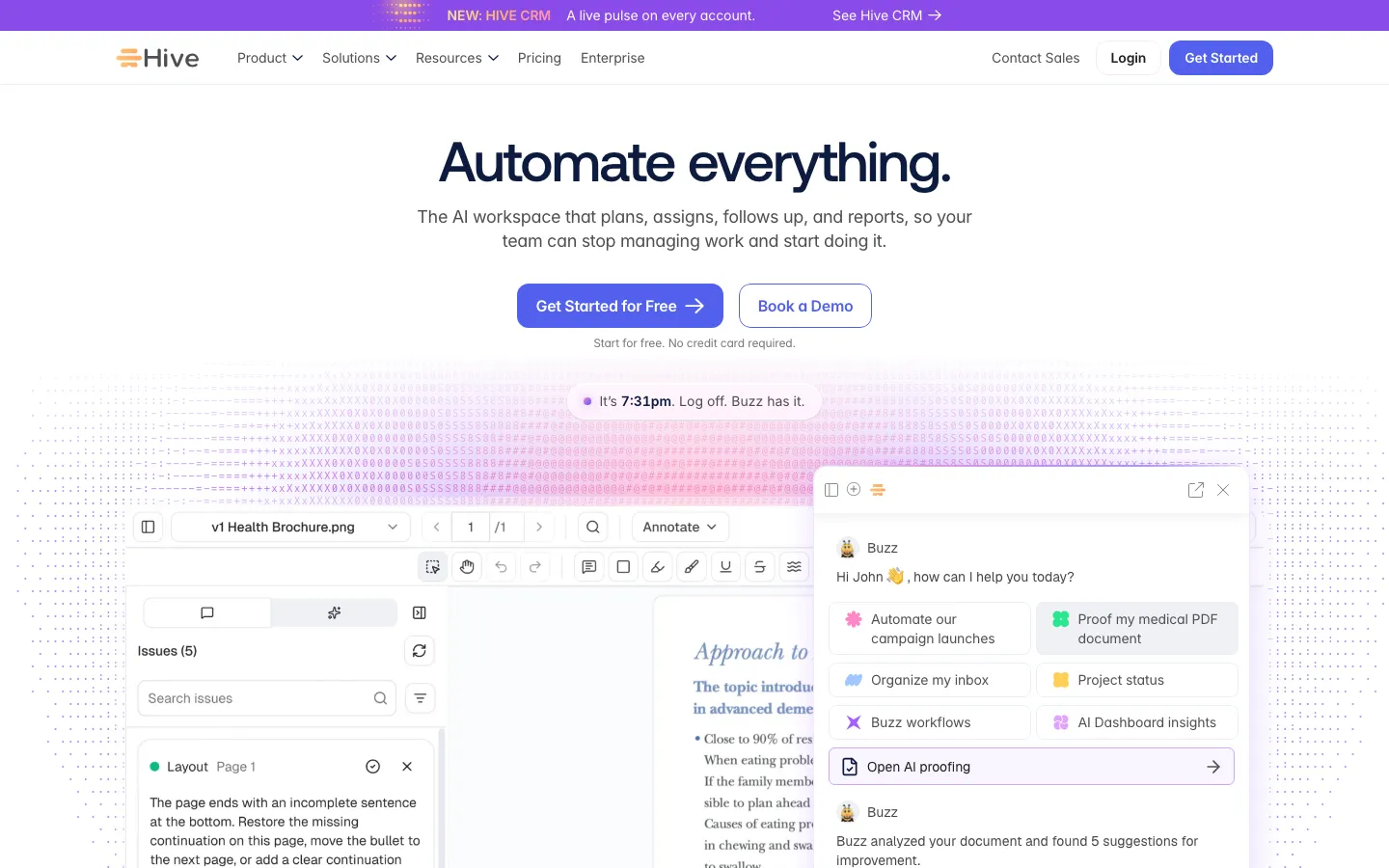
Actions, chat, notes and proofing are designed to keep feedback with the work rather than spread across messages and attachments. Proofing and approvals is optional, and Hive describes it as a place to proof, mock up and approve documents. Buzz, the product's AI assistant, is also presented as able to analyze proofs. For a creative team, that combination is the strongest reason to choose Hive, but budget the $1 per-user monthly proofing add-on instead of assuming it arrives with Teams.
Time, resourcing and workflows
Teams includes time tracking. Timesheets are a separate add-on for submitting time invested in particular projects, while Team resourcing allocates people by hour. Workflows can respond to events such as a new request and include AI-powered steps. Those are useful pieces for an agency or service operation, although the separate switches mean the plan builder matters as much as the base tier.
AI credits and automation
Free includes 1,000 AI credits each month, Starter includes 3,000 and Teams includes 5,000. Extra packs are a one-time purchase and unused credits roll over. Treat the credits as a bonus, not a reason on their own to select a project platform.
Integrations and API
Hive says it offers more than 1,000 integrations. Its native connections include  Google Drive, Google Calendar, Dropbox, QuickBooks, Zoom, Microsoft Teams, GitHub,
 Slack and
 Jira. It also publishes Hive API documentation for custom integrations. The plan page separately lists an Enterprise API on Enterprise, so a team planning a consequential integration should get its access and limits confirmed in writing before building around it.
How is Hive priced across its plans?
Price checked 27 Nov 2026
| Plan detail | Free$0 | Starter$3/user/mo | Teams$6/user/mo | EnterpriseCustom |
|---|---|---|---|---|
| Billing | Free forever | $3 per user per month, billed yearly | $6 per user per month, billed yearly; $9 billed monthly | Contact sales |
| AI credits per month | 1,000 | 3,000 | 5,000 | Custom |
| Storage | 200MB | Unlimited | Unlimited | Unlimited |
| Workspace members | Up to 10 | Up to 10 | Unlimited | Unlimited |
| Gantt view | ✕ | ✓ | ✓ | ✓ |
| Time tracking | ✕ | ✕ | ✓ | ✓ |
| Enterprise API | ✕ | ✕ | ✕ | ✓ |
Hive pricing in US dollars, 27 Nov 2026.Hive pricing
The clearest real team bill is the example in Hive's builder: eight people on Teams cost $48 a month billed yearly, or $576 for the year. The same eight people cost $72 a month on monthly billing. Add-ons are priced per user per month, so the total changes as soon as the team adds more capability:
- Proofing and approvals, Timesheets, Team resourcing, Advanced Dashboards, SSO and External users are each $1 per user per month
- Finance is $12 per user per month
- Hive CRM is $29 per seat per month for people who sell or manage clients
That is why the $6 figure should be a starting point, not a final budget. A small team that needs only unlimited members, portfolios and time tracking gets a strong value from Teams. A client-service team should build the exact package before treating Hive as a low-cost option.
What does Hive Enterprise offer large organizations?
Hive Enterprise has no published price and requires custom sales negotiation. It includes custom AI credits, flexible add-ons, enhanced security and permission controls, unlimited onboarding, a dedicated customer success manager, the Enterprise API and access to professional services. Choose it for security, support and integration requirements, not because it promises a different core project experience.
For most growing teams, Teams is the more useful comparison point: it already has unlimited workspace members, shareable forms, time tracking, portfolios, team sharing and custom fields, labels and statuses.
Where does Hive fall short for asset-heavy creative teams?
Hive delivers a genuinely useful free tier that nonetheless lacks the file storage capacity required by creative asset teams. Its 200MB storage cap and 10-member limit arrive quickly. Starter removes the storage concern but still caps both projects and workspace members at 10.
The larger issue is fragmentation. Teams includes time tracking, but Timesheets and Team resourcing cost extra. Proofing, advanced dashboards, external users and SSO also sit in the add-on menu. That can be a fair deal when you need one addition, but it becomes awkward when several departments each expect their usual tools inside the base subscription.
Machine access is another point to settle before committing. Hive has API documentation, yet its pricing page lists an Enterprise API only on Enterprise. The public plan page does not spell out whether every documented endpoint is available on each tier, so do not make an automation promise around the API without a written answer from Hive.
What are the leading Hive alternatives?
Jira review is the better next read for a team that wants a deeply configurable work tracker. Jira's Free plan covers up to 10 users, and its Standard plan starts at $8.48 per user per month on monthly billing, checked 27 Nov 2026, with custom workflows, fields and automation. It is likely the stronger choice when the process itself needs to be modeled in detail; Hive is easier to justify when proofing and creative collaboration are central.
 Lark review matters when the real purchase is a workplace suite rather than a project system. Lark combines messaging, docs, email, calendar, meetings, approvals and Base in one subscription, with paid plans from $6 per user per month billed annually, checked 27 Nov 2026. Choose it when replacing several workplace tools is the job. Choose Hive when project views, proofing and time management need to stay at the center.
What is the overall verdict on Hive?
Hive makes its strongest case for creative agencies by integrating project scheduling directly with optional digital proofing tools. The breadth of views, included chat and notes, free entry tier, and optional proofing make it a thoughtful home for creative operations. Its weak point is not capability but clarity: the more of Hive's operational extras you need, the less meaningful the attractive base price becomes.
Price the proofing, timesheets and resourcing your delivery process actually needs before choosing an annual Teams subscription. If all three belong in the workflow, include each add-on in the decision rather than comparing Hive on its $6 headline alone.
How was this Hive review researched and verified?
Hive provided the official pricing tiers, account limits, feature specifications, and integration documentation checked on 27 Nov 2026. Prices are in US dollars as Hive shows them, and the figures follow how we check figures.
- Hive pricing page and plan builder
- Hive features page
- Hive integrations page
What are the most common questions about Hive?
Is Hive free?
Yes. Hive Free is free forever and includes 1,000 AI credits a month, 200MB storage, up to 10 workspace members, unlimited tasks, unlimited collaborative notes and native chat messaging.
How much does Hive cost for a team?
Starter is $3 per user per month and Teams is $6 per user per month on the yearly option. Hive's eight-user Teams example is $48 a month billed yearly, or $72 a month billed monthly, before add-ons.
What Hive features cost extra?
On Teams, proofing and approvals, Timesheets, Team resourcing, Advanced Dashboards, SSO and External users are each $1 per user per month. Finance is $12 per user per month, and Hive CRM is $29 per seat per month.
Does Hive offer a free trial?
Hive says the first two weeks on any plan include access to the full suite of features. It says it does not collect card information during the free trial or on Hive Free.
 Reviewed byDanny Kirk
Founder of ReddiReach.
 Checked byAndrés Felipe
Digital designer and marketer.
Every figure is checked against the vendor's own page. Read our editorial standards.