
Key Takeaways
- Technical operations and marketing teams choose n8n when building visible, adaptable workflows across cloud or self-hosted environments without relying on rigid connector recipes.
- Cloud plans for n8n start at €20 monthly billed annually for 2,500 workflow executions with unlimited steps per automated execution path.
- The Starter plan equips n8n users with AI nodes and autonomous agents while supporting both Model Context Protocol client and server functions.
- Organizations should pass on n8n if their operators require hands-off cloud automations without managing permissions, credentials, execution thresholds, or hosting infrastructure.
When you need to inspect complex handoffs or connect unusual systems, n8n is the automation platform to choose for visible workflows and a choice of where they run. Pass if your team wants a set-and-forget cloud tool with no appetite for execution limits, deployment choices or workflow ownership.
Agent access
- API
- Yes, Cloud Starter, Pro, and Enterprise; all self-hosted editions; not available during the Cloud free trial
- MCP server
- Official, hosted or local, OAuth 2.0 or a personal access token in an Authorization: Bearer header
- Works with
 ClaudeClaude Code
 ChatGPT
 Gemini
 Cursor
 VS Code
- Automation
- n8n
What are the core pros and cons of using n8n?
What works
- A visual canvas exposes inputs and outputs at every step
- 500+ native integrations plus HTTP connections for other APIs
- Pricing counts completed workflow executions, not steps or users
What to watch
- Cloud plans have execution and concurrency ceilings
- Business is self-hosted only on the published plan list
- Enterprise pricing requires a sales conversation
What core automation capabilities does n8n provide for technical teams?
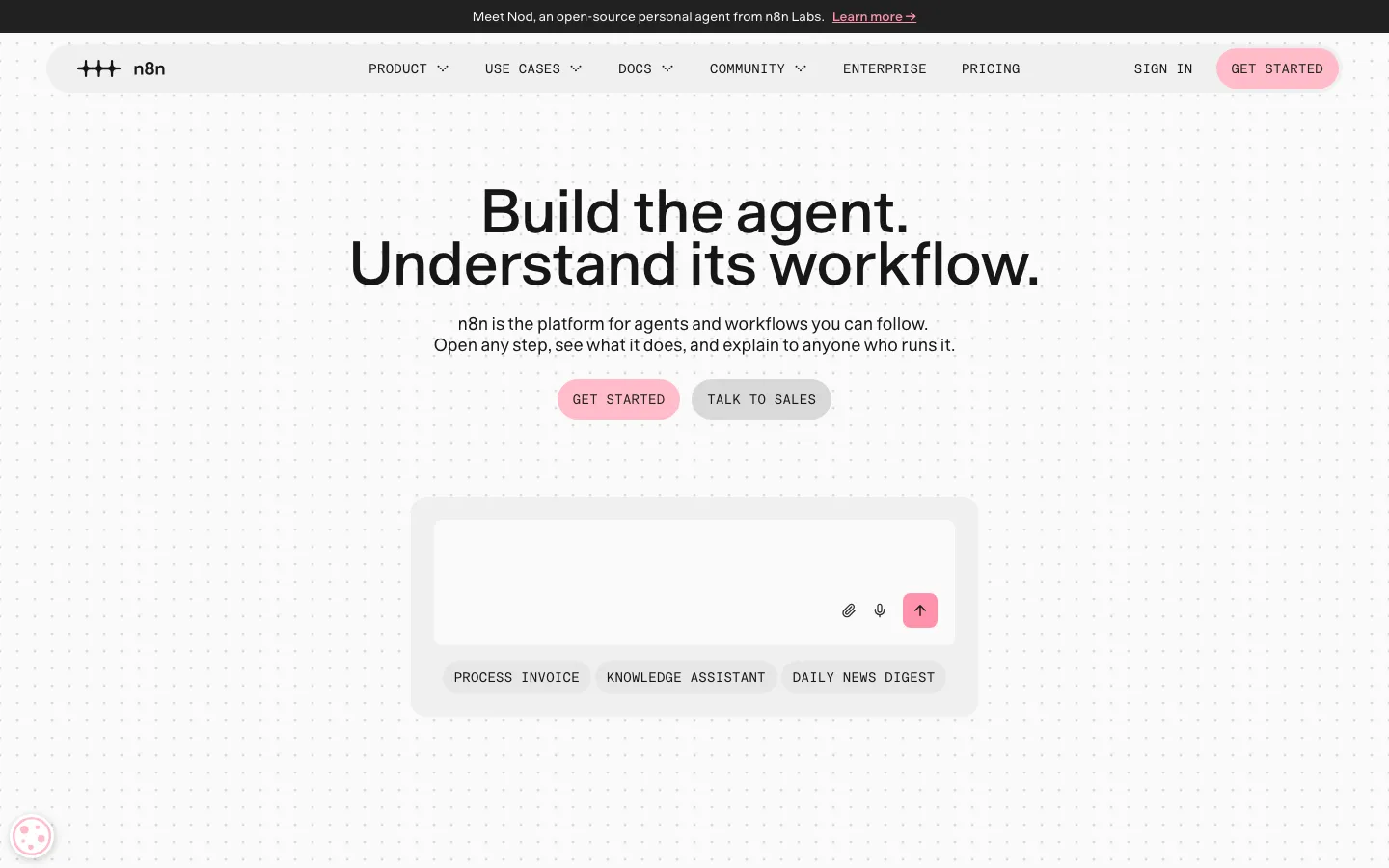
n8n gives you a visual way to build automations and AI agent workflows without forcing every connection into a pre-set recipe. Each step shows its inputs and outputs, which makes the handoff easier to inspect when something surprising lands in a CRM, inbox or database. If you are comparing options in the marketing tools directory, that visibility is n8n's real advantage: the workflow stays legible after the first person builds it.
The breadth is substantial. n8n lists more than 500 native integrations, accepts API connections through HTTP, and can connect an agent or coding assistant through MCP. You can start with a template or an empty canvas, build a standalone agent or put an agent into a conventional workflow, then place a human approval wherever judgment should interrupt the run.
I think n8n makes the most sense when automation is part of your operating system, rather than a collection of small conveniences. It lets a technical team choose managed cloud, self-hosting or both, but that freedom only pays off when someone is responsible for the workflow after launch.
Who should choose n8n for workflow automation?
Technical marketing teams
Connect campaign systems, inspect each handoff and put approvals before a customer-facing action runs.
Operations teams
Use HTTP connections and visible workflow steps where standard app-to-app automation is not enough.
Developers building agents
Embed agents in workflows, attach tools and data, then work with MCP on the same platform.
Teams with deployment needs
Choose cloud or self-hosting when where data and workflows run matters to the organization.
It is less suitable for a team that needs a finished process with no technical owner. n8n can make complicated work visible, but it does not remove the need to decide who watches failed runs, changes credentials or approves an exception. Give one person that remit before you build a broad set of automations.
Which workflow features and AI nodes does n8n offer?
A workflow editor you can inspect
The visual editor is n8n's strongest argument. You build and iterate on a canvas, with the input and output shown at every stage. Templates can get a team moving, while an empty workflow is available when the process is unusual. That combination works well for a process review because a colleague can trace what happened without reading a long integration script.
Integrations and custom API calls
n8n says it has more than 500 app integrations. When the connector you need is missing, its HTTP and GraphQL request options mean a team can work with an API directly, and it can import cURL commands. The platform also supports webhooks and queues as triggers. This is a better fit than a closed automation builder when the systems behind a process are specific to your company.
Agents, MCP and human approvals
Agents can stand alone or sit inside a workflow, with tools and data connected to them. n8n lists an MCP Server Trigger, MCP Client and instance-level MCP across its paid plan comparison, alongside agents and AI steps. Human approval for tool calls is included too. The sensible design is not to automate every decision: use the approval point around a material action, then keep the repetitive gathering and routing automated.
Cloud, self-hosting and control
n8n offers managed cloud and self-hosting, including a free Community Edition for self-hosted installations. Its product pages also describe rollback to an earlier workflow version, credential management and access controls. Business adds SSO, LDAP, multiple environments and Git-based version control. Enterprise adds external secret stores, log streaming, longer data retention and dedicated support with an SLA.
Monitoring a production workflow
Hosted plans include workflow history and insights, with the time window growing by plan. Starter has one day of workflow history, Pro lists five days and Enterprise lists 365+ days. Pro also includes metric-based evaluations for unlimited workflows, where Starter includes one. For a workflow whose required features and limits both plans support, a cheaper plan can still provide too little history to diagnose it comfortably.
How much do n8n cloud plans and self-hosted tiers cost?
Price checked 27 Nov 2026
| Plan detail | Starter€20/mo | Pro€50/mo | Business€667/mo | EnterpriseCustom |
|---|---|---|---|---|
| Billing terms | Annual billing | Annual billing | Annual billing | Ask sales |
| Pricing usage | Monthly workflow executions | |||
| Workflow executions | 2,500/month | 10,000/month | 40,000/month | Custom |
| Steps per execution | Unlimited | Unlimited | Unlimited | Unlimited |
| Deployment | n8n Cloud | n8n Cloud | Self-hosted only | Cloud or self-hosted |
| Shared projects | 1 | 3 | 6 | Unlimited |
| Concurrent executions | 5 | Up to 50 | Not listed | 200+ |
n8n prices in euros, 27 Nov 2026.n8n pricing
n8n's pricing model is unusually kind to long workflows: one completed run is one execution regardless of how many steps it contains. Every plan includes unlimited users, workflows and integrations, so a team bill is not driven by seat count. A three-person team can use Starter for €20 a month on annual billing if 2,500 executions and five concurrent runs cover the job. The number to estimate is completed runs, not people or nodes.
Monthly billing is €24 for Starter, €60 for Pro and €800 for Business. Business is for companies with fewer than 100 employees according to the pricing page, is self-hosted only, and has a 50% Startup plan discount for qualifying organizations under 20 employees. The free Community Edition is another route for a team that can run the standard self-hosted product without a Business or Enterprise license.
When should growing organizations upgrade to n8n Enterprise?
n8n Enterprise is the tier to evaluate when governance and operational scale, rather than an increased execution allowance alone, justify an upgrade. It can run in n8n Cloud or self-hosted, has custom execution volume and unlimited shared projects, and is listed with 200+ concurrent executions.
- 365 days of insights and 365+ days of workflow history
- External secret store integration and end-user credentials in preview
- Log streaming, extended data retention and dedicated support with an SLA
- Assistant preview available on request
The price is not published. Ask sales to put the required deployment, execution volume, support level and security controls in the quote, rather than treating Enterprise as a vague upgrade path.
Where does n8n fall short for operational teams?
n8n requires significant ongoing ownership to maintain its flexible self-hosted and cloud execution environments. A workflow that can call custom APIs, route agent decisions and run in your own environment also needs clear permission boundaries and a named maintainer. The product has controls for credentials, roles and workflow versions, but those features cannot decide which actions your organization should permit.
Cloud buyers also need to model volume honestly. Starter has 2,500 executions a month and five concurrent executions; Pro rises to 10,000 and up to 50. An automation with unlimited steps can still reach its execution limit quickly when it runs frequently, so count the expected finished runs before choosing the entry tier.
Business is a sharp jump in price and deployment responsibility. It is self-hosted only at €667 a month on annual billing, while Enterprise is quoted. That makes Pro the natural cloud plan for a small production team, and it makes the Community Edition worth considering only when self-hosting is a deliberate operational decision.
What are the best alternatives to n8n?
 Read the NocoDB review if a spreadsheet-style interface for a Postgres or MySQL database should lead the work instead of a workflow canvas.
 Read the Noloco review if you need a client portal where every client sees only their own work. These are different starting points for organizing work, so choose the one that matches the place your team will actually manage.
What is the final verdict on adopting n8n?
n8n is a strong choice when your automations need more range than a basic connector can offer, and your team wants to understand the route data takes from trigger to result. Its visual canvas, broad integrations, MCP support and execution-based pricing are a good combination for a team that treats workflow design as real operational work.
The catch is healthy but real: n8n rewards ownership. Choose it when someone can define exceptions, monitor production runs and make a deliberate cloud or self-hosted choice. If no one can do that, a more narrowly designed tool will create less work even if it offers fewer possibilities.
Estimate monthly executions for a representative n8n workflow, then test its exception paths before expanding. Move from Starter only when volume, concurrency or governance creates a specific need.
How were n8n pricing and feature limits verified?
n8n pricing details, tier caps, and product capabilities were collected directly from the vendor documentation and verified on 27 Nov 2026. Prices are in euros, as n8n shows them, and every figure follows how we check figures.
- n8n pricing and plan comparison pages
- n8n product and integration pages
- n8n documentation for self-hosted deployment
What are common questions about deploying n8n?
How does n8n charge for workflows?
n8n charges paid plans by monthly workflow executions, regardless of complexity. Every listed plan includes unlimited steps, users, workflows and integrations.
Can n8n be self-hosted?
Yes. n8n can be self-hosted on your infrastructure, on premises or in a private cloud. A standard Community Edition is available without a license key; Business and Enterprise licenses enable their respective editions.
Does n8n work with AI agents?
Yes. n8n supports standalone agents and agents within workflows. Its paid plan comparison lists an MCP Server Trigger, MCP Client, instance-level MCP and human approval for tool calls.
Is there an n8n free trial?
Starter and Pro offer a free trial without a credit card. Business also offers a trial and is self-hosted only. The Community Edition is also available as a standard self-hosted version on GitHub.
 Reviewed byDanny Kirk
Founder of ReddiReach.
 Checked byAndrés Felipe
Digital designer and marketer.
Every figure is checked against the vendor's own page. Read our editorial standards.