
Key Takeaways
- Agencies and internal operations teams build client portals with Noloco to grant users direct self-service visibility without exposing underlying database schemas.
- The entry Free plan of Noloco supports 50 active clients and 2,000 records, while the popular Build plan costs $65 monthly billed annually.
- Developers can connect autonomous systems to Noloco using Model Context Protocol integrations to query live application databases and access product documentation.
- Operations leads should select alternative automation software if their workflow requires cross-platform data triggers rather than a branded client-facing portal.
When you need clients to follow their work without seeing the underlying operational data, I would start with Noloco. Build is the practical paid plan for a growing portal, at $65/month billed annually, but choose a simpler automation tool if a client-facing workspace is not part of the job.
Agent access
- API
- Yes
- MCP server
- Official, hosted, OAuth
- Works with
 ClaudeClaude Code
 ChatGPT
 Gemini
 Cursor
 VS Code
- Automation
- Zapier, Make, n8n
What are the core advantages and drawbacks of Noloco?
What works
- Free includes 2,000 records and 50 active clients
- Build connects data sources including Airtable and Google Sheets
- Each client can see only their own work
What to watch
- Extra Build seats and records add to the bill
- Salesforce and API Data sit on Enterprise
- Enterprise needs a custom quote
How does Noloco streamline client communication and data visibility?
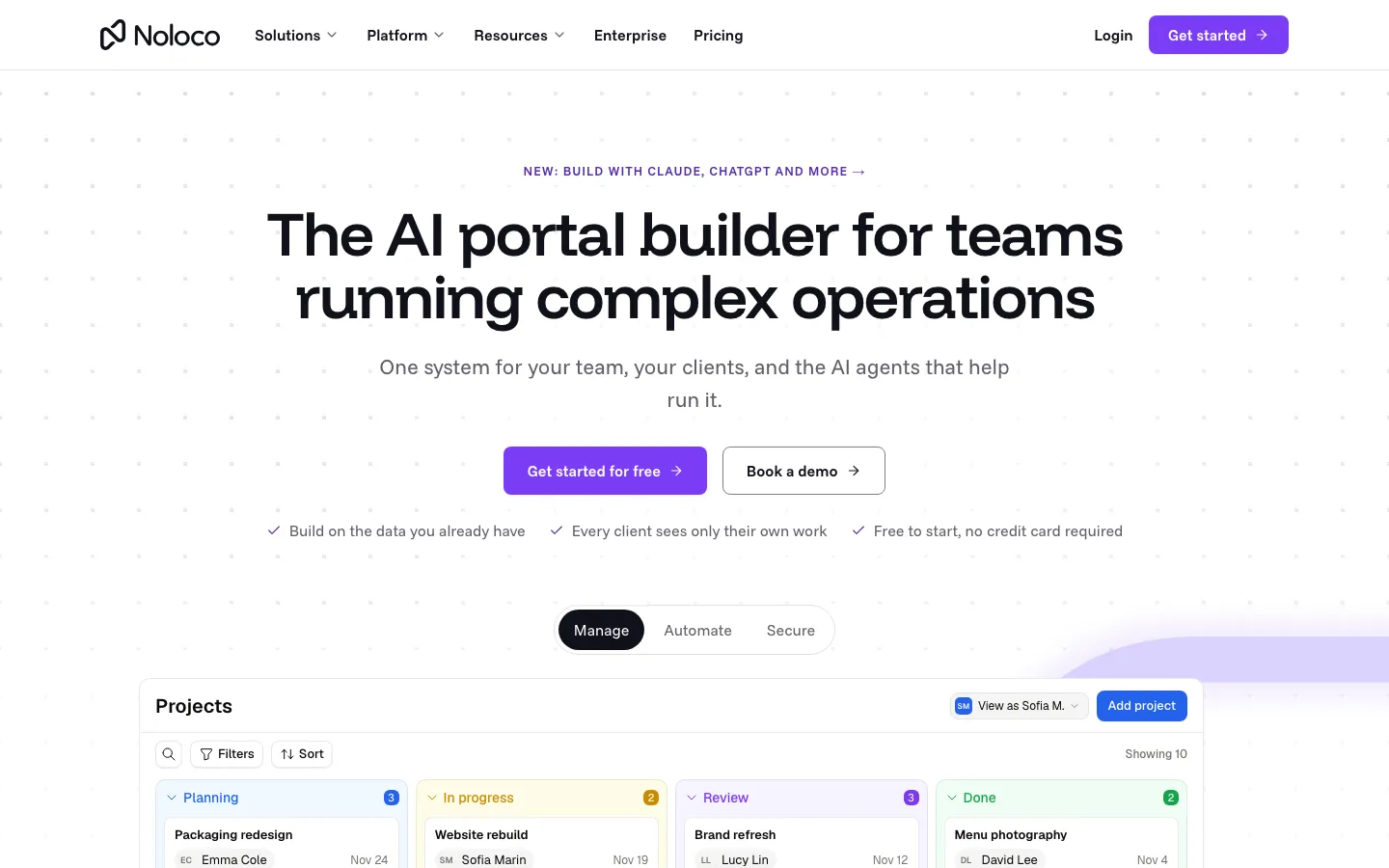
Noloco empowers clients to view and update relevant project data directly without exposing them to complex backend software stacks. Noloco puts a working layer over operational data for your staff, clients and the AI agents that help run the work. If your team is comparing a portal with a pile of connected automations, the marketing tools directory is a useful place to keep the wider job in view.
The product's strongest promise is separation. A client sees its own projects, requests and updates, while an account lead can see the wider account. That makes Noloco more substantial than an internal dashboard: it is designed to become the place where an external person checks progress and takes the next action.
For that reason, I would judge it by one real process, not by a blank canvas. Pick the client handoff that currently produces the most status emails, connect the data that already drives it, and make the portal prove it can replace that back-and-forth. The portal is worthwhile when it gives both sides a calmer view of the same work.
Who should choose Noloco for building customer portals?
Client-service agencies
Give each client a branded place to follow requests, projects, files and updates without seeing another account.
Operations teams
Connect a live source of truth to a workspace where people can manage records and move work forward.
Growing service businesses
Use Build when 50 clients or 2,000 records no longer covers the work your portal needs to carry.
Enterprise buyers
Consider Enterprise when SSO, audit logs, a service agreement and full white-label are material procurement requirements.
Noloco is less convincing for a team whose work never needs a shared client surface. Its value comes from bringing data, permissions and action into one place. If your task stops at passing information between applications, a portal can become another product to maintain instead of a simplification.
Which custom portal and user permission features does Noloco provide?
Client portals with separated views
Noloco describes a portal in which every client sees only its own work. Its client-portal example shows requests, projects, invoices, files and messages gathered in one branded area. That helps an agency replace a stream of individual progress requests with a repeatable client experience, provided the underlying records are kept current.
Data sources and Noloco Tables
Free uses Noloco Tables and CSV import. Build adds Noloco Tables, Airtable, Google Sheets, Xano, SmartSuite, Stripe, Postgres, Supabase, HubSpot and MySQL as listed data sources. Enterprise adds Salesforce and API Data. This is the decision point to settle before designing a portal: know which system owns each important field, then make the portal reflect it rather than creating a competing record.
Workflow automation
Workflows can react to a data change, use conditional paths, call webhooks or Zapier, and run AI-powered actions such as summaries and ChatGPT prompts. People can also start an on-demand workflow from a record page. That combination is useful when a client update needs to prompt an internal approval or a status change needs to start a standard next step, instead of relying on somebody to notice it.
Nola credits for building
Noloco uses Nola AI credits for building pages, tables and workflows. Free has 30 credits a month plus five additional credits each day, and Build includes 250 credits a month. Treat that allowance as a build input, not an unlimited automation budget. A team that intends to use AI heavily should estimate its likely credit use before choosing annual billing, while remembering that Noloco says plans can be changed when needed.
Enterprise controls and support
Enterprise includes SSO/SAML, audit logs, custom MSA and procurement, a dedicated customer success manager with an SLA, implementation support and full white-label. Those are meaningful additions for a company making the portal part of its formal client operation. They also turn the purchase into a sales conversation, so get the terms in writing when those controls are non-negotiable.
How are Noloco monthly plans and client user limits priced?
Price checked 27 Nov 2026
| Plan detail | Free$0/mo | Build$65/mo | EnterpriseCustom |
|---|---|---|---|
| Billing | Free | $65/month billed annually; $79/month billed monthly | Custom quote |
| Records per app | 2,000 | 25,000, then $25 per additional 25,000 | 1M+ |
| Active clients | 50 | 1,000 | Custom |
| Team seats | Unlimited | 10, then $5/month per extra activated seat billed annually or $6/month billed monthly | Custom |
| Nola AI credits | 30/mo, plus 5 daily | 250/mo | Custom |
| Security controls | Not listed | 2FA login security | SSO/SAML and audit logs |
Noloco prices in US dollars, 27 Nov 2026.Noloco pricing
The honest team bill is easy to see at Build. Ten internal team seats cost $65 a month on annual billing, while a 12-person team costs $75 a month before tax because two extra activated seats add $5 per month each on annual billing. The same 12-person team costs $91 a month on monthly billing, where each extra activated seat is $6 per month. Those examples assume the team stays within the included AI credits, records, workflow runs and storage allowances. Client seats remain unlimited up to the plan's 1,000 active clients.
Records are counted per app. Build includes 25,000 records per app, then charges $25 for each additional 25,000; additional rows can be bought up to 250,000 records, after which Noloco directs buyers to Sales for a custom quote. Build also includes 3,000 workflow runs, with each additional 1,000 costing $15, and storage can be added at $15 a month per 10GB. AI credits, records, activated team seats, workflow runs and storage are all inputs to estimate before choosing a billing period. Every plan starts with a 14-day free trial, with Build access, every data source and full workflows during that period.
When should expanding teams move up to Noloco Enterprise?
Noloco Enterprise delivers bespoke governance controls and expanded usage quotas for organizations that exceed standard Build tier allowances. Noloco lists custom AI credits, custom team and client seats, more than 1 million records, every data source and the support features that larger procurement teams expect.
- Salesforce and API Data alongside the Build data sources
- SSO/SAML, audit logs and custom procurement terms
- A dedicated customer success manager, SLA and implementation support
- Full white-label for a client-facing rollout
Where does Noloco fall short regarding pricing and team seats?
Noloco charges additional user fees on the Build tier once an organization expands beyond its starting team limits. It includes 10 internal team seats and 25,000 records, then charges more for both. That is reasonable for a portal product, but it means an agency should model its operating size before promising a price to clients.
The data-source line is another boundary. Build supports a broad group of common systems, but Salesforce and API Data are listed on Enterprise. If either one is the system your operation cannot work without, the $65 headline is not the price that matters.
Finally, client portals need ongoing attention. The promise that each client sees only its own work is valuable, but the portal will only stay trustworthy when the connected records, roles and workflow rules match how the account is actually run. That maintenance is a people commitment as much as a software decision.
What are the primary software alternatives to Noloco?
If the key requirement is automation between applications rather than a client-facing portal, compare Noloco with  Pabbly Connect review. Its workflows pair one trigger with one or more action steps across the applications you want to integrate, which helps draw a line between presenting operational work and moving it.
For a team reshaping operational data before it reaches a destination, read the  Parabola review. Parabola captures each source, rule, calculation, decision and exception as a visible, editable step, and can run a Flow on demand, on a schedule, or from an email, webhook or new data.
What is the overall verdict on Noloco for agency client portals?
Noloco is a strong fit when the deliverable is a client portal, not merely an automation. Build gives a growing operations team meaningful capacity, connected data and 10 internal seats at a published price. Its real cost is governed by how many records and activated seats your operating model creates, so that is the calculation to make first.
Use the trial to build one client-facing process on its real data. If the portal replaces enough follow-up and status work, price Build around your next year of seats and records, then ask for Enterprise terms only when the extra data sources or governance controls are required.
How was this Noloco review researched and verified?
Noloco plan rates, client record ceilings, workflow modules, and user documentation were checked directly against official resources on 27 Nov 2026. Prices are in US dollars as Noloco shows them, and every figure follows how we check figures.
- Noloco pricing page, annual and monthly billing
- Noloco client portal and workflow pages
- Noloco guide pages
What are common technical questions about building on Noloco?
Is Noloco free?
Yes. The Free plan costs $0 a month and includes 2,000 records, 50 active clients, unlimited team seats, Noloco Tables and CSV import. Every plan also has a 14-day free trial.
How much does Noloco Build cost for a team?
Build costs $65/month billed annually or $79/month billed monthly. It includes 10 internal team seats, then costs $5/month per extra activated seat billed annually or $6/month billed monthly.
Which data sources work with Noloco Build?
Build lists Noloco Tables, Airtable, Google Sheets, Xano, SmartSuite, Stripe, Postgres, Supabase, HubSpot and MySQL. Salesforce and API Data are listed on Enterprise.
Can Noloco automate workflows?
Yes. Noloco lists data-change triggers, conditional paths, one-click workflows, webhooks or Zapier, and AI-powered actions such as summaries and ChatGPT prompts.
 Reviewed byDanny Kirk
Founder of ReddiReach.
 Checked byAndrés Felipe
Digital designer and marketer.
Every figure is checked against the vendor's own page. Read our editorial standards.