
Key Takeaways
- Ortto combines customer data platform records, multi-channel messaging journeys, and customer support history into a consolidated marketing automation platform following its acquisition by Canva.
- Ortto provides a 14-day credit-card-free trial supporting 10,000 contacts and 100 emails, but keeps all ongoing subscription rates gated behind in-app checkout.
- Ortto documents Model Context Protocol and programmatic API connections for retrieving customer data records, but avoids publishing tier-specific access rights on public pages.
- Ortto withholds transparent subscription pricing from public view, forcing prospective buyers to complete trial onboarding before determining actual multi-seat software costs.
Ortto is the right marketing automation platform when your team needs customer data, lifecycle journeys, messaging and support context to work together, rather than through a stack of separate tools. Skip it if a published paid price is non-negotiable: Ortto offers a 14-day trial, then asks you to select a plan in-product, while its public pages do not show paid prices. Ortto has also been acquired by Canva.
Agent access
- API
- Yes
- MCP server
- Official, hosted, Scoped key in the remote MCP server URL
- Works with
 Claude
 ChatGPT
- Automation
- Zapier
What are the primary strengths and weaknesses of Ortto?
What works
- One platform for CDP data, journeys, analytics and support
- Visual journeys can use messages, delays, conditions and A/B tests
- Email, SMS, push and in-app messaging sit in the same workflow
What to watch
- Public pages do not publish paid plan prices
- Business and Enterprise require an annual plan
- Public material does not map features or API access to each plan
How does Ortto unify customer data with multi-channel automation?
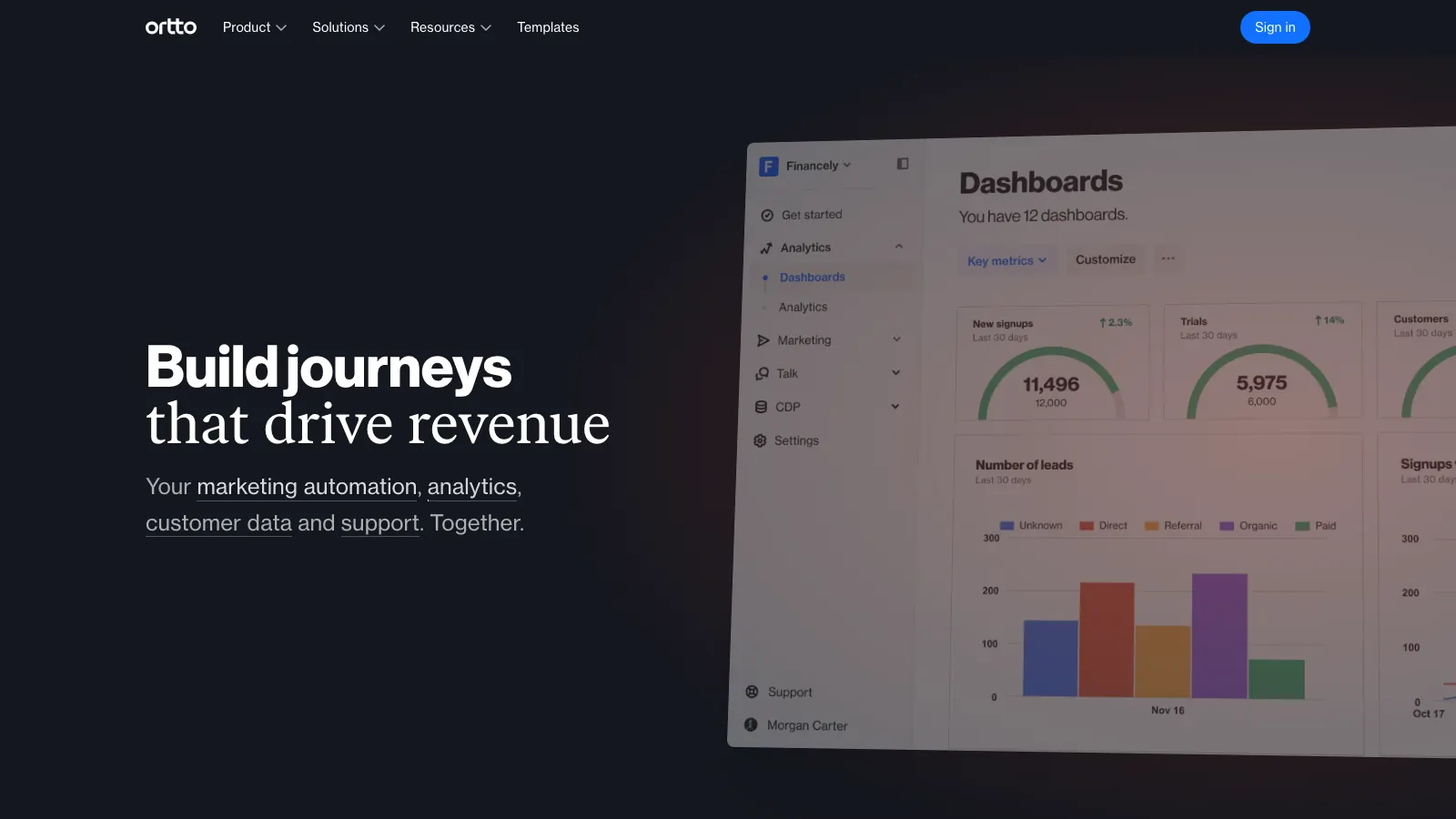
Ortto addresses the fragility of lifecycle marketing when customer profiles, campaign builders, and support histories are divided across fragmented systems. Ortto’s appeal is consolidation: it puts a customer data platform, marketing automation, dashboards, live chat, a team inbox and a knowledge base under one roof. That makes it a practical marketing tools directory candidate for a team that wants to act on customer events without continually moving records between products.
Ortto said in April 2026 that it had been acquired by Canva and that the same team and product would remain in place. Judge the current product on whether it can join your data and messages cleanly.
I think Ortto is most compelling when your marketing team needs behavior-led follow-up. Its CDP makes real-time demographic and event data available for audience filters, journey entry and exit rules, split paths and messages. A journey can react to a customer action, not merely to their place on an email list.
Which lifecycle marketing teams benefit most from implementing Ortto?
SaaS lifecycle teams
Use customer events to shape email, in-app messages and follow-up within one coordinated journey.
Marketing operations teams
Bring customer data into a CDP, then filter campaigns with activities and lead scores.
Lean support and marketing teams
Keep chat, inbox, knowledge base and lifecycle messages together rather than split across systems.
E-commerce marketing teams
Use published e-commerce journeys, including abandoned checkout recovery templates with email and SMS.
The fit gets weaker when the buying decision starts with a fixed monthly budget. You can trial Ortto without a card, but you cannot price a team’s eventual contact volume, email volume and selected features from a public rate card. Make that conversation happen before building journeys your team cannot afford to keep running.
What journey builders and data platform tools does Ortto supply?
A CDP for campaign decisions
Ortto positions its CDP for marketers, with no-code integrations to connect customer data. The useful part is not the acronym. The data can define audiences, enter or remove someone from a journey, choose a branch or personalize a message. Custom activities and lead scores let a team decide which static attributes and event activity count as meaningful engagement.
A visual journey builder
The journey builder supports email, SMS, web and mobile push, with actions alongside messages. A journey can wait for a fixed, specific or dynamic date, test conditions, wait until a customer matches a filter, split paths by percentage, and preserve version history so a team can return to an earlier setup. It also supports A/B tests for one or several messages in a journey. Those controls are the heart of Ortto, not an extra bolted onto an email sender.
Messaging beyond email
Ortto’s published product areas include email marketing, SMS, push notifications, in-app messages, popups, forms and surveys. Its journey builder brings email, SMS and push together, while transactional email can still reach people who have unsubscribed from marketing. That makes Ortto better suited to coordinated lifecycle work than a basic newsletter tool, provided your team has the customer data to drive it.
Reporting and experimentation
Dashboards and custom reports sit beside the automation tools. Its journey builder offers A/B testing, while AI features provide subject-line suggestions, content recommendations and predicted email open rates. Public material does not publish a plan-by-plan reporting allowance.
Talk and support context
Talk adds live chat, a team inbox and a knowledge base to the same product family. For a smaller SaaS team, that can keep a support conversation near the customer history and the lifecycle work that followed it. It is not a reason by itself to replace a specialist support operation, but it is a persuasive reason not to buy an extra tool when these needs overlap.
API and integrations
Ortto provides developer documentation and an API reference, and its integrations page lists connected data sources. Its MCP server can retrieve customer, audience and activity data from the Ortto CDP, and analyze marketing performance and campaign results. Recent product updates describe native Microsoft Teams data, a two-way Humanitix connection and configurable dynamic webhooks. That gives technical teams routes into their existing systems, but Ortto does not say which paid plan includes API or MCP access, or what usage limits apply. Confirm that before making an agent workflow depend on it.
How is Ortto priced following its acquisition by Canva?
Price checked 27 Nov 2026
Ortto makes the trial terms public, but not its paid rates. That means the honest starting point is a 14-day trial, then an in-product plan selection, not a guessed monthly figure. The published plan names and commitments still reveal useful constraints.
| Plan detail | Publicly stated terms |
|---|---|
| Free trial | 14 days, no card required |
| Trial allowance | Up to 10,000 contacts and 100 email sends, excluding SMS |
| Professional | Can be month to month |
| Business | Requires an annual plan |
| Enterprise | Requires an annual plan |
| SMS | Requires purchased mobile numbers and SMS credits |
| Add-ons | Data storage, Talk seats and custom IPs can be added |
| Email overage | $1 per 1,000 email increments |
| Paid price | Not published on public pages |
Ortto plan, trial, add-on and overage terms, 27 Nov 2026.Ortto trial plans
For a real team bill, the variables Ortto itself names are contacts, monthly emails, selected plan and payment cycle. SMS requires purchased mobile numbers and SMS credits, while data storage, Talk seats and custom IPs are add-ons. If you exceed an email sending limit without upgrading, Ortto charges $1 per 1,000 email increments. Business and Enterprise customers can increase contacts or monthly emails during an annual term, but cannot downgrade during that term. Professional is the only new plan Ortto says may stay month to month. Ask for the price at your actual contact and email levels, the API entitlement, and the cost of the features your team needs before treating a trial setup as a purchasing decision.
What enterprise capabilities are packaged within Ortto?
Enterprise is one of Ortto’s three named paid plans. It requires an annual plan and has a cancellation restriction within 30 days of renewal. Its price, included features, contact limit and seat allowance are not public, so they belong in a written quote rather than an assumed comparison.
Ortto publishes security controls including two-factor authentication, user roles, SSO support, multi-region data hosting and audit logs, but does not specify which paid plans include them.
What pricing opacity and entitlement challenges are present in Ortto?
Ortto introduces opaque commercial pricing as its most decisive drawback. A 14-day trial can show whether the journey builder works for your data, but it cannot tell a finance owner the resulting bill before a plan is presented in-product. Professional’s month-to-month option softens that commitment, while Business and Enterprise take you onto an annual plan. If budget certainty matters, get the specific quote before committing campaign operations to Ortto.
There is a second information gap for technical teams. Ortto has developer and API materials, yet it does not state which plan has API or MCP access, what they cost or what limits apply. The same caution applies to plan-level access for Talk, lead scoring, custom activities and dedicated support. Ortto does not specify the paid tier that includes each of those products.
Finally, an acquisition can be relevant to your procurement review. Ortto’s own April update says it has been acquired by Canva and that nothing changes for customers. Take that statement at face value, then make sure the agreement you sign names the services and terms your team expects.
Which marketing automation platforms represent alternatives to Ortto?
 Ortto alternatives like AI Peekaboo provide value when monitoring brand positioning across generative engines rather than managing customer messaging sequences. Its published plans start at $30 a month and include API and MCP access, as the AI Peekaboo review explains.
For sales outreach rather than customer-lifecycle automation, read the  Overloop AI review. It combines email and LinkedIn in one multichannel sequence and has a built-in B2B database of 450M+ contacts. For email and LinkedIn outreach with unlimited email senders, LinkedIn accounts and users, the
 QuickMail review is the more focused comparison point.
Is Ortto the right customer data platform for lifecycle marketing?
Ortto makes its strongest case around customer-event-driven lifecycle automation across complex customer touchpoints. The CDP, journey builder, multi-channel messaging and support tools tell a coherent story for SaaS and lifecycle teams. The price and entitlement gaps are the trade-off: do not confuse a capable trial with a transparent purchase.
Connect real customer data and build one lifecycle journey during Ortto’s 14-day trial, then request a paid plan that specifies contacts, monthly emails, contract term, API access and the features your team needs.
How were Ortto platform terms and documentation evaluated?
Ortto product specifications, trial conditions, developer documentation, and acquisition disclosures were audited on 27 Nov 2026. Paid prices are not stated publicly, so this review does not estimate them. The method behind each published figure follows how we check figures.
- Ortto product pages for automation, CDP, integrations and security
- Ortto help center articles for the trial, paid-plan commitments and cancellation
- Ortto developer documentation and April 2026 product update
What are the frequently asked questions about adopting Ortto?
Does Ortto have a free plan or trial?
Ortto has a 14-day free trial with no card required. It includes up to 10,000 contacts and 100 email sends, but excludes SMS. After the trial, you select a paid plan in-product.
How much does Ortto cost for a team?
Ortto does not publish paid plan prices on its public pages. The available plan names are Professional, Business and Enterprise. Professional can be month to month, while Business and Enterprise require an annual plan.
Has Ortto been acquired?
Yes. Ortto’s April 2026 product update says it has been acquired by Canva and says the same team and product remain in place for customers.
Can Ortto send SMS and push notifications?
Yes. Ortto’s journey builder supports email, SMS, web and mobile push, alongside in-app messages, forms and surveys. SMS is excluded from the free trial.
Does Ortto offer an API?
Yes, Ortto publishes developer documentation and an API reference. Its public pages do not state the paid plan that includes API access or its usage limits, so confirm those terms before buying.
 Reviewed byDanny Kirk
Founder of ReddiReach.
 Checked byAndrés Felipe
Digital designer and marketer.
Every figure is checked against the vendor's own page. Read our editorial standards.