
Key Takeaways
- Payload delivers an extensible headless content management platform that embeds schema definitions, generated APIs, and administrative controls directly into Next.js application codebases.
- Payload invites enterprise engineering organizations to schedule customized sales demonstrations, leaving bespoke Enterprise subscription costs unverified on public channels.
- Payload automatically generates TypeScript application APIs and lists Enterprise artificial intelligence tools, while external Model Context Protocol support requires custom development.
- Payload requires dedicated full-stack software development ownership, making it poorly suited for non-technical marketing teams seeking off-the-shelf website page builders.
Payload is the best fit for a Next.js team that wants its CMS, APIs, and editing interface to belong to the application it is building. Skip it if your team needs a ready-made page editor with little engineering ownership.
Agent access
- API
- Yes, Self-hosted Free: Payload is open source and MIT licensed, and Payload says you can deploy it for free wherever you can run a Node.js app.
- MCP server
- Official, local, MCP API key sent as a Bearer token
- Works with
 Claude Code
 Cursor
 VS Code
What are the core technical pros and cons of Payload?
What works
- One configuration produces an admin panel, database, APIs, authentication, and storage
- REST, GraphQL, and Node.js APIs are generated from the content configuration
- Access rules can operate at document, field, and operation level
What to watch
- Pricing was unverified on 27 Nov 2026
- The editing experience depends on the application your team builds
- Enterprise feature scope and terms need confirmation before purchase
How does Payload embed headless content management into Next.js applications?
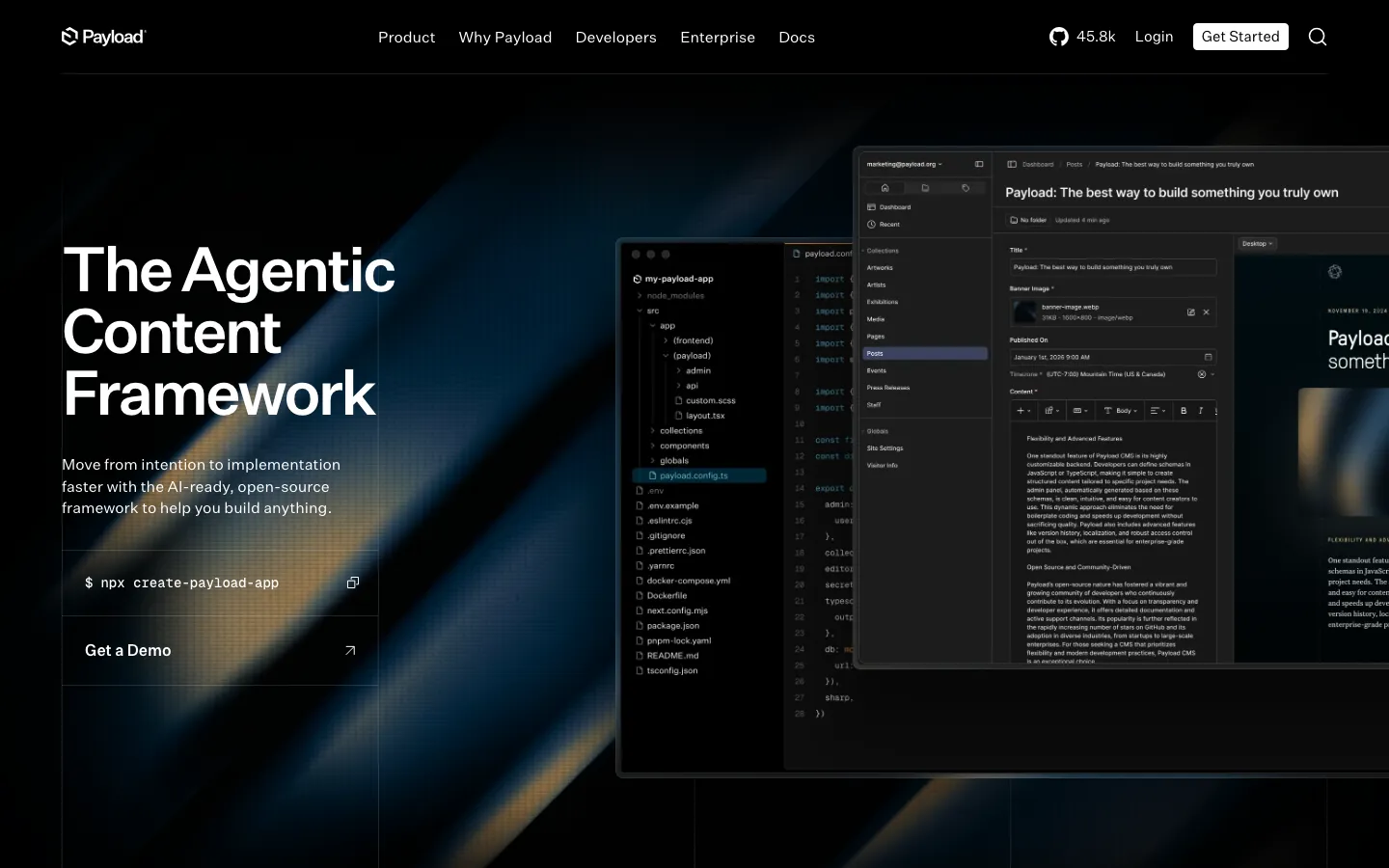
Payload unifies web applications and content management when maintaining a separate hosted CMS fragments application architecture. Payload takes the other route: a configuration gives the application an admin panel, database migrations, APIs, authentication, access control, file storage, and live preview. That makes it a distinctive option in the marketing tools directory for a technical team that wants to keep content close to its product.
The important word is ownership. Payload is an open-source TypeScript codebase that a team deploys itself. Your developers define the fields, permissions, integrations, and interface around the content rather than adapting the work to a fixed hosted product. For the right team, that removes a boundary between the marketing site and the application. For the wrong team, it turns a CMS decision into a software project.
I would choose Payload when a developer already owns the Next.js codebase and the content model needs to do more than publish ordinary pages. The vendor presents it for headless CMS work, commerce, enterprise apps, and digital asset management. The strength is not that it gives every marketing team the same editor. It is that your team can make an editor that matches the product it has to run.
Which engineering teams and Next.js developers should choose Payload?
Next.js product teams
Build content, data, authentication, and APIs into one application that developers already maintain, deploy, and extend securely.
Technical agencies
Create a tailored admin interface when clients need more than a template-driven website and can support custom development.
Marketing teams with engineers
Give editors a purpose-built workflow while developers retain control of models, permissions, APIs, and deployment choices directly.
Multi-market content teams
Manage field-level localized content, then specify locales or fallbacks through the generated application APIs for each request.
Payload is not the easy answer for a small business that only needs a few pages changed each month. The vendor’s own material frames the product as a framework. That is a useful distinction: you are choosing a foundation for a content product, not simply logging into someone else’s publishing software.
What API generation and content modeling features are built into Payload?
A CMS shaped around your data
Payload generates a React admin interface from the configuration your developers write, and supports custom components. That lets you decide which fields an editor sees, what an editorial form looks like, and where the limits sit. The payoff is a workflow that reflects your content. The tradeoff is that the first useful version must be designed, not merely switched on.
Generated APIs and database control
The same configuration generates REST, GraphQL, and Node.js APIs. Payload also documents direct database access, migrations, transactions, and indexing with MongoDB and Postgres. This is where the product earns its place in an application stack: content can travel through the same systems as the rest of your product rather than through a separate connector. Give schema changes the same care as other production changes, because they are part of the application.
Permissions that follow the job
Payload documents authentication and customizable access control at document, field, and operation level. Its admin UI can adapt to the permissions you define. That gives an organization a way to separate an editor’s work from an approver’s or administrator’s without handing everybody the same controls. The value comes from modeling real responsibilities clearly, then testing those boundaries in the workflow you intend to launch.
Media, drafts, and live preview
File storage, image resizing, focal-point cropping, and media access control are built into the framework. Payload also lists live preview, versions, and drafts in its documentation. Those are the parts a marketing team notices once a content model exists: whether an image can be prepared correctly, whether a draft can be inspected, and whether the person publishing has the view they need. A convincing prototype should include all three, not just an admin dashboard.
Localization and enterprise additions
Payload supports field-level localization and lets API requests specify locales and fallbacks. Its Enterprise material lists publishing workflows, a visual editor marked Coming Soon as of 27 Nov 2026, single sign-on, AI auto-embedding, static A/B testing, and AI features. Confirm the availability and commercial terms of the capabilities your project needs before treating them as included.
What are the enterprise licensing terms and subscription models for Payload?
Checked 27 Nov 2026
| Commercial detail | What to confirm |
|---|---|
| Pricing status | Pricing unverified on 27 Nov 2026 |
| Enterprise | Schedule a demo |
| Team cost | Vendor terms, implementation, and infrastructure |
Payload commercial information, 27 Nov 2026.Payload pricing
Confirm the vendor terms alongside the work of building, deploying, and maintaining the implementation. Those are separate decisions: the agreement defines the commercial commitment, while the application defines the continuing engineering work. Get both numbers before comparing Payload with a subscription product.
- Ask what Enterprise features are available under the proposed agreement
- Include the application’s database, storage, deployment, and maintenance in the operating plan
- Cost the initial content model, roles, and editorial interface, not only the launch site
What infrastructure and support options does Payload Enterprise provide?
Payload positions Enterprise for teams that need support around a larger content operation. The listed feature set includes single sign-on, publishing workflows, a visual editor marked Coming Soon as of 27 Nov 2026, static A/B testing, AI auto-embedding, and broader AI features. The enterprise pages also describe access control, custom React components, custom API endpoints, audit logs, and version control.
That mix makes sense when the CMS is becoming shared infrastructure across contributors, products, or markets. It does not establish what any given agreement includes. If an enterprise requirement drives the decision, have the vendor put the feature scope, support, and implementation expectations in writing before the project plan assumes them.
What developer requirements make Payload unsuitable for non-technical teams?
Payload provides substantial architectural flexibility while still demanding deep product and development decisions. It moves them into your codebase. Someone on your team still needs to decide how content is structured, which users can change it, how changes are reviewed, where assets live, and how the result is deployed. That is productive for a technical team, but it is not a shortcut for a team trying to avoid technical ownership.
Pricing was unverified on 27 Nov 2026, so the commercial commitment needs confirmation before a manager can assess the project. The engineering work also needs a realistic estimate of build and operating effort. That can make the first decision slower, even when the final architecture is stronger.
Dedicated external-agent and MCP support was unverified on 27 Nov 2026. Generated application APIs and Enterprise AI features are not the same promise. If agent access is a non-negotiable requirement, ask for the exact workflow, permissions, and terms before you design around it.
Which headless CMS platforms compete with Payload?
 Payload alternatives like Prismic are preferable when content editors need slice-based visual page builders backed by transparent pricing plans. Read the Prismic review if the core question is how much freedom editors have inside an approved page system.
 Sanity is the more predictable option for a team that wants a hosted, real-time content database and a configurable Studio, with a free plan and Growth at $15 per seat per month, checked 27 Nov 2026. The Sanity review is the useful next read when a published per-seat price matters as much as configurability.
Is Payload the top code-first CMS framework for Next.js developers?
Payload is compelling when content is part of a serious Next.js product and your developers want to own the infrastructure around it. Generated APIs, a configurable admin interface, and detailed access control provide the building blocks. The cost of that control is that your team has to build and operate the experience with intention.
Use Payload for a representative content model, an editor workflow, and a permission boundary before you commit. Then put the Enterprise scope, current commercial terms, and full implementation cost into the same decision.
How were Payload developer capabilities and documentation audited?
Payload product documentation, access control architecture, localization systems, and enterprise tiers were reviewed on 27 Nov 2026. The captured https://payloadcms.com/pricing URL returned a 404, so pricing is marked unverified. Our treatment of published figures follows how we check figures.
- Payload framework and documentation pages
- Payload pages for access control, localization, and headless CMS
- Payload Enterprise and pricing pages
What are the common technical questions regarding Payload deployment?
Is Payload open source?
Yes. Payload describes its framework as an open-source TypeScript codebase that users own and can deploy anywhere.
Does Payload provide APIs?
Yes. A Payload configuration generates REST, GraphQL, and Node.js APIs.
Can Payload control who edits content?
Yes. Payload documents customizable access control at document, field, and operation level, alongside authentication.
Does Payload have a visual editor?
Payload lists the Enterprise visual editor as Coming Soon as of 27 Nov 2026. Confirm its availability and commercial terms for the proposed implementation.
 Reviewed byDanny Kirk
Founder of ReddiReach.
 Checked byAndrés Felipe
Digital designer and marketer.
Every figure is checked against the vendor's own page. Read our editorial standards.