
Key Takeaways
- Productive connects budget tracking, staffing schedules, and project delivery metrics into a unified dashboard tailored specifically for professional services firms.
- Productive prices its Essential plan starting at nine euros and fifty cents per user monthly when billed annually for growing teams.
- Productive provides API access on the Essential tier alongside system connectors designed to link external services that support Model Context Protocol.
- Productive should be skipped by organizations seeking basic task tracking without the administrative discipline needed to maintain rigorous financial time records.
When you need to decide whether a client project can absorb another person or a changing scope, Productive is the strongest pick for bringing the budget, staffing plan and delivery record into the same view. Choose a simpler project tool if your team only needs tasks and cannot maintain the time and budget inputs that make Productive's financial reporting useful.
Agent access
- API
- Yes, Essential, Professional, and Ultimate
- MCP server
- Official, hosted, Productive login authorization
- Works with
 Claude
 ChatGPT
- Automation
- Zapier
What are the primary pros and cons of using Productive?
What works
- Budgeting, resource planning, projects and time tracking start on Essential
- Logged hours connect to budgets and can create invoice drafts
- API access, reporting and time-off management are on the entry plan
What to watch
- Approvals and advanced reports start on Professional
- Forecasting and Scenario Builder are reserved for Ultimate
- Ultimate has no published price
What core operational capabilities does Productive provide for professional services teams?
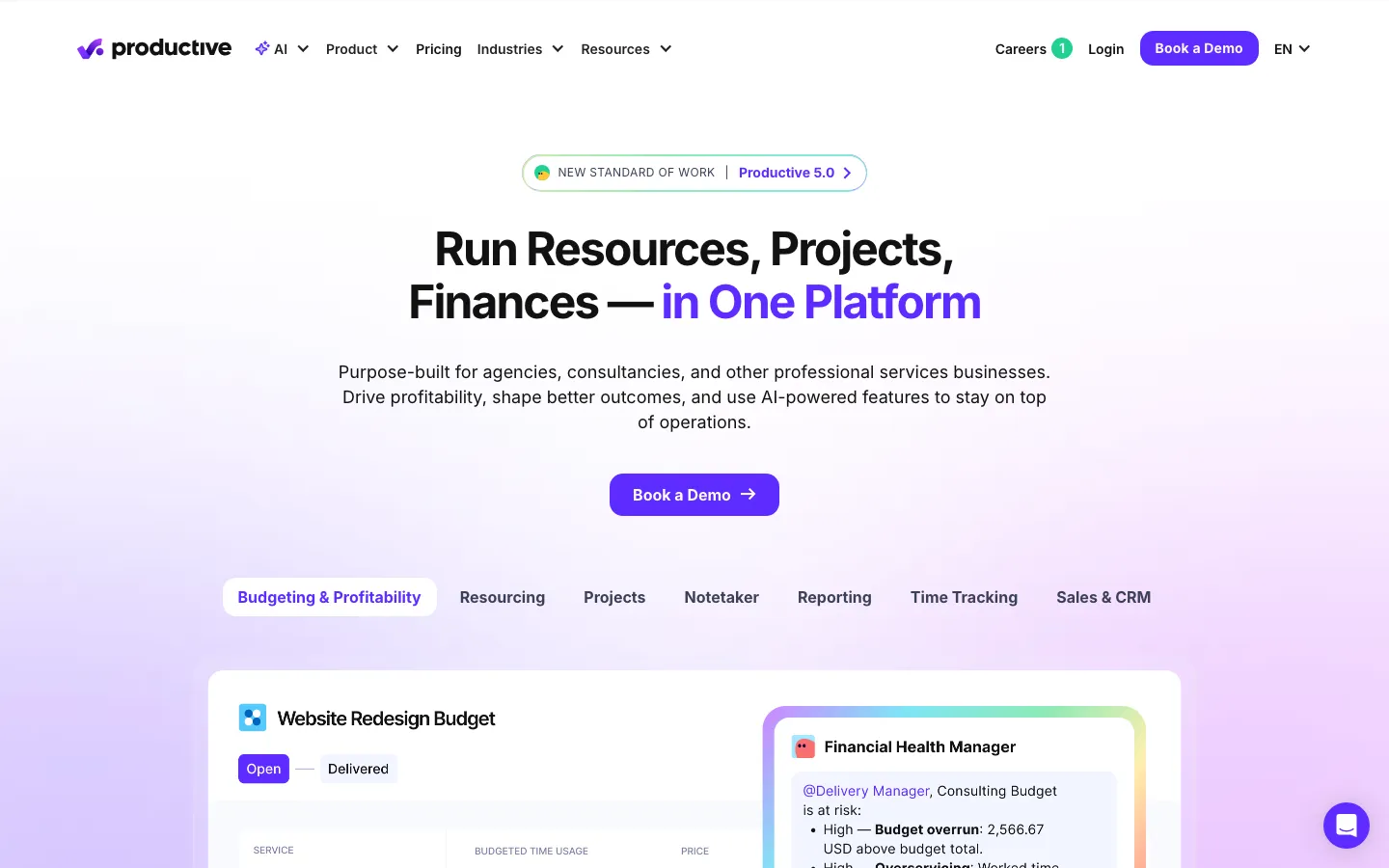
Productive is built for agencies, consultancies and other professional-services businesses, not for a generic to-do list. Its important promise is a shared view of resources, projects and finances: a manager can put a budget beside the work being delivered and the people allocated to it. That makes it a natural fit in the marketing tools directory for an agency that needs to see whether client work is paying for itself, not just whether a task was ticked off.
The core set is broad. Essential covers budgeting, resource planning, project and task management, documents, time tracking, expense management, reporting and time-off management. A team can therefore keep a project plan, staff allocation and delivery record in the same product. I think that combination is Productive's central advantage: it asks operational questions that a standalone task board cannot answer.
There is a practical catch. Productive can show revenue, cost and margins, but a report is only as good as the budget and time data behind it. If people log work late, or a project is never re-estimated after scope changes, the apparent margin can be false comfort. Give one owner responsibility for the operating rules before treating any dashboard as a financial decision-maker.
Which types of agencies and consultancies benefit most from Productive?
Agency owners
Connect project delivery with budgets, time records and reporting across ongoing client work.
Resource managers
Balance availability, project allocation and time off when several client commitments compete.
Finance-minded leaders
Use budgets and logged hours to follow work from delivery into invoice drafts.
Growing service firms
Move to Professional when approvals, HRIS connections and advanced reports become operational requirements.
The best fit is a service firm with enough recurring delivery work to justify one shared operational record. An account lead, resource manager and finance lead can all use different parts of it, but they need to agree on the same project setup. Teams without that discipline should not pay for the breadth before they have settled their own delivery process.
What key project management and financial features does Productive include?
Budgets that follow the work
Productive links logged hours to a budget and says it can create invoice drafts automatically from tracked work. That is useful because an agency's project status should not stop at “in progress.” You can see delivery activity in the context of the commercial plan. It is a more valuable model than separate project and finance files when the same manager has to decide whether to extend a project, add people or reset expectations with a client.
Resource planning and time off
Resource planning and time-off management are included with Essential. Productive presents availability and project allocation together, which is the right pairing for a team trying to avoid making commitments that depend on unavailable people. Use it for actual booked work and known absences, rather than an idealized capacity plan. The usefulness is in exposing a conflict early enough to change the plan.
Projects, documents and time records
Essential also includes projects, tasks, documents and expense management. For the people doing delivery work, the relevant point is that timers, timesheets and time-tracking suggestions all lead into the same budget record. That reduces the handoff between project work and invoicing, but it does not remove the need for a clear convention on what counts as billable work and who corrects an entry.
Reporting, approvals and forecasting
Reporting intelligence is listed on Essential. Professional adds recurring budgets, advanced reports with grouping, report pivoting and currency conversion, plus billable-time and expense approvals. Ultimate is the tier for revenue forecasting and Scenario Builder. That split is sensible: a small firm may only need a reliable record of work, while a larger one may need to approve costs and model alternative staffing or project outcomes before committing.
API, MCP and integrations
API access is included in Essential. Productive also lists an MCP server and says you can connect it to Claude, ChatGPT or another AI tool to ask questions, take action and manage work without changing tabs. Its integrations page lists  HubSpot and
 Slack. The decision is not whether Productive has a long list of connections, but whether the particular data and actions your workflow needs are supported by the connection you plan to use.
How much does Productive cost across its subscription tiers?
Price checked 27 Nov 2026
| Plan detail | Essential€9.50/user/mo | Professional€23/user/mo | UltimateCustom |
|---|---|---|---|
| Billing shown | Yearly | Yearly | Contact sales |
| 10-user example | €95/month | €230/month | Not published |
| Budgets and resource planning | ✓ | ✓ | ✓ |
| API access | ✓ | ✓ | ✓ |
| Account-level custom fields | 5 | 15 | Advanced fields |
| Approvals and advanced reports | ✕ | ✓ | ✓ |
Productive pricing, 27 Nov 2026.Productive pricing
For a real team bill, the displayed annual-billing example is straightforward: 10 people on Essential cost €95 a month, while the same 10 people on Professional cost €230 a month. On monthly billing, those examples are €110 and €270 respectively. The difference is not a small upgrade. Professional is €135 a month more for a 10-person team on annual billing, so move when approvals, rate cards, recurring budgets or advanced reporting matter, rather than simply because the plan is labeled recommended.
Productive's Notetaker includes 10 recording hours per month. The promotional 50-hour add-on costs €13.80 a month on monthly billing, or €138 a year on yearly billing. Treat that as a separate line item if meeting transcription will be a regular part of how your team captures project context.
What enterprise capabilities does the Productive Ultimate plan add?
Productive offers Ultimate as a sales-led plan for complex organizations requiring advanced financial oversight. It adds revenue forecasting, Scenario Builder, multiple subsidiaries, advanced time tracking, overhead calculation, scheduled reports, webhooks, agents and connectors. It can also enforce SSO or two-factor authentication. That is a meaningful expansion for a firm running several entities or planning capacity against future revenue, but Productive publishes no Ultimate price. Ask for a quote that separates the controls you need from the extras you will not use.
Where does Productive fall short for teams needing simple task tracking?
Productive has a larger operational ambition than a simple project-management tool. That is its strength for an agency with budgets, staffing conflicts and client delivery to coordinate. It is also why I would not introduce it merely to replace a task list. The setup asks your team to agree on budgets, rates, time rules and ownership before the reports will mean much.
The plan boundaries deserve scrutiny. Essential contains the core delivery and reporting tools, but billable-time approvals, expense approvals, rate cards and advanced reports live on Professional. Forecasting and scenarios are Ultimate features, and Ultimate requires a sales conversation. A team evaluating Productive for financial management should map its must-have control to a plan before comparing headline per-user prices.
Integration names are not a substitute for workflow detail. Productive lists many connections and an open API, yet the critical question is still what passes between systems, in which direction, and who maintains it. Confirm that before moving invoices, HR records or time data into a new operating system.
Which competitive alternatives compare directly to Productive?
If project coordination is the immediate need, read the ProofHub review alongside Productive. ProofHub uses flat pricing with no per-user fee and allows unlimited users, so its team-cost model is a concrete contrast with Productive's per-user plans.
 If your immediate need is a communication-only workspace, the Pumble review is the more direct comparison. Its free plan includes unlimited users, message history and channels, while Productive addresses the wider operational record around projects, budgets and staffing.
What is the final verdict on adopting Productive for agency management?
Productive makes sense if your agency needs its budget, staffing, and delivery choices to share one unified record. Essential gives a surprisingly complete core for €9.50 per user a month on annual billing, including budgets, resource planning, reporting and API access. The upgrade path is clear too: Professional is for approvals and deeper reporting, while Ultimate is for forecasting and complex controls.
My view is that Productive should be selected for the discipline it supports, not the feature count. It can turn a service firm's delivery data into a better commercial conversation, but only after the team agrees how projects are budgeted, how time is recorded and who maintains the record.
Start with one representative client project, include delivery, resourcing and finance in the setup, and choose the plan only after you know which reports and approvals the team will actually use.
How were the specifications and features of Productive verified?
Productive documentation, pricing sheets, and integration directories were verified directly on 27 Nov 2026. Prices are in euros as Productive presents them, and every figure follows how we check figures.
- Productive pricing for annual and monthly billing, plans and Notetaker add-ons
- Productive product pages for operations, time tracking and resource planning
- Productive integrations page for API, MCP and named connections
What are the most common questions about deploying Productive?
Who is Productive designed for?
Productive says it is purpose-built for agencies, consultancies and other professional-services businesses. Its plans combine resources, projects and finances for teams managing client delivery.
How much does Productive cost for a 10-person team?
Productive shows Essential at €95 a month and Professional at €230 a month for 10 users on annual billing. Monthly billing examples are €110 and €270.
Does Productive include an API and MCP?
API access is listed with Essential. Productive also describes an MCP server that connects Productive with Claude, ChatGPT or another AI tool.
Which Productive plan includes forecasting?
Revenue forecasting and Scenario Builder are listed on Ultimate. Professional adds advanced reports and approvals, while Ultimate pricing is available through a sales conversation.
 Reviewed byDanny Kirk
Founder of ReddiReach.
 Checked byAndrés Felipe
Digital designer and marketer.
Every figure is checked against the vendor's own page. Read our editorial standards.