
Key Takeaways
- Reeling schedules video content across up to 10 connected social destinations with dedicated project spaces for content creators.
- Reeling costs $5.99 monthly or $64 annually on the Creator plan, which includes three projects and unlimited post scheduling.
- Reeling supplies a REST API and official MCP server on Creator and Agency plans to power supervised programmatic publishing.
- Reeling exhibits functional discrepancies between supported social networks regarding native comment handling and reporting metrics.
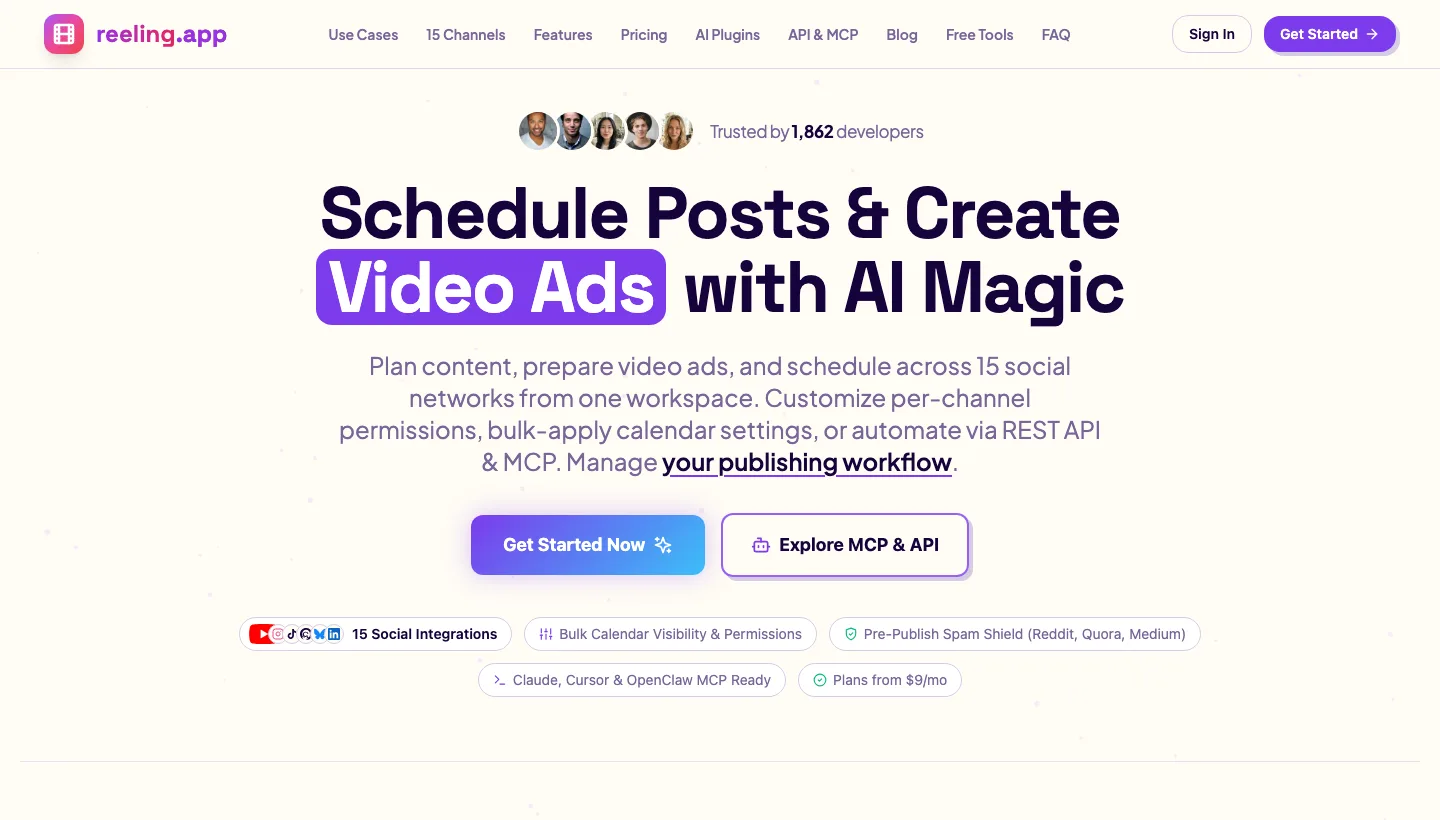
When your content operation lives in video, Reeling gives a technical creator or small team a low-cost way to schedule it across several channels and expose the queue to an API or MCP client. Creator at $5.99 a month is the sensible recommendation for that job; choose another scheduler if every connected channel needs the same publishing, inbox and analytics behavior.
Agent access
- API
- Yes, Creator and Agency. Starter does not include REST API or MCP access.
- MCP server
- Official, hosted or local, REELING_API_KEY environment variable for local stdio, or API key in the Authorization header for hosted HTTP
- Works with
 ClaudeClaude Code
 Cursor
 n8n
- Automation
- n8n
What are the advantages and disadvantages of Reeling?
What works
- Creator covers three projects, 10 channels and unlimited scheduled posts for $5.99 a month
- Creator and Agency include REST API and MCP access
- Fifteen listed destinations cover video, social, community and messaging channels
What to watch
- Starter stops at three channels and 30 scheduled posts each month
- TikTok public posting may need a final action inside TikTok
- Comment replies and metrics are only available on selected networks
How does Reeling manage multi-channel video scheduling?
Reeling centralizes video publishing calendars, multi-brand projects, and destination-specific settings within a unified management dashboard. A project keeps one brand's connected channels, queue and media apart from another, which matters when a small team or agency has more than one publishing rhythm to protect. If you are comparing the category before committing, the marketing tools directory is the useful wider starting point.
The product's appeal is its narrow, practical proposition. Creator gives you three projects, up to 10 connected channels and no cap on scheduled posts. You can adapt captions for a destination, use the Smart Queue, manage a unified inbox where it is supported and work with real-time multi-platform metrics where they are available. That is enough to run a compact video operation without buying a large social suite.
Reeling is also built for a team that treats publishing as part of an automated workflow. Its REST API accepts either a public video URL or an uploaded file, then returns a post ID that can be inspected later. Its official MCP server can list projects and channels, prepare publishing actions, poll status, read supported metrics and handle supported comments. The point is not to remove human judgment. It is to let your team make the calendar and its channel settings available to a supervised agent or a custom process.
That last qualifier matters. A request can be accepted or scheduled without becoming a public post. Reeling records destination results separately, and the practical question is whether the networks you rely on meet your delivery, inbox and reporting needs. For a broader social-software comparison, read the Sendible review and SocialBee review before moving a live calendar.
Who should choose Reeling for video distribution?
Technical creators
Creator combines ten channels, unlimited scheduling and automation access for regular video publishing.
Small brand teams
Three isolated projects suit teams managing separate queues, assets and channel controls.
Supervised agent workflows
The API and MCP server support reviewed publishing actions and later status checks.
Active agencies
Agency adds unlimited brands, approvals and webhooks for multi-client publishing work.
It is a poor fit for a team that needs a uniform social-care layer on every destination. Reeling only documents comment inbox and replies for YouTube, Instagram and Bluesky, while analytics coverage varies by network. A calendar with a lot of community work can be more fragile than the plan price suggests.
What core features are included in Reeling?
Projects, calendar and channel controls
Projects are the boundary between brands and their publishing work. Starter has one, Creator has three and Agency lists unlimited projects and brands. Within a project, the calendar can filter by network and apply visibility or permission settings across scheduled posts. The composer keeps per-network options available, so a team can set YouTube visibility and audience flags, TikTok Duet, Stitch and AIGC settings, Bluesky reply controls or a Pinterest board without pretending those channels have the same rules.
Fifteen destinations, with real constraints
Reeling lists YouTube, TikTok, Instagram, Facebook, LinkedIn, Threads, Pinterest, Bluesky, X, Telegram, Discord, Mastodon, Reddit, Medium and Quora. That range is useful, but it is not one universal connector. TikTok public Direct Post is still awaiting audit, so an inbox delivery needs a final in-app step. Instagram requires a Business or Creator account with tester access. LinkedIn company pages need API approval, and Facebook publishing is for Pages rather than personal profiles.
X and Reddit have two documented routes: Reeling's Companion Chrome extension can publish through an active logged-in browser session, or each can use its documented OAuth route. Medium and Quora publishing uses the Companion extension through the active logged-in browser session. That can be a sensible operational choice when the account and browser are deliberately controlled, but Medium and Quora should not be treated as ordinary cloud API connections in a hands-off workflow.
Captions, queueing and video work
Starter includes an AI Caption and Hook Generator. Creator adds an AI Content Adaptor, Smart Queue and 500 monthly AI video and caption credits; Agency raises the monthly allocation to 2,000. Reeling also lists video storyboards and per-channel caption adaptation. I would treat these as useful production aids, not a substitute for a team that knows the difference between a good social idea and a safe, on-brand publication.
REST API and MCP server
Creator and Agency include both the REST API and the official MCP server. The API can publish or schedule a public video URL or an uploaded file, while MCP exposes project and channel discovery, publishing, post status, supported analytics, inbox work, replies and AI adaptation. The sensible pattern is to begin with the read-only project and channel tools, then retain client-side approval for publishing, replies, metric synchronization and AI generation. Those actions can change an outside account or consume an allowance.
Post status, replies and analytics
Reeling separates a successful request from completed destination delivery. Its post-status response includes individual publishing results, and a finish_in_tiktok result means inbox delivery rather than a finished public post. Comment inbox and reply support currently cover YouTube, Instagram and Bluesky. Supported metrics can be synchronized, but missing provider metrics remain unavailable rather than becoming a misleading zero. That candor is helpful, and it is why a team should map its essential destinations before it automates them.
How is Reeling priced across Creator and Agency tiers?
Price checked 27 Nov 2026
| Plan detail | Starter$2.99/mo | Creator$5.99/mo | Agency$19.99/mo |
|---|---|---|---|
| Annual billing | $29/year | $64/year | $215/year |
| Projects | 1 | 3 | Unlimited |
| Connected channels | 3 | Up to 10 | Unlimited |
| Scheduled posts | 30/month | Unlimited | Unlimited |
| AI credits | Caption and hook generator | 500/month | 2,000/month |
| REST API and MCP | ✕ | ✓ | ✓ |
Reeling prices in US dollars, 27 Nov 2026.Reeling pricing
Creator is the practical starting plan because it removes the 30-post queue cap and adds the automation layer. Its annual bill is $64 for three projects and up to 10 connected channels. Agency is $215 a year when your workflow needs unlimited projects and channels, client approvals and webhooks.
Reeling does not specify a seat allowance or separate seat pricing; confirm your team's access and any additional charges before subscribing. The real cost question is whether your workflow has outgrown Creator's three projects and 10 channels. Do not buy Agency solely for headroom.
Where does Reeling encounter platform limitations?
Reeling exhibits platform gaps between listed connected destinations and the actual publishing capabilities available on finished posts. TikTok can require a final action in its own app, Instagram needs the right account type and tester access, and LinkedIn company pages remain subject to API approval. An automated process must inspect each destination result rather than treating the first response as proof of publication.
Community and reporting coverage are narrower than the publishing list. Reeling documents inbox comments and direct replies for YouTube, Instagram and Bluesky, and says analytics vary by network. That is fine for a video-first team that needs the calendar and publishing endpoint, not a social-care operation that must respond and report consistently across every profile.
Medium and Quora publishing depends on an active logged-in Chrome session. X and Reddit can use the Companion session or their documented OAuth routes. If your team cannot control the browser session and account permissions needed for Medium and Quora, build the calendar around different destinations.
What are the leading alternatives to Reeling?
 AI Peekaboo review is useful beside a social scheduler when your reporting job includes how often a brand appears in AI answers. Its $30 monthly-billing minimum was checked on 27 Nov 2026 and includes API, MCP and Looker Studio access, while Reeling's API and MCP start on Creator at $5.99 a month for publishing work.
 Sendible review is worth comparing when unlimited users on every published plan matters to your team.
 SocialBee review lists a post approval system and bulk post editor. Weigh those published team-workflow features against Reeling Creator's three projects, 10 channels and API/MCP access.
What is the final verdict on Reeling?
Reeling Creator delivers an exceptionally affordable route for technical creators needing multi-channel video scheduling, three projects, and MCP-driven automation. Reeling earns the recommendation when your key destinations are supported as documented and someone can inspect publication results instead of assuming a queued request is live. It is not the right default for a team that needs mature, uniform social-care and analytics coverage across every network.
Start with Creator, connect only the destinations you actually publish to, and run a controlled workflow through each network's delivery requirements before migrating a full content calendar. Move to Agency when approvals, webhooks and unlimited client projects are part of the operating model.
How was the information in this Reeling review verified?
Reeling technical specifications, pricing models, and MCP documentation were audited directly against vendor resources on 27 Nov 2026. Prices are in US dollars, as Reeling shows them, and every figure follows how we check figures.
- Reeling pricing and plan comparison
- Reeling product and channel documentation
- Reeling developer, REST API and MCP documentation
What are common questions regarding Reeling?
How much does Reeling cost?
Starter is $2.99 a month, Creator is $5.99 a month and Agency is $19.99 a month. Annual billing is $29, $64 and $215 respectively.
Which Reeling plan includes API and MCP access?
Creator and Agency include the REST API and official MCP server. Starter does not include either access method.
Which social networks does Reeling support?
Reeling lists 15 destinations, including YouTube, TikTok, Instagram, Facebook, LinkedIn, Threads, Pinterest, Bluesky, X, Telegram, Discord, Mastodon, Reddit, Medium and Quora. Requirements differ by network.
Does a successful Reeling request mean a post is public?
No. A request can be accepted or scheduled before each destination finishes delivery. Check the post status and individual publish results, especially when a network needs an additional action.
 Reviewed byDanny Kirk
Founder of ReddiReach.
 Checked byAndrés Felipe
Digital designer and marketer.
Every figure is checked against the vendor's own page. Read our editorial standards.