
Key Takeaways
- Retool enables technical operations and engineering teams to assemble internal web applications, robust workflow automations, and custom database interfaces rapidly.
- A free Retool plan supports up to five users, while paid Team plans cost €9 per builder and €5 per end user monthly.
- Engineering teams can generate interfaces and integrate agentic systems using the official Retool MCP server, command-line interface, and prompt-driven app builder.
- Organizations should skip Retool if they require external portals, granular permission controls, or enterprise audit logging without committing to Business tier contracts.
When you need to build internal apps and automate work around your own data, Retool is the best fit for a technical operations or product team. Skip it if you need external users, audit logs or rich permissions but cannot justify Business pricing, because those controls do not start on Team.
Agent access
- API
- Yes
- MCP server
- Official, hosted, OAuth 2.0
- Works with
 ClaudeClaude Code
 ChatGPT
 Gemini
 Cursor
 VS Code
What are the primary pros and cons of using Retool?
What works
- Build web and native mobile apps in one platform
- Start workflows on a schedule, API call or webhook
- Connect data with built-in connectors and standard APIs
What to watch
- Builders and internal users are charged separately
- External access starts on Business
- Git source control is an Enterprise feature
What internal development capabilities does Retool provide for engineering teams?
Retool brings an app builder, workflow automation, data connections and administration into one platform. I recommend it when the team owns an internal process and needs to build its interface, connect the systems behind it, and decide who can change or use it. Retool also lists scheduled jobs, event-driven scripts, notifications, and ETL among its automation uses. If you are comparing the category before committing, the marketing tools directory gives you the wider picture.
That combination is why Retool has a clear use case. An operations team can turn a recurring data-heavy process into an internal app, then use a workflow to move, check or act on data when a schedule, API call or webhook starts it. The same project can use visual filtering, branches and loops, or custom code where the work genuinely needs it.
The trade-off is ownership. Retool provides the building blocks, but a connected workflow still needs someone responsible for its credentials, permissions, logic and failures. I would choose it when that technical ownership already exists, not as a way to make it disappear.
Which technical teams derive the greatest benefit from Retool?
Operations teams with technical support
Bring a recurring process closer to its data while a technical owner maintains connections, permissions, and production workflow logic.
Developers building business tools
Build interfaces and automations together when your team can maintain databases, APIs, credentials, and deployment practices over time.
Growing internal software teams
Move beyond production-only work to staged environments when more teams rely on apps and release changes safely.
Organizations with governance needs
Choose Business or Enterprise when your required rollout includes audit logs, rich permissions, external access, or controlled deployments.
Retool is less compelling for a simple one-step handoff between two services, or for a team without anyone who can maintain its data connections. Its value comes from putting a serious internal system together, rather than from making a single automation cheaper.
What core low-code builder features are included in Retool?
Apps for internal work
Retool supports web and native mobile apps. Its app builder can generate an app from a prompt, and it can also import React code. That gives a technical team several starting points, but the sensible boundary is still the same: begin with one decision or process, then expand only after the data and access rules are clear.
Workflows with real triggers
Workflows can begin on a cron schedule, an API call or a webhook. Retool logs each execution, and its workflow canvas supports code, queries, filtering, branching and looping. That is enough range for scheduled jobs, event-driven scripts, alerts and ETL work, without forcing every job into the same trigger pattern.
Connections to existing data
Retool lists connectors for databases and third-party services, plus REST, GraphQL and gRPC APIs. The important distinction is that connection breadth is not a substitute for access design. Give the builder the data it needs, set the permissions deliberately, and avoid treating a successful first query as a production-ready system.
AI-assisted building
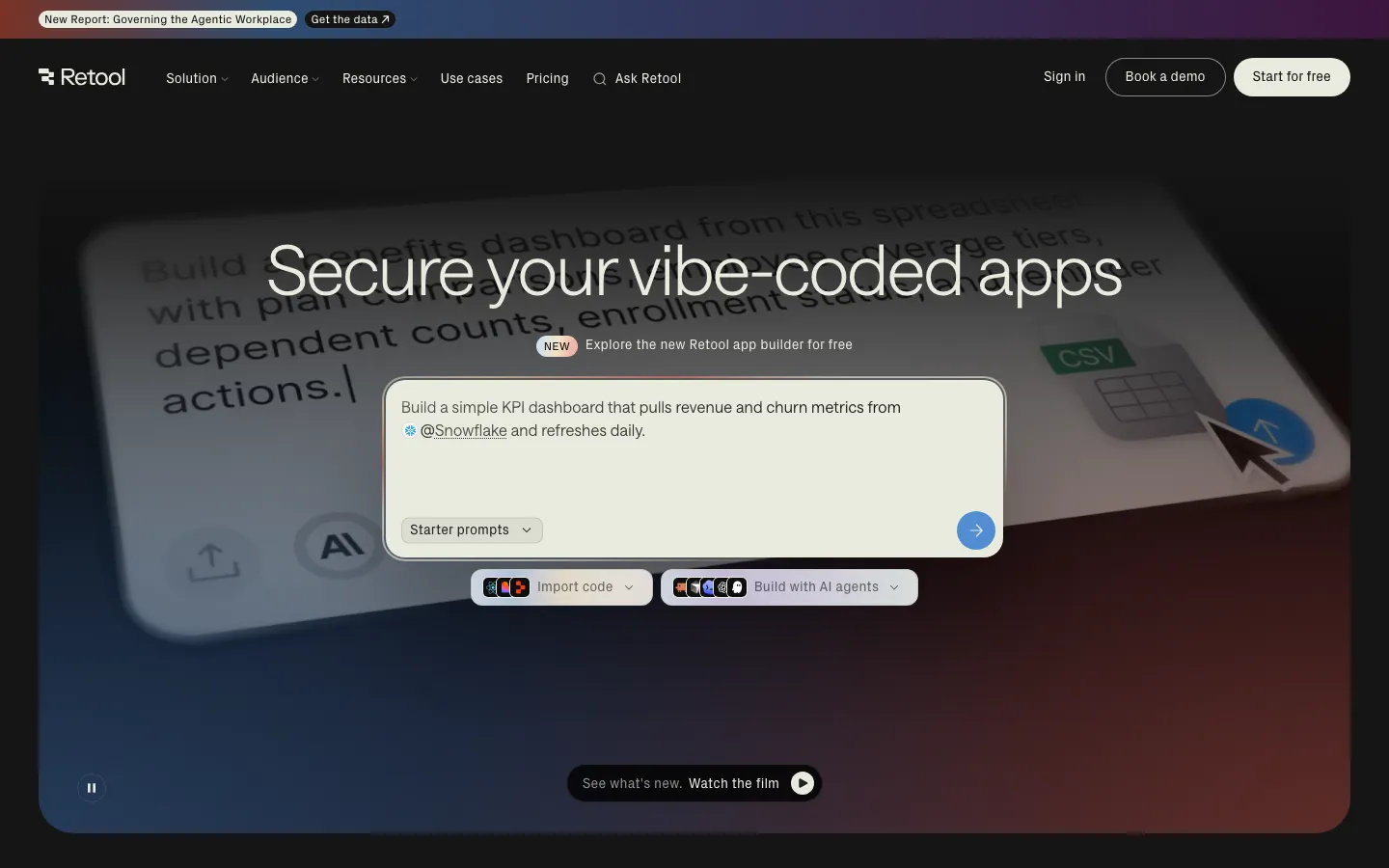
The app builder accepts a natural-language description, screenshot, PDF or design file as a starting point. Retool also says its MCP server and CLI let an AI coding agent build an app from a terminal or AI workspace. This is useful for a team that already works in an agent-assisted development flow, because the app can still land in Retool's governed environment.
Governance changes by plan
Business adds unlimited environments, external users and embedded apps, audit logs and rich permissions. Enterprise adds self-hosted or air-gapped deployment, granular roles, Git source control, SSO, SCIM and 2FA. Those differences are material. If your organization needs a control, do not assume the low entry price buys it.
How are Retool builder and end-user seats priced?
Price checked 27 Nov 2026
| Plan detail | Free€0 | Team€9 + €5/mo | Business€46 + €14/mo | EnterpriseCustom |
|---|---|---|---|---|
| Billing basis | Per builder and internal user | Annual, per builder and internal user | Annual, per builder and internal user | Annual, custom pricing |
| Users | Up to 5 | Unlimited | Unlimited, plus metered external | Unlimited, plus unlimited external |
| Pooled AI credits a month | 250 | 1,000 | 3,000 | 10,000 |
| Workflow runs a month | 500 | 5,000 | 5,000 | Custom |
| Workflow-run add-on | Not listed | €60 per 5,000 runs/mo | €60 per 5,000 runs/mo | Ask for pricing |
| Additional AI credit packs | ✕ | Available to purchase | Available to purchase | Available to purchase |
| Environments | Production only | Staging + production | Unlimited | Unlimited, up to 6 instances |
| Audit logs | ✕ | ✕ | ✓ | ✓ |
| External users and embedded apps | ✕ | ✕ | ✓ | ✓ |
Retool prices in euros, 27 Nov 2026.Retool pricing
The headline Team price is incomplete until you count both roles. For example, two builders and eight internal users cost €58 a month on annual billing: €18 for the builders and €40 for the internal users. That is the base seat cost before workflow or AI-credit add-ons, and it suits an internal tool with a small group making changes and a larger group using it every day.
Team and Business include 5,000 workflow runs a month. Extra runs cost €60 per additional 5,000 runs a month. Retool also says paid plans can purchase additional AI credit packs, but it does not publish a pack price.
Business changes the same example to €204 a month before metered external usage, workflow-run add-ons or additional AI credit packs. The increase buys the controls that often matter during a broader rollout, including audit logs, rich permissions and unlimited environments. Enterprise is where self-hosting, air-gapped deployment, Git source control and your own AI provider key appear, so ask for a quote only if those requirements are real.
Where does Retool fall short regarding governance and tier scaling?
Retool's plan structure makes a small internal project easy to price and a governed rollout much more consequential. Free has production only. Team adds staging and production, but it still excludes external users, embedded apps, audit logs and rich permissions. That leaves a genuine jump between a team building for itself and a business operating a wider platform.
The user model also deserves attention. A builder is someone who creates or edits an app or workflow during the billing cycle, while an internal user uses apps for daily work. The split can be economical when many employees only consume an app, but it means your forecast must count both groups instead of treating every seat as identical.
Finally, Retool does not make technical responsibility optional. Custom code, APIs, credentials, branching and deployment controls are exactly what give it range. They also mean that a team should name an owner for each production workflow before it becomes part of a business-critical process.
What are the best platform alternatives to Retool?
 Retool alternatives include SmartSuite, which lists more than 40 field types, linked tables, and formulas for managing structured data. I would consider it when those data-modeling capabilities are the starting point for your team. Read the SmartSuite review to assess that fit.
 Softr lists client portals, internal tools, and workflows, with security and access control built in. I would consider it when your project needs a client portal with access control. The Softr review helps put that decision in context.
What is the definitive verdict on deploying Retool?
Retool is a strong choice when your team needs to make internal software from connected data and is prepared to own the result. Its app builder, workflow triggers and connector options give technical teams room to build beyond a basic automation, while the tiered controls leave a clear path from a five-user test to an enterprise deployment.
Start with one internal process on Free or Team, count builders and internal users separately, then move to Business only when external access, audit logs or rich permissions become part of the actual requirement.
How were Retool plan features and builder capabilities verified?
Retool specifications, pricing tiers, and builder features were last checked on 27 Nov 2026. Prices and plan limits came from Retool's public pricing page. Features came from Retool's product, workflow, integration and documentation pages, and follow how we check figures.
- Retool pricing and plan comparison
- Retool app builder and workflow product pages
- Retool documentation and integrations directory
What are the most frequently asked questions about Retool?
Does Retool have a free plan?
Yes. Retool lists Free at €0 per builder and €0 per internal user each month, for up to five users. It includes 250 pooled AI credits each month and production-only deployment, but it does not include external users, audit logs or rich permissions.
How much does Retool cost for a team?
Team is €9 per builder and €5 per internal user each month on annual billing. Two builders and eight internal users cost €58 a month. Business is €46 per builder and €14 per internal user each month, also billed annually.
What can start a Retool workflow?
A Retool workflow can start from a cron schedule, an API call or a webhook. It can connect to databases, third-party services and REST, GraphQL or gRPC APIs, then use code or built-in branching and looping for the logic.
Can Retool be self-hosted?
Yes, on Enterprise. Retool lists cloud, self-hosted and air-gapped deployment on that plan. Enterprise also includes unlimited environments, up to six instances, Git source control and granular roles.
 Reviewed byDanny Kirk
Founder of ReddiReach.
 Checked byAndrés Felipe
Digital designer and marketer.
Every figure is checked against the vendor's own page. Read our editorial standards.