
Key Takeaways
- Softr empowers operations teams to build customized client portals and internal business applications using visual drag-and-drop tools on existing spreadsheets and databases.
- Softr offers a free tier for initial application development, alongside scalable paid subscription plans tailored to specific active user thresholds.
- Softr integrates with external artificial intelligence workflows through published developer APIs, dedicated Model Context Protocol servers, and prompt-driven app building tools.
- Softr is inefficient for organizations that have not yet established structured data schemas, clear data governance policies, or defined user access workflows.
A client portal works when customers see the records and actions that matter to them, while the operations team keeps control of the underlying process. Softr gives that job a visual builder, shared data and role-based access without asking engineering to rebuild the basics for every app.
Agent access
- API
- Yes, Enterprise for the Audit Logs API; the Database API plan is not stated.
- MCP server
- Official, hosted, OAuth, or a personal access token for a client without OAuth support
- Works with
 ClaudeClaude Code
 ChatGPT
 Cursor
- Automation
- Zapier, Make, n8n
What are the primary advantages and potential drawbacks of using Softr?
What works
- Build around Softr Databases or connected business data
- Preview what each role can see and do before publishing
- Brand pages with your own logo, colors and fonts
What to watch
- Confirm paid pricing and plan limits for the rollout you intend to run
- A portal is only as useful as the data and permissions behind it
- Confirm the API or MCP interface details your workflow requires
How does Softr build client portals and internal tools without custom code?
Softr gives a business team a way to shape an app around the work it already does: client portals, internal tools, workflows and AI agents can share data, users, permissions and workflows. That makes it a practical option in the marketing tools directory when a generic SaaS product almost fits, but your team needs a specific view for clients, partners or staff.
The useful distinction is not that Softr lets you draw a prettier screen. It gives builders a shared foundation for data, access and workflows, then lets them inspect tables, relationships and workflow steps visually. You can refine an app or workflow with AI, or change it in Softr’s visual editor. For an operations owner, that means the discussion can stay on the process, rather than turning every adjustment into an engineering request.
That advantage has a boundary. Softr can connect existing tools or use Softr Databases, but it cannot decide which record is authoritative or which role should change a workflow. I would choose it for a defined process with a clear owner, not as a substitute for settling those questions.
Which operations teams and business builders get the greatest value from Softr?
Client service teams
Give customers a focused portal for updates, requests and records, with access tailored to their role.
Operations teams
Turn an existing process and data source into an internal tool without rebuilding logins or access rules.
Portal builders
Create a branded experience with data connections, role controls and workflows for a specific audience.
Teams using AI carefully
Describe an app or workflow with AI, then inspect the data, permissions and workflow steps visually.
Softr fits best when one team can name the audience, the task and the data that belongs in the new app. It is less compelling when the project is still a broad request to automate everything, because a visual builder does not remove the need to define the handoffs first.
What visual building blocks, database connections, and permissions are included in Softr?
Client portals and internal tools
Softr lists client portals and internal tools among the business apps it supports. A client-facing portal can give someone a controlled place to find information or complete a request, while an internal tool can focus a team on the records and actions for one process. The strongest use is a narrow journey, such as handling a request or sharing an update, where the audience and outcome are already clear.
Data connections and Softr Databases
You can build on Softr Databases or connect to external sources through native, real-time integrations, including Airtable and Google Sheets. That breadth matters when the data already lives elsewhere, but it also makes source ownership the real design decision. Keep one source of truth for the records the portal changes.
Visual building with AI
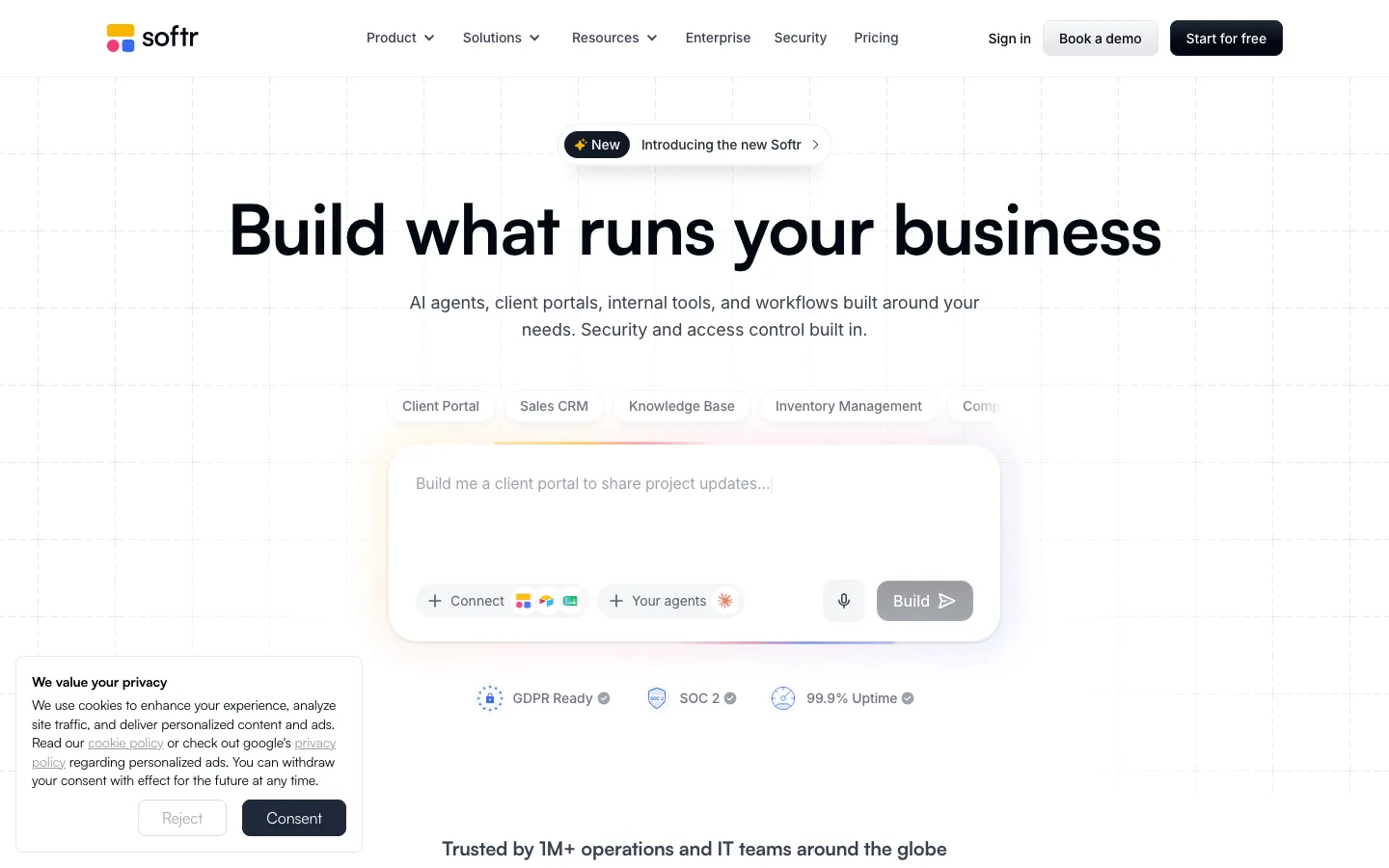
Softr says you can describe what you need in Softr, Claude or ChatGPT, then refine the app and workflows with AI or edit them visually. Its visual view covers data tables, relationships and workflow steps. I see that as a sensible way to get a first version into a conversation, not a reason to treat generated logic as finished. The person responsible for the process should still recognize every important step.
Permissions and branded experiences
Role controls determine what users can see and do, and Softr lets you preview an app as a particular role or user before publishing. It also supports a branded interface with your own logo, colors and fonts. These capabilities belong together: a client portal feels coherent when its branding and access model both match the audience. Before rollout, test the roles that handle sensitive or changing records.
Workflows, agents and integrations
The platform can extend an app with connected business systems, payments, automation services and custom API connections. Its AI agents can use your data, follow your rules and wait for approval where that matters. You can use Claude or ChatGPT to create databases, manage data and build apps and workflows through the access you grant. Softr also documents its API, Softr MCP server and App MCP server. Confirm the interface details your workflow requires before putting it into production.
How are Softr application tiers, user limits, and add-on costs structured?
Price checked 27 Nov 2026
| Plan detail | Free |
|---|---|
| Price | Free |
| Published use | Start building |
| Paid plans and limits | Confirm for your rollout |
| Team cost | Confirm before budgeting |
Softr pricing, 27 Nov 2026.Softr pricing
Free is a practical way to make a small build concrete. Before a rollout, confirm the paid price, user treatment, included data connections and workflows, plus any support or control requirements that affect the commercial terms.
That conversation should match the app you intend to run: which users need access, which records change in the workflow, and which permissions or audit controls the team needs. A free prototype can answer the product questions, while the rollout terms answer the budget question.
What process prerequisites and design limitations should Softr builders expect?
Softr visual flexibility can obscure underlying process ambiguities if data relationships and permissions are not defined in advance. Softr gives you visibility into tables, relationships, permissions and workflow steps, which is better than hiding them in code. But those controls still need an owner. If nobody can say who changes a field, approves an exception or manages role access, the portal will inherit that uncertainty.
The same applies to AI-assisted building. Softr lets you work with Claude and ChatGPT and describes AI agents that use your data, follow your rules and wait for approval. That is useful only when the team has decided which actions need review and who owns the exceptions.
Softr documents an API, a Softr MCP server and an App MCP server. Confirm the authentication, availability, plan eligibility and operations your workflow requires before treating Softr as an automation endpoint.
Which internal application builders serve as direct alternatives to Softr?
 Softr builders needing an open-source visual canvas with AI coding assistance should consider ToolJet as an alternative. Its published cloud plans range from a free tier to US$249 per builder each month before Enterprise, checked 27 Nov 2026. See the ToolJet review for the plan and builder limits that change that calculation.
 Tray.ai takes a different route: it combines integration, automation and AI agent capabilities, with Pro, Team and Enterprise plans quoted on request. That makes it a stronger comparison when the central job is moving work between systems, rather than giving users a portal. The Tray.ai review explains the governance and usage trade-off.
What is the final purchasing verdict on adopting Softr for portals?
Softr provides an exceptional portal solution when projects have an identified audience, clear data ownership, and established approval steps. It gives the team a tailored internal tool or client-facing experience, visible workflows and role-based control without rebuilding the basics for every app. Confirm the paid terms alongside the scope of the rollout, rather than treating a prototype as the complete buying decision.
Use the free starting point to build one representative user journey, connect the data that journey needs and preview every role. Then confirm the paid limits, user treatment and support terms for the rollout you actually intend to run.
How were the features, limits, and pricing of Softr evaluated?
Softr pricing tables, integration documents, platform limits, and technical help guides were checked directly on 27 Nov 2026. ToolJet and Tray.ai details were checked against their respective vendors’ own pages on 27 Nov 2026. Every figure follows the rules in how we check figures.
- Softr product page for apps, access controls, workflows and AI agents
- Softr integrations page for data sources and workflow connections
- Softr documentation and pricing pages for product and price information
- ToolJet and Tray.ai pages for alternative details
What are the most frequent questions regarding Softr portal development?
Can you start with Softr for free?
Yes. Softr says you can start building for free. Confirm the paid terms, limits and user treatment for the rollout you intend to run before you budget it.
Can Softr use existing business data?
Yes. Softr supports Softr Databases and lists native, real-time integrations for sources including Airtable and Google Sheets.
Can different users see different information in Softr?
Yes. Softr says you can manage what each role sees and does, then preview the app as a specific role or user before publishing.
Does Softr have an MCP server?
Yes. Softr documents a Softr MCP server and an App MCP server, as well as its API. Confirm the authentication, availability, plan eligibility and operations your workflow requires before committing to an implementation.
 Reviewed byDanny Kirk
Founder of ReddiReach.
 Checked byAndrés Felipe
Digital designer and marketer.
Every figure is checked against the vendor's own page. Read our editorial standards.