
Key Takeaways
- Salesflare serves small and medium B2B sales teams seeking automated contact and activity tracking directly from routine email conversations without manual administrative burden.
- Salesflare prices its entry Growth tier at $29 per user monthly on annual terms, or $39 month to month, backed by a thirty-day cardless trial.
- Salesflare lists Native, Zapier, and Make integrations connecting ChatGPT and Claude, though technical teams should verify specific API or MCP requirements directly before deployment.
- Salesflare restricts multi-email workflows, custom permissions, and tailored reporting dashboards to its Pro edition, which costs $49 per user monthly billed annually.
Salesflare is the best CRM pick for a small B2B team that wants its pipeline kept current without asking every rep to become a data clerk. Pick another system if deep customization or a complex enterprise rollout is central to the job, because Salesflare's clearest value is its simpler, inbox-led sales workflow.
Agent access
- API
- Yes
- MCP server
- Official, hosted, Salesflare sign-in and access approval
- Works with
 ChatGPT
 Claude
- Automation
- Zapier, Make
What are the main Salesflare pros and cons?
What works
- Captures CRM data from inboxes, signatures, website visits and calendars
- No hidden limits on contacts, users, pipelines or email templates
- Lead finding and data enrichment are included on every CRM plan
What to watch
- Multi-email workflows, permissions and custom dashboards start on Pro
- Monthly rates are $10 to $25 more per user than annual rates
- Enterprise has a five-user minimum at $99 per user monthly on annual billing
What does Salesflare do for your sales team?
Salesflare addresses how a CRM usually fails quietly: the sales conversation happens in email and the calendar, while the system of record is left behind. Salesflare is designed around closing that gap. It collects data from the inbox, email signatures, website and calendar, then logs conversations and suggests the accounts and contacts you are already speaking with. The marketing tools directory can help when you need a separate prospecting or outreach layer. For a team that wants a relationship-led pipeline without a separate admin routine, this is a meaningful difference.
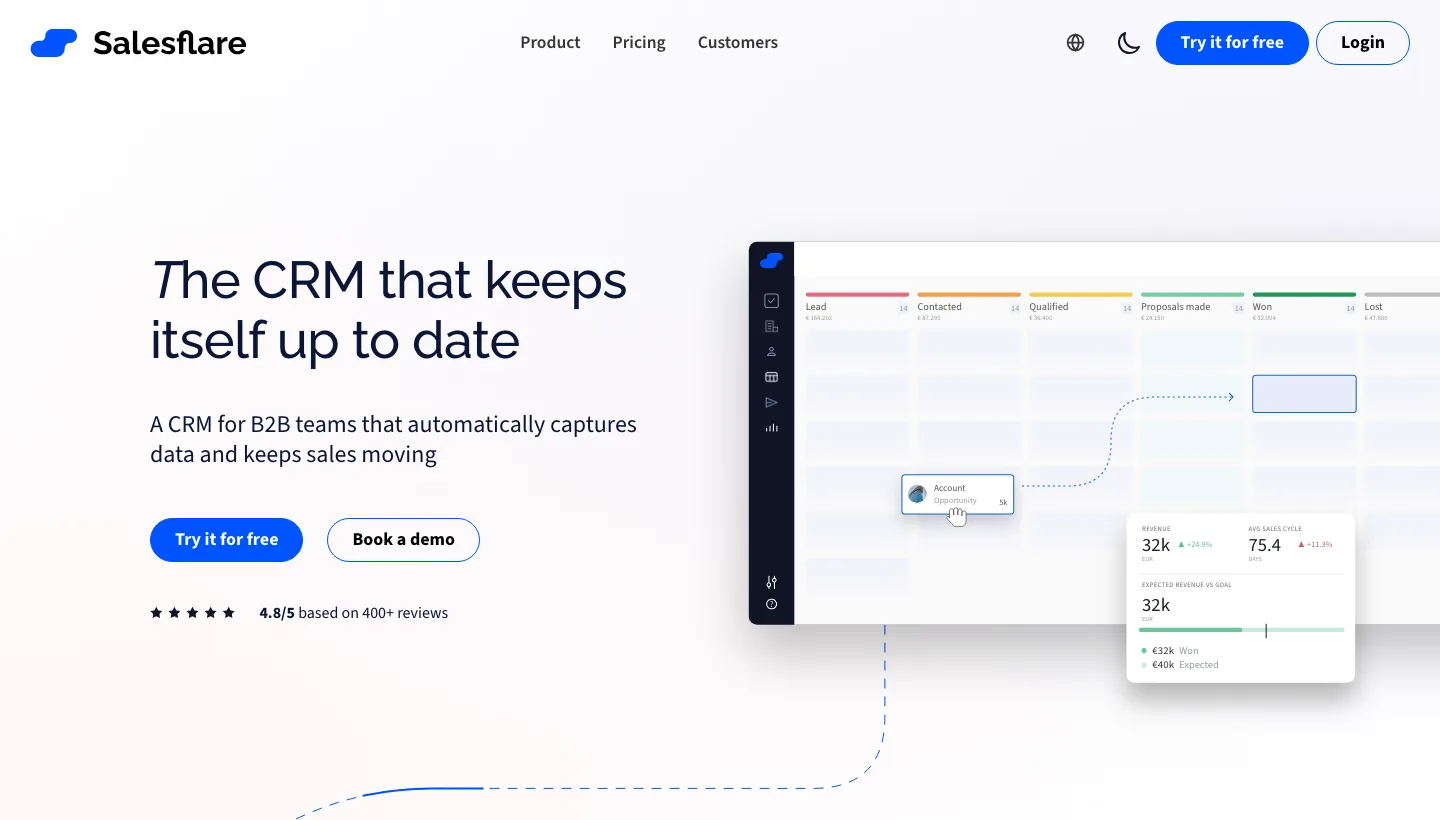
Its working model is about making regular activity visible. You can drag leads through a visual pipeline, follow email opens, links and website visits, and run personalized email campaigns. Salesflare is built to remain the place where relationship and deal history live.
That narrow focus is why I would start here for a small B2B group that has enough conversations to lose track of, but not an operations team to maintain a highly configured CRM. Salesflare does not ask you to pay for contacts, pipelines or additional users beyond the seat rate, which keeps the decision comparatively legible as the team grows.
Who is Salesflare best suited for?
Small B2B sales teams
Teams using email and calendars daily that need their relationship history to stay organized without manual logging.
Teams with simple pipelines
Reps who need a visual deal view, activity tracking and follow-ups without building a complex operating system.
Growing teams on Pro
Groups that need multi-email workflows, permissions and custom dashboards alongside the core CRM data capture.
Five-plus-user rollouts
Businesses that need migration, tailored training and a named account manager can consider Enterprise's five-user minimum.
Salesflare is a weaker fit when your buying criteria begin with a detailed permission model or deep tailoring. Use the trial to judge whether the captured activity matches the way your team actually sells, then choose Pro only when the shared controls and workflows have a real owner.
What key features does Salesflare offer?
Data capture that follows the work
Salesflare's core feature is automatic capture. It draws from the inbox, email signatures, website and calendar, places conversations on a timeline, and suggests contacts and accounts you are in touch with. The payoff is not a new way of selling. It is less pressure on a rep to recreate routine interactions in a second system after the fact.
Pipeline and activity visibility
The pipeline is a drag-and-drop overview of your leads. Email, link and website visit tracking adds context around a conversation, while personalized email campaigns are available across the plan range. Salesflare also lists its LinkedIn sidebar, email sidebar and mobile app on Growth. If your process is simple, those pieces give a small team enough visibility without pushing it into a larger platform's configuration work.
Sequences for persistent follow-up
Pro introduces workflows of multiple emails. Salesflare says these sequences send from your own inbox and can continue until a person replies, opens, clicks or unsubscribes. That makes Pro the honest starting plan for a team whose pipeline depends on structured multi-step follow-up. Growth still covers personalized campaigns, but it is not the substitute for a real sequence workflow.
Finding and enriching leads
Lead finder can search by industry, geography and role, while email finder identifies business email addresses. The enrichment feature pulls in LinkedIn and other public data. Those features are included across the CRM plans, although their lead-credit allocation changes: Growth lists 5 credits, Pro 100 and Enterprise 250. Treat the credit allowance as a way to supplement relationship selling, not as a reason to choose a CRM for bulk prospecting.
Connections and mobile access
Salesflare lists native connections for Gmail, Microsoft Outlook and Google Calendar, plus 11,567 apps natively or through Zapier and Make. ChatGPT (OpenAI) and Anthropic (Claude) each appear with Native, Zapier and Make labels. Its mobile app includes business card scanning and notifications, and the Android version can automatically log customer call history. If an agent workflow depends on API or MCP access, confirm the capability and plan directly before buying.
How much does Salesflare cost across plans?
Price checked 27 Nov 2026
| Plan detail | Growth$29/user/mo, annual billing | Pro$49/user/mo, annual billing | Enterprise$99/user/mo, annual billing |
|---|---|---|---|
| Billing shown | Annual billing | Annual billing | Annual billing, five-user minimum |
| Monthly billing | $39/user/mo | $64/user/mo | $124/user/mo |
| Automatic CRM data capture | ✓ | ✓ | ✓ |
| Email, link and website tracking | ✓ | ✓ | ✓ |
| Lead credits | 5 | 100 | 250 |
| Multi-email workflows | ✕ | ✓ | ✓ |
| Permissions and custom dashboards | ✕ | ✓ | ✓ |
| Migration and named account manager | ✕ | ✕ | ✓ |
Salesflare prices in US dollars, 27 Nov 2026.Salesflare pricing
Three people on Pro cost $147 a month with annual billing, while the same seats cost $192 monthly. Growth costs $87 a month for three annual seats, but it leaves out the workflows, permissions and custom dashboards needed for a managed team process.
- The 30-day trial does not require a credit card.
- Salesflare says onboarding and a team training session are free.
- The plans list no hidden contact, user, template, workflow, dashboard or pipeline limits.
- You can cancel an ongoing plan at any time, without a multi-year contract.
The cost decision is about capability rather than volume. Growth suits a very small group that wants capture and a simple pipeline. Pro is the realistic choice once someone needs to control access, report on work or build a repeatable follow-up motion.
What does Salesflare Enterprise include for teams?
Salesflare Enterprise provides a service-backed version of the CRM rather than a price discount for a large casual team. It requires at least five users and lists full setup, tailored training, data migration, a dedicated account manager and 250 lead credits. At the annual rate, the five-seat minimum begins at $495 a month. Choose it when implementation help is required, not simply because a team has passed five people.
Where does Salesflare fall short for users?
Salesflare maintains deliberate feature gates between its subscription tiers. Growth includes the data capture, tracking and campaigns that make Salesflare attractive, but it does not include user permissions, custom dashboards or multi-email workflows. A team that expects a CRM to manage consistent process from day one should cost Pro, rather than treating the $29 figure as its final operating price.
Monthly flexibility carries a visible premium. Growth moves from $29 to $39 per user, Pro from $49 to $64 and Enterprise from $99 to $124. That may be worth it during a trial period, but an ongoing team should compare the annual commitment with the savings before deciding that the lower annual rate is its usable budget.
Salesflare lists Zapier and Make alongside native email and calendar connections, and its integration directory labels both ChatGPT (OpenAI) and Anthropic (Claude) as Native, Zapier and Make. Confirm API or MCP capabilities and the plan that supports them directly before you make an agent-led or custom integration plan a purchasing assumption.
What are the best Salesflare alternatives?
Salesflare alternatives should be evaluated by comparing your sales operation before checking feature checklists when seeking a simple activity-led CRM. The Salesforce Sales Cloud review is the relevant comparison when Pro Suite's sales quoting and forecasting suit the work your team needs to run. The  Salesloft review is the closer alternative when you need both conversation intelligence and Clari Forecast.
Salesflare remains the clearer fit when the job is to keep a modest B2B pipeline current without creating a heavy administration project. The other two are worth considering only when their wider sales-process scope matches work your team needs to run.
What is the final verdict on Salesflare?
Salesflare earns the recommendation for a small B2B sales team that has outgrown memory and spreadsheets, but does not want a CRM to become a separate job. Automatic capture is the reason to choose it, and transparent per-user pricing makes the trade-offs easy to see. Pro is where the product becomes suitable for a managed sales process, not just an organized personal pipeline.
Connect the inboxes and calendars that produce your real sales activity during the 30-day trial. If automatic capture makes follow-up easier, price Pro for every active seller and confirm that its sequence and dashboard controls meet the process you plan to enforce.
How was this Salesflare review evaluated?
Salesflare product pages covering pricing, CRM tools, enrichment, lead finder, sequences, integrations, and mobile access were verified on 27 Nov 2026. Prices are in US dollars, as Salesflare shows them, and the figures follow how we check figures.
- Salesflare pricing, with annual and monthly views
- Salesflare CRM, lead finding, enrichment and email sequence pages
- Salesflare integrations and mobile app pages
What are the frequently asked questions about Salesflare?
Does Salesflare have a free trial?
Yes. Salesflare lists a 30-day free trial with no credit card required. If you become a customer, you can continue with the account and data from the trial.
How much does Salesflare cost for a team?
Growth is $29 per user a month and Pro is $49 per user a month on annual billing. Three Pro users cost $147 a month on annual billing. Enterprise is $99 per user a month on annual billing, with a five-user minimum.
Are contacts and pipelines limited on Salesflare?
Salesflare says it has no hidden limits on contacts, users, email templates, tracked emails, sent emails, custom fields, workflows, dashboards or sales pipelines. Lead credits vary by plan.
Does Salesflare work with AI agents?
Salesflare lists ChatGPT (OpenAI) and Anthropic (Claude) with Native, Zapier and Make integration labels. Confirm API or MCP capabilities and the required plan directly before building an agent workflow around either one.
 Reviewed byDanny Kirk
Founder of ReddiReach.
 Checked byAndrés Felipe
Digital designer and marketer.
Every figure is checked against the vendor's own page. Read our editorial standards.