
Key Takeaways
- Twenty provides an open-source customer relationship management system allowing technical teams to customize schemas, automations, and TypeScript extensions natively.
- Twenty Cloud Pro starts at 9 dollars per user monthly on annual plans, while Cloud Organization costs 39 dollars per user monthly.
- Twenty features a native MCP server and OAuth authentication on every cloud workspace, enabling autonomous AI agents to manage CRM records seamlessly.
- Twenty is not recommended for non-technical sales teams requiring hundreds of pre-built integrations or an out-of-the-box managed database without development.
When your sales process has outgrown a fixed CRM schema, Twenty is the best fit for a technical team that wants to shape its own data model, automations and TypeScript extensions. Skip it if you want a CRM that stays out of your way or need hundreds of ready-made integrations, because Twenty expects you to shape it over time.
Agent access
- API
- Yes, all Cloud plans: Pro, Organization, and Enterprise.
- MCP server
- Official, hosted, OAuth or API key
- Works with
 ClaudeClaude Code
 Cursor
 ChatGPT
What are the key Twenty pros and cons?
What works
- Open-source core that you can self-host and export from
- Unlimited seats, records and custom objects on cloud plans
- Native MCP for every cloud workspace
What to watch
- Its ecosystem is not yet as broad as Salesforce or
 HubSpot
- Cloud Pro does not include SSO or audit logs
- Enterprise begins at $50,000 a year
What does Twenty do for modern sales organizations?
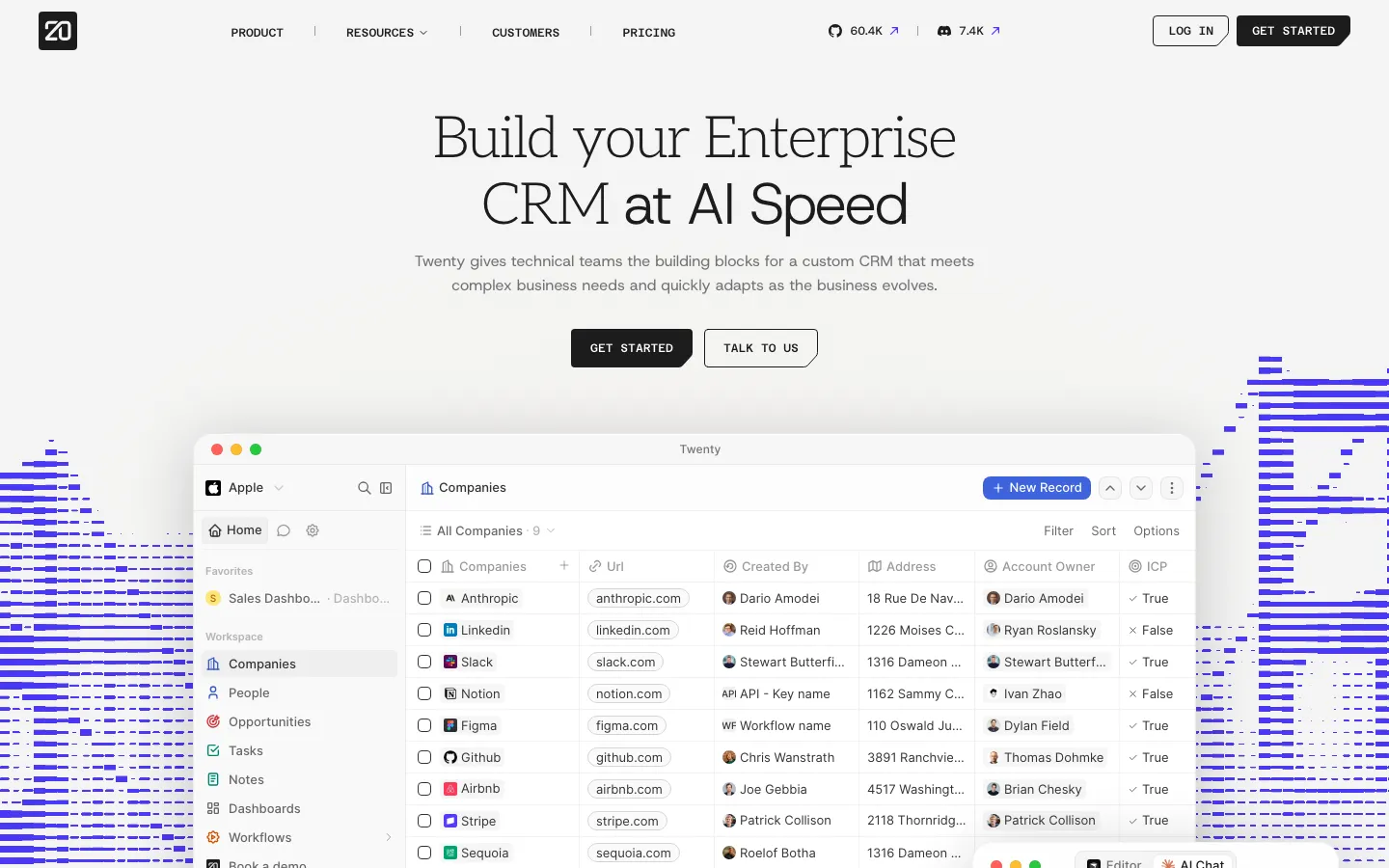
Twenty treats CRM as infrastructure rather than a fixed sales database. It gives you companies, people, opportunities, tasks and notes, then lets your team decide which fields, objects, views and workflows should sit around them. If you are browsing the marketing tools directory because a standard pipeline no longer matches how you sell, that distinction is its strongest argument.
The practical payoff is speed of change. A team can create a custom object for its own sales motion, arrange it in table, Kanban or calendar views, and keep the record layout close to the work. Email and calendar connections for Google and Microsoft link activity back to records, while timelines bring together emails, events, tasks, notes and files.
I think Twenty is compelling because it favors a team that can build over a team that wants every decision made for it. That can be a durable advantage when your process is unusual. It is needless overhead when your process is conventional.
Who should implement Twenty CRM?
Technical founders
Model a sales process beyond spreadsheets, with code-capable teammates who can shape objects and workflows.
Revenue teams with engineers
Keep CRM changes in TypeScript, versioned alongside the systems that feed and use customer data.
Privacy-led organizations
Self-host the open-source core when owning infrastructure and exporting data matter to your operating requirements.
Implementation agencies
Build custom CRM projects with React, TypeScript and PostgreSQL skills, rather than proprietary CRM languages.
Twenty is not the sensible first choice for a sales team that needs software to arrive complete. Its own documentation says it rewards teams that stay close to their tools and shape them over time. That is useful candor: implementation capacity is part of the purchase, even at a low seat price.
Which data management features does Twenty include?
A data model you can change
Every cloud plan lists unlimited custom objects, custom fields, custom views, custom layouts and records. You can use table, Kanban and calendar views, then build record pages and menus around the information your sales team actually needs. That is more consequential than a long feature checklist because it controls whether the CRM bends to your process or the other way around.
Activity and pipeline work
Twenty connects Google and Microsoft email and calendar, and associates emails and events with CRM records. The core also supports opportunities, tasks and notes. For a sales team, that gives each account a shared activity history instead of a pipeline that only shows a stage and an owner.
Workflows and AI tasks
Workflows can start when a record is created, search records, run an AI agent, update or create records, and send email. Cloud Pro includes about 100 personal AI tasks a week per member and one workspace credit per user per month. Cloud Organization raises that to about 500 personal AI tasks a week per member and four credits per user per month. The point is not to automate every interaction, but to put repetitive record work behind a reviewable workflow.
Developer platform
Twenty's developer environment lets objects, fields, views and page layouts live as TypeScript files in a repository. Its SDK supports apps, while the documented developer surface includes REST and GraphQL access, webhooks, OAuth, self-hosting with Docker Compose, and contributions to the open-source core. Apps run sandboxed and can only access data allowed by their role.
MCP for AI assistants
Every cloud workspace ships with a native MCP server. Connect an AI assistant through OAuth and it can read and write CRM data in natural language. That is a meaningful advantage for teams already using assistants in their operating workflow, but permissions still deserve the same care as any other CRM integration.
Dashboards
Twenty can build dashboards from live CRM data using aggregate, bar, line and pie widgets, with filtered metrics from any object. That is enough for operational views of pipeline and activity when you want the report to live near the records, rather than starting every question with an export.
How is Twenty cloud hosting priced per user?
Price checked 27 Nov 2026
| Plan detail | Pro$9/user/month, billed yearly | Organization$39/user/month, billed yearly | EnterpriseFrom $50k/year |
|---|---|---|---|
| Monthly price | $12/user/month | $52/user/month | Ask about billing terms |
| Personal AI usage | About 100 tasks/week per member | About 500 tasks/week per member | Custom |
| Workspace credits | 1/user/month | 4/user/month | Custom |
| Permissions | Admin and Member | Custom, to fields and rows | Custom, to fields and rows |
| SSO | ✕ | SAML/OIDC | SAML/OIDC + SCIM |
| Support | Email and chat | Priority | Dedicated, with SLA |
| Seats and custom objects | Unlimited | Unlimited | Unlimited |
Twenty prices, checked 27 Nov 2026.Twenty pricing
For a three-person team, the published Pro rate works out to $27 a month on yearly billing or $36 a month on monthly billing. That makes seat cost unusually simple, since all three cloud tiers list unlimited seats, custom objects, fields, views and records. The more important upgrade is control: Organization adds custom roles down to fields and rows, SAML/OIDC SSO, audit logs, priority support and access to the implementation partner network.
Self-hosted pricing is separate from the cloud plans. Self-hosted Pro is $0 per user per month for one team on your own servers, while self-hosted Organization is $19 per user per month for several teams in production. Cloud Pro has Admin and Member roles; self-hosted Pro instead lists custom roles down to fields. Compare the hosting model as well as the price before treating either Pro plan as equivalent.
Enterprise is a different buying decision. From $50,000 a year, it adds dedicated compute and custom API rates, single-tenant isolation, dedicated support with an SLA, and options including VPN and your own AI providers. Do not treat that as a natural next tier for a small team just because Pro starts low.
What does Twenty Enterprise deliver for large organizations?
Twenty Enterprise is for a large organization that needs isolation, procurement support and tailored security terms, not simply more CRM fields. It includes the Organization controls plus single-tenant isolation, dedicated support and an SLA, security reviews and custom contracts. The vendor also lists dedicated compute, custom API rates, VPN and your own AI providers.
That package makes sense only when your architecture and security requirements demand it. A team moving from Pro because it wants structured access controls should look at Organization first, where field- and row-level custom roles, SAML/OIDC and audit logs are already listed.
Where does Twenty fall short for non-technical users?
Twenty poses challenges for non-technical teams because its flexible architectural design requires ongoing engineering support and customization. A CRM you can reshape calls for people who can make good choices about the shape. The product offers an implementation partner network, but that does not turn a bespoke data model into a no-effort deployment. Budget time for ownership, workflow design and ongoing changes.
The integration gap is more direct. Twenty says its ecosystem is growing but is not yet as broad as Salesforce or HubSpot. Its developer platform can close some gaps through apps, APIs, webhooks and OAuth, but building a missing connection is still work. If you need hundreds of pre-built integrations today, Twenty itself says a fully managed alternative may serve you better.
Security and governance also make Organization the practical starting tier for some teams. Pro has Admin and Member roles but no SSO or audit logs. If field- and row-level controls, SAML/OIDC or an audit trail are requirements, the $9 headline price is not the relevant price.
Which Twenty alternatives should buyers consider?
For a sales team deciding whether to build around an open-source CRM or buy a more specialized prospecting workflow, start with  UpLead review. UpLead's real-time email verification is for finding qualified leads, whereas Twenty is the system that can hold and shape the work after a lead is found.
If LinkedIn outreach is central to your sales motion, read  Waalaxy review. Waalaxy offers 99+ ready-to-use LinkedIn outreach sequences; Twenty is the better fit when you need the CRM around that outreach to become an extensible operating system.
What is the verdict on deploying Twenty?
Twenty stands out primarily because it gives engineering-driven revenue teams full technical ownership over their customer data model. The open-source core, self-hosting option, unlimited data-model limits and native MCP give a technical team room to build. The low published Pro price makes that experiment approachable; the cost is the responsibility to make it coherent.
Put a real pipeline into a cloud trial, then see whether your team can model the objects and workflow it needs without creating a maintenance project. Pick cloud Pro when its Admin and Member roles are enough, choose cloud Organization when governance matters, and self-host only when you can own the infrastructure as well as the CRM.
How was this Twenty platform analysis conducted?
Twenty developer documentation, cloud pricing structures, and product features were reviewed directly on 27 Nov 2026. Prices use the vendor's displayed $ amounts, and the approach behind the figures is explained in how we check figures.
- Twenty pricing and self-hosting options
- Twenty product pages for CRM, dashboards and workflows
- Twenty documentation for its developer platform and MCP
What are frequently asked questions about Twenty CRM?
Is Twenty open source?
Yes. Twenty describes its core as open source and self-hostable, and says you can export your data at any time.
How much does Twenty cost for a team?
Cloud Pro is $9 per user per month on yearly billing or $12 per user per month. For three Pro users, that is $27 a month on yearly billing or $36 monthly. Cloud Organization is $39 per user per month on yearly billing or $52 per user per month. Self-hosted Pro is $0 per user per month and self-hosted Organization is $19 per user per month.
Does Twenty work with AI assistants?
Yes. Every cloud workspace includes a native MCP server. An AI assistant can connect through OAuth to read and write CRM data in natural language.
What does Twenty Enterprise add?
Enterprise starts from $50,000 a year and adds dedicated compute, custom API rates, single-tenant isolation, dedicated support with an SLA, and tailored security options.
 Reviewed byDanny Kirk
Founder of ReddiReach.
 Checked byAndrés Felipe
Digital designer and marketer.
Every figure is checked against the vendor's own page. Read our editorial standards.