Key Takeaways
- WebPageTest enables technical SEO and engineering teams to audit web performance across global locations, mobile devices, and network conditions.
- WebPageTest provides a Free Starter plan with 150 monthly tests alongside Professional plans starting at $180 annually.
- WebPageTest offers API access and technical integrations on its Professional tier, though it does not advertise a native MCP offering.
- WebPageTest is designed for on-demand performance diagnostics and lacks 24/7 continuous log file monitoring or automated robots crawling.
WebPageTest is the right first pick when you need to diagnose a page's web performance without a monitoring subscription: its Free Starter plan includes 150 monthly test runs, 30 worldwide locations, Lighthouse, Filmstrip and Video. Move to a dedicated monitor if your team needs an agreed monthly bill, seats, or an always-on reporting workflow. WebPageTest is now part of LogicMonitor through Catchpoint, and its Professional plan starts at $180 a year.
Agent access
- API
- Yes, Professional
- MCP server
- Not found on official pages
What are the core advantages and drawbacks of WebPageTest?
What works
- Free Starter includes 150 monthly test runs
- Filmstrip, Video, Lighthouse, Opportunities, and custom scripts are included on Starter
- Professional adds scheduled tests, API access, integrations, and private or bulk testing
What to watch
- Professional pricing is shown as an annual starting price, not a published monthly bill
- Seats and add-on costs are not shown on the public pricing page
- Scheduled tests and API access sit above the free plan
What does WebPageTest do to diagnose page speed issues?
WebPageTest is a web-performance tool created and open-sourced by Patrick Meenan in 2008. It is now part of LogicMonitor through Catchpoint, while Catchpoint continues to maintain it. The current offer begins with a free test that needs no account, then asks you to create a free account for the full experience. That makes it a practical first stop when a technical SEO ticket says a page feels slow. Compare peer options in our Technical SEO directory.
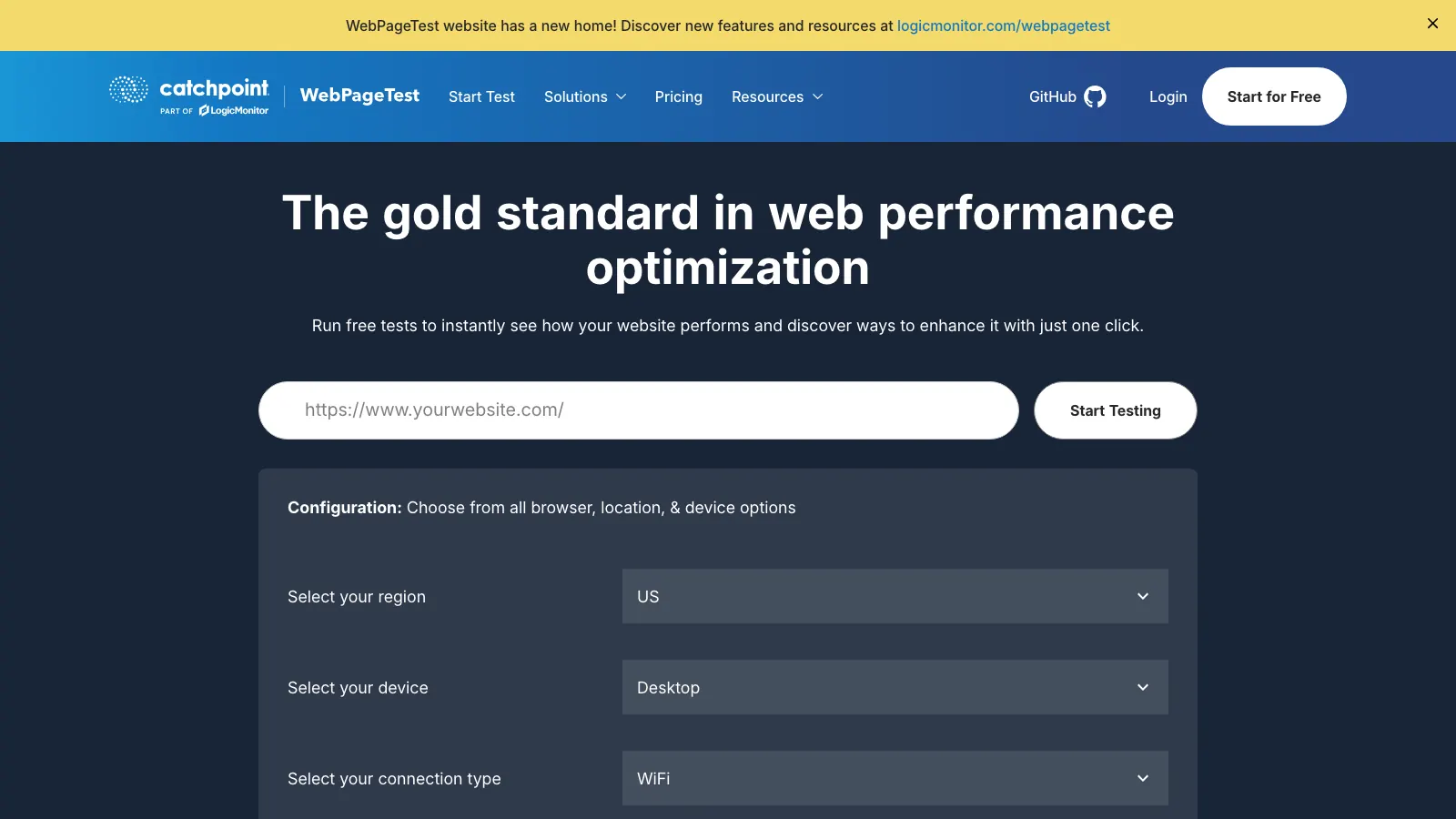
The free plan is useful because it is framed around diagnosis rather than a tiny product preview. You get 150 monthly runs, 60 days of test retention, 30 worldwide locations, three runs per test, Lighthouse, Filmstrip and Video, Opportunities, custom scripts up to three steps, and Carbon Control. Choose a browser, region, device, and connection type before a test, so the question can be closer to the conditions your visitors actually use.
WebPageTest is narrower than a broad technical SEO platform, and for a single performance question, refreshingly direct.
Who gets the most value from WebPageTest diagnostics?
Technical SEO teams
Use location, browser, device, and connection choices to frame a page-speed question before it becomes a wider remediation project.
Front-end teams
Use Filmstrip, Video, Lighthouse, Opportunities, and custom scripts to inspect a page and discuss an improvement with shared evidence.
Agencies with one-off work
Free Starter has 150 monthly test runs, which is enough to put focused client diagnostics ahead of a paid monitoring commitment.
Teams ready to automate
Professional adds scheduled tests, API access, integrations, private tests, and bulk testing.
I would choose it for a performance investigation with a clear question, not as a substitute for every performance workflow. It starts free, but the public offer does not state how many colleagues a Professional account covers or how a larger testing program is priced. Those omissions matter once the report, not the diagnosis, becomes the product your team must deliver every week.
What performance metrics and testing tools does WebPageTest provide?
Testing from the conditions that matter
WebPageTest presents browser, location, device, and connection choices before you run a test. Its free account includes monitoring from 30 locations worldwide, while Professional lists 40 locations. The pricing page also names up-to-date browser coverage and mobile emulation. That scope gives a technical team a way to look beyond the office connection and desktop machine that happen to be in front of them.
Visual and Lighthouse reports
Starter includes Filmstrip and Video alongside Google Lighthouse and Opportunities. The home page describes video capture as a way to correlate a user's visual experience with technical measurements, while its in-depth metrics name DNS, TCP, and TLS. I like that combination for an SEO and engineering handoff: it shows what loaded, not merely a score.
Opportunities and no-code experiments
Opportunities supplies suggestions for improving a site's performance. Professional includes Experiments, and the vendor says its no-code experiments can show the impact of suggested optimizations without changing the actual site. It also describes custom experiments that can run at the start of a test or alongside Opportunities experiments. That is the useful upgrade when a team needs to discuss a proposed change before committing it to the codebase.
API, integrations, and scheduled testing
Professional is the automation boundary. Its published list includes scheduled tests, customizable alerts, AI-powered smartboards and dashboards, priority tests, API access, integrations, private and bulk testing, 13 months of retention, and dedicated support. The product pages mention an NPM wrapper for Node.js, GitHub Actions, a VS Code extension, Slackbot, and Grafana among the integration options. Treat that as a reason to ask for the exact usage and team terms, because the public price does not spell them out.
How does WebPageTest structure free tests and paid plans?
Price checked 27 Nov 2026
| Plan detail | Free Starter$0 | ProfessionalFrom $180/year |
|---|---|---|
| Test runs | 150 monthly | 1,000 to 20,000 runs a month |
| Test retention | 60 days | 13 months |
| Locations | 30 worldwide | 40 worldwide |
| Filmstrip and Video | ✓ | ✓ |
| Google Lighthouse | ✓ | ✓ |
| API access | ✕ | ✓ |
| Scheduled tests | ✕ | ✓ |
WebPageTest prices in US dollars, 27 Nov 2026.WebPageTest pricing
The real starting bill is clear only for the free plan. A team can use Starter at $0, with 150 monthly test runs and 60 days of history. Professional starts at $180 a year. The pricing page shows annual and monthly choices at several run volumes but does not list the monthly price or seats, so ask before you buy. Do not turn the annual starting price into a monthly equivalent and present it as a quote.
- Free Starter includes custom scripts of up to three steps.
- Professional adds priority tests, private tests, bulk testing, and Experiments.
- Professional's published list includes dedicated support.
- The vendor says annual plans save 20%.
When should teams upgrade to the WebPageTest Professional plan?
WebPageTest positions its Professional plan for engineering teams actively optimizing front-end code and web assets. It is the tier to consider when the work needs to repeat on a schedule, move through an API, or use private and bulk testing. It also adds customizable alerts and smartboards or dashboards for a shared performance program.
There is no separate Enterprise plan in the current pricing table. Bring your expected run volume and the people who need access, then get written confirmation of the charge, seats, API limits, and integration terms.
Where does WebPageTest fall short in commercial clarity?
WebPageTest presents its main limitation in commercial clarity rather than in testing capabilities or free tier access. Professional begins at $180 a year. The pricing page shows annual and monthly choices at several run volumes but does not list the monthly price or seats, so ask before you buy. For a consultant running a few diagnostics, that may not matter. For an agency pricing client reporting, it makes the total cost uncertain until sales answers the specific workload question.
Automation is also paid. Starter has the testing essentials, but scheduled tests, API access, integrations, priority access, private tests, and bulk testing belong to Professional. If your workflow depends on those before the first report leaves the team, the free plan is a proving ground rather than your finished setup.
What are the primary alternatives to WebPageTest?
 WebPageTest alternatives include AI Peekaboo, with plans starting at $30 monthly and including API and MCP access. It fits when the work is tracking how a brand appears in AI answers alongside technical SEO.
 Botify review: Botify sells through a demo and publishes no plan costs. Its AlertPanel takes in log files, crawls, and robots.txt for 24/7 automated monitoring.
 Calibre review: RUM, CrUX, and Synthetic are available on every plan, from US$75 a month.
If you are deciding among several types of platform, the marketing tools directory keeps the technical SEO options together.
What is the final verdict on WebPageTest for performance auditing?
WebPageTest delivers precise performance answers for technical SEO and front-end teams without requiring an immediate software commitment. Free Starter provides 150 monthly tests, 30 locations, Lighthouse, visual reports, Opportunities, and short custom scripts. It is now part of LogicMonitor through Catchpoint, with a free path still available.
Professional makes sense when diagnosis becomes routine: scheduled tests, API access, alerts, integrations, private tests, bulk testing, longer retention, and 40 locations. Do not mistake “from $180/year” for a fully priced team plan. Capacity, seats, and billing cadence still need confirmation.
Run the free plan against a representative page from the browser, location, device, and connection you care about. If the same check needs to run on a schedule or enter an engineering workflow, ask for Professional pricing against your expected monthly runs.
How was this WebPageTest review researched and confirmed?
WebPageTest pricing, testing limits, and feature sets were verified against vendor documentation on 27 Nov 2026. Prices are in US dollars as shown by the vendor, and our treatment of dated figures follows how we check figures.
- WebPageTest home and free-account pages
- LogicMonitor's WebPageTest pricing page
- WebPageTest Opportunities and no-code Experiments page
What are the most common questions about WebPageTest?
Can you use WebPageTest for free?
Yes. You can run a free test without an account, although that view is limited. Free Starter is $0 and includes 150 monthly test runs, 60 days of history, 30 worldwide locations, Lighthouse, Filmstrip and Video.
How much does WebPageTest Professional cost?
Professional starts at $180 a year. The pricing page shows annual and monthly choices at several run volumes but does not list the monthly price or seats, so ask before you buy.
Does WebPageTest have an API?
Yes, Professional lists API access, along with integrations, scheduled tests, priority tests, private tests, and bulk testing.
Who owns WebPageTest?
WebPageTest was created and open-sourced by Patrick Meenan in 2008. It is now part of LogicMonitor through Catchpoint, and Catchpoint maintains it.
Does WebPageTest support experiments?
Professional includes Experiments. The vendor says no-code experiments can show the impact of suggested optimizations without changing the actual site, and it also offers custom experiments.
 Reviewed byDanny Kirk
Founder of ReddiReach.
 Checked byAndrés Felipe
Digital designer and marketer.
Every figure is checked against the vendor's own page. Read our editorial standards.